MyMixTool

MyMixTool

Download on App Store
Logo of MyMixTool

MyMixTool: The Ultimate Native Remote for Soundcraft Ui Series

Ditch the web browser for a high-performance, professional interface. Effortlessly manage levels, EQ, and secure personal monitor mixes with the speed and stability your live sound demands.

Publisher

Davor Repec

Category

Utilities

Downloads

2K+

User Rating

1.0/5

Total Ratings

0

Locales

1

Precision in Every Pixel

Discover the interface used by 2K+ users.
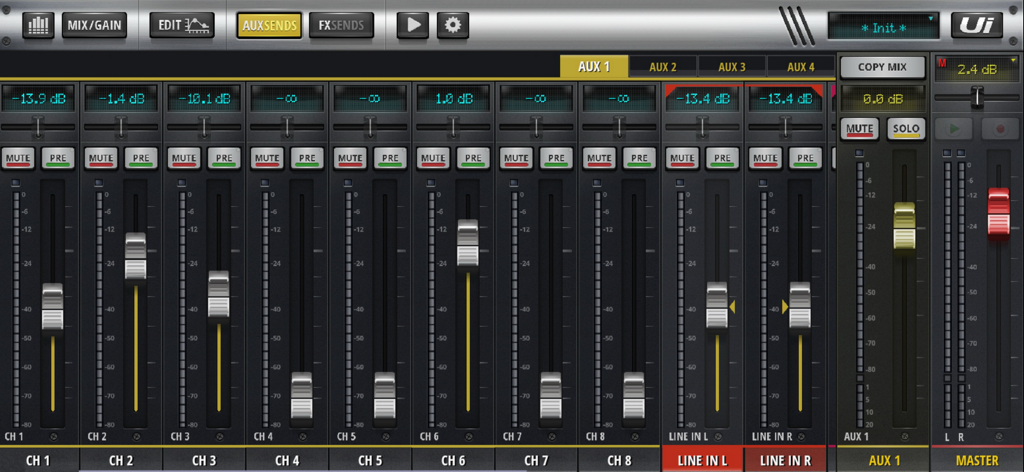
The aux sends interface of the MyMixTool app displaying digital mixer faders and channel levels for Soundcraft Ui series.

The aux sends interface of the MyMixTool app displaying digital mixer faders and channel levels for Soundcraft Ui series.

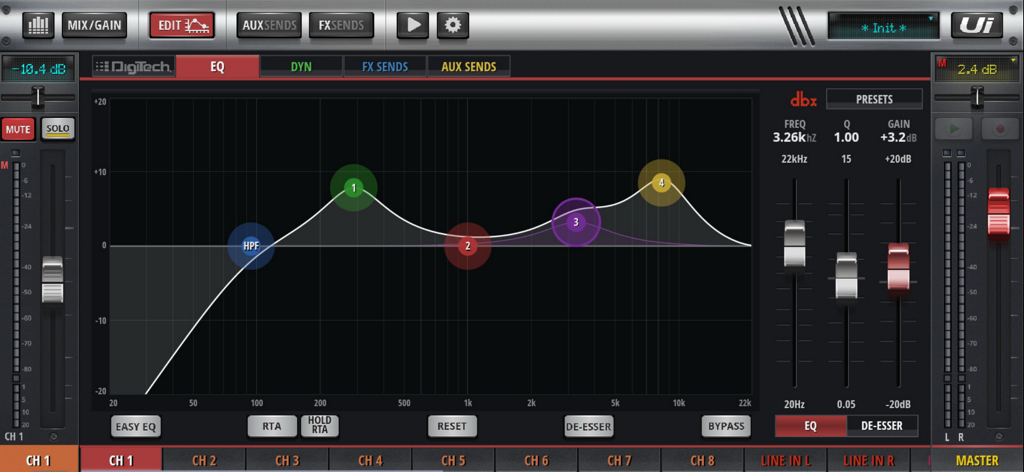
MyMixTool app interface showing the parametric equalizer settings for a digital audio mixer

MyMixTool app interface showing the parametric equalizer settings for a digital audio mixer

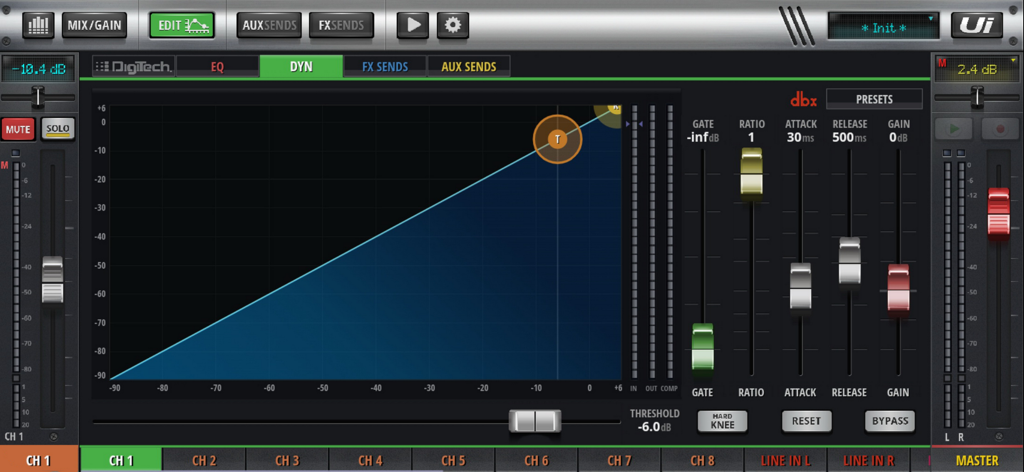
Interface of MyMixTool showing dynamics and compressor settings for a digital mixer channel

Interface of MyMixTool showing dynamics and compressor settings for a digital mixer channel

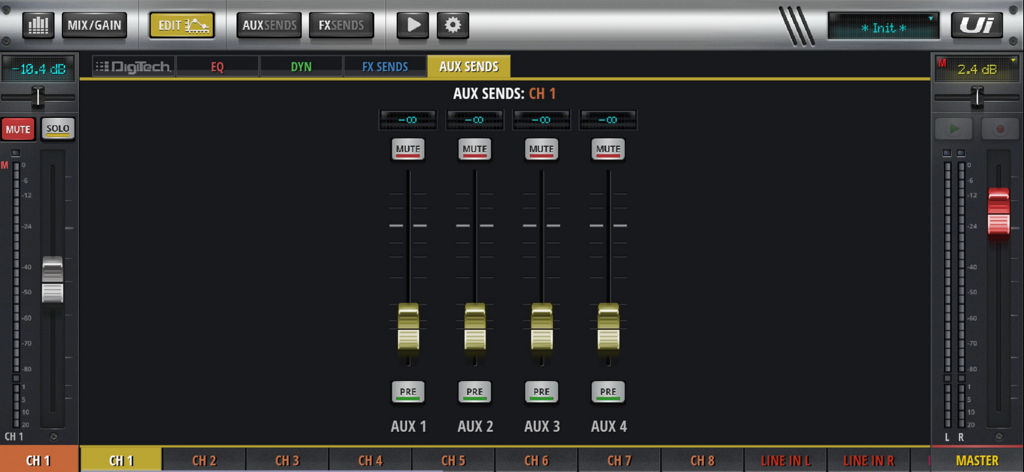
MyMixTool interface showing auxiliary sends faders for channel one on a Soundcraft digital mixer

MyMixTool interface showing auxiliary sends faders for channel one on a Soundcraft digital mixer

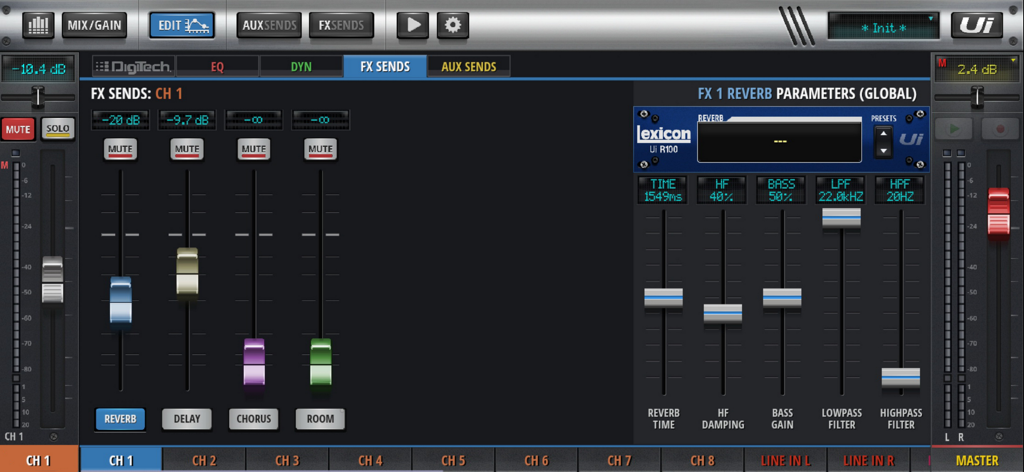
MyMixTool interface displaying FX sends and Lexicon reverb parameters for a Soundcraft Ui series digital mixer

MyMixTool interface displaying FX sends and Lexicon reverb parameters for a Soundcraft Ui series digital mixer

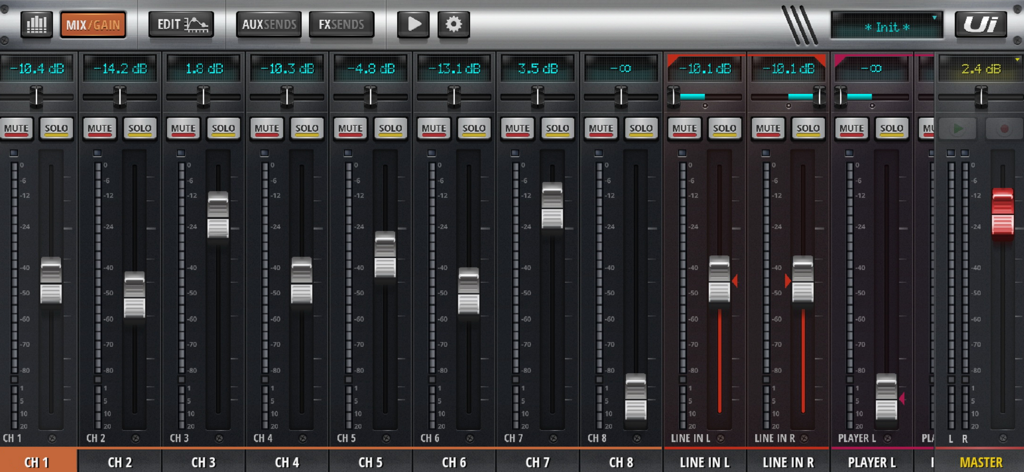
Digital mixing console interface on MyMixTool app with channel faders and controls for Soundcraft Ui mixers

Digital mixing console interface on MyMixTool app with channel faders and controls for Soundcraft Ui mixers

Professional Control, Anywhere

The tools that make this app stand out, trusted by 2K+ users.

📱

Wireless Mixing Freedom

Step away from the rack and mix from the audience's perspective with a responsive, full-screen native interface that outperforms standard web browsers.

🔒

Secure Monitor Control

Allow musicians to manage their own aux mixes using Local Aux Control while protecting your Master FOH settings with a secure master password.

Precision Sound Shaping

Instantly access Graphic EQ, compressors, and FX effects with an ergonomic layout designed for rapid adjustments during high-pressure live performances.

About the app

Everything you need to know about MyMixTool.

Description

The best way to control digital mixer with your iPhone or iPad! Features: • Different views (general view, layer view, edit mode, aux sends, fx sends, player mode) • Easy assign volumes, reverbs, delays, FX effects, balances, mute, solo • Control built-in USB media player • Quick and easy graphic EQ, compressor and gate • Easily assign mute groups • Easily assign sub groups • Ability to protect controlling with a master password (Local aux control) • Import/export presets and shows • Runs on smartphones and tablets • Email support Warning: This app does not play any sound; you can't even edit any sounds. It is solely for remote controlling your digital mixer. The following models are supported: • Soundcraft Ui12 • Soundcraft Ui16 • Soundcraft Ui24r ## DISCLAIMER This product and/or service is not affiliated with, endorsed by or in any way associated with Soundcraft or its products and services. Soundcraft and their respective logos are trademarks or registered trademarks of Harman International Industries, Inc.

Latest Version

1.6.8

Size

50.8 MB

First Released

Mar 10, 2025

Take Complete Control of Your Soundcraft Mix

Join over 2,000 audio pros and musicians who have ditched the browser for a faster, more stable native mixing experience. Download MyMixTool today and master your Soundcraft Ui12, Ui16, or Ui24r with precision.

Download on App Store

App information, icons, screenshots, and descriptions displayed on this page are sourced from the Apple App Store and are the property of their respective developers. Download estimates and rankings are based on MWM's proprietary models and may not reflect actual figures. This page is provided for informational and analytical purposes only.

Believe this page infringes your intellectual property? File a dispute