myOCTIME

myOCTIME

Download on App Store
Logo of myOCTIME

myOCTIME: Your Professional Schedule and HR Self-Service in One App

Empowering frontline employees and managers with real-time access to time tracking, leave requests, and team planning. Take control of your workday from anywhere.

Publisher

Octime

Category

Productivity

Downloads

181K+

User Rating

2.7/5

Total Ratings

100

Locales

3

A Glimpse Into Your Workflow

Discover the interface used by 181K+ users.
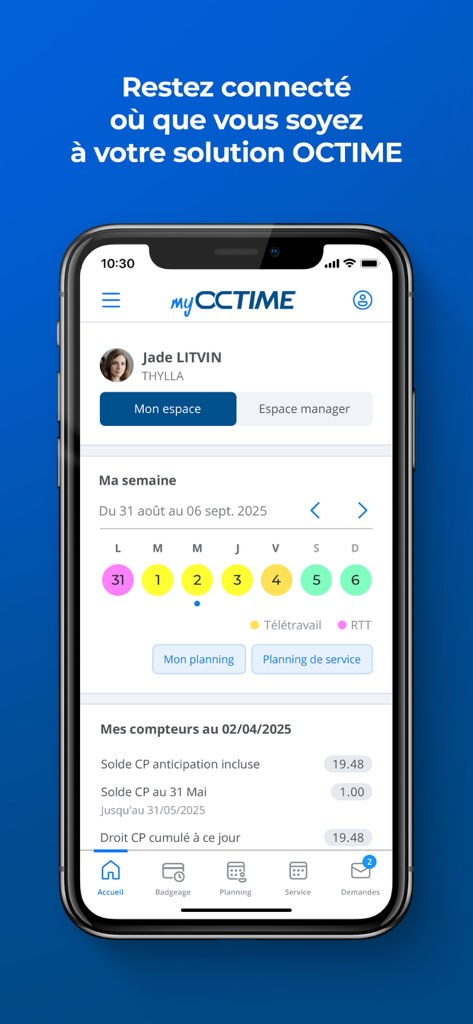
The myOCTIME mobile app home screen displaying a weekly work schedule and employee leave balances.

The myOCTIME mobile app home screen displaying a weekly work schedule and employee leave balances.

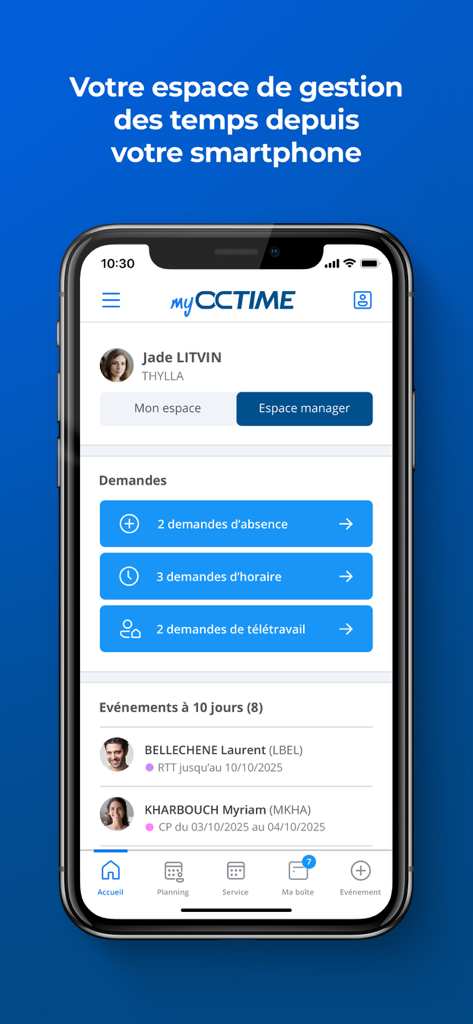
myOCTIME mobile app manager dashboard showing employee attendance and leave requests

myOCTIME mobile app manager dashboard showing employee attendance and leave requests

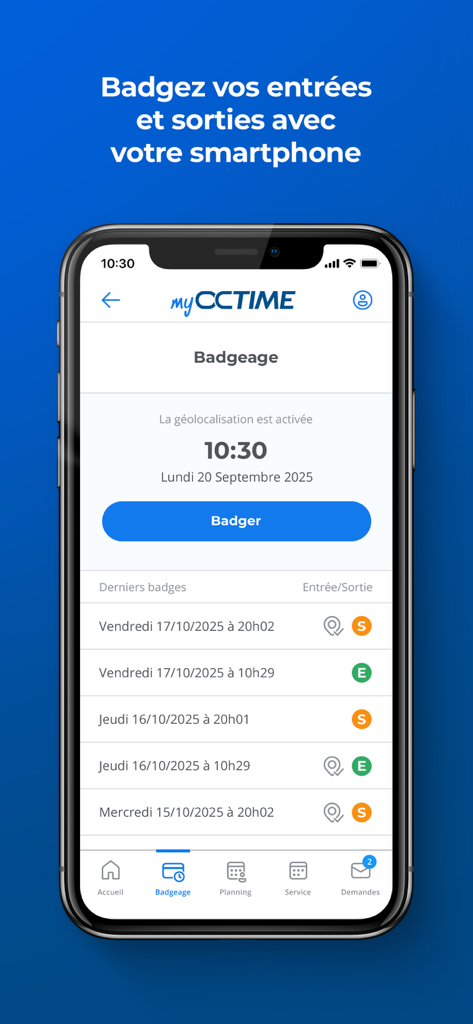
myOCTIME mobile app screen showing the clock in and out feature with badge history

myOCTIME mobile app screen showing the clock in and out feature with badge history

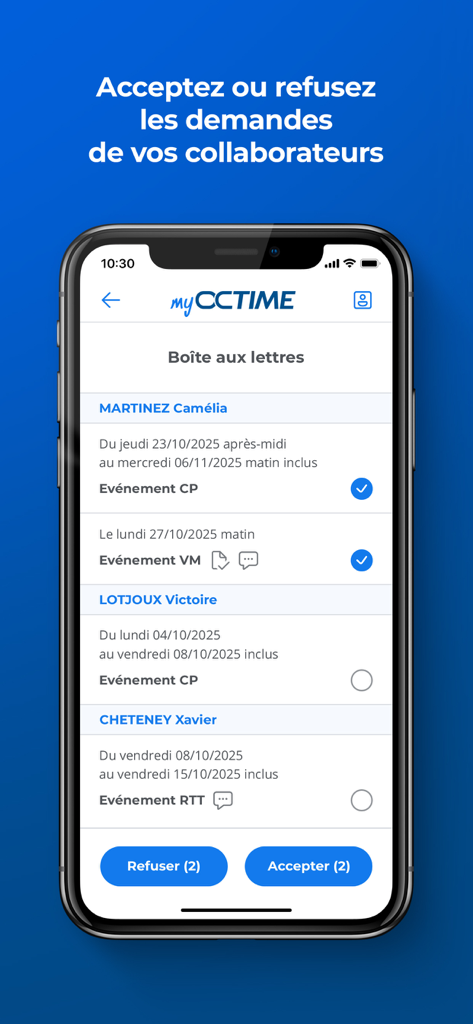
Manager dashboard in myOCTIME app for reviewing and approving employee leave requests

Manager dashboard in myOCTIME app for reviewing and approving employee leave requests

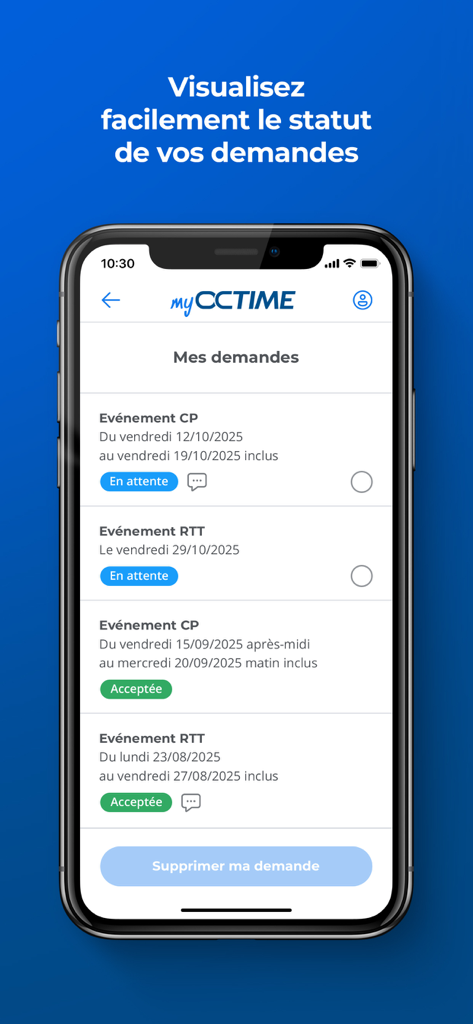
Mobile app interface showing a list of pending and approved employee leave requests.

Mobile app interface showing a list of pending and approved employee leave requests.

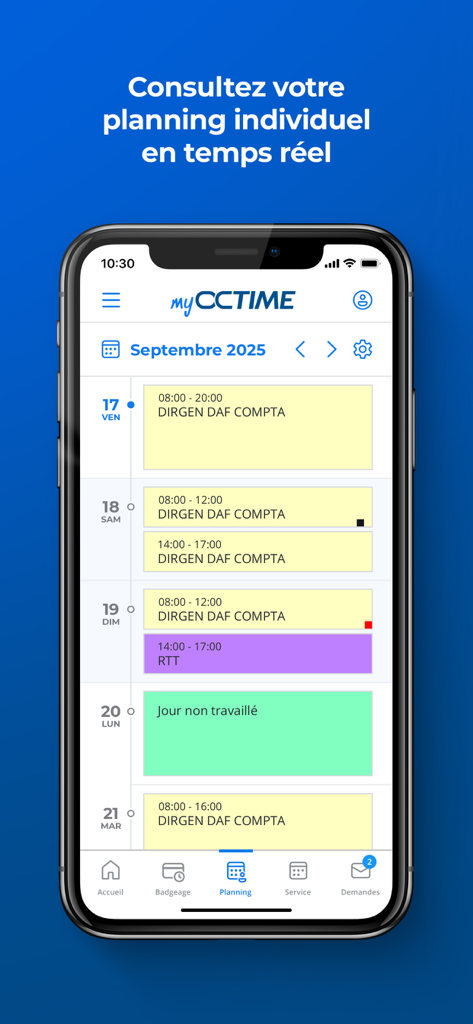
Smartphone screen displaying the myOCTIME app with a weekly work schedule and individual planning

Smartphone screen displaying the myOCTIME app with a weekly work schedule and individual planning

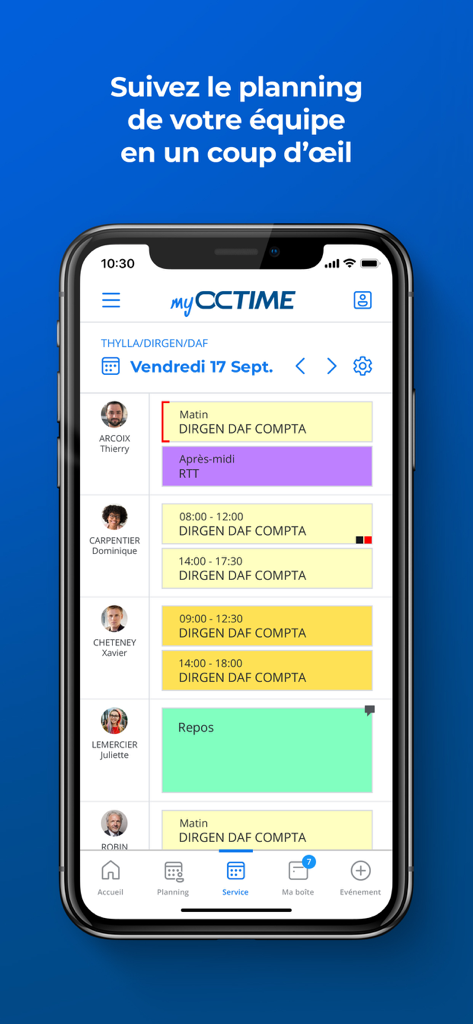
myOCTIME app interface showing a manager viewing their team schedule and work shifts

myOCTIME app interface showing a manager viewing their team schedule and work shifts

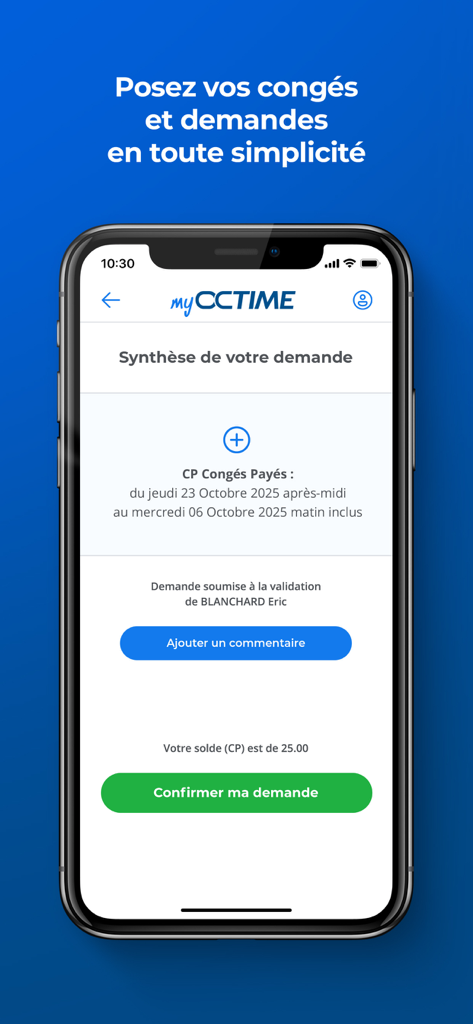
Leave request summary screen on the myOCTIME mobile app

Leave request summary screen on the myOCTIME mobile app

Master Your Time, Anywhere

The tools that make this app stand out, trusted by 181K+ users.

📅

Real-Time Schedule Visibility

Instantly access your shift calendar and leave balances from your iPhone. Stay informed about your upcoming week without ever needing to call HR.

Effortless Mobile Requests

Submit time-off, telework, or overtime requests in seconds. Clock in and out directly via the app to ensure your hours are always accurately recorded.

Instant Manager Approvals

Stop the paperwork bottleneck. Managers can review team schedules and approve leave requests with a single tap, right from the work floor.

About the app

Everything you need to know about myOCTIME.

Description

Avant d’installer myOCTIME, assurez-vous que votre organisation a souscrit à l’option mobile OCTIME 11 (ou OCTIME 10 en version supérieure à 10.0.1-3). L'application myOCTIME offre un accès simplifié, depuis votre appareil mobile, aux principales fonctionnalités de votre solution OCTIME. myOCTIME permet au quotidien à tous les salariés de consulter leur planning individuel, de visualiser l'état des soldes (congés, RTT, maladie, ...), d'établir leurs demandes d'absence, de badger, et de consulter l'information RH en provenance de leur organisation. Grâce à l’application myOCTIME, les managers peuvent également de suivre les plannings de leurs collaborateurs, valider en temps réel leurs demandes, et saisir des périodes d’absences ou des modifications d’horaires simples en quelques clics. Exploitez pleinement le potentiel de votre GTA OCTIME en situation de mobilité ! Pour le service RH : - Accompagnez les besoins en mobilité de vos équipes. - Communiquez avec vos collaborateurs sur tous les supports. Pour le manager/gestionnaire de planning : - Recevez en temps réel les notifications des demandes de vos collaborateurs. - Gagnez du temps dans la validation et le suivi des demandes. - Consultez et gérez facilement le planning de vos collaborateurs et accédez aux informations essentielles. Pour les collaborateurs : - Simplifiez l’accès à votre gestion des temps et au planning. - Accédez à votre Self-Service RH mobile à tout endroit et à tout instant. FONCTIONNALITES PRINCIPALES Espace collaborateur : - Création et suivi de demandes d’absences, d’horaires, de télétravail, de régularisation, d’astreintes. - Ajout d’un document à une demande d’absence. - Visualisation du planning individuel et de l’équipe. - Validation de planning. - Badgeage via le mobile. - Consultation des compteurs personnels (Soldes, Congés, RTT, …). - Visualisation de la communication interne. Espace manager : - Consultation et validation des demandes. - Visualisation des plannings individuels et de service. - Consultation des compteurs des collaborateurs. - Saisies d’absence et d’horaires. myOCTIME est uniquement accessible en option pour les clients OCTIME 11 ou OCTIME 10 (en version supérieure à 10.0.1-3) : rapprochez-vous de votre interlocuteur RH pour vérifier si votre organisation bénéficie de la solution myOCTIME. Les fonctionnalités manager et nouveautés ergonomiques décrites ci-dessus sont disponibles uniquement pour les clients OCTIME 11 (hors fonctionnalité de consultation et validation des demandes).

Latest Version

11.0.11-0

Size

80.1 MB

First Released

Jun 22, 2022

Ready to Take Control of Your Time?

Download myOCTIME today and join thousands of professionals managing their schedules, leave, and HR tasks directly from their pocket.

Download on App Store
FAQ

Frequently Asked Questions

Everything you need to know about myOCTIME

What is the myOCTIME application?

myOCTIME is a mobile application that provides simplified access to OCTIME time management features. It allows employees to manage absences, view schedules, and clock in, while managers can validate requests and monitor team planning.

Who can use the myOCTIME app?

Only organizations subscribed to the mobile option for OCTIME 11 or OCTIME 10 (version superior to 10.0.1-3) can use myOCTIME. Employees and managers of these organizations are eligible.

Can employees check their leave balances using the myOCTIME app?

Yes, employees can consult their personal counters, including balances for paid leave (CP), RTT, and sickness, within the myOCTIME application. The app displays current and anticipated leave balances.

How do employees clock in and out using myOCTIME?

Employees use the 'Badgeage' feature in myOCTIME to clock in and out from their mobile devices. The app activates geolocation for this function, and it logs entries and exits.

Can managers approve leave requests through the myOCTIME app?

Yes, managers can consult and validate employee absence requests in real-time using myOCTIME. They receive notifications for new requests and can accept or refuse them directly within the app.

Does the myOCTIME app display team schedules?

Yes, myOCTIME allows managers to follow their team's planning at a glance. Employees can also view team planning from their dedicated space within the application.

What types of requests can employees submit using myOCTIME?

Employees can submit requests for absences, working hours, telework, regularization, and on-call duties using myOCTIME. They can also add supporting documents to their absence requests.

Does myOCTIME use geolocation for the clock-in feature?

Yes, myOCTIME activates geolocation for its 'Badgeage' (clock-in/out) feature. This functionality ensures accurate recording of entries and exits directly from the mobile device.

App information, icons, screenshots, and descriptions displayed on this page are sourced from the Apple App Store and are the property of their respective developers. Download estimates and rankings are based on MWM's proprietary models and may not reflect actual figures. This page is provided for informational and analytical purposes only.

Believe this page infringes your intellectual property? File a dispute