Naver Calendar

Naver Calendar

Download on App Store
Logo of Naver Calendar

Naver Calendar: Your Aesthetic All-in-One Life Planner

Transform your daily routine with a beautiful blend of scheduling, habit tracking, and digital journaling. Personalize your world with 700+ stickers and stay perfectly synced across your iPhone, iPad, and Apple Watch.

Download on App Store

Publisher

NAVER Corp.

Category

Productivity

Downloads

0

User Rating

3.0/5

Total Ratings

0

Locales

5

Plan with Style

Discover the interface used by 0 users.
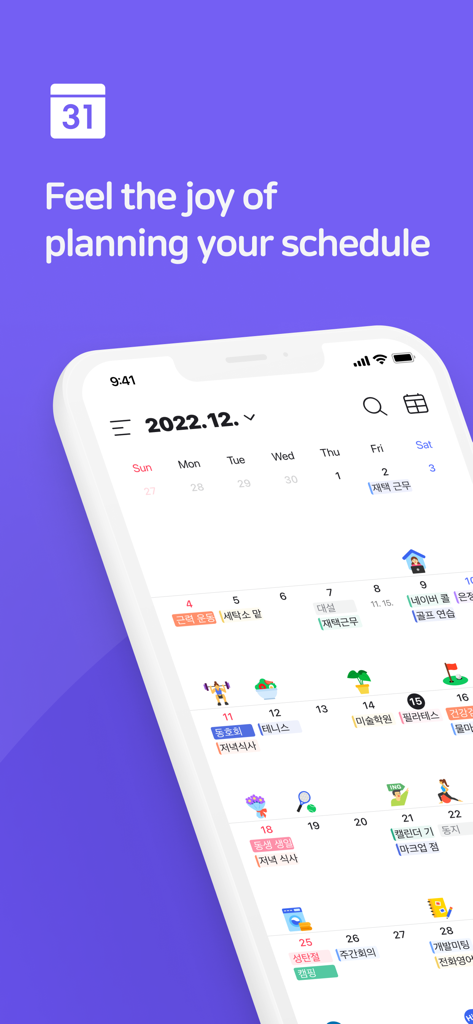
Naver Calendar app monthly view featuring a personalized schedule with colorful stickers and event labels

Naver Calendar app monthly view featuring a personalized schedule with colorful stickers and event labels

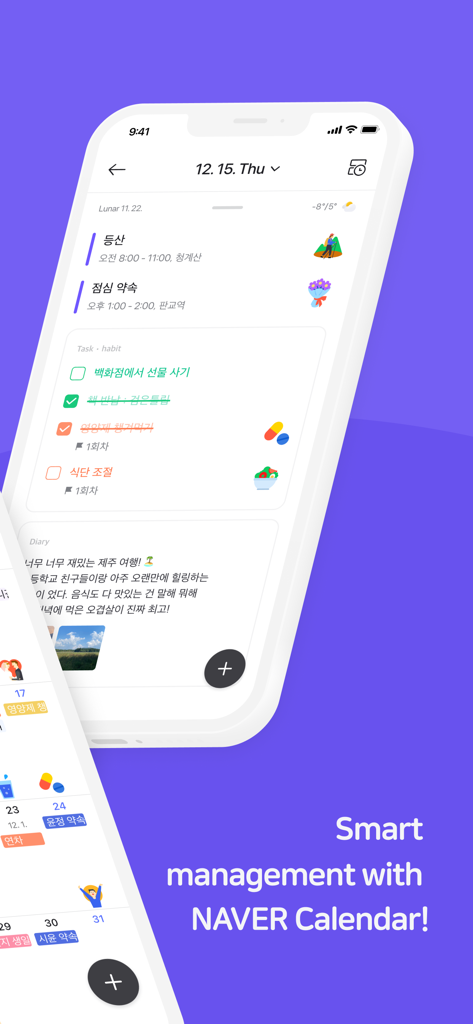
Naver Calendar app interface showing daily schedule tasks and diary entries

Naver Calendar app interface showing daily schedule tasks and diary entries

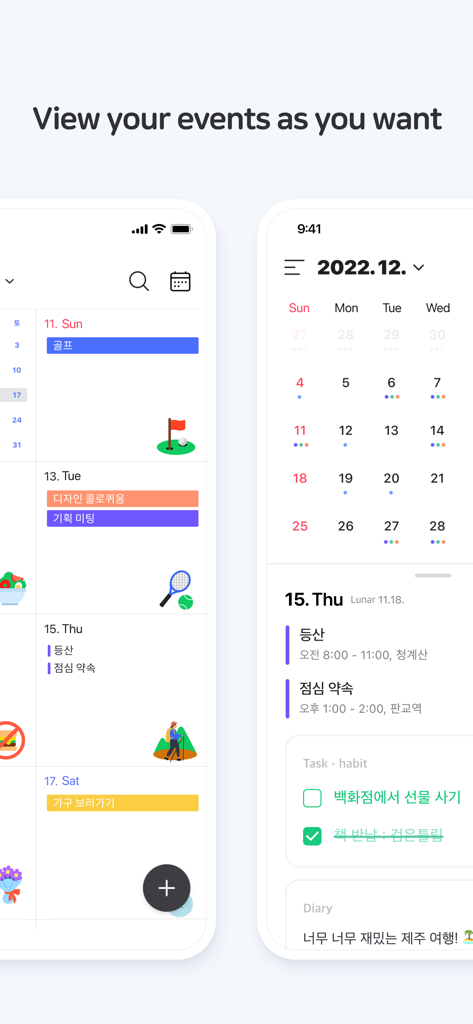
Naver Calendar app showing various schedule views with stickers and habit tracking

Naver Calendar app showing various schedule views with stickers and habit tracking

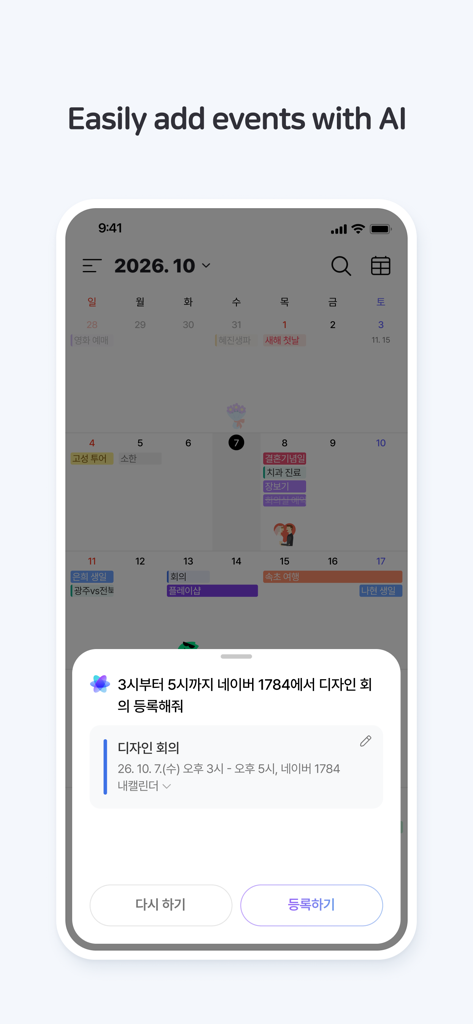
Interface of Naver Calendar app on a smartphone showing the AI event adding feature with a calendar background.

Interface of Naver Calendar app on a smartphone showing the AI event adding feature with a calendar background.

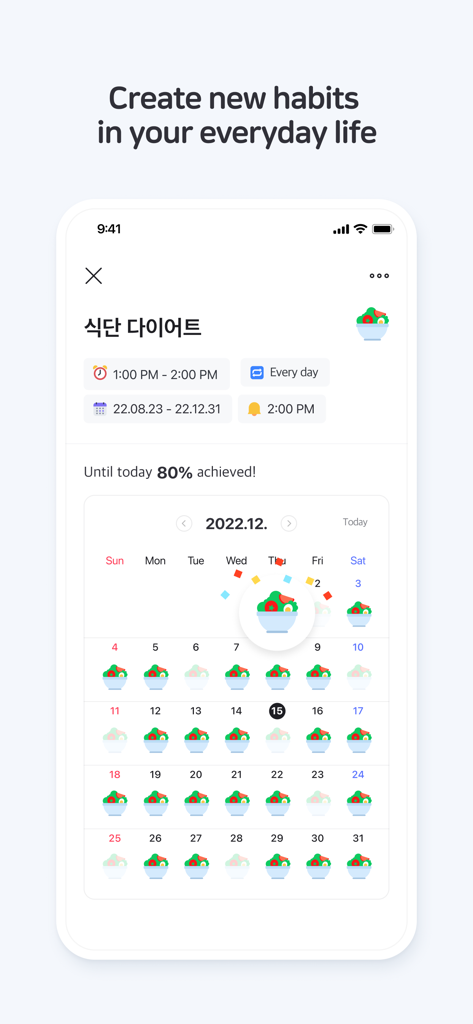
Naver Calendar habit tracking feature showing monthly progress for a diet habit with colorful icons.

Naver Calendar habit tracking feature showing monthly progress for a diet habit with colorful icons.

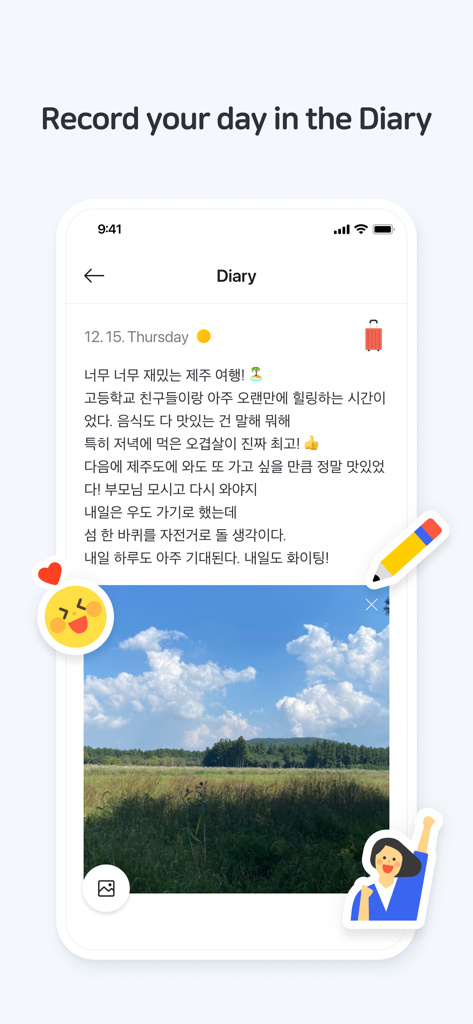
Naver Calendar mobile app showing a digital diary entry with a photo and text notes

Naver Calendar mobile app showing a digital diary entry with a photo and text notes

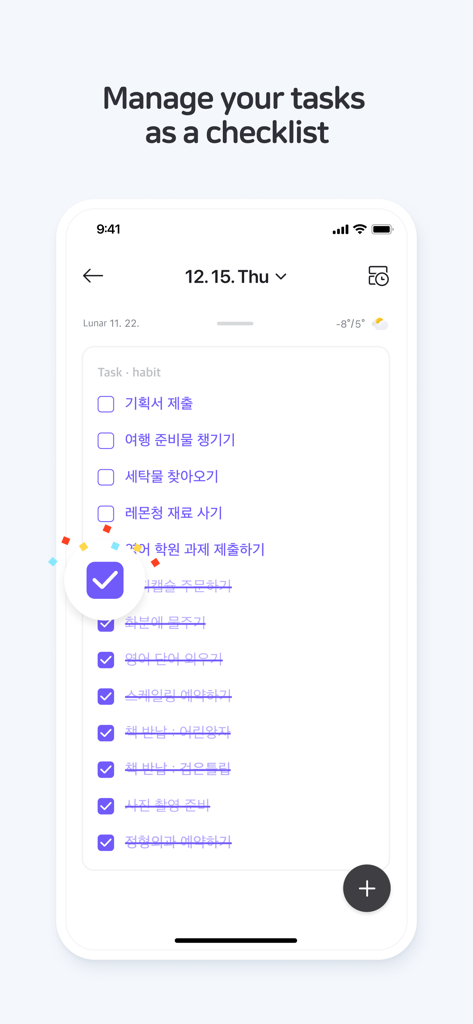
Naver Calendar mobile app showing a task and habit checklist with purple checkmarks and colorful accents.

Naver Calendar mobile app showing a task and habit checklist with purple checkmarks and colorful accents.

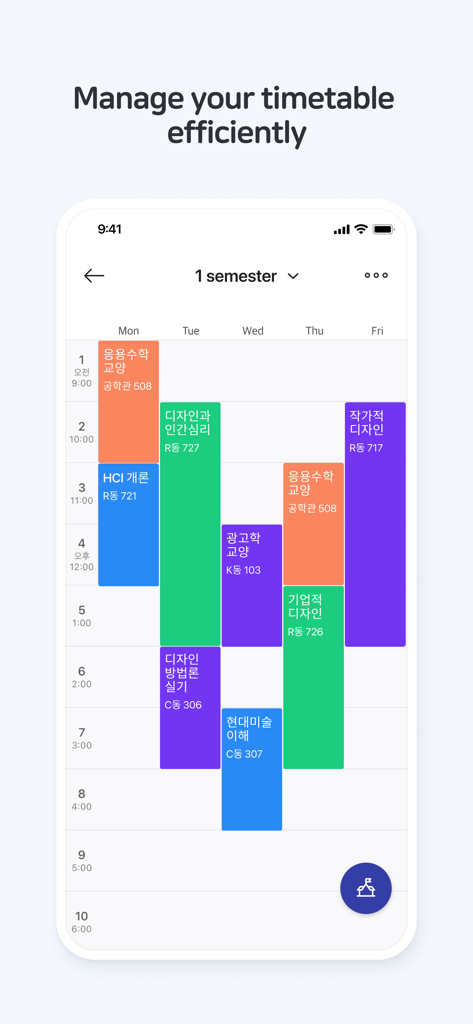
A colorful weekly timetable view in the Naver Calendar app for organizing student class schedules and daily tasks.

A colorful weekly timetable view in the Naver Calendar app for organizing student class schedules and daily tasks.

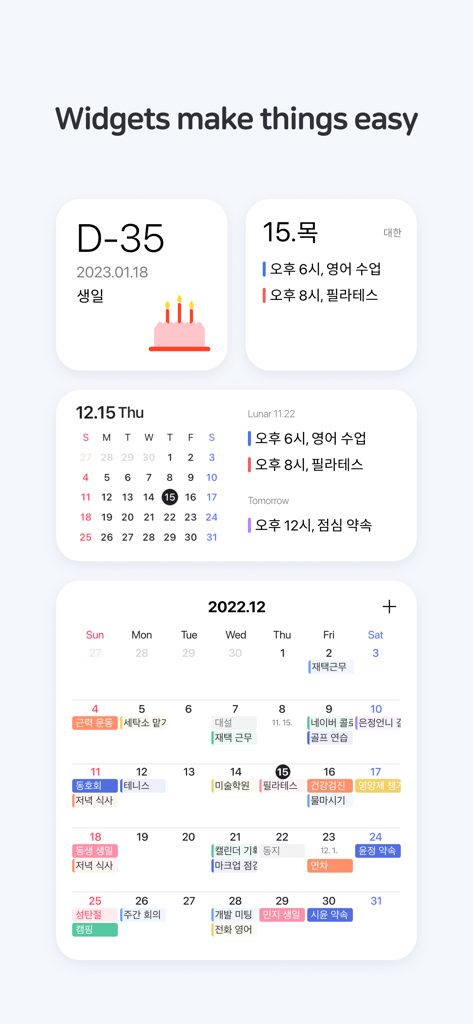
A variety of Naver Calendar widgets showing D-Day countdowns, monthly views, and color-coded schedules on a clean white interface

A variety of Naver Calendar widgets showing D-Day countdowns, monthly views, and color-coded schedules on a clean white interface

Organize Your Life with Style

The tools that make this app stand out, trusted by 0 users.

🎨

Express Yourself with 700+ Stickers

Turn your schedule into a digital scrapbook. Use a massive library of free stickers and aesthetic themes to make planning the best part of your day.

Calendar, Habits, and Diary in One

Stop switching between apps. Manage your to-dos, track daily habits, and record your personal thoughts all within your master schedule.

📅

Smart Alerts and Cultural Sync

Stay ahead with weather updates, D-Day countdowns, and specialized support for Lunar calendar anniversaries and multiple time zones.

About the app

Everything you need to know about Naver Calendar.

Description

* Have fun planning your day with the NAVER Calendar App - Various designs to view your calendar and Dark mode - 700 free stickers to customize - Weather information and Smart Briefing of the day - Sync your mobile app calendars with PC - iPad, Apple Watch support   [Key Features] 1. Schedule, Anniversary, Task, Habit and Diary - All my daily life in the calendar. Easily manage your daily to-dos, and don’t be stressed out about confusing lunar calendar anniversary that changes every year. Manage your routine through habits and record your days and thoughts in your diary. 2. Alerts that ring at the right time & moment Register easily-forgettable anniversaries to your calendar and it will help you to keep track of lunar calendar anniversaries on the right day. 3. Single touch to compose schedule! Tap and hold dates on Monthly, Dual or Weekly-view to register schedule, to-do and anniversary. 4. View schedules in a view-type of your choice Set your calendar in the monthly view to see all your schedules for the month, or in the weekly view for the week. You can also fix your calendar in the list-view for daily schedules or the time-view to manage your schedules hourly. 5. Shifting calendar If you swipe the screen left and right in the monthly view, you can see the previous or the next month. If you swipe upward, you can see detailed schedules with the calendar. 6. Exciting stickers and category setting You can categorize each schedule/ anniversary type with different colors for a convenient use and give uniqueness to your schedule with various stickers. 7. Quickly view your events with the widget With today/monthly/timetable/list/D-Day Widget/ iOS 16 Lock Screen Widgets, you can simply check your schedules. 8. Weather information Check weekly weather forecast in Weekly view and see current weather condition in daily view. 9. Easy and convenient task management Quickly add daily tasks and manage them by deadlines and groups. 10. Anniversary Don’t forget approaching anniversary with D-day. Your everyday will become more special. 11. Managing together: shared calendar You can co-manage your calendar with members including your friends, lover, family members and colleagues by sharing. 12. Time-table Time table is a must-have item for students and moms. 13. Easy-sync with other calendars You can simply import schedules in default calendar of your phone with a single click. 14. Support different time zones When you are abroad or scheduling with friends in overseas, you can simply adjust the time zone to register the schedule. 15. Apple Watch support Quickly check your schedule on Apple Watch with alarms and complications. — ■ Details of mandatory access rights - Voice Recognition : Adding events with your voice requires the OS's "Voice Recognition" permission. Voice data processed with "Voice Recognition" permission may be sent to Apple in accordance with Apple's policies. No other information will be sent. ■ Details of optional access permissions - Siri : Due to Apple's policy, permission is required in order to view events using shortcuts with Siri. However, the actual app will not ask the user for the permission. Should you face any problem or inquiries while using the app, please contact NAVER Calendar Customer Service Center (https://m.help.naver.com/support/service/main.nhn?serviceNo=5620).

Latest Version

4.6.12

Size

223.3 MB

First Released

Feb 7, 2013

Bring Your Schedule to Life

From habit tracking to creative journaling, manage every part of your day with the most personalized calendar app. Download for free and start planning today.

Download on App Store

App information, icons, screenshots, and descriptions displayed on this page are sourced from the Apple App Store and are the property of their respective developers. Download estimates and rankings are based on MWM's proprietary models and may not reflect actual figures. This page is provided for informational and analytical purposes only.

Believe this page infringes your intellectual property? File a dispute