
This page is not an official page of the app or its developer, but an independent editorial publication created for informational and commentary purposes. Unless expressly stated otherwise, neither the app nor its developer is affiliated with, endorsed by, sponsored by, authorized by, or otherwise officially connected with MWM, Apple, Google Play, the app publisher, or the app's developer, and nothing on this page implies that the app was developed using MWM's services. Any trademarks, logos, screenshots, and other content remain the property of their respective owners.


NCalc Scientific Calculator +
Unlock true mathematical command. This app isn't just a calculator; it's a direct pipeline to solving the most complex equations, visualizing data, and converting units with unflinching accuracy.
Downloads
5M+User Rating
Total Ratings
168.7KPublisher
Category
EducationLocales
51Latest Version
3.5.6Size
151.4 MBFirst Released
Apr 3, 2019An in-depth look at NCalc Scientific Calculator+'s core functionalities.
Key Features of NCalc Scientific Calculator+
Advanced Graphing Capabilities
This tool features a comprehensive graphing module, enabling users to visualize Cartesian, implicit, polar, and parametric functions, along with tracing roots, intersections, and extrema. It replicates the functionality of popular hardware graphing calculators.
Integrated Algebra and Calculus Tools
It allows users to perform a wide range of algebraic manipulations like expansion, factorization, and simplification, alongside calculus operations including derivatives, integrals, and limits, catering to advanced mathematical problem-solving.
Natural Display Input
The app provides a natural display interface, allowing users to input mathematical expressions—including fractions, roots, and exponents—exactly as they appear in textbooks, enhancing readability and reducing input errors.
Robust Equation & Inequality Solvers
This tool features dedicated solvers for general, quadratic, cubic, and quartic equations, as well as systems of equations with multiple variables and inequalities, making complex problem-solving efficient.
Matrix and Vector Operations
The app provides comprehensive matrix and vector capabilities, supporting operations like addition, subtraction, multiplication, and advanced functions such as determinant, inverse, eigenvalues, and eigenvectors.
Advanced Statistical Analysis
It allows users to perform descriptive statistics, regression analysis, and work with various probability distributions, including Normal, Binomial, Poisson, and Chi-square, which is crucial for data-driven disciplines.
Extensive Unit & Currency Converter
This tool features over 1000 unit conversions across various categories, alongside a currency converter, offering practical utility for engineers and international professionals.
Customizable Functions and Variables
The app provides the ability to define custom functions and store variables, enabling users to streamline repetitive calculations and personalize their workflow for complex problems.
Frequently Asked Questions
Everything you need to know about NCalc Scientific Calculator +
What is NCalc Scientific Calculator +?
NCalc Scientific Calculator + is a comprehensive app combining a natural-display scientific calculator, advanced math tools, graphing, a large formula library, and a unit/currency converter for students and engineers.
Does NCalc Scientific Calculator + offer a graphing function?
Yes, NCalc Scientific Calculator + includes a full graphing module similar to 83/84 calculators. It supports Cartesian, implicit, polar, and parametric functions, with features like tracing and finding roots.
Can NCalc Scientific Calculator + solve equations?
Yes, NCalc Scientific Calculator + features an Equation Solver. It solves general equations, including quadratic, cubic, and quartic forms, as well as systems of equations with up to four variables.
How does the natural display feature work in NCalc Scientific Calculator +?
The NCalc Scientific Calculator + natural display feature allows users to enter expressions exactly as they appear in textbooks, including fractions, roots, and exponents, presenting results clearly.
Does NCalc Scientific Calculator + include a unit converter?
Yes, NCalc Scientific Calculator + provides a comprehensive unit converter with over 1000 unit conversions and a currency converter, useful for various mathematical and engineering tasks.
What types of algebra calculations can NCalc Scientific Calculator + perform?
NCalc Scientific Calculator + performs algebra calculations such as expansion, factorization, and simplification. It also handles derivatives, integrals, and limits for calculus, and complex number calculations.
Is NCalc Scientific Calculator + a free application?
No, NCalc Scientific Calculator + offers access through an auto-renewing subscription. Users purchase this subscription via an In-App Purchase.
Can I manage my NCalc Scientific Calculator + subscription?
Yes, users manage their NCalc Scientific Calculator + subscription and turn off auto-renewal through their AppStore Account Settings after purchase. Auto-renewal must be off 24 hours prior to the current period's end.
Does NCalc Scientific Calculator + support complex number calculations?
Yes, NCalc Scientific Calculator + supports complex number calculations. It handles arithmetic, polar/rectangular conversion, exponential, logarithm, powers, roots, and full trigonometric functions for complex numbers.
Where can I find the privacy policy for NCalc Scientific Calculator +?
The privacy policy and terms of use for NCalc Scientific Calculator + are available at https://ncalc-app.web.app/terms-of-services.html.
The following screenshots and description are sourced directly from the app's official store listing and are the property of the app developer.
App Store
Screenshots
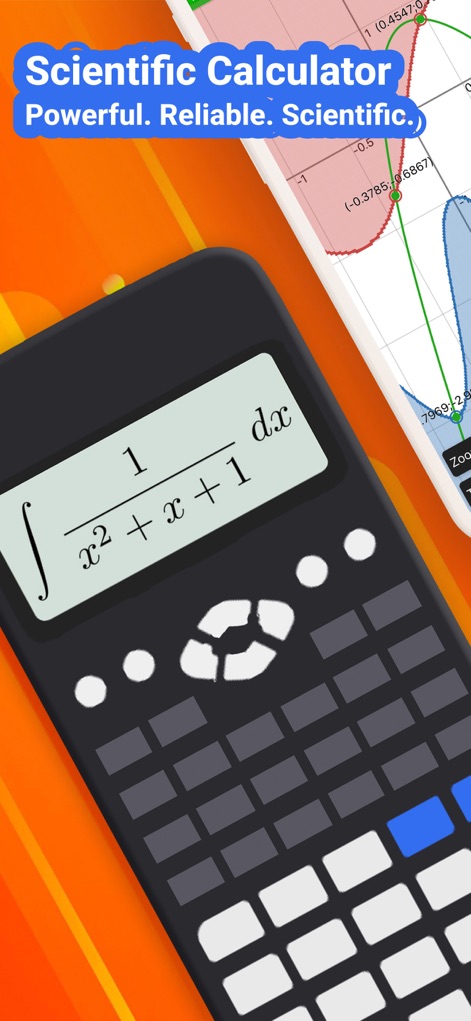
See how the app presents complex integral expressions in a natural display format and seamlessly integrates with robust graphing capabilities.
Natural Display Power
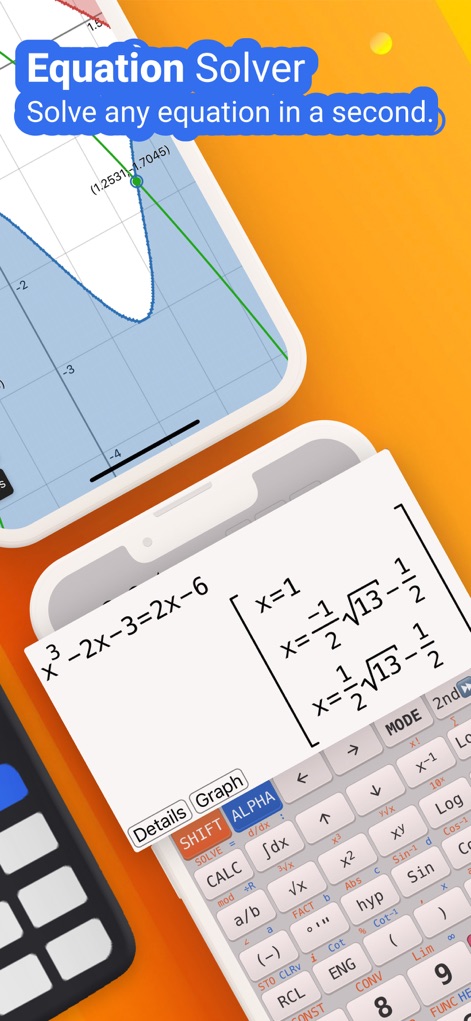
Witness the app's powerful equation solver presenting multiple solutions and its visual integration with graph plotting for enhanced understanding.
Instant Equation Solver

Explore how this tool handles diverse algebra and calculus operations, displaying complex expressions with precise natural formatting.
Comprehensive Algebra
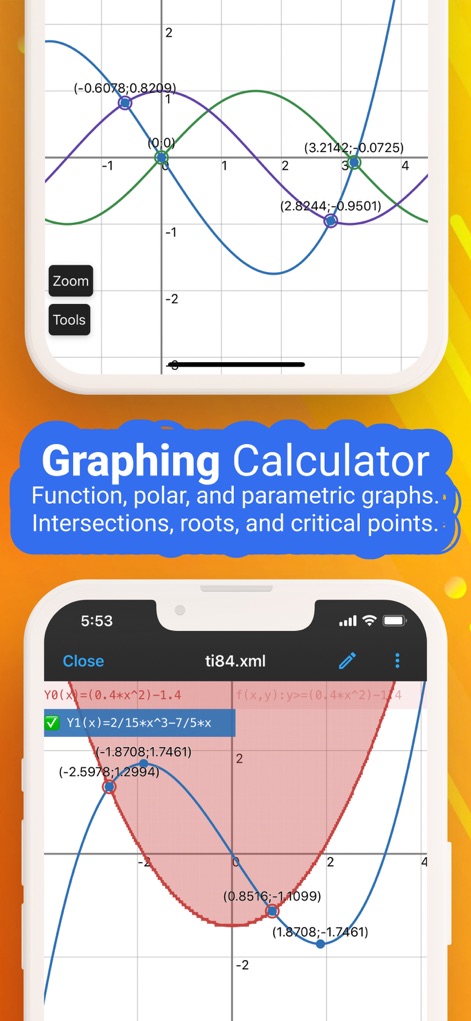
Observe the dynamic graphing module in action, plotting multiple functions and identifying critical points like intersections with ease.
Dynamic Graphing
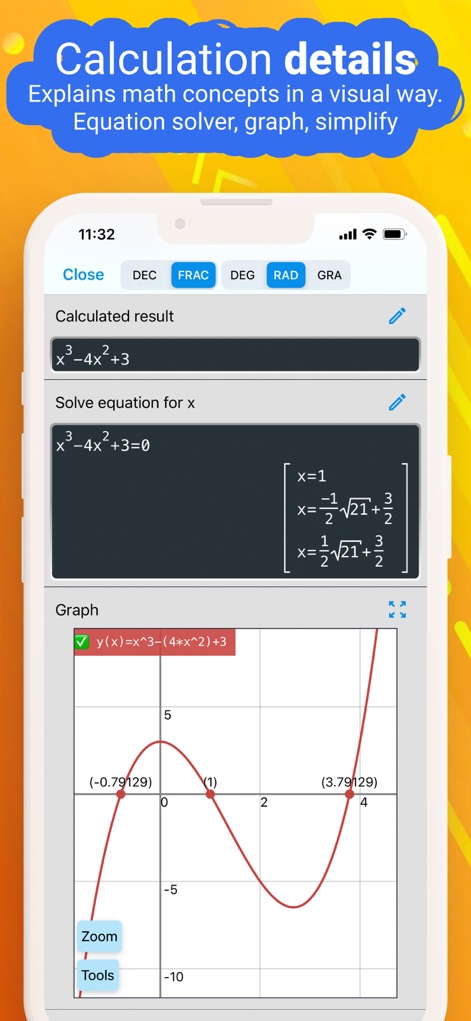
This screenshot illustrates the app's ability to provide detailed calculation breakdowns, showcasing both solved equations and their graphical representations.
Detailed Insights
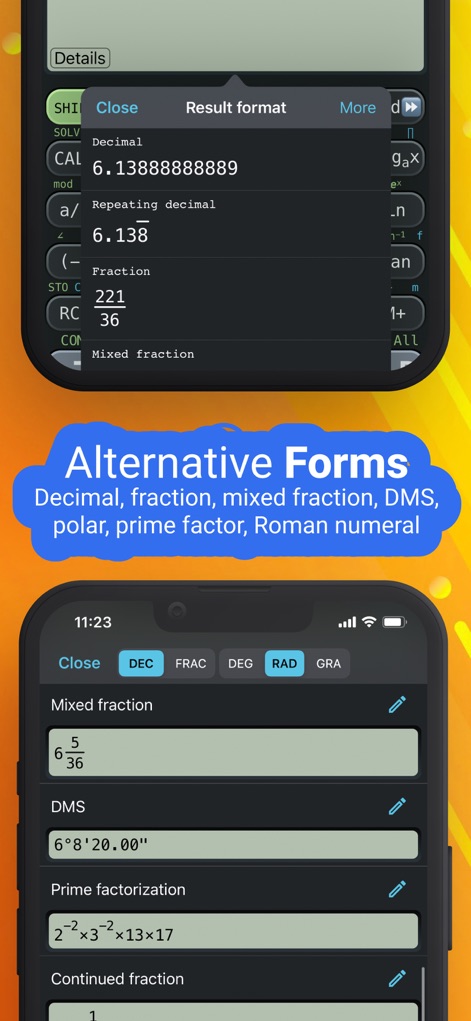
The app provides comprehensive output options, allowing users to view results in various forms such as mixed fractions and prime factorization.
Flexible Output Formats

This tool expertly handles complex equations, providing all solutions, including those with imaginary components, directly within its intuitive interface.
Advanced Equation Solver
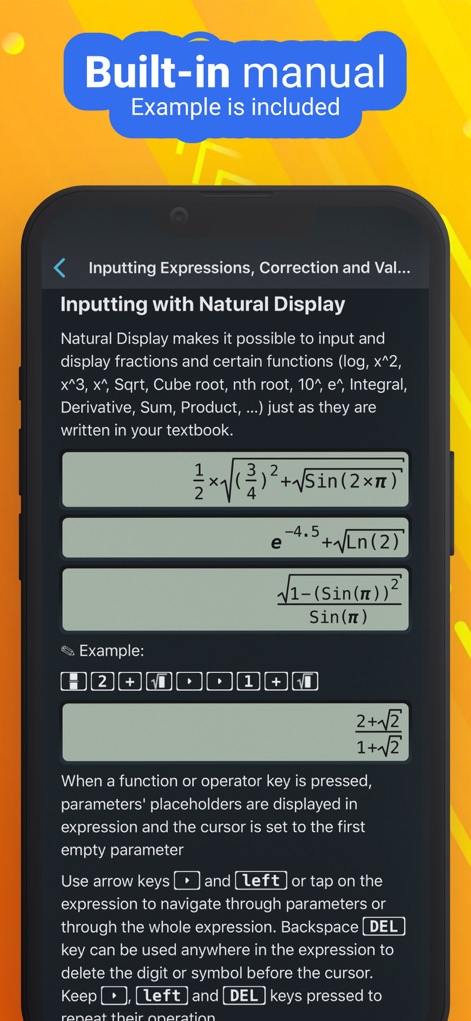
Users can leverage the app's built-in manual to understand natural display input, ensuring expressions look exactly as they would in a textbook.
Intuitive Input Guide
Description
Download
More Like This
Apps with similar features and user experience

Calculate84
Century Light LLC

Calculator ∞
An Truong

数字ּּ统量
振龙 张

Scientific Calculator fx-991
Dinh Phuc

Desmos Graphing Calculator
Desmos, Inc.

HiPER Scientific Calculator
Jindrich Houska

Panecal Scientific Calculator
Noriyasu Kutsuzawa

Calculator #
An Truong

PCalc
TLA Systems Ltd.
This page is not an official page of the app or its developer, but an independent editorial publication created for informational and commentary purposes. Unless expressly stated otherwise, neither the app nor its developer is affiliated with, endorsed by, sponsored by, authorized by, or otherwise officially connected with MWM, Apple, Google Play, the app publisher, or the app's developer, and nothing on this page implies that the app was developed using MWM's services. Any trademarks, logos, screenshots, and other content remain the property of their respective owners.