
This page is not an official page of the app or its developer, but an independent editorial publication created for informational and commentary purposes. Unless expressly stated otherwise, neither the app nor its developer is affiliated with, endorsed by, sponsored by, authorized by, or otherwise officially connected with MWM, Apple, Google Play, the app publisher, or the app's developer, and nothing on this page implies that the app was developed using MWM's services. Any trademarks, logos, screenshots, and other content remain the property of their respective owners.

Nest
Smart devices often isolate. This app centralizes the entire home's intelligence, arming users with effortless control and instant awareness, anytime, anywhere.
Downloads
12.5M+User Rating
Total Ratings
3.2MPublisher
Category
LifestyleLocales
6Latest Version
5.86.3Size
240.0 MBFirst Released
Nov 1, 2011Nest App: A Centralized Hub for Smart Home Management
An analytical review of the Nest application's core functionalities designed for modern homeowners and renters.
Unified Smart Home Control
The app provides a single interface for managing various Nest smart home devices, including thermostats, security systems, cameras, and smoke/CO detectors.
Automated Home/Away Assist
This tool intelligently automates device behavior, such as adjusting heating or arming security, based on user presence, leveraging location data and sensors.
Live Home Camera Feed & Alerts
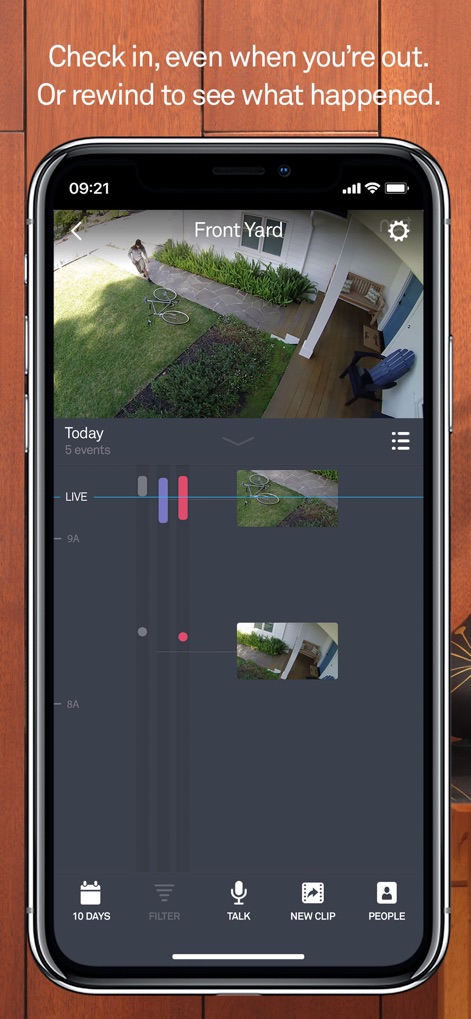
It offers 24/7 live HD video streaming from Nest Cams, providing real-time activity alerts and two-way audio communication for enhanced security.
Remote Security System Control
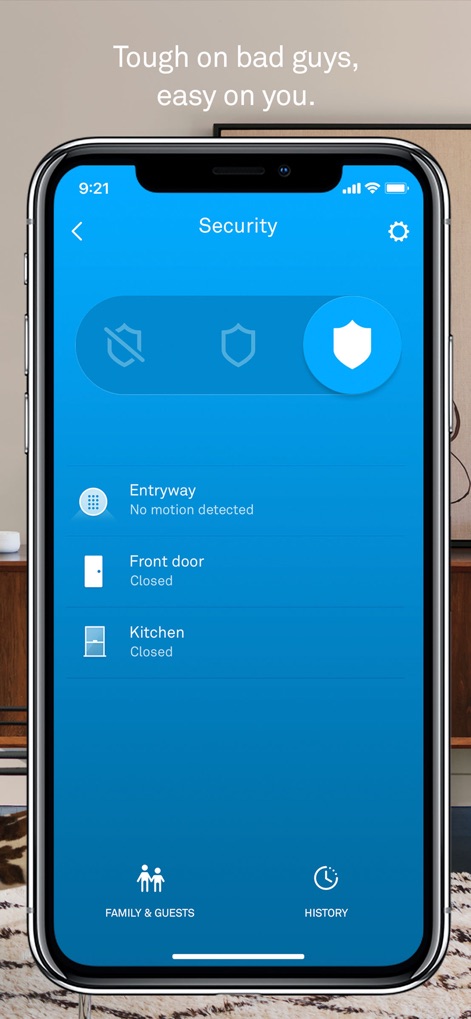
The tool enables remote arming and disarming of the Nest Secure alarm system and sends intelligent alerts, including reminders and details on triggered events.
Smart Climate Management
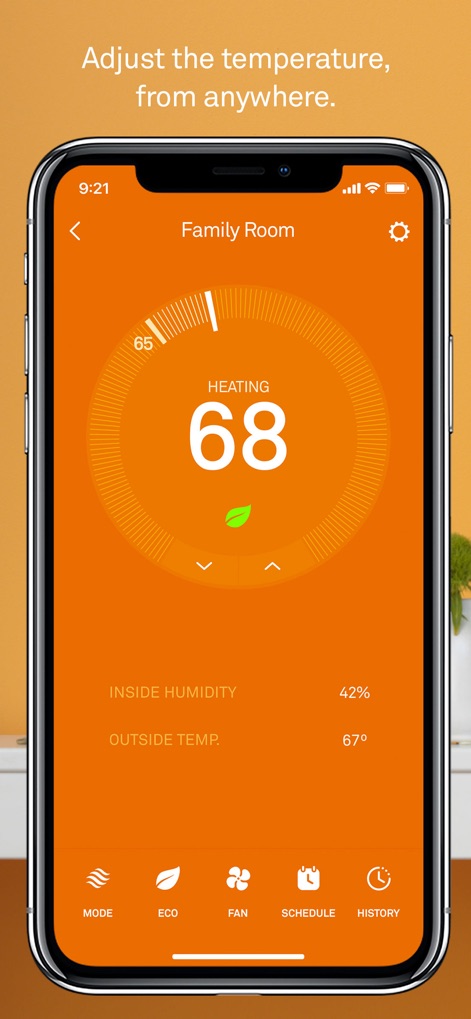
It allows users to remotely adjust thermostat settings, view energy consumption reports, and benefit from self-programming features to optimize energy savings.
Keyless Entry & Access Control
The app facilitates assigning temporary passcodes, monitors door lock/unlock activity with alerts, and supports auto-locking features for enhanced home security.
Advanced Smoke & CO Monitoring
The app delivers immediate alerts for smoke or carbon monoxide detection and allows for convenient silencing of alarms directly from a mobile device.
Intelligent Doorbell Management
It provides alerts for visitors, even without a ring, offers HD two-way talk, and enables pre-recorded quick responses for seamless interaction at the doorstep.
Frequently Asked Questions
Everything you need to know about Nest
What is the primary function of the Nest app for Google Nest products?
The Nest app is designed to control various Nest products, including Nest thermostats, Nest Secure alarm systems, Nest Cams, and Nest Protect, all from a single interface on an iPhone or iPad.
Can I remotely control my Nest thermostat using the Nest app?
Yes, the Nest app allows remote temperature changes for Nest Learning Thermostat and Nest Thermostat E. Users can also view energy usage, edit schedules, and receive extreme temperature alerts from anywhere.
What security functionalities does the Nest app offer for Nest Secure?
The Nest app provides remote arming and disarming capabilities for the Nest Secure alarm system. It sends Remind Me alerts if you forget to set the alarm and delivers security alerts detailing what triggered an alarm.
Does the Nest app provide alerts for smoke and carbon monoxide from Nest Protect?
Yes, the Nest app notifies users on their phone if Nest Protect detects smoke or carbon monoxide. It also enables App Silence for 2nd gen devices and allows users to check device status and safety history.
How does the Nest app facilitate home monitoring with Nest Cam devices?
The Nest app allows viewing of Nest Cam feeds, receiving activity alerts, and two-way talk. It stores snapshots of the last three hours and offers 24/7 HD video for specific models, with subscriptions for more features.
Is it possible to manage the Nest x Yale Lock through the Nest app?
Yes, the Nest app allows users to manage their Nest x Yale Lock. It enables assigning passcodes to trusted individuals, receiving alerts for door locking or unlocking, and utilizing auto-lock with Home/Away Assist.
How does the Nest app provide automatic actions based on user presence?
The Nest app automates actions using sensors, algorithms, and phone location. It can automatically turn off heating and activate cameras when you leave home and sends Remind Me alerts if an alarm is forgotten.
The following screenshots and description are sourced directly from the app's official store listing and are the property of the app developer.
App Store
Screenshots

Unified Home Control
This tool presents a centralized control panel for various smart devices and provides real-time live camera feeds from areas like the Family Room and Front Yard.
Climate Command Center
Users can precisely adjust home temperature using the intuitive large temperature dial, while monitoring detailed options such as Mode and Schedule for energy efficiency.
Security Event Timeline
This view highlights the visual event timeline with video snippets for easy review, complemented by communication tools like the 'Talk' button for interaction.
Proactive Security Management
The interface provides a simplified arming and disarming toggle for security, along with real-time status updates for various sensors like the front door and kitchen.
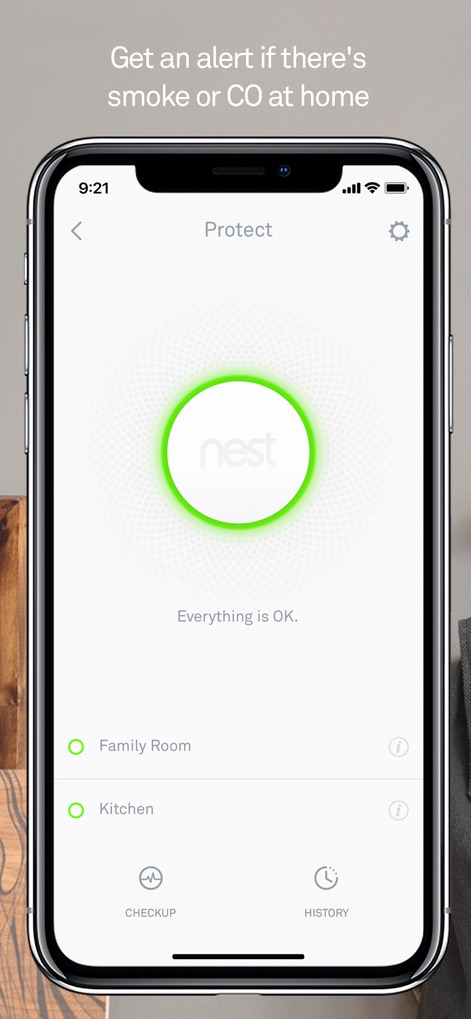
Critical Safety Monitoring
The app displays the 'Everything is OK.' status for Nest Protect devices and offers a quick 'Checkup' button to ensure all alarms are functioning correctly.
Description
Download
More Like This
Apps with similar features and user experience

TP-Link Tapo
TP-Link Systems Inc.

Дом с Алисой
DIRECT CURSUS COMPUTER SYSTEMS TRADING LLC

VeSync
Vesync Technology Corporation

Kasa Smart
TP-Link Systems Inc.

ecobee
ecobee Ltd.

Hubspace
Afero, Inc.

ADT Control ®
ADT LLC

First Alert by Resideo
Resideo Technologies, Inc.

Mibo Smart: Casa Inteligente
Intelbras S.A. Ind. de Telecom. Elet. Brasileira
This page is not an official page of the app or its developer, but an independent editorial publication created for informational and commentary purposes. Unless expressly stated otherwise, neither the app nor its developer is affiliated with, endorsed by, sponsored by, authorized by, or otherwise officially connected with MWM, Apple, Google Play, the app publisher, or the app's developer, and nothing on this page implies that the app was developed using MWM's services. Any trademarks, logos, screenshots, and other content remain the property of their respective owners.