NetMonitor Mobile

NetMonitor Mobile

Logo of NetMonitor Mobile

NetMonitor Mobile: Professional Network Diagnostics. No Cloud. No Subscriptions.

Take total control of your network with a local-only toolkit designed for power users and IT pros. From WiFi heatmapping to deep device discovery, get enterprise-grade visibility and Swift 6 performance without ever compromising your privacy.

Publisher

John Crane

Category

Utilities

Downloads

0

User Rating

1.0/5

Total Ratings

0

Locales

1

A Professional Look Inside

Discover the interface used by 0 users.
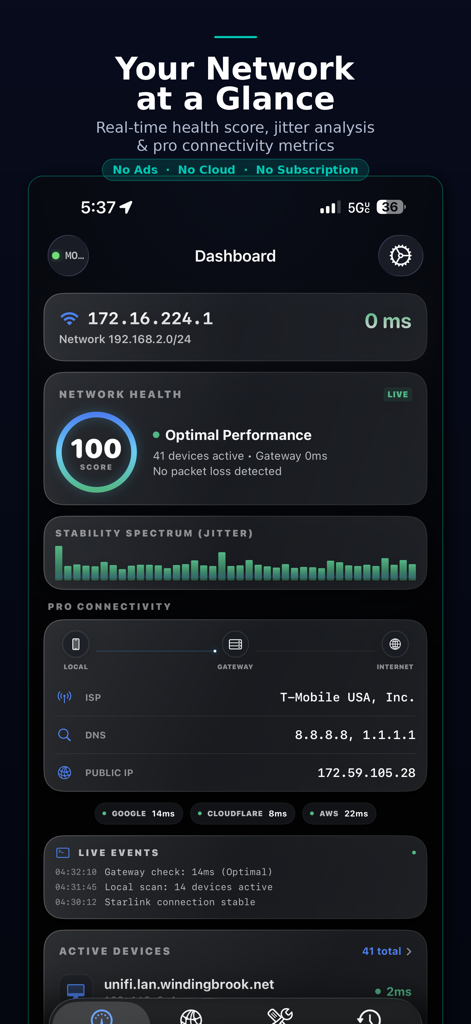
NetMonitor Mobile dashboard showing real-time network health score and jitter stability spectrum

NetMonitor Mobile dashboard showing real-time network health score and jitter stability spectrum

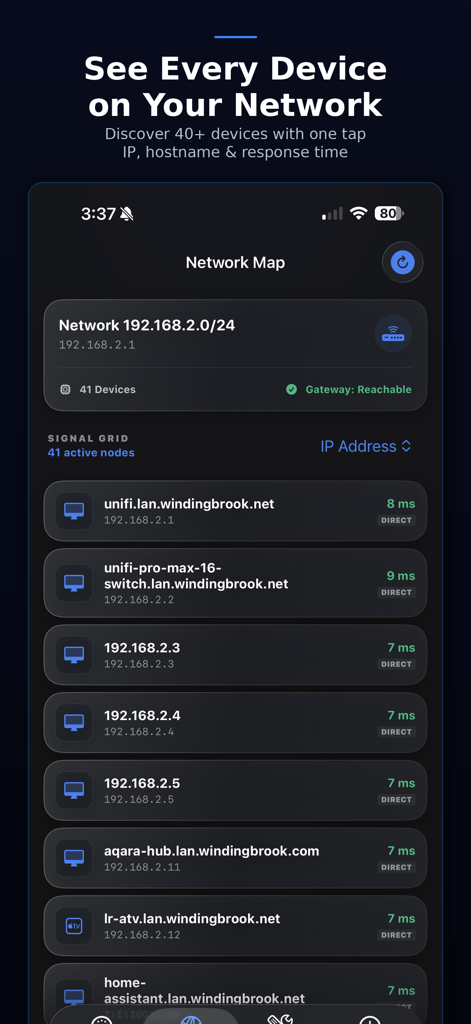
Screenshot of NetMonitor Mobile showing a detailed network map of discovered devices with their IP addresses and response times.

Screenshot of NetMonitor Mobile showing a detailed network map of discovered devices with their IP addresses and response times.

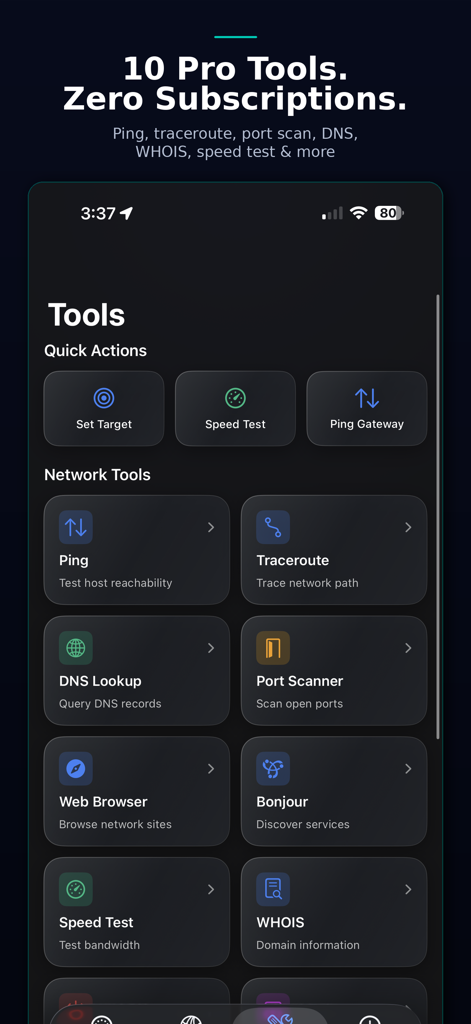
Dashboard of NetMonitor Mobile showing professional network tools including Ping Traceroute and Port Scanner

Dashboard of NetMonitor Mobile showing professional network tools including Ping Traceroute and Port Scanner

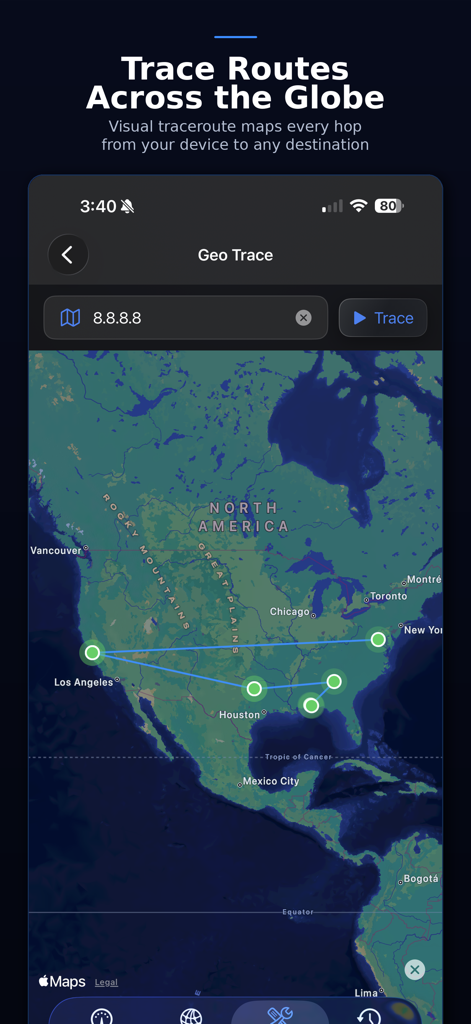
NetMonitor Mobile Geo Trace screen showing network hops mapped across North America

NetMonitor Mobile Geo Trace screen showing network hops mapped across North America

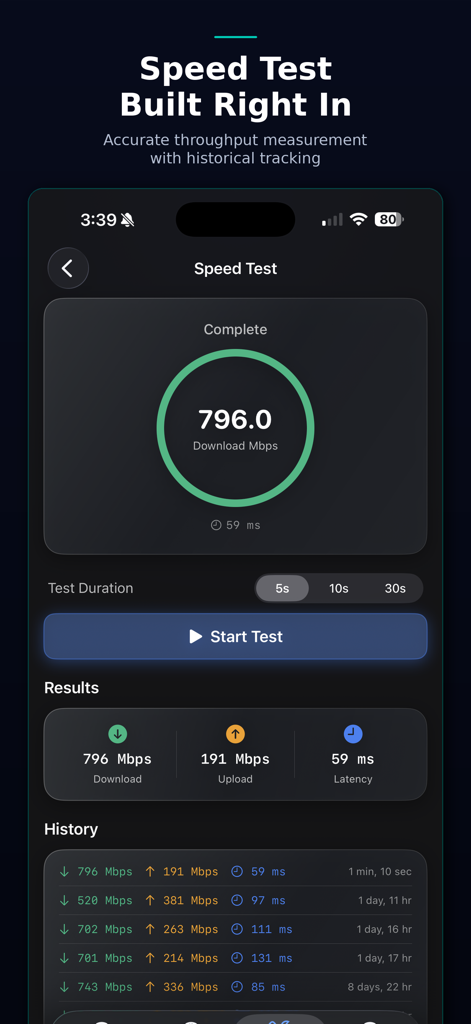
NetMonitor Mobile app speed test interface showing download and upload speeds with a history of past results

NetMonitor Mobile app speed test interface showing download and upload speeds with a history of past results

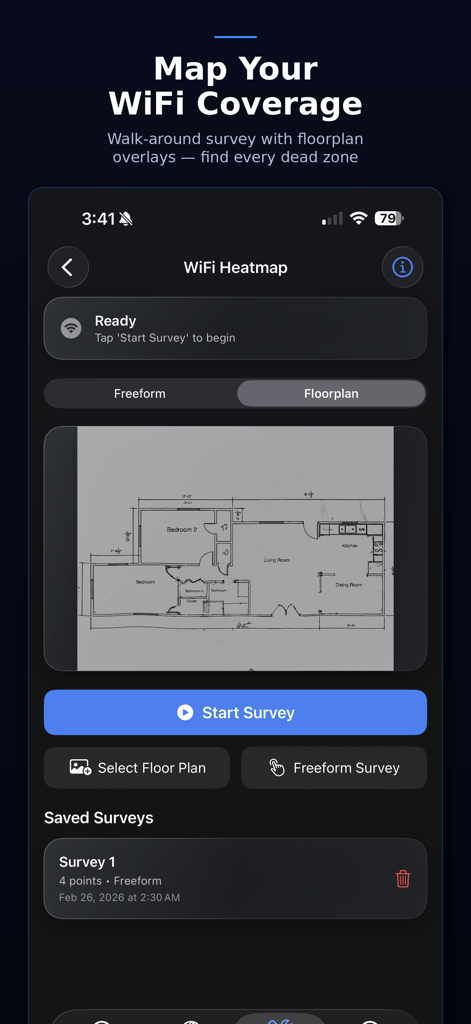
WiFi Heatmap interface in NetMonitor Mobile showing a floorplan survey

WiFi Heatmap interface in NetMonitor Mobile showing a floorplan survey

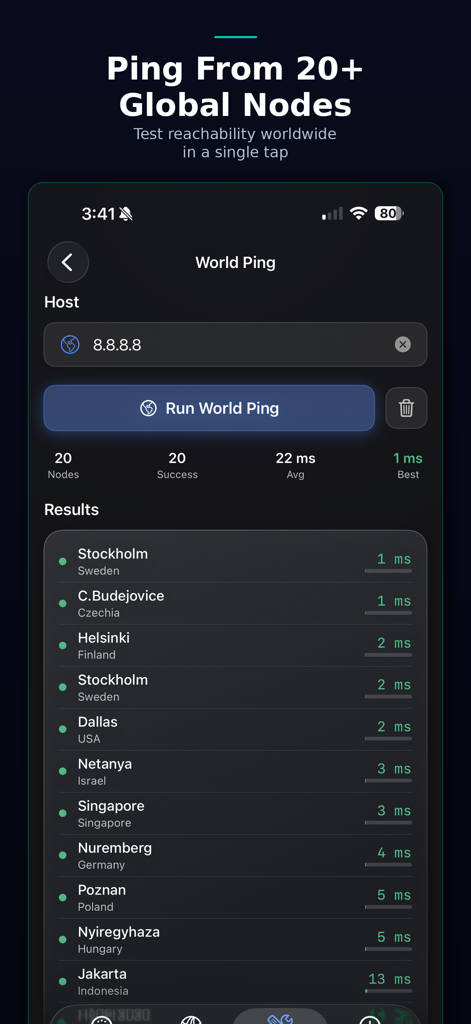
NetMonitor Mobile World Ping screen showing global connection latency from twenty international nodes

NetMonitor Mobile World Ping screen showing global connection latency from twenty international nodes

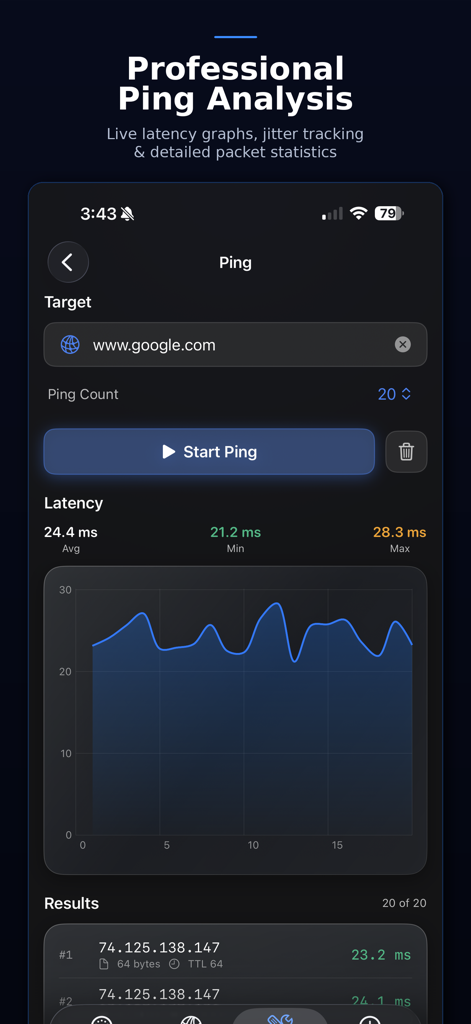
Interface of NetMonitor Mobile showing professional ping analysis with a live latency graph and packet statistics.

Interface of NetMonitor Mobile showing professional ping analysis with a live latency graph and packet statistics.

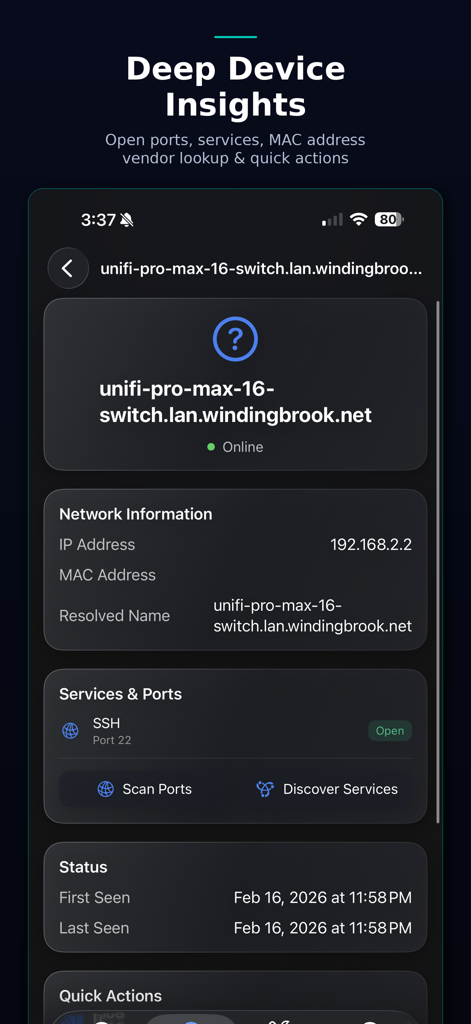
NetMonitor Mobile app screen displaying detailed network information and open ports for a specific device

NetMonitor Mobile app screen displaying detailed network information and open ports for a specific device

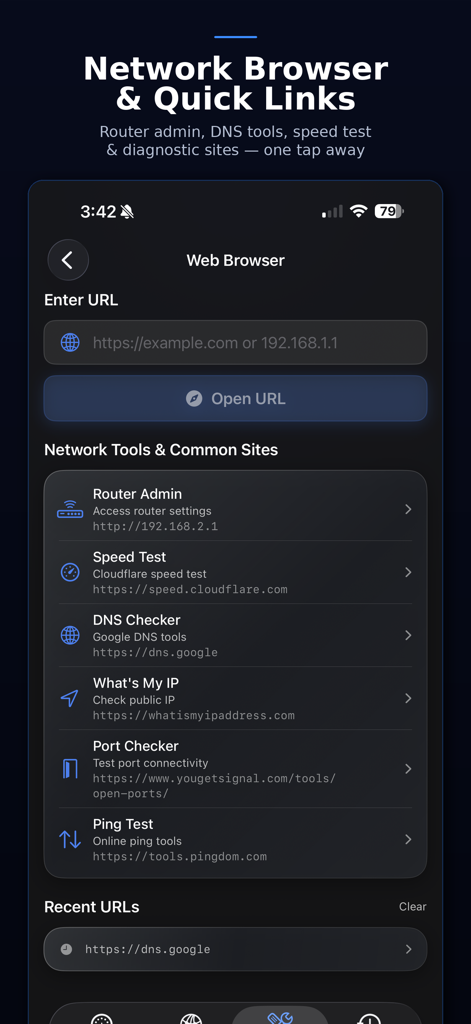
NetMonitor Mobile network browser screen with quick links to diagnostic tools and router settings

NetMonitor Mobile network browser screen with quick links to diagnostic tools and router settings

Professional Diagnostics for Power Users

The tools that make this app stand out, trusted by 0 users.

🛡️

Privacy-First Architecture

No accounts, no cloud relays, and zero telemetry. All scans and diagnostic data remain 100% local to your device and LAN.

🚀

10+ Pro-Grade Tools

From multi-phase device discovery to GeoTrace and packet-level diagnostics, get everything you need in one high-performance interface.

📶

Visual WiFi Heatmapping

Walk your space to map signal strength on custom floorplans. Identify interference and optimize access point placement with scientific precision.

About the app

Everything you need to know about NetMonitor Mobile.

Description

NetMonitor is a professional network monitoring and diagnostics toolkit built entirely for your device. No accounts. No cloud. No ads. No subscriptions. Just powerful network tools that run locally and respect your privacy. Network Dashboard See your entire network at a glance. A live health score grades your connection quality in real time, combining latency, packet loss, and DNS responsiveness into a single number. Monitor gateway reachability, public IP, ISP details, jitter spectrum, and live events — all on one screen. Device Discovery Scan your local network and see every connected device in seconds. NetMonitor uses a multi-phase scanning engine — ARP, Bonjour, TCP probes, SSDP, ICMP, and reverse DNS — to find devices other apps miss. View IP and MAC addresses, vendor identification, open ports, running services, and connection history for each device. Network Map A visual overview of your entire network topology. See all active nodes with real-time status indicators and response times. Tap any device for full details, port scans, and quick actions. 10 Built-In Diagnostic Tools Everything you need without switching apps: • Ping — ICMP with TCP fallback, live latency graphs, and packet statistics • Traceroute — Hop-by-hop path analysis • GeoTrace — Visual traceroute plotted on a world map via MapKit • World Ping — Test reachability from 20+ global nodes simultaneously • Port Scanner — TCP scanning with preset and custom port ranges • DNS Lookup — Query A, AAAA, MX, NS, TXT, and CNAME records • Speed Test — Download and upload throughput with historical tracking • WiFi Heatmap — Walk-around signal survey with floorplan overlay • WHOIS — Domain registration and ownership lookup • Bonjour Browser — Discover mDNS services on your network WiFi Heatmapping Import a floorplan or use freeform mode, then walk around to map signal strength across your space. Identify dead zones and optimize access point placement with real data instead of guesswork. GeoTrace See the physical path your traffic takes. GeoTrace plots each hop on a satellite map so you can visualize routing across cities, countries, and continents. Mac Companion Connect to NetMonitor on your Mac over your local network via Bonjour for extended capabilities. Synchronize devices, run remote diagnostics, and monitor your network from either platform. No cloud relay — communication stays entirely on your LAN. Timeline & Event History Every scan, device change, and network event is logged. Scroll back through your network's history to spot patterns, track when devices appeared or disappeared, and review past diagnostics. Built for Professionals NetMonitor is built with Swift 6 and strict concurrency for reliability. The multi-phase scan engine throttles intelligently based on thermal state and connection budget. Background scanning with BGTaskScheduler keeps your network data fresh. Widgets bring key metrics to your home and lock screen. Whether you manage enterprise infrastructure, run a homelab, develop networked apps, or just want to understand what's on your WiFi — NetMonitor gives you visibility without compromises. No data ever leaves your device. No analytics. No tracking. Just tools that work.

Latest Version

2.0

Size

6.4 MB

First Released

Feb 21, 2026

Own Your Network Intelligence.

No accounts. No cloud. No subscriptions. Get the professional-grade diagnostics toolkit that stays entirely on your device.

App information, icons, screenshots, and descriptions displayed on this page are sourced from the Apple App Store and are the property of their respective developers. Download estimates and rankings are based on MWM's proprietary models and may not reflect actual figures. This page is provided for informational and analytical purposes only.

Believe this page infringes your intellectual property? File a dispute