Network Toolbox Net security
Download on App Store

This page is not an official page of the app or its developer, but an independent editorial publication created for informational and commentary purposes. Unless expressly stated otherwise, neither the app nor its developer is affiliated with, endorsed by, sponsored by, authorized by, or otherwise officially connected with MWM, Apple, Google Play, the app publisher, or the app's developer, and nothing on this page implies that the app was developed using MWM's services. Any trademarks, logos, screenshots, and other content remain the property of their respective owners.


Logo of Network Toolbox Net security
Download on App Store

Network Toolbox Net security

Master any network with 50+ professional-grade utilities. From Shodan scans to port analysis, diagnose and secure your environment with the industry’s most trusted mobile suite.

Key Figures

Downloads

280K+

User Rating

4.6/5

Total Ratings

3K+

Publisher

Annalisa Bergonzi

Category

Productivity

Locales

14

Latest Version

16.7

Size

152.5 MB

First Released

Jun 12, 2013
Features

Professional-Grade Network Triage

Stop guessing and start analyzing. Over 50 powerful tools in one interface to help IT professionals and security experts audit, troubleshoot, and secure networks from anywhere.

Deep Network Discovery

Uncover every device on your network with advanced WiFi scanning, port analysis, and MAC vendor identification to eliminate security blind spots.

Global Security Intelligence

Harness the power of Shodan and Morpheus search to identify exposed online devices and vulnerabilities across any location or hostname.

The following screenshots and description are sourced directly from the app's official store listing and are the property of the app developer.

App Store

Screenshots
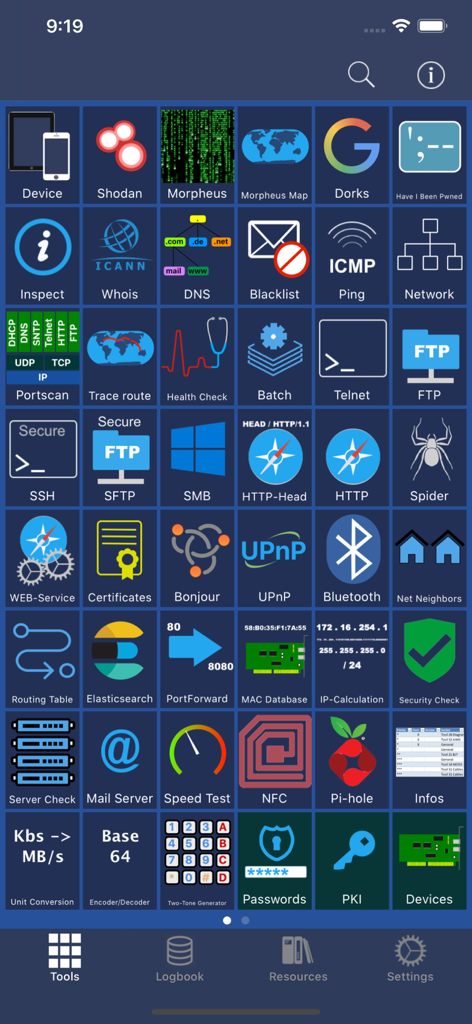
Network Toolbox Net security - The main tools dashboard of the Network Toolbox app featuring various cybersecurity utilities.
The main tools dashboard of the Network Toolbox app featuring various cybersecurity utilities.

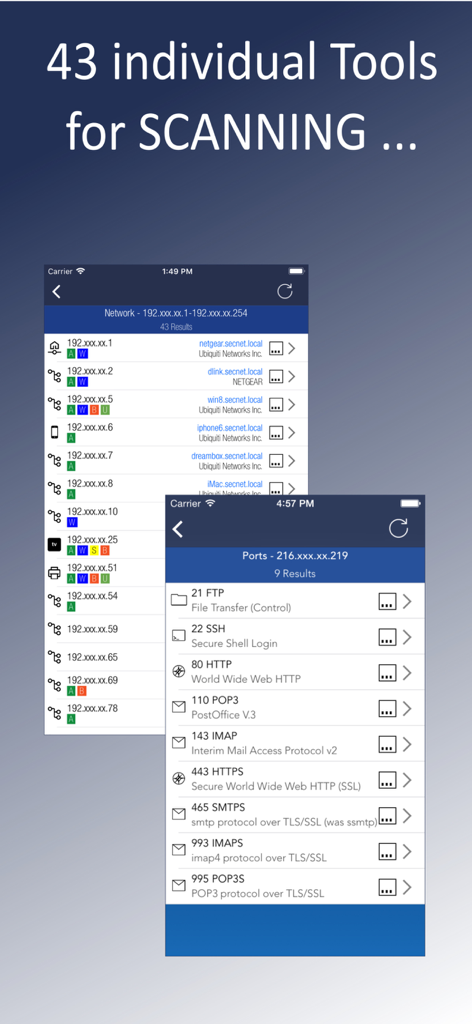
Network Toolbox Net security - Network Toolbox app interface displaying network device discovery and open port scan results
Network Toolbox app interface displaying network device discovery and open port scan results

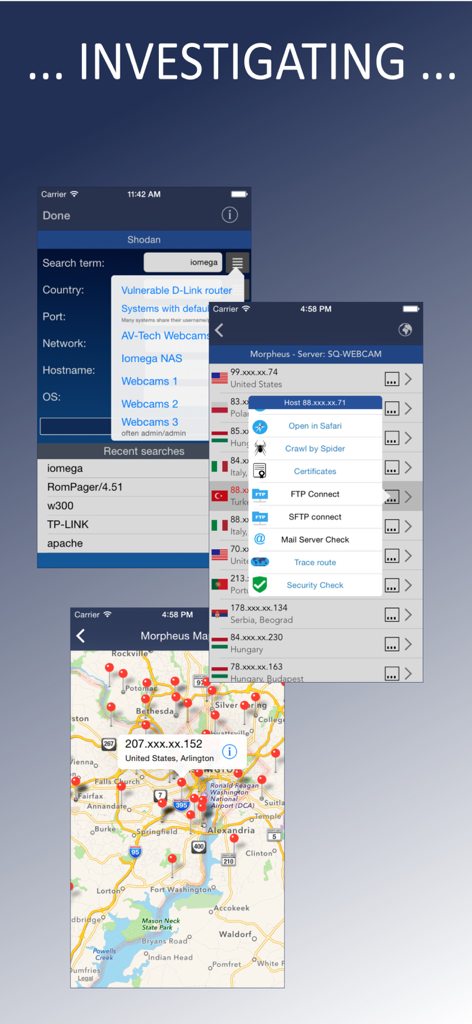
Network Toolbox Net security - Cybersecurity app interface showing Shodan search results and IP location mapping
Cybersecurity app interface showing Shodan search results and IP location mapping

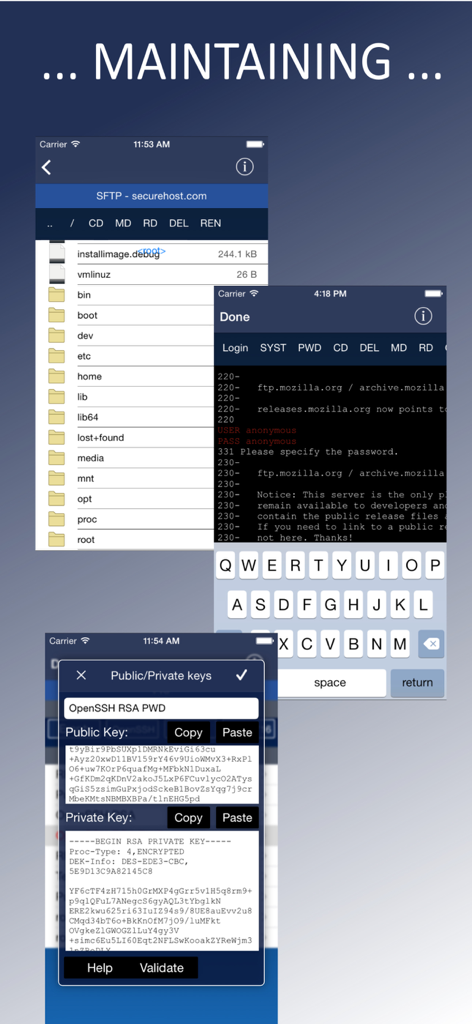
Network Toolbox Net security - App screens showing SFTP file management, FTP terminal login, and SSH public and private key management.
App screens showing SFTP file management, FTP terminal login, and SSH public and private key management.

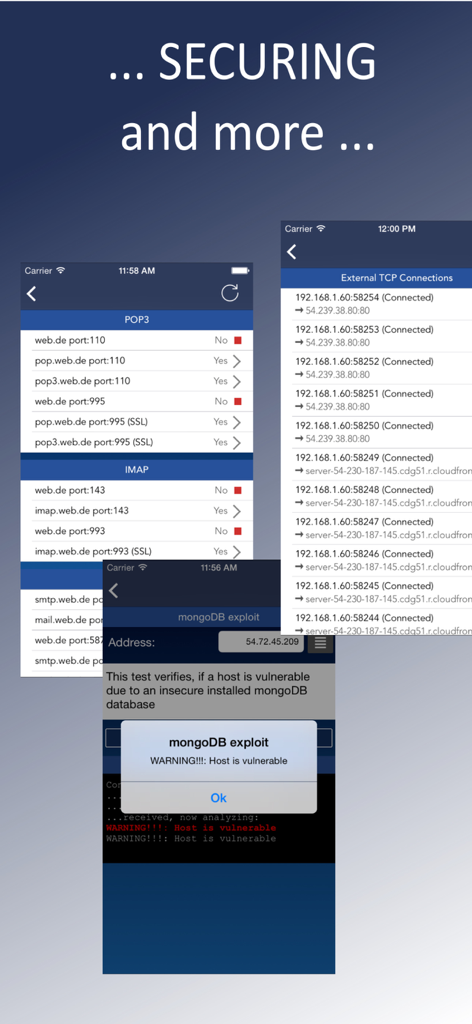
Network Toolbox Net security - Screenshots of Network Toolbox showing security exploit alerts and network connection monitoring
Screenshots of Network Toolbox showing security exploit alerts and network connection monitoring

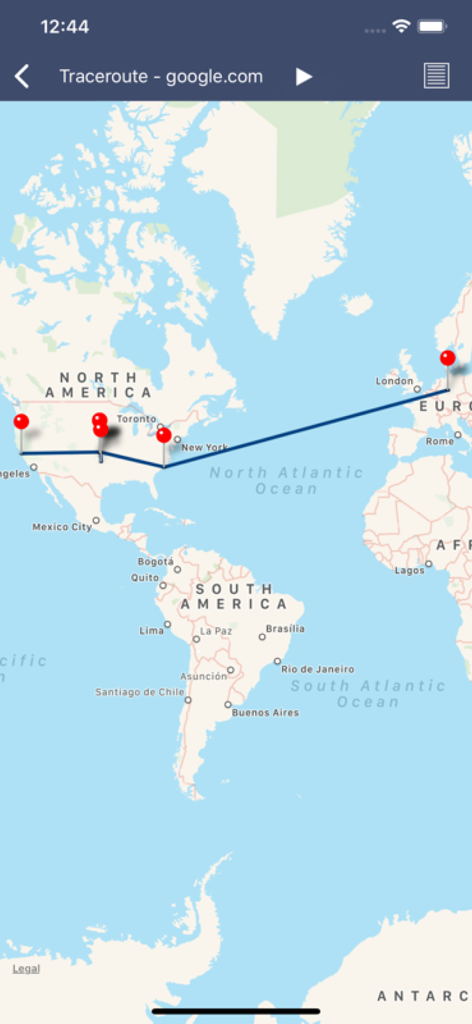
Network Toolbox Net security - A visual traceroute map showing the network path from North America to Europe for google.com
A visual traceroute map showing the network path from North America to Europe for google.com

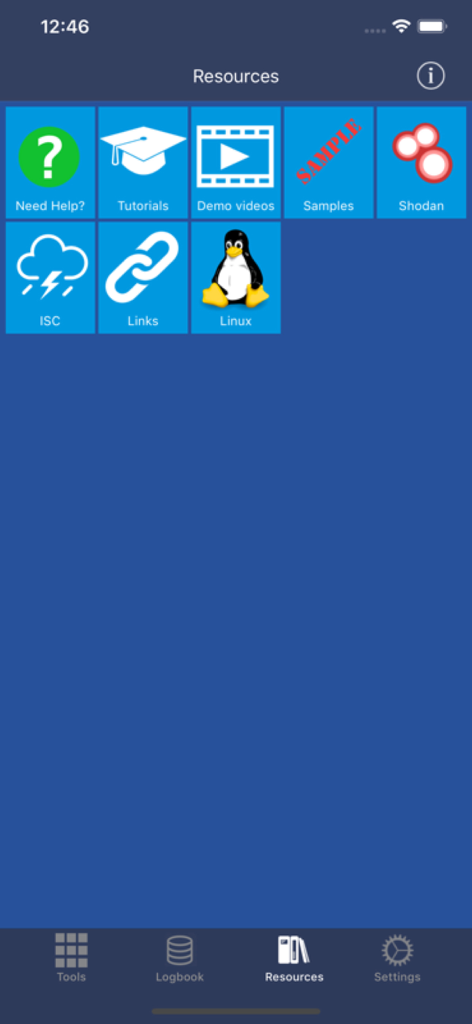
Network Toolbox Net security - Resources tab of the Network Toolbox app displaying links to tutorials Shodan integration and Linux guides
Resources tab of the Network Toolbox app displaying links to tutorials Shodan integration and Linux guides

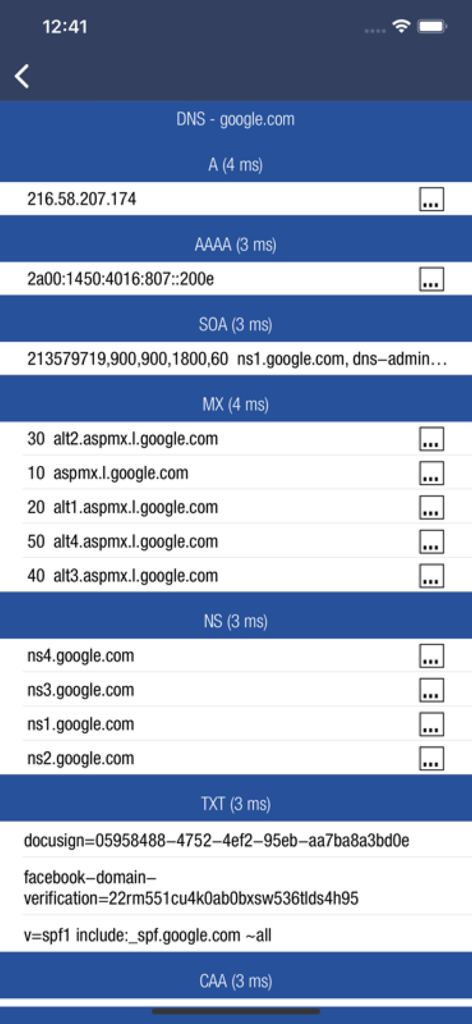
Network Toolbox Net security - DNS records analysis for google.com including A MX and TXT records in Network Toolbox

DNS records analysis for google.com including A MX and TXT records in Network Toolbox

Description

*** THE ORIGINAL - NetworkToolbox *** Read the Manual at: https://www.networktoolbox.de/ios-manual/ This App with its 50+ individual Tools helps to analyse local or public networks for security issues or wrong configurations. It provides various scanning options such as WiFi Network IP scanning, Port scanning and integrates the SHODAN scan engine, Security exploit tests and more. Feature summary: DEVICE INFORMATION ■ Device and public IP Address ■ Network interfaces (WiFi, 3G/4G) SHODAN AND MORPHEUS SEARCH ■ Expose online devices ■ Search by keyword, country, port, network, hostname MAP SEARCH ■ Search and expose online devices for on a given location NS-LOOKUP with DOMAIN INFORMATION ■ Provides information for a certain domain or ip ■ Provide information about the number of attacks (ISC) ■ Location of IP or Host display on a map ■ DNS records such as MX, A, TXT etc. WIFI NETWORK SCAN ■ Discover all devices on your network ■ Including IP, MAC, Vendor, Network Name PING ■ Ping IP or domain ■ Show Errors and RTT ■ Display results graphically WHOIS ■ Find out who is behind a certain domain DNS ■ Query ANY! DNS Server ■ See DNS record information such as A,TXT,CNAME,MX,SOA etc. ■ See and compare DNS Server response times VISUAL TRACEROUTE ■ Analyze how packets get to their destination SOCKETS ■ Socket analysis and terminal tool ■ Predefined protocols for Telnet, FTP, HTTP, POP3 and IMAP ■ Inspect server responses ■ Send arbitrarily data to the server FTP and SFTP CLIENT ■ Browse remote directory tree ■ Direct file viewing ■ File and directory operations ■ Upload and download of multiple files to device ■ Default password list check of FTP server ■ Public / Private Key support (New!) SSH CLIENT ■ Terminal client for SSL ■ Default password list check of server SFTP CLIENT ■ Same functionality as FTP MAC ADDRESS DB ■ Find out which vendor is responsible for which MAC address and v/v IP CALCULATION ■ Calculate net-masks, first-,last- addresses etc. HTTP BROWSER ■ Site Default password check ■ Possibility to select user agents from Blackberry over Firefox, IE, Safari and iOS ■ Display source code, plain text or hirachically browse XML SPIDER ■ Crawl website and collect all contained links ■ Analyze robots.txt ■ Both, websites and disallows robots content can be further analyzed BLUETOOTH ■ Scan and reveal Bluetooth LE devices CERTIFICATES ■ Inspect Server (e.g. HTTPS) certificates in a readable format BONJOUR and UPnP ■ Scan and discover Bonjour or UPnP services MAIL SERVER CHECK ■ Analyze issues with your mail settings LOCAL FILES ■ Handle files downloaded via FTP or SFTP or HTTP (New!) ■ File and directory operations ■ File viewer (PDF, Text, Image, HTML) ■ Open files in other apps, installed on your device ■ Send file via E-Mail HELP TEXTS ■ Each tool has a detailed description of their purpose and how to use Subscribe to access to premium app features; subscription details are the following: • Length: weekly, monthly, yearly • Your payment will be charged to your iTunes Account as soon as you confirm your purchase • You can manage your subscriptions and turn off auto-renewal from your Account Settings after the purchase • Your subscription will renew automatically, unless you turn off auto-renew at least 24 hours before the end of the current period • The cost of renewal will be charged to your account in the 24 hours prior to the end of the current period • When cancelling a subscription, your subscription will stay active until the end of the period. Auto-renewal will be disabled, but the current subscription will not be refunded • Any unused portion of a free trial period, if offered, will be forfeited when purchasing a subscription Terms of Use: https://www.apple.com/legal/internet-services/itunes/dev/stdeula/

Download

Download on App Store

This page is not an official page of the app or its developer, but an independent editorial publication created for informational and commentary purposes. Unless expressly stated otherwise, neither the app nor its developer is affiliated with, endorsed by, sponsored by, authorized by, or otherwise officially connected with MWM, Apple, Google Play, the app publisher, or the app's developer, and nothing on this page implies that the app was developed using MWM's services. Any trademarks, logos, screenshots, and other content remain the property of their respective owners.








