
This page is not an official page of the app or its developer, but an independent editorial publication created for informational and commentary purposes. Unless expressly stated otherwise, neither the app nor its developer is affiliated with, endorsed by, sponsored by, authorized by, or otherwise officially connected with MWM, Apple, Google Play, the app publisher, or the app's developer, and nothing on this page implies that the app was developed using MWM's services. Any trademarks, logos, screenshots, and other content remain the property of their respective owners.


NFC Tools: Reader and Scanner
Forget fiddling. This app turns your iPhone into a master key for the physical world.
Downloads
250k+User Rating
Total Ratings
9.3KPublisher
Category
UtilitiesLocales
7Latest Version
3.3Size
73.1 MBFirst Released
Dec 27, 2024An evaluation of core functionalities and their relevance for advanced NFC users.
Key Capabilities Analysis
NFC/RFID Tag Reading
The app provides comprehensive reading capabilities for a wide array of NFC and RFID tag formats, including contacts, Wi-Fi credentials, URLs, and text, with continuous updates for new formats.
NFC Tag Writing & Customization
The app enables writing various data formats to NFC tags, complete with capacity alerts and troubleshooting support, empowering users to create custom tags for diverse applications.
Intelligent Action Suggestions
It allows users to receive instant, context-aware action suggestions immediately after scanning, facilitating automation for tasks like adding contacts, connecting to Wi-Fi, or navigating addresses.
Detailed Tag Analysis
This tool features in-depth retrieval of technical tag data, such as type, protocol, serial number, memory size, and read/write status, catering to users interested in understanding tag specifics.
Frequently Asked Questions
Everything you need to know about NFC Tools: Reader and Scanner
What is "NFC Tools: Card Reader & Write"?
"NFC Tools: Card Reader & Write" is an iPhone app that allows users to read, write, and manage NFC and RFID tags at 13.56 MHz. It supports scanning contacts, connecting to Wi-Fi, and retrieving technical tag details.
What types of tags does "NFC Tools: Card Reader & Write" support?
"NFC Tools: Card Reader & Write" supports NFC tags and RFID tags at 13.56 MHz. It also works with select compatible formats for RFID and HID tags.
Can "NFC Tools: Card Reader & Write" read contacts from NFC tags?
Yes, "NFC Tools: Card Reader & Write" can read contacts from NFC and RFID tags. It also reads Wi-Fi credentials, URLs, text, and social profiles.
Can I write data to NFC tags using "NFC Tools: Card Reader & Write"?
Yes, "NFC Tools: Card Reader & Write" allows users to write various data formats to NFC tags. The app provides capacity alerts and troubleshooting support during the writing process.
What technical details can "NFC Tools: Card Reader & Write" retrieve from tags?
"NFC Tools: Card Reader & Write" retrieves detailed tag data. This includes the tag type, protocol, serial number, memory size, data format, and read/write status.
Does "NFC Tools: Card Reader & Write" offer smart actions after scanning?
Yes, "NFC Tools: Card Reader & Write" provides instant action suggestions after scanning. These actions include adding contacts, connecting to Wi-Fi, or navigating addresses on maps.
Is my iPhone compatible with "NFC Tools: Card Reader & Write"?
"NFC Tools: Card Reader & Write" requires an NFC-compatible iPhone. The app displays a notification if your device does not support NFC.
How do I use "NFC Tools: Card Reader & Write" to scan tags?
To scan, open "NFC Tools: Card Reader & Write" and hold your iPhone near an NFC or RFID tag. The app then reads the tag data and may offer smart action prompts.
What is the average rating for "NFC Tools: Card Reader & Write"?
"NFC Tools: Card Reader & Write" has an average rating of 4.6 stars. Over 500,000 users have trusted this application.
The following screenshots and description are sourced directly from the app's official store listing and are the property of the app developer.
App Store
Screenshots

Discover the app's intuitive main interface, featuring clear "Read" and "Write" actions and floating quick access cards like "Contact" and "Text".
Main Interface View
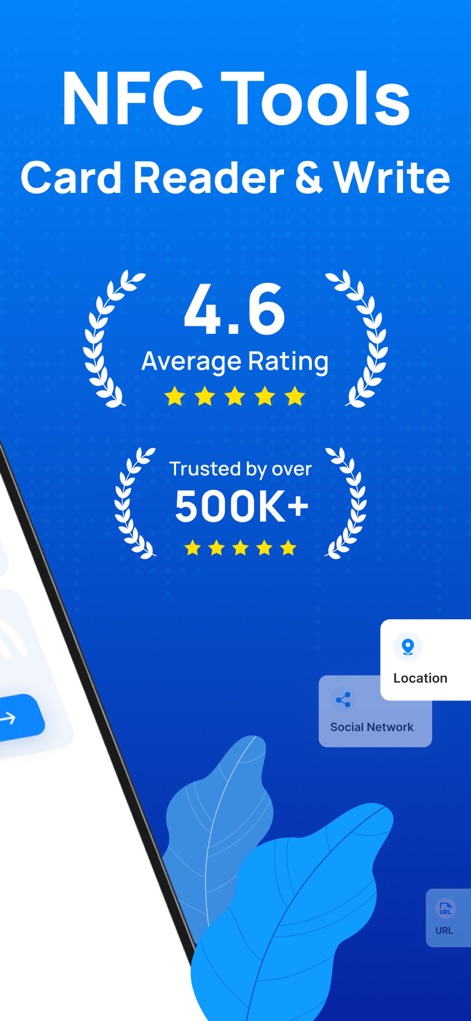
Explore the app's strong user validation, highlighted by its impressive "4.6 Average Rating" and the "Trusted by over 500K+" badge.
User Trust & Ratings
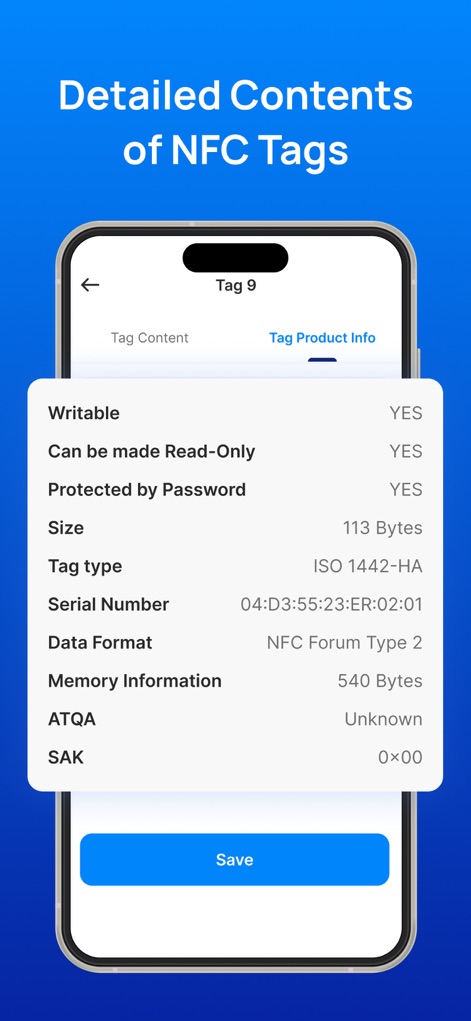
Gain comprehensive insights into NFC tags, revealing "Tag Product Info" with specifics such as "Serial Number" and "Memory Information".
In-Depth Tag Data
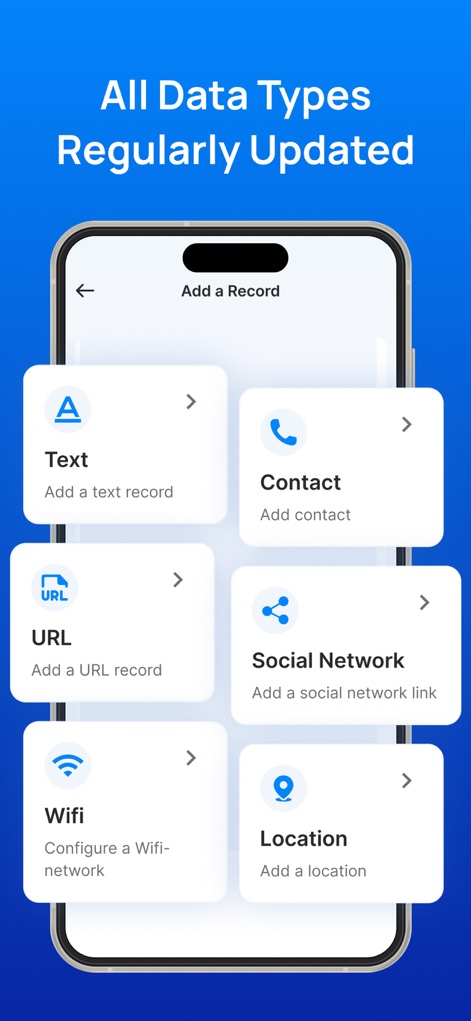
The app supports writing diverse data types, allowing users to easily add "Text" records or configure "Wifi" settings.
Versatile Tag Writing
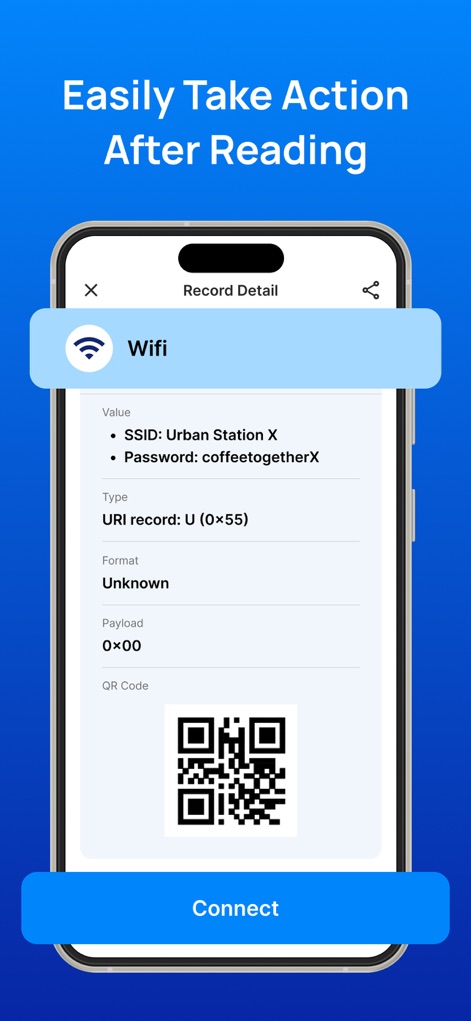
After reading a tag, the app provides instant smart actions, such as connecting to a "Wifi" network using the displayed "SSID" and "Password" details.
Instant Smart Actions
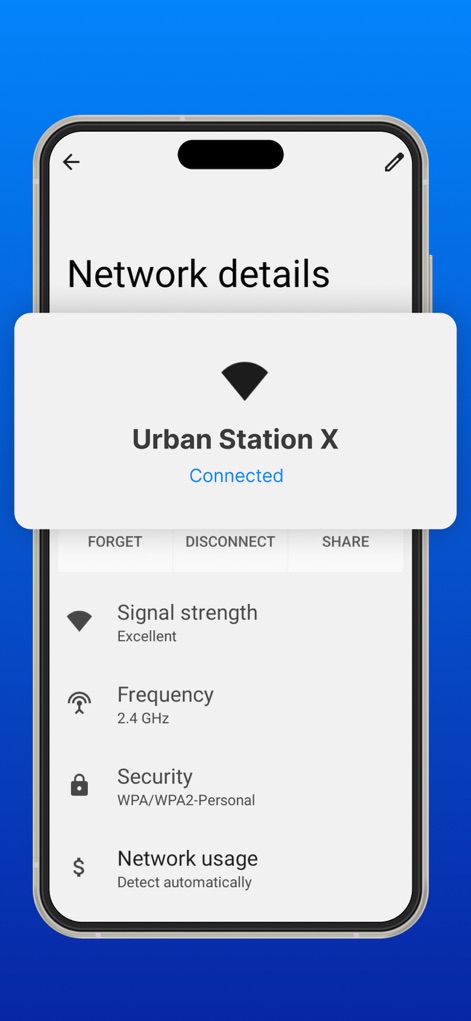
View detailed network information post-connection, including "Signal strength" and "Security" protocols for peace of mind.
Comprehensive Network Details
Description
Download
More Like This
Apps with similar features and user experience

Tagmiibo: Write NFC Tags
Actowise LLC
NFC Tools: Tag Reader,Writerㅤ
Alexander Taylor
NFC门禁管家-NFC门禁卡tools
艳惠 常
NFC Tools
WAKDEV
手机NFC
Shanghai Rainbow Forest Intelligent Technology Co., Ltd
NFC Tools-手机门禁卡复制
Bulb Network Technology Co., Limited
NFC Reader & Scannerㅤ
Brad Garcia
NFC TagInfo by NXP
NXP Semiconductors
NFC Read & Scan
1104 13th STREET, LLC
This page is not an official page of the app or its developer, but an independent editorial publication created for informational and commentary purposes. Unless expressly stated otherwise, neither the app nor its developer is affiliated with, endorsed by, sponsored by, authorized by, or otherwise officially connected with MWM, Apple, Google Play, the app publisher, or the app's developer, and nothing on this page implies that the app was developed using MWM's services. Any trademarks, logos, screenshots, and other content remain the property of their respective owners.