
This page is not an official page of the app or its developer, but an independent editorial publication created for informational and commentary purposes. Unless expressly stated otherwise, neither the app nor its developer is affiliated with, endorsed by, sponsored by, authorized by, or otherwise officially connected with MWM, Apple, Google Play, the app publisher, or the app's developer, and nothing on this page implies that the app was developed using MWM's services. Any trademarks, logos, screenshots, and other content remain the property of their respective owners.


Downloads
5M+User Rating
Total Ratings
65.7KPublisher
Category
UtilitiesLocales
13Latest Version
2.35Size
4.6 MBFirst Released
Sep 19, 2017Evaluating key capabilities for advanced NFC tag interaction and management.
NFC Tools: A Comprehensive Analysis
Advanced NFC Tag Analysis
The app provides in-depth information about NFC tags, including manufacturer, tag type, NFC standard, technology, serial number, memory details, and writability, catering to users requiring detailed tag diagnostics and identification.
Versatile NFC Tag Programming
It allows users to program NFC tags with a wide range of standardized data types, such as URLs, contact information (VCARDs), emails, phone numbers, geolocation, and WiFi/Bluetooth configurations, enabling diverse applications from smart home automation to digital marketing.
Extensive Tag Compatibility
This tool features support for a wide array of NFC tag types, including NTAG, Ultralight, ICODE, DESFire, ST25TV, and Felica, ensuring broad usability across different NFC hardware and project requirements.
NFC Tag Content Management
The app provides functionality to save the contents of programmed NFC chips, allowing users to back up configurations, clone tags, or re-apply settings without re-entering data, streamlining workflow and data recovery.
Frequently Asked Questions
Everything you need to know about NFC Tools
What is NFC Tools?
NFC Tools is an application that reads and writes data on NFC tags using a simple interface. Users pass their device near an NFC chip to interact with its content.
What types of information can NFC Tools read from a tag?
NFC Tools reads tag maker, type, norm, available technology, serial number, size, writability, and all data in NDEF format. It also shows memory information and data format.
Can I write standard information to NFC tags with NFC Tools?
Yes, NFC Tools records standard information compatible with any NFC device. This includes VCARDs, URLs, phone numbers, geolocations, text, emails, contacts, and WiFi/Bluetooth configurations.
What specific data types can NFC Tools write to an NFC tag?
NFC Tools writes text, links (URL/URI), emails, contacts, phone numbers, predefined text messages, addresses, geolocations, and WiFi or Bluetooth configurations. It also supports personalized data and more options.
Does NFC Tools allow saving the contents of an NFC chip?
Yes, NFC Tools allows users to save the contents of an NFC chip. This feature enables later access to the saved tag data.
What NFC tag types are compatible with NFC Tools?
NFC Tools supports various tags including NTAG series (203, 210, 212, 213, 215, 216), Ultralight series, ICODE SLI series, DESFire EV1/EV2/EV3, ST25TV/TA, and Felica tags.
What are the minimum device requirements for NFC Tools?
NFC Tools is compatible with iPhone 7 and newer models. Users can enable "compatibility" mode to read/write Mifare Classic tags.
Can I manage advanced NFC tag functions using NFC Tools?
Yes, NFC Tools offers advanced functions like erasing, locking, reading/editing memory, formatting memory, setting passwords, removing passwords, and executing advanced NFC commands.
How do I write data to an NFC tag using NFC Tools?
In NFC Tools, navigate to the "Write" section. Select the data type to record, add content, then tap "Write" and approach an NFC tag to save the information.
Can NFC Tools read and write large quantities of information?
Yes, the write function in NFC Tools allows adding as much data as desired. This enables recording large quantities of information onto a single NFC tag.
The following screenshots and description are sourced directly from the app's official store listing and are the property of the app developer.
App Store
Screenshots
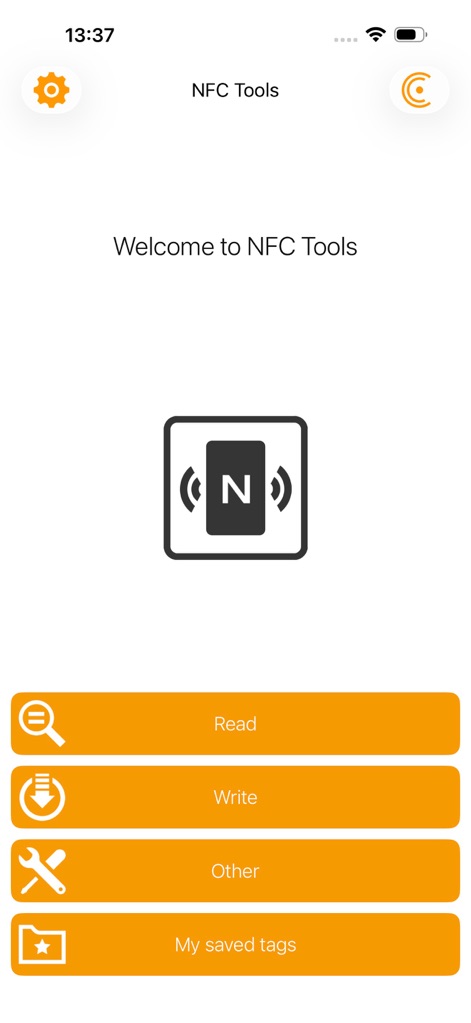
Users can easily access core functionalities like "Read" and "Write" directly from the intuitive welcome screen, featuring a clean NFC icon.
App Navigation Overview
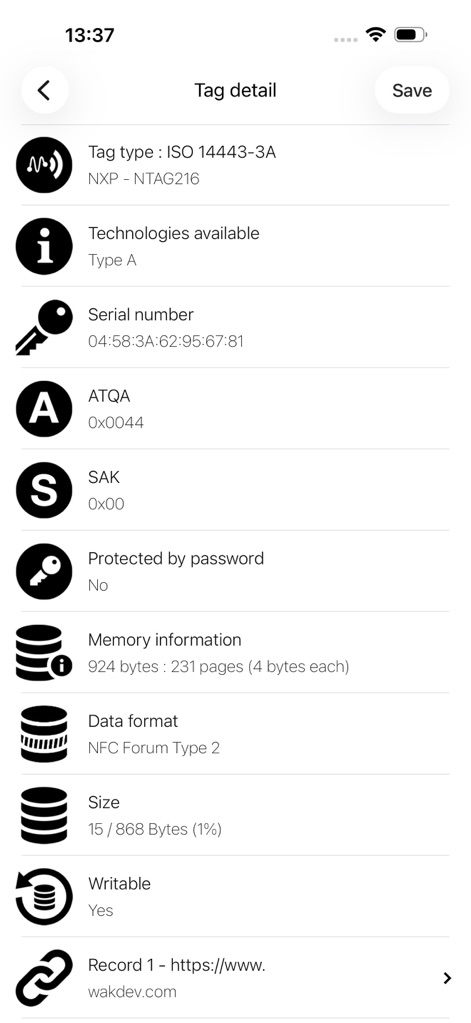
The app provides comprehensive tag data, detailing properties such as "Tag type" and "Serial number" for in-depth analysis.
Deep Tag Analysis
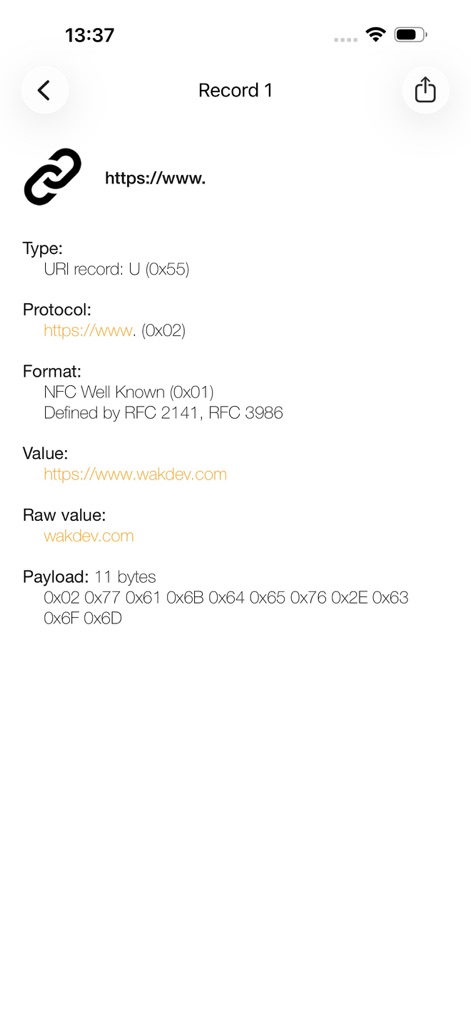
This view reveals detailed record content, displaying the specific "URL" and its underlying "Payload" data for granular inspection.
Record Content Unveiled
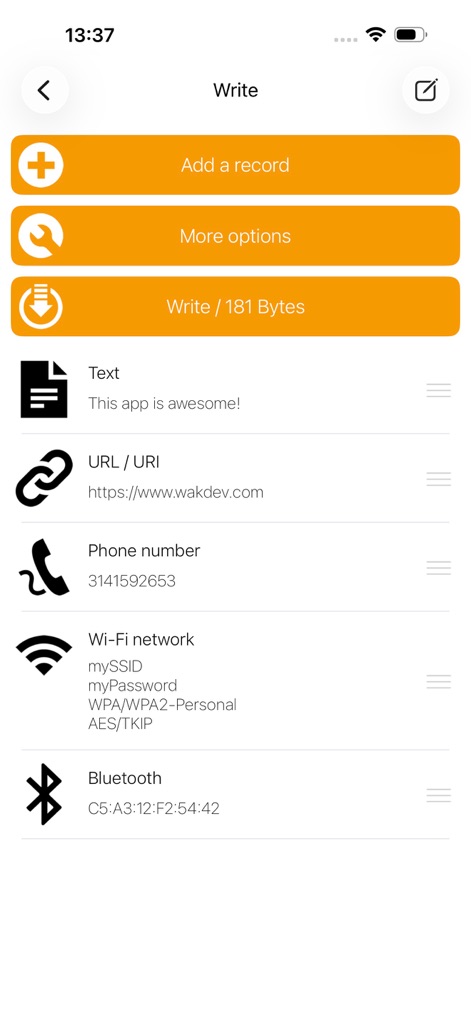
Users can effortlessly create new NFC records, choosing from options like "Text" or "URL / URI", and manage the "Write" operation with byte count visibility.
Writing Capabilities
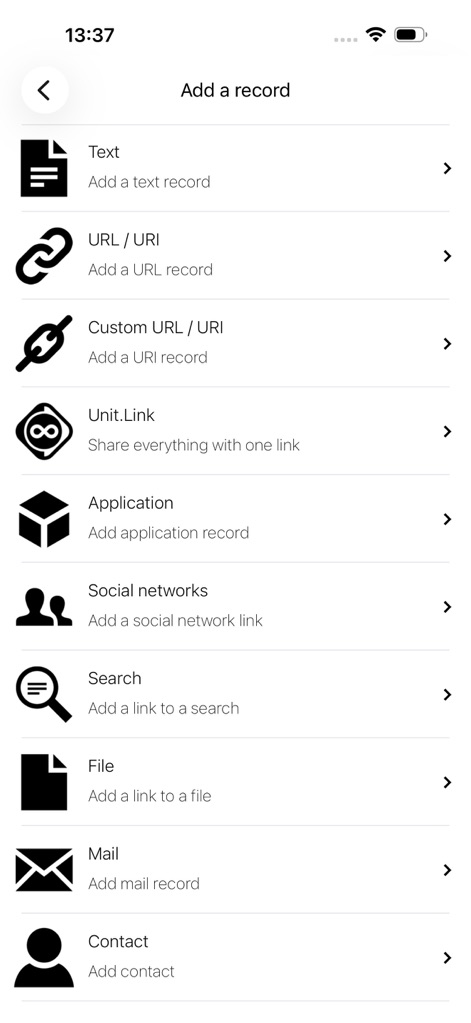
This robust menu presents a wide array of record types for creation, including "Text" and "Contact", allowing for highly customized tag programming.
Diverse Record Types
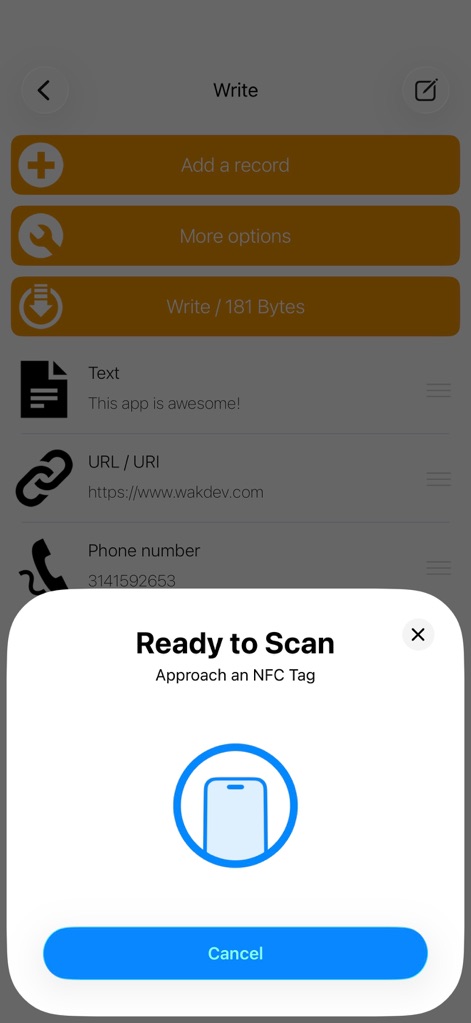
The clear "Ready to Scan" prompt guides users to approach an NFC tag, featuring an illustrative phone/tag icon for seamless interaction.
Intuitive Tag Interaction
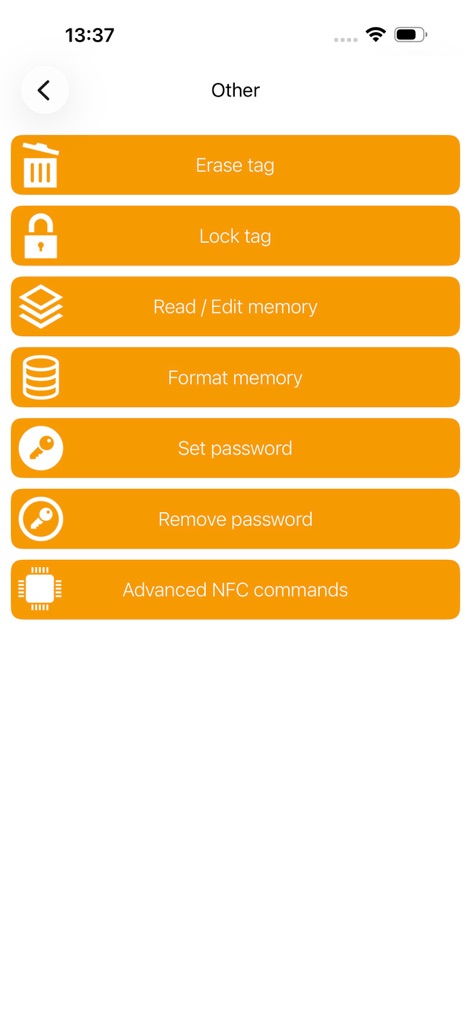
This section provides powerful tag management utilities, such as "Erase tag" and "Set password", catering to advanced user needs.
Advanced Tag Management
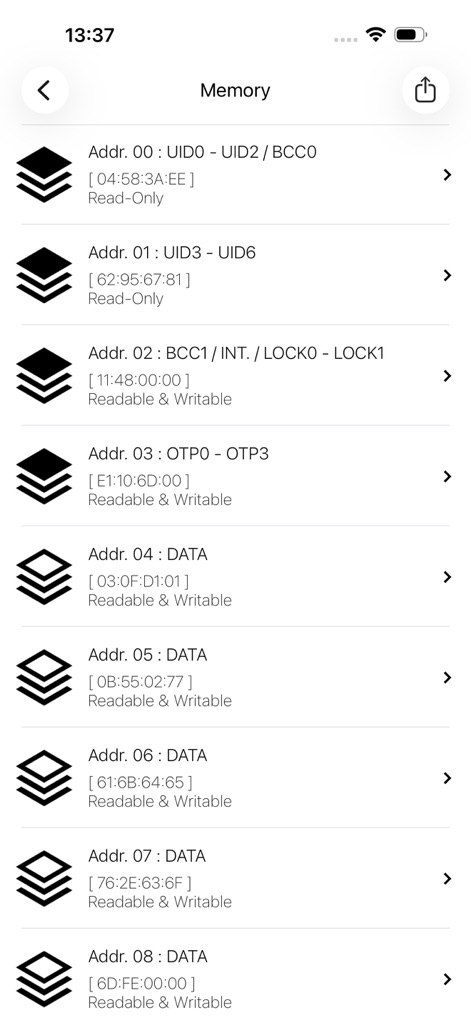
Users can explore the tag's internal memory, viewing specific "Address blocks" and their "Read-Only" or "Readable & Writable" status for expert analysis.
Granular Memory Access
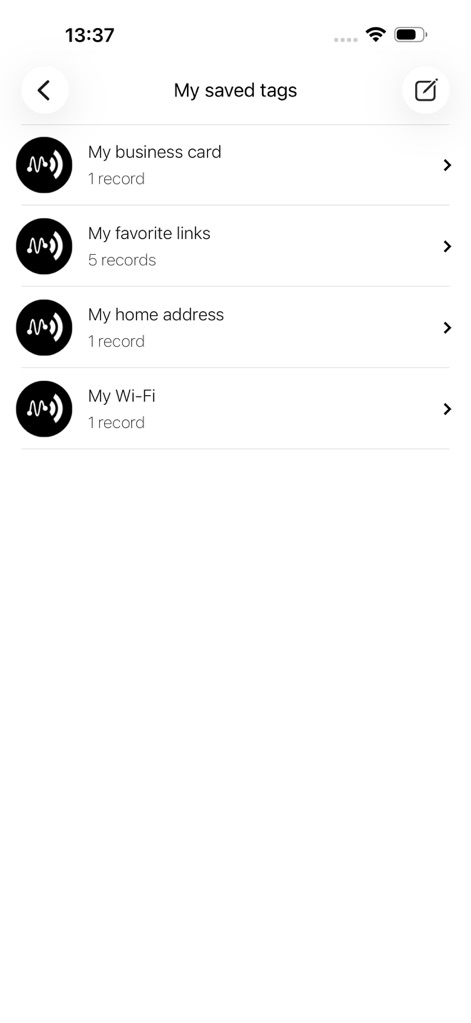
The "My saved tags" feature allows users to organize and quickly access previously configured NFC tags, like "My business card" or "My Wi-Fi" settings.
Organized Tag Library
Description
Download
More Like This
Apps with similar features and user experience
NFC Tools: Card Reader & Write
SMART WIDGET LABS COMPANY LIMITED

Tagmiibo: Write NFC Tags
Actowise LLC
NFC Tools: Tag Reader,Writerㅤ
Alexander Taylor
NFC门禁管家-NFC门禁卡tools
艳惠 常
手机NFC
Shanghai Rainbow Forest Intelligent Technology Co., Ltd
NFC Tools-手机门禁卡复制
Bulb Network Technology Co., Limited
NFC Reader & Scannerㅤ
Brad Garcia
NFC TagInfo by NXP
NXP Semiconductors
NFC Read & Scan
1104 13th STREET, LLC
This page is not an official page of the app or its developer, but an independent editorial publication created for informational and commentary purposes. Unless expressly stated otherwise, neither the app nor its developer is affiliated with, endorsed by, sponsored by, authorized by, or otherwise officially connected with MWM, Apple, Google Play, the app publisher, or the app's developer, and nothing on this page implies that the app was developed using MWM's services. Any trademarks, logos, screenshots, and other content remain the property of their respective owners.