
This page is not an official page of the app or its developer, but an independent editorial publication created for informational and commentary purposes. Unless expressly stated otherwise, neither the app nor its developer is affiliated with, endorsed by, sponsored by, authorized by, or otherwise officially connected with MWM, Apple, Google Play, the app publisher, or the app's developer, and nothing on this page implies that the app was developed using MWM's services. Any trademarks, logos, screenshots, and other content remain the property of their respective owners.

No Nonsense Calendar Clock
Transform your unused device into a stunning, always-on desk display. No ads, no subscriptions, and zero tracking—just a beautiful, high-contrast clock that respects your intelligence.
Downloads
0User Rating
Total Ratings
0Publisher
Category
LifestyleLocales
1Latest Version
1.2Size
13.2 MBFirst Released
Feb 5, 2026Give Your Idle Devices a Second Life
A premium, 'set-it-and-forget-it' calendar clock designed for minimalists who value privacy, aesthetic utility, and hardware longevity.
Iconic At-a-Glance Design
Big, bold typography with a striking red accent makes the date and time easily readable from your desk, nightstand, or kitchen counter.
Pro-Grade Screen Protection
Keep your display pristine with built-in anti-burn-in protection. Intelligent pixel shifting every 30 minutes allows for safe 24/7 use.
Frequently Asked Questions
Everything you need to know about No Nonsense Calendar Clock
What is the No Nonsense Calendar Clock app?
The No Nonsense Calendar Clock app transforms an old iPhone or iPad into a beautiful, always-on calendar clock display. It features a large time display and a full monthly calendar without distractions.
Does No Nonsense Calendar Clock prevent screen burn-in on OLED displays?
Yes, the No Nonsense Calendar Clock app includes anti-burn-in protection. It subtly shifts pixels every 30 minutes to safeguard OLED screens from permanent damage during 24/7 display.
Does the No Nonsense Calendar Clock app require a subscription or show ads?
No, the No Nonsense Calendar Clock app has no ads or subscriptions. It is a one-time purchase, granting permanent ownership with no hidden costs or recurring fees, as stated in the 'Absolutely Zero Nonsense' section.
How does the No Nonsense Calendar Clock handle user privacy?
The No Nonsense Calendar Clock app respects user privacy by including no tracking, no analytics, no sign-in requirements, and no unsolicited cloud sync features. It focuses solely on time and date display.
Can users change the first day of the week in No Nonsense Calendar Clock?
No, the No Nonsense Calendar Clock app has a fixed layout where Sunday is the first day of the week. This design choice is fundamental to its clean and consistent calendar display.
What iOS versions does No Nonsense Calendar Clock support?
The No Nonsense Calendar Clock app is compatible with iPhone or iPad devices running iOS 15.6 or later. It operates best when the device is actively charging, ensuring an always-on display.
Does the No Nonsense Calendar Clock app support both landscape and portrait orientations?
Yes, the No Nonsense Calendar Clock app supports both landscape and portrait mode. It looks stunning in either orientation, accommodating various phone stands and charging docks.
How do you navigate months in the No Nonsense Calendar Clock app?
Users navigate months in the No Nonsense Calendar Clock app using smart 3D month navigation. Swiping up shows the next month, and swiping down displays the previous month.
Does No Nonsense Calendar Clock highlight today's date?
Yes, the No Nonsense Calendar Clock app highlights today's date with a bold red circle. Weekend days appear in subtle gray, and weekdays are in bright white for clear differentiation.
The following screenshots and description are sourced directly from the app's official store listing and are the property of the app developer.
App Store
Screenshots
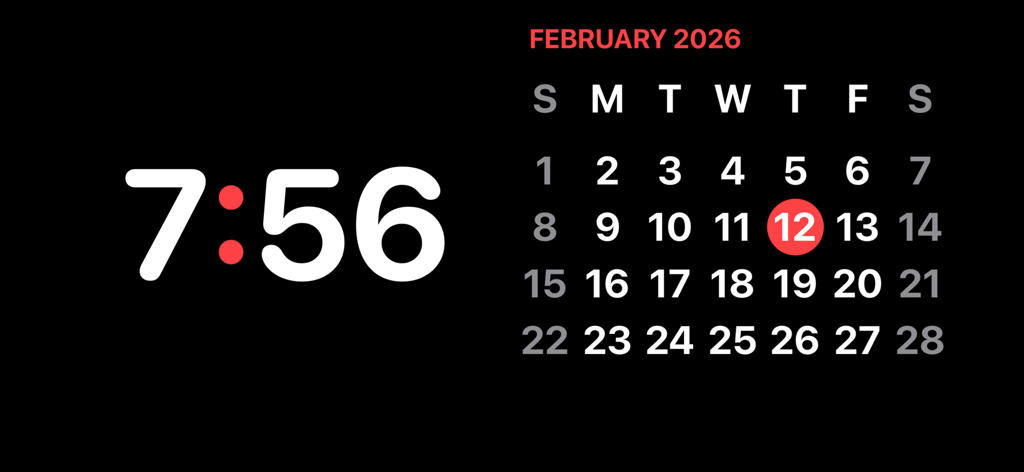
Minimalist digital clock and February 2026 calendar on a dark background in landscape mode.
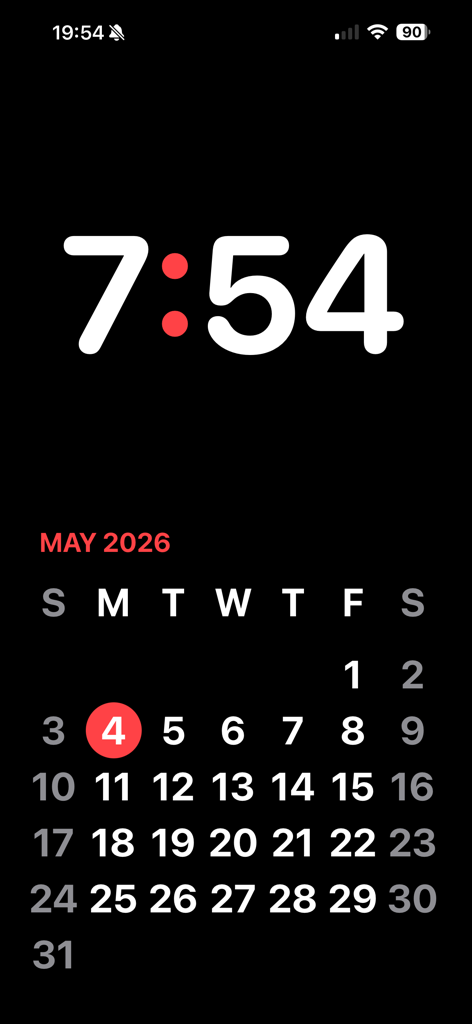
A minimalist digital clock and monthly calendar with red accents on a black background.
Description
Download
More Like This
Top-ranked apps in the same category

Pinterest, Inc.

Alipay - Simplify Your Life
Alipay (Hangzhou) Technology Co., Ltd.

美团-美好生活小帮手
Sankuai Technology Co., Ltd.

Dianping: Discover Good Places
Hanhai Information Technology (Shanghai) Co.Ltd

Lemon8 - Lifestyle Community
TIKTOK PTE. LTD.

Xiaomi Home
Beijing Xiaomi Co., Ltd

Tinder Dating App: Date & Chat
Tinder LLC

VNeTraffic
GLOBAL TECHNOLOGY - TELECOMMUNICATIONS CORPORATION

SmartThings
Samsung Electronics Co., Ltd.
This page is not an official page of the app or its developer, but an independent editorial publication created for informational and commentary purposes. Unless expressly stated otherwise, neither the app nor its developer is affiliated with, endorsed by, sponsored by, authorized by, or otherwise officially connected with MWM, Apple, Google Play, the app publisher, or the app's developer, and nothing on this page implies that the app was developed using MWM's services. Any trademarks, logos, screenshots, and other content remain the property of their respective owners.