
This page is not an official page of the app or its developer, but an independent editorial publication created for informational and commentary purposes. Unless expressly stated otherwise, neither the app nor its developer is affiliated with, endorsed by, sponsored by, authorized by, or otherwise officially connected with MWM, Apple, Google Play, the app publisher, or the app's developer, and nothing on this page implies that the app was developed using MWM's services. Any trademarks, logos, screenshots, and other content remain the property of their respective owners.

Noise Monitor and Analysis
Stop guessing and start documenting. Effortlessly record noise for 12+ hours, identify recurring patterns with visual color-coding, and generate location-verified reports to resolve neighborhood disputes or HOA complaints.
Downloads
20K+User Rating
Total Ratings
0Publisher
Category
LifestyleLocales
1Latest Version
3.8.3Size
68.6 MBFirst Released
Nov 6, 2015Document Every Decibel with Precision
Turn subjective annoyances into objective data. Our advanced monitoring tools help you capture, analyze, and prove noise disturbances with ease.
12+ Hour Continuous Recording
Monitor through the night or a full workday. Optimized background recording captures long-term evidence without draining your battery.
Visual Sound Mapping
Identify patterns instantly with color-coded frequency analysis. Skip silent intervals and use fast-review features to find key events in seconds.
The following screenshots and description are sourced directly from the app's official store listing and are the property of the app developer.
App Store
Screenshots
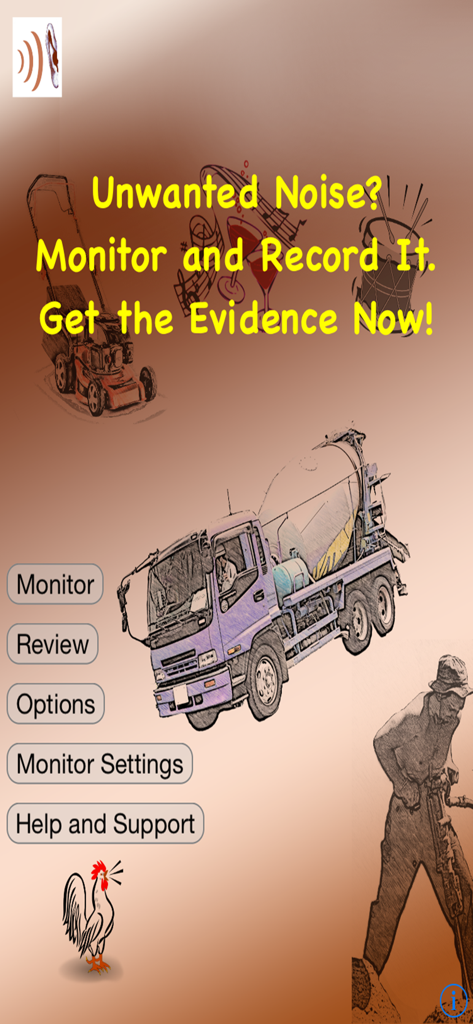
Interface of the Noise Monitor and Analysis app for recording noise evidence
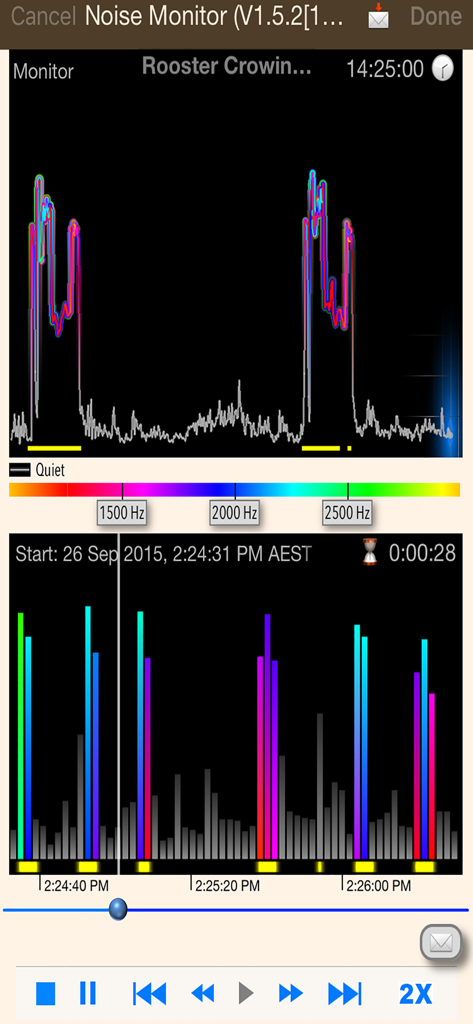
Noise Monitor and Analysis app interface showing a color coded audio frequency graph for noise evidence collection
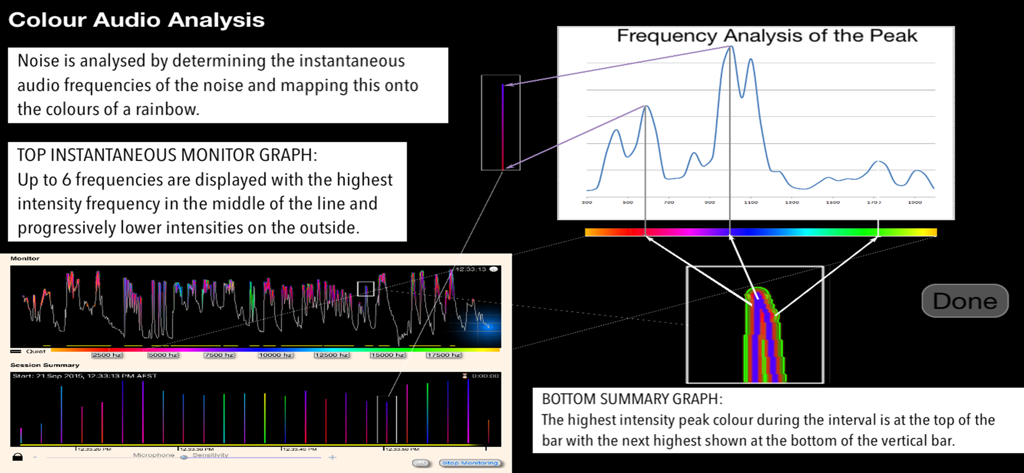
Visual interface of noise monitor app showing frequency analysis and session summary graphs with color coded data
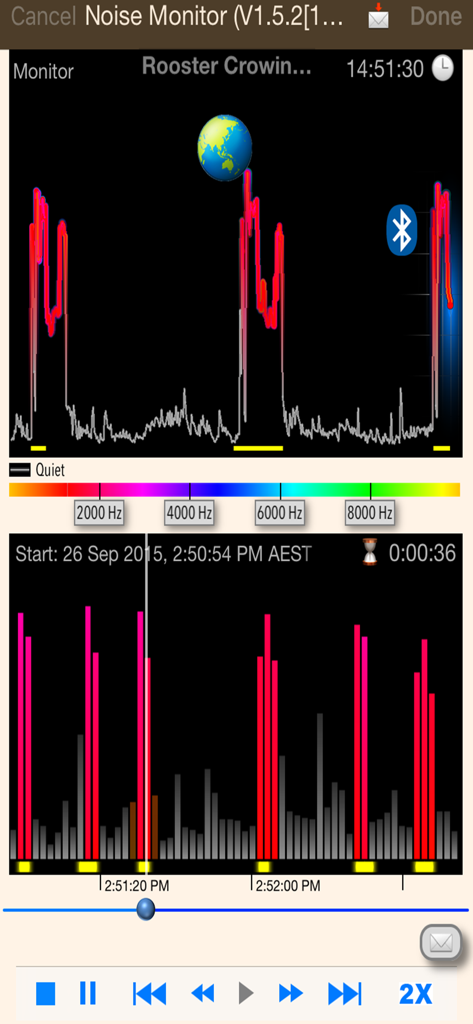
Noise monitor app interface showing real time sound frequency analysis and a visual session summary
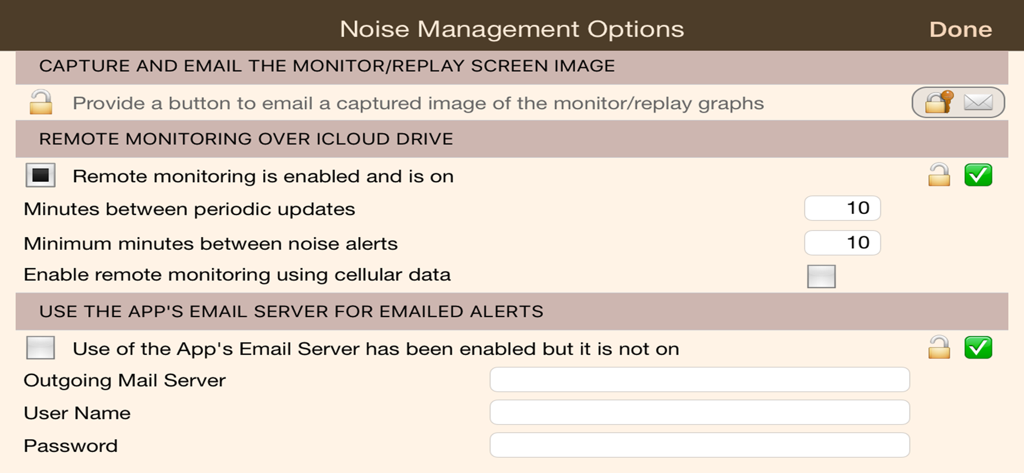
Noise Management Options screen showing remote monitoring via iCloud and email alert settings.
Description
Download
More Like This
Top-ranked apps in the same category

Pinterest, Inc.

Alipay - Simplify Your Life
Alipay (Hangzhou) Technology Co., Ltd.

Dianping: Discover Good Places
Hanhai Information Technology (Shanghai) Co.Ltd

美团-美好生活小帮手
Sankuai Technology Co., Ltd.

Lemon8 - Lifestyle Community
TIKTOK PTE. LTD.

Xiaomi Home
Beijing Xiaomi Co., Ltd

Tinder Dating App: Date & Chat
Tinder LLC

SmartThings
Samsung Electronics Co., Ltd.

VNeTraffic
GLOBAL TECHNOLOGY - TELECOMMUNICATIONS CORPORATION
This page is not an official page of the app or its developer, but an independent editorial publication created for informational and commentary purposes. Unless expressly stated otherwise, neither the app nor its developer is affiliated with, endorsed by, sponsored by, authorized by, or otherwise officially connected with MWM, Apple, Google Play, the app publisher, or the app's developer, and nothing on this page implies that the app was developed using MWM's services. Any trademarks, logos, screenshots, and other content remain the property of their respective owners.