Note Widget

Note Widget

Download on App Store
Logo of Note Widget

Note Widget: Custom Notes, Perfectly Styled for Your iPhone

Transform your home screen into a personalized hub of inspiration and productivity. Design beautiful text widgets with custom fonts, colors, and Markdown for a look that is uniquely yours.

Download on App Store

Publisher

Francis Bonnin

Category

Utilities

Downloads

13K+

User Rating

4.4/5

Total Ratings

100

Locales

8

Your Home Screen, Reimagined

Discover the interface used by 13K+ users.
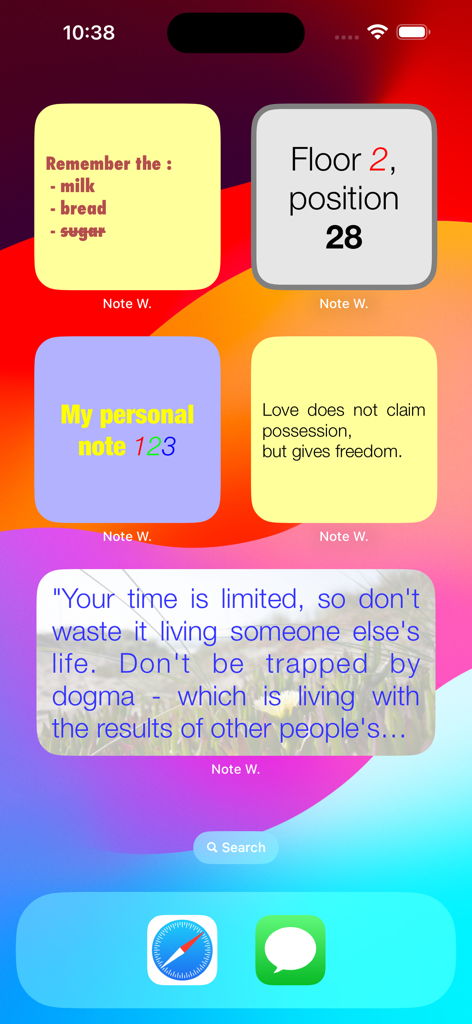
Customized iPhone home screen featuring various colorful note widgets with lists and quotes

Customized iPhone home screen featuring various colorful note widgets with lists and quotes

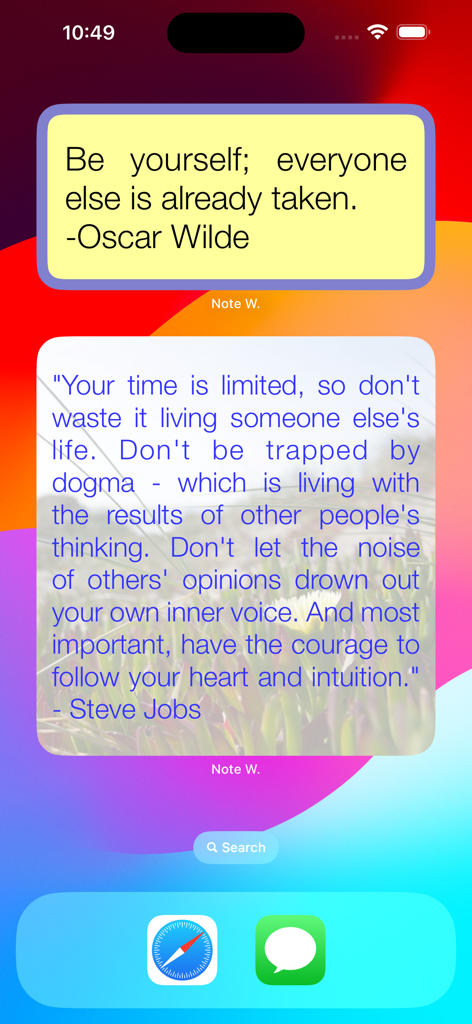
Two customized note widgets on an iPhone home screen displaying inspirational quotes

Two customized note widgets on an iPhone home screen displaying inspirational quotes

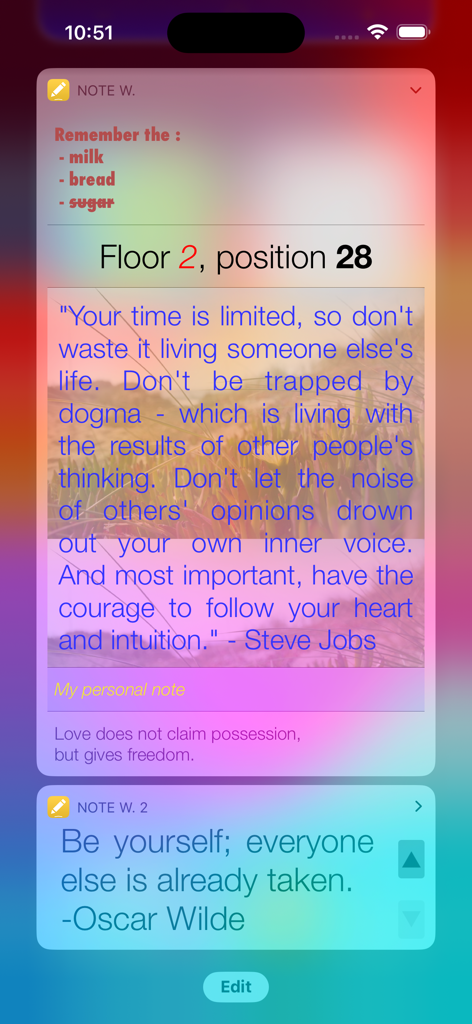
A group of customized iOS widgets displaying a grocery list and inspirational quotes with personalized fonts and colors.

A group of customized iOS widgets displaying a grocery list and inspirational quotes with personalized fonts and colors.

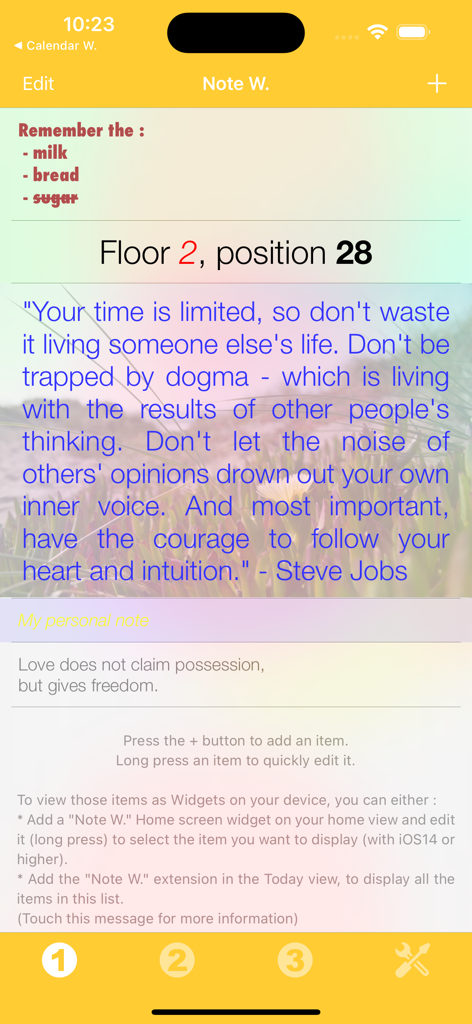
Interface of Note Widget showing a grocery list, a parking location reminder, and an inspirational Steve Jobs quote with custom colors and fonts.

Interface of Note Widget showing a grocery list, a parking location reminder, and an inspirational Steve Jobs quote with custom colors and fonts.

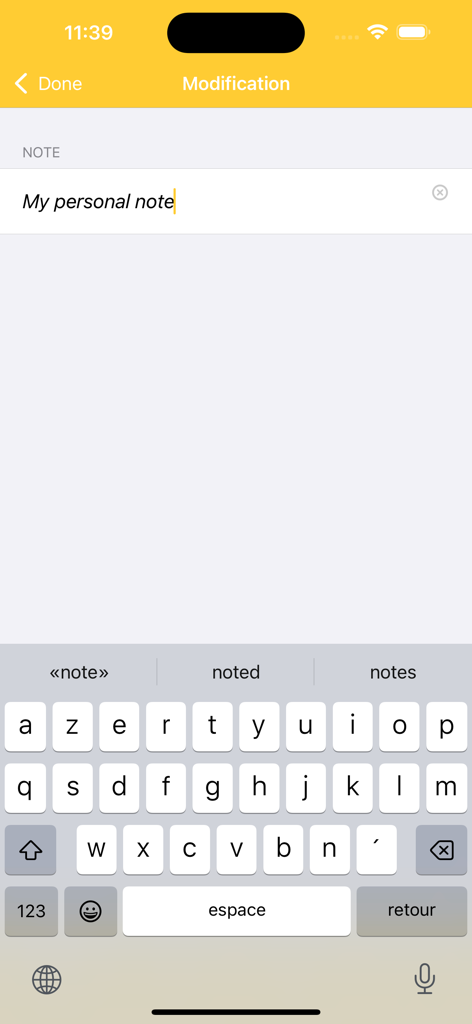
The editing interface of the Note Widget app showing a text input field and a mobile keyboard

The editing interface of the Note Widget app showing a text input field and a mobile keyboard

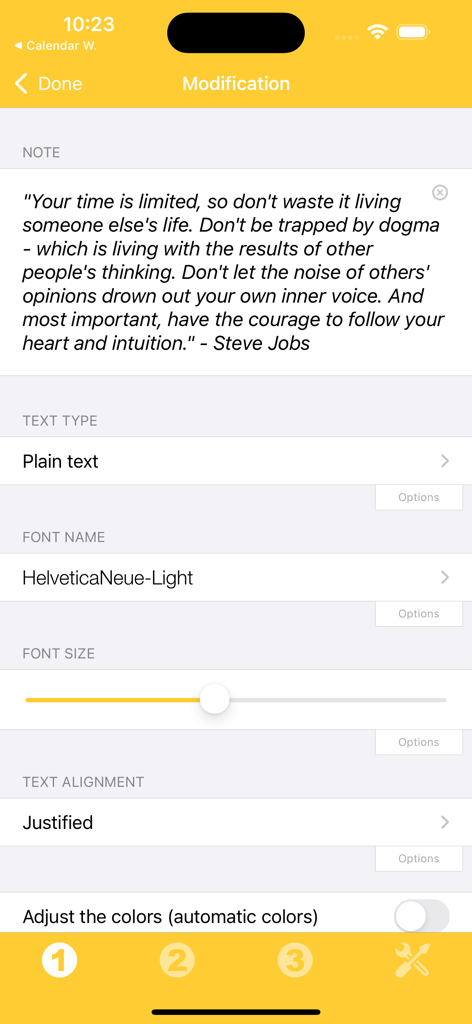
Customization screen for editing note widget font size and alignment settings

Customization screen for editing note widget font size and alignment settings

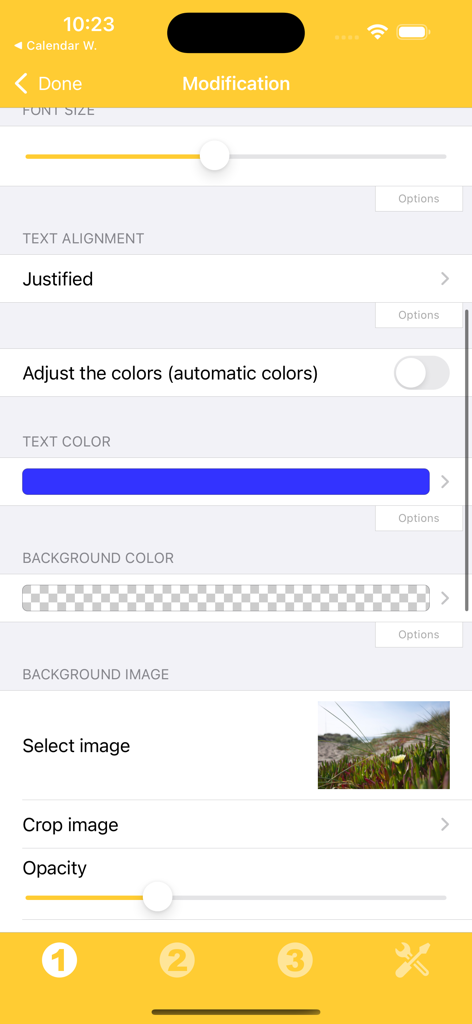
Interface for customizing note widget text alignment, colors, and background images.

Interface for customizing note widget text alignment, colors, and background images.

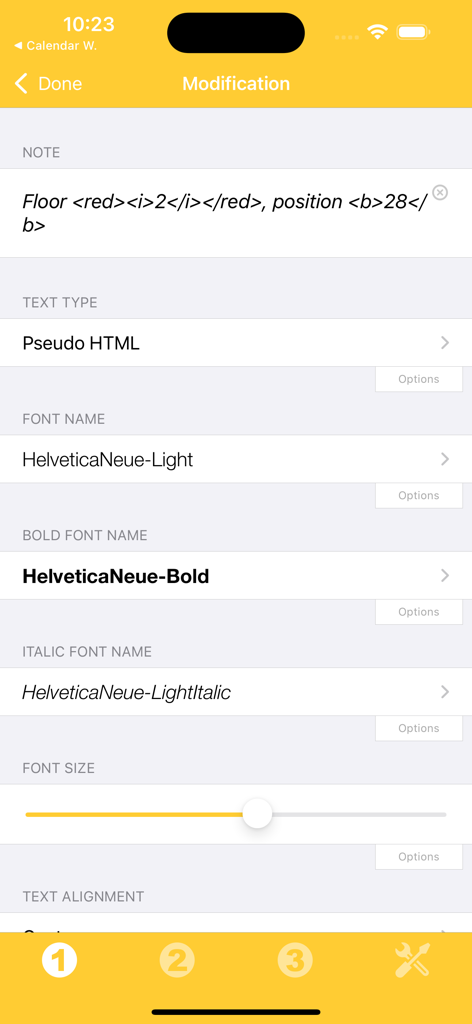
Interface of the Note Widget app showing text formatting options including pseudo HTML font selection and size adjustment

Interface of the Note Widget app showing text formatting options including pseudo HTML font selection and size adjustment

Your Information, Your Style

The tools that make this app stand out, trusted by 13K+ users.

🎨

Match Your Aesthetic

Go beyond basic notes. Customize fonts, colors, and alignments to make your widgets perfectly complement your unique iPhone theme.

Information at a Glance

Access reminders or quotes with a simple swipe. Edit directly from your home screen to save time and reduce app fatigue.

✍️

Pro-Level Formatting

Use Markdown and pseudo-HTML to create rich, styled text. Perfect for highlighting key details or organizing complex daily lists.

About the app

Everything you need to know about Note Widget.

Description

Those Widgets are compatible with the new iOS 14 Home Screen Widgets. Thanks to this application (and the other Widget apps from PacoLabs), you can now customize the Today view of your device, by adding custom widgets for some specific purposes. From anywhere in your device, with a simple top to bottom swipe, you'll have access to your own information and actions. Each Note widget allows to view user defined text. This is perfect to quickly view and edit some notes and reminders or to give you inspiration with your favourite quotes. The text can be displayed in different ways (by changing the size, the font, the color, the alignment). Markdown and pseudo HTML are partially handled and allows to easily add some specific colors and text formatting. The text can be quickly edited by touching it. The application is really easy to use and is adapted to the fresh look of your device. Dark mode of iOS13 is supported. You can add as many widgets as you want and they will be displayed in up to 3 different lists. Those same lists will be available in the Today view and in the application (although it is possible, if you want, to hide some widgets in the Today view). To avoid overloading the Today view, when too many widgets are displayed, an intuitive control will allow you to navigate from one widget to another. Even if the main purpose of the app is to view the widgets in the Today view, it can also be very handy to view them directly in the application (a long press on a widget in the Today view will open it directly in the main application).

Latest Version

6.2

Size

14.3 MB

First Released

Nov 2, 2014

Make Your Home Screen Truly Yours

Join over 13,000 users who have upgraded their productivity with custom widgets. Download Note Widget today and start organizing your life with style.

Download on App Store

App information, icons, screenshots, and descriptions displayed on this page are sourced from the Apple App Store and are the property of their respective developers. Download estimates and rankings are based on MWM's proprietary models and may not reflect actual figures. This page is provided for informational and analytical purposes only.

Believe this page infringes your intellectual property? File a dispute