
Notepad Plus - Pro

Experience a distraction-free workspace with iCloud sync, FaceID protection, and professional PDF sharing. Your data stays on your device—exactly where it belongs.
Publisher
Category
UtilitiesDownloads
500User Rating
Total Ratings
0Locales
1Discover the interface used by 500 users.
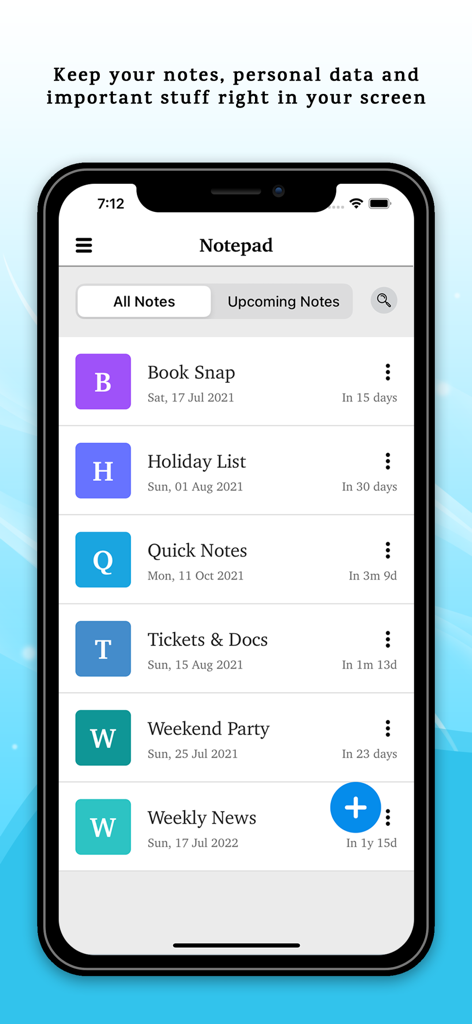
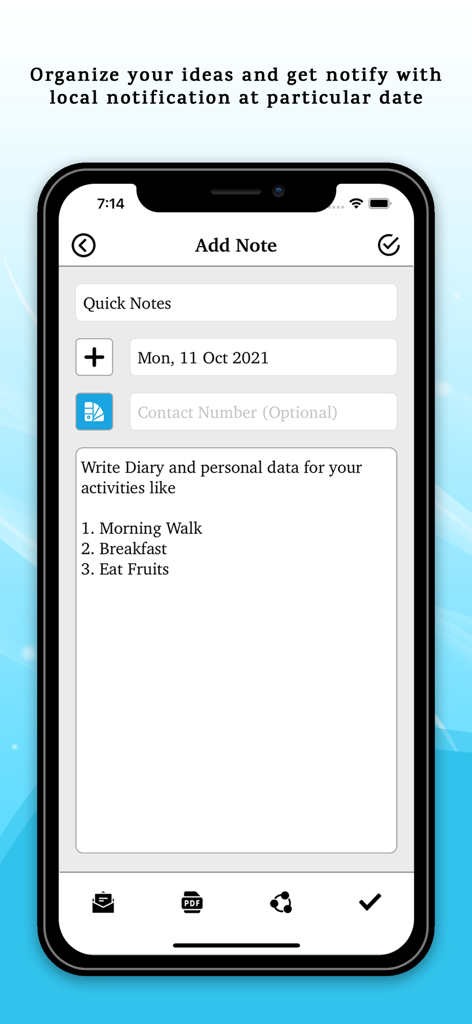
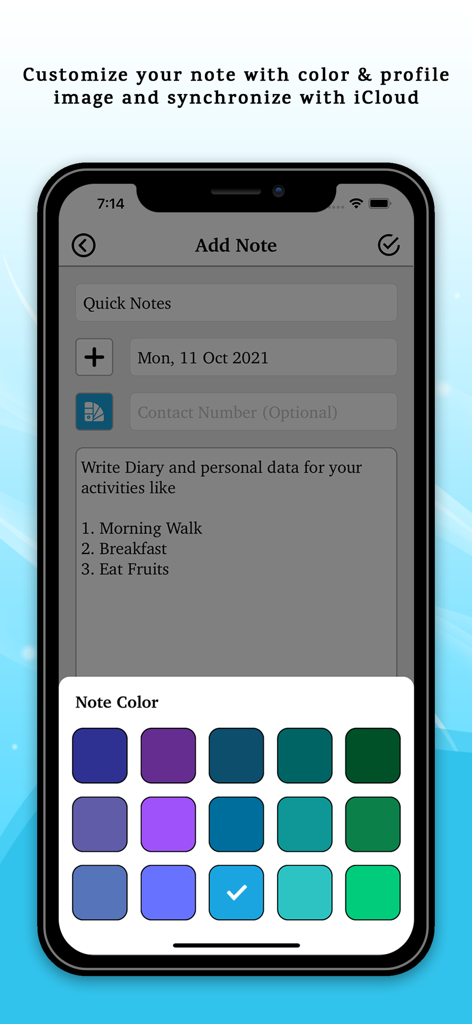
The tools that make this app stand out, trusted by 500 users.
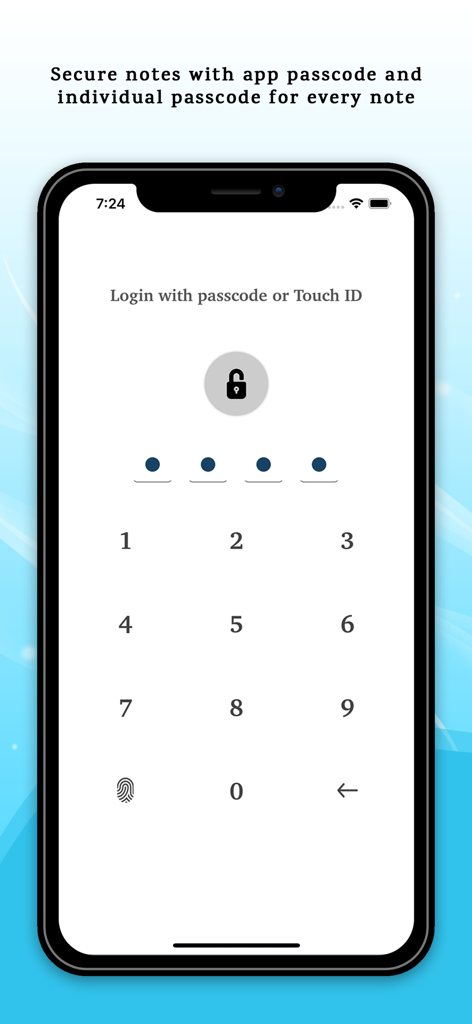
Protect your most sensitive data with app-wide FaceID locks and individual passcodes for specific notes—a safe within a safe.
Instantly transform your brainstorms and meeting minutes into polished PDF documents to share with colleagues or clients.
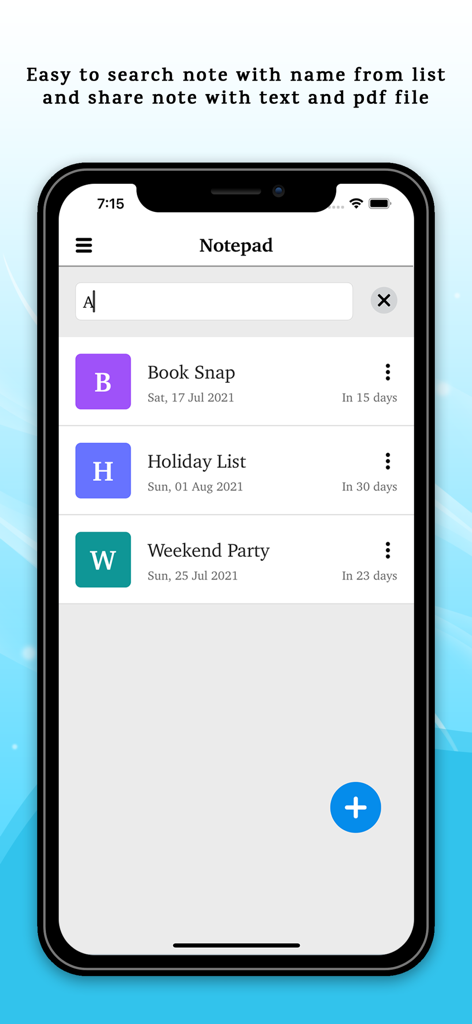
Stop searching and start finding. Use custom color-coding and profile images to categorize your life and work at a glance.
Everything you need to know about Notepad Plus - Pro.
Description
Latest Version
1.6
Size
5.6 MB
First Released
Jul 3, 2021
Join the professionals who trust Notepad Plus - Pro for private, organized, and seamless note-taking. Your data stays on your device—exactly where it belongs.
Everything you need to know about Notepad Plus - Pro
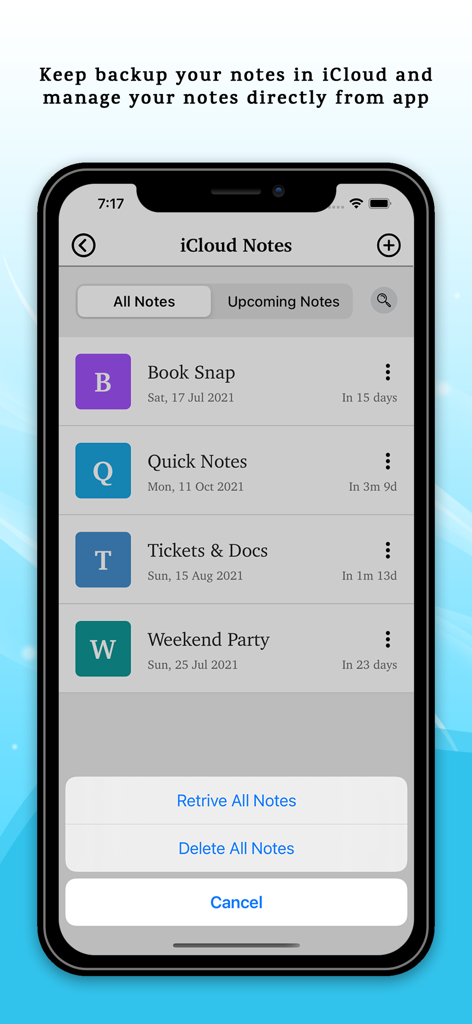
Yes, Notepad Plus - Pro supports iCloud sync. Users can back up and manage their notes directly within the app, ensuring data availability across devices.
No, Notepad Plus - Pro allows users to store an unlimited number of notes. This feature ensures ample space for all personal and professional records.
Notepad Plus - Pro provides an easy search function directly from the note list. Users can quickly find specific notes by typing their name into the search bar.
Yes, Notepad Plus - Pro offers reminders for notes. Users can set local notifications for particular dates to organize ideas and stay informed about upcoming notes.
Notepad Plus - Pro enables users to share notes as either text files or PDF files. This provides flexible options for exporting and distributing important information.
Yes, Notepad Plus - Pro provides robust security. It supports app passcode with Touch ID/Face ID and individual passcodes for securing every single note.
Yes, Notepad Plus - Pro allows extensive customization. Users can differentiate notes with various colors and profile images, enhancing personalization and organization within the app.
Yes, Notepad Plus - Pro features an auto-delete function. It automatically deletes notes after a user-selected time period, helping to manage storage and keep notes current.
Yes, data privacy is guaranteed. Notepad Plus - Pro explicitly states that notes and data remain on the user's device and are never accessed, collected, or stored by the developers.
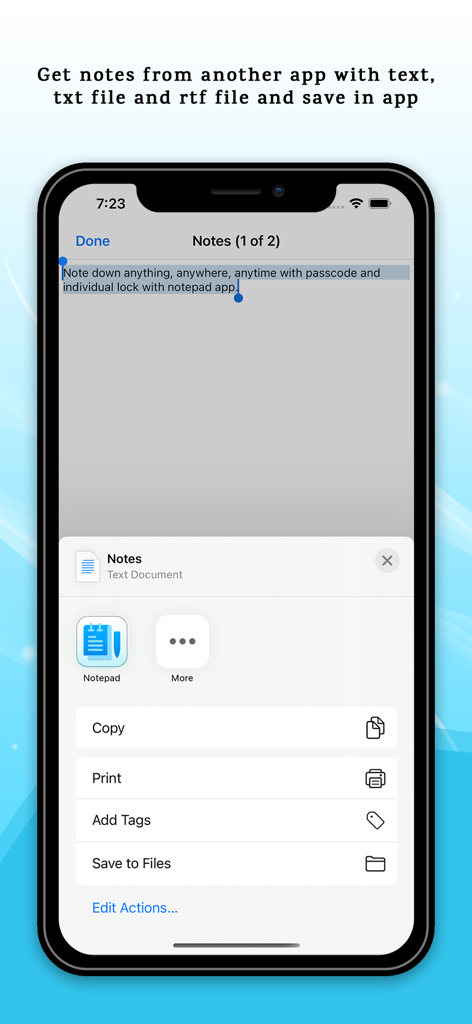
Yes, Notepad Plus - Pro can import notes. It supports receiving text, TXT, and RTF files from other applications, allowing users to consolidate notes within the app.
Notepad Plus - Pro organizes notes through sorting orders, colors, and profile images. It also provides "All Notes" and "Upcoming Notes" views for efficient management.
Top-ranked apps in the same category

Google LLC

Google LLC

China Mobile Online Services Co., Ltd.

Google LLC

Servicos e Informacoes do Brasil

DEEP FLOW SOFTWARE SERVICES - FZCO

Servicos e Informacoes do Brasil

Microsoft Corporation

YUNFAN TECHNOLOGY CO., LIMITED
App information, icons, screenshots, and descriptions displayed on this page are sourced from the Apple App Store and are the property of their respective developers. Download estimates and rankings are based on MWM's proprietary models and may not reflect actual figures. This page is provided for informational and analytical purposes only.
Believe this page infringes your intellectual property? File a dispute