OBD Connect

OBD Connect

Download on App Store
Logo of OBD Connect

OBD Connect: The Ultimate Smart Dashboard and Diagnostic Tool

Take total control of your vehicle. From clearing check engine lights to tracking real-time performance and fuel economy, transform your iPhone into a professional-grade automotive command center with CarPlay integration.

Publisher

Alphabit Software Inc.

Category

Utilities

Downloads

10K+

User Rating

3.9/5

Total Ratings

100

Locales

9

Your Virtual Cockpit

Discover the interface used by 10K+ users.
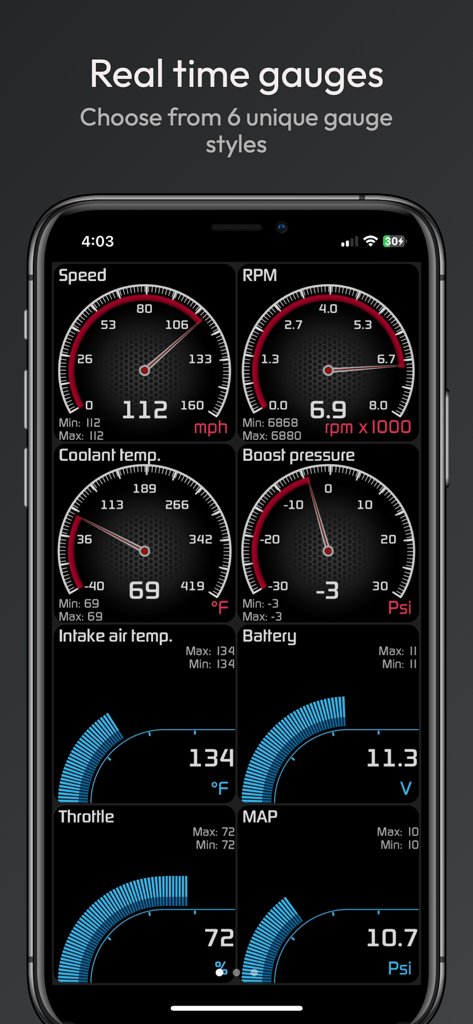
Smartphone screen showing customizable real-time car gauges for speed, RPM, coolant temperature, and boost pressure.

Smartphone screen showing customizable real-time car gauges for speed, RPM, coolant temperature, and boost pressure.

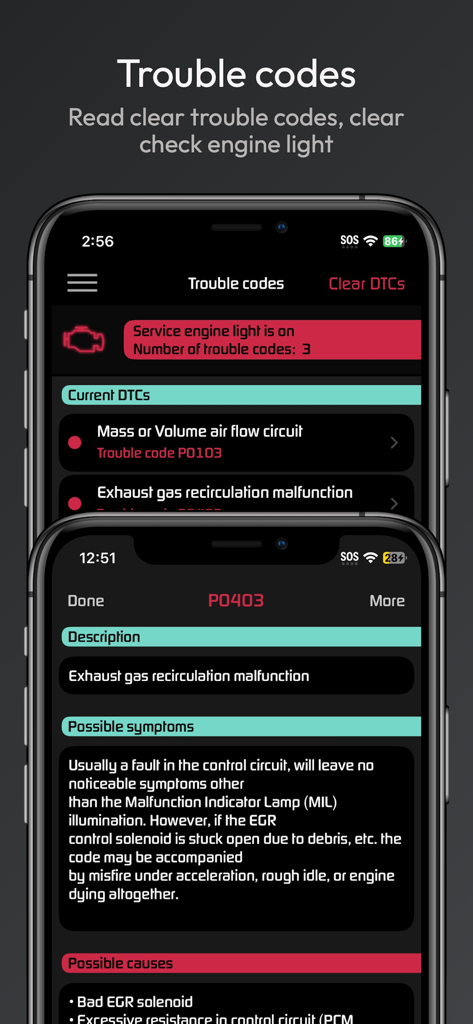
OBD Connect app screens showing car diagnostic trouble codes and detailed error descriptions

OBD Connect app screens showing car diagnostic trouble codes and detailed error descriptions

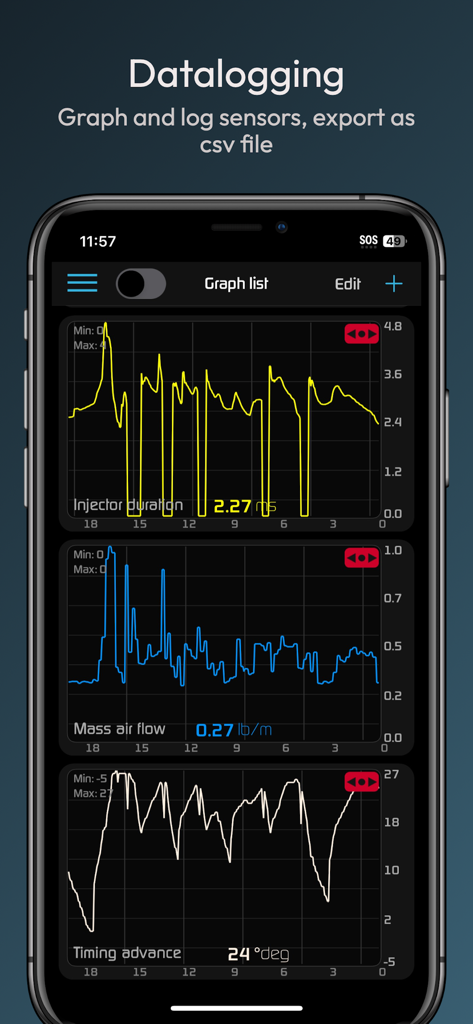
Real-time car sensor graphs showing injector duration and mass air flow in the OBD Connect app

Real-time car sensor graphs showing injector duration and mass air flow in the OBD Connect app

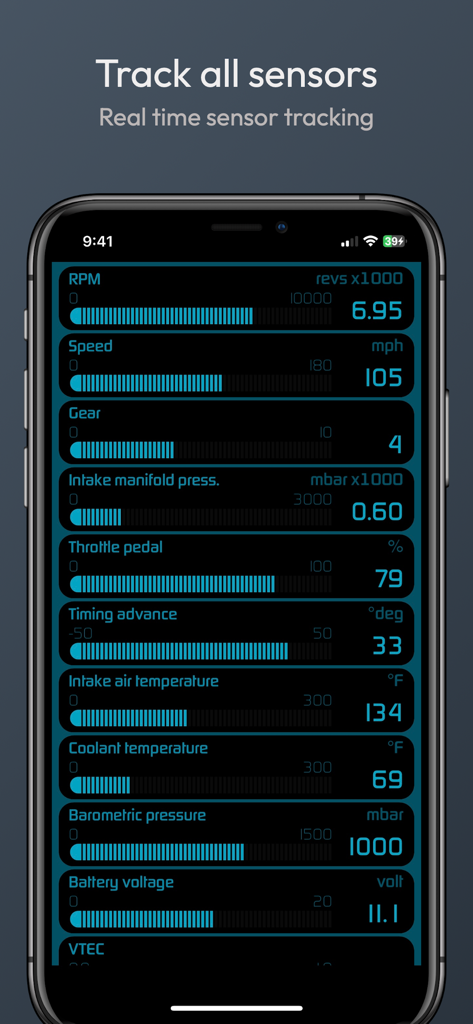
OBD Connect app screen displaying real-time vehicle sensor data including RPM speed and engine temperatures

OBD Connect app screen displaying real-time vehicle sensor data including RPM speed and engine temperatures

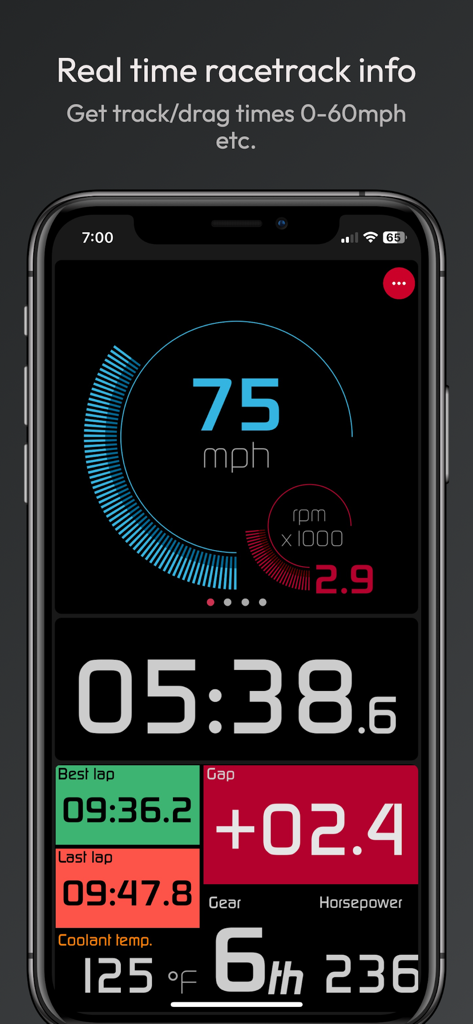
OBD Connect app interface showing real time race track performance and digital gauges

OBD Connect app interface showing real time race track performance and digital gauges

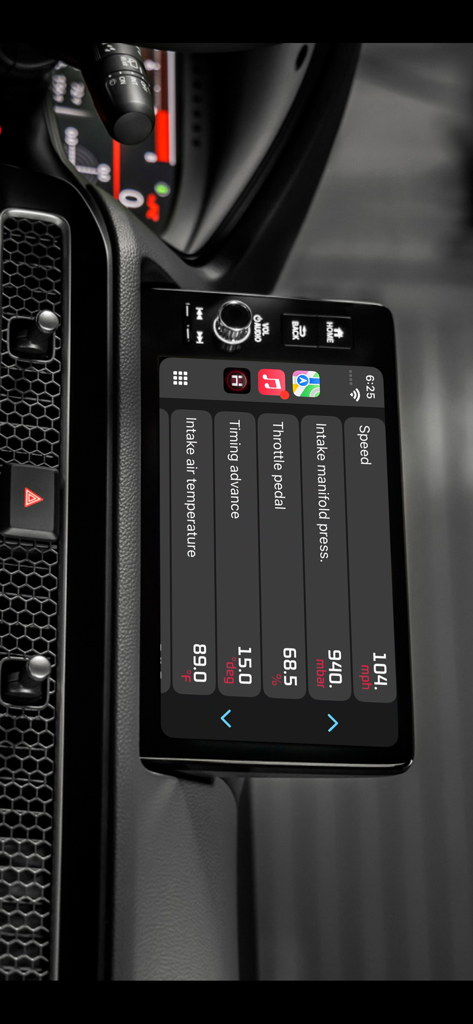
OBD Connect engine data displayed on Apple CarPlay

OBD Connect engine data displayed on Apple CarPlay

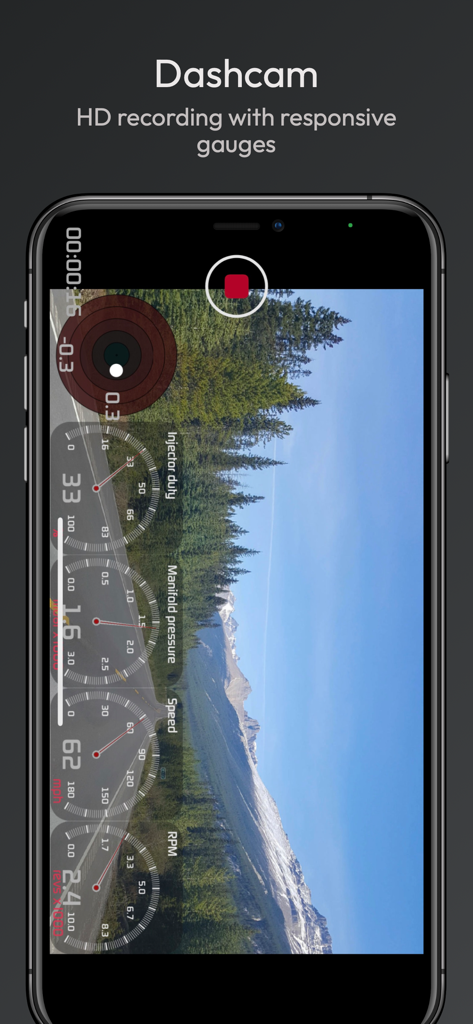
OBD Connect dashcam interface showing HD video recording with real-time gauge overlays for speed, RPM, and manifold pressure.

OBD Connect dashcam interface showing HD video recording with real-time gauge overlays for speed, RPM, and manifold pressure.

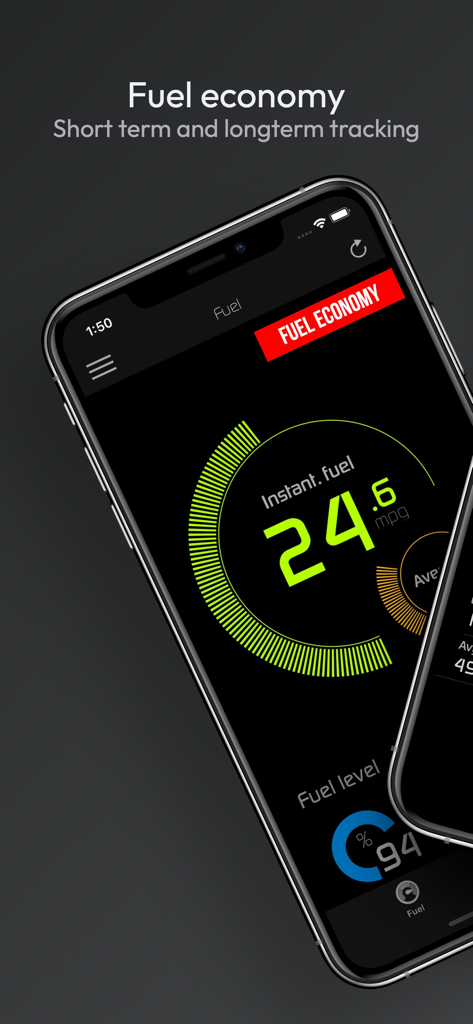
OBD Connect app dashboard showing real-time fuel economy in mpg and current fuel level.

OBD Connect app dashboard showing real-time fuel economy in mpg and current fuel level.

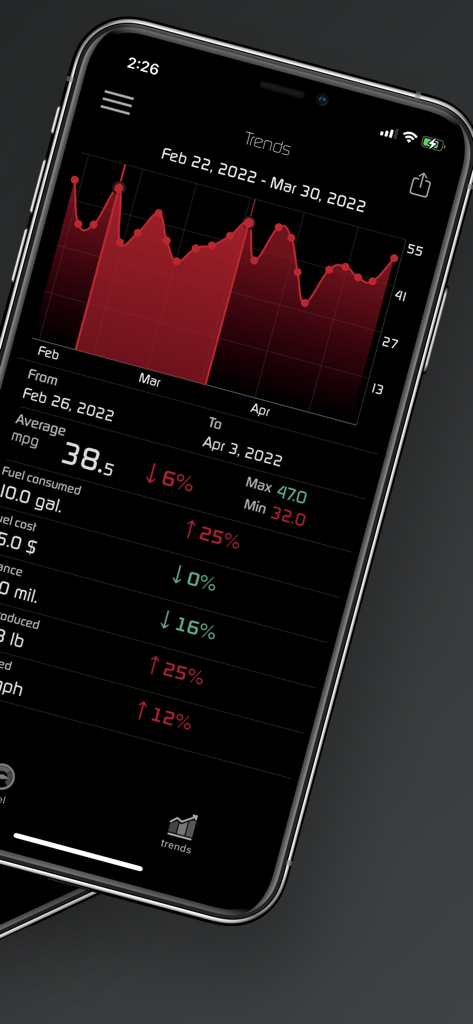
OBD Connect app showing a detailed fuel economy trends graph and average MPG statistics on a dark interface.

OBD Connect app showing a detailed fuel economy trends graph and average MPG statistics on a dark interface.

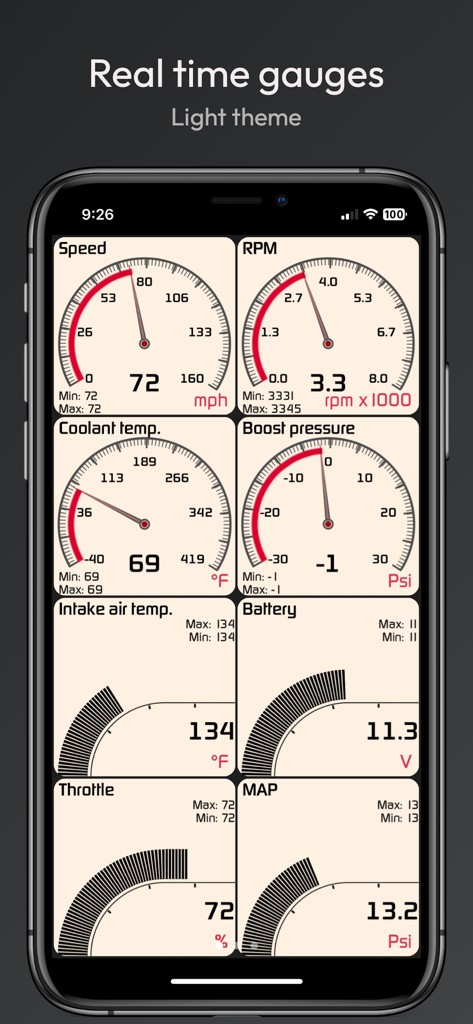
OBD Connect app real-time car gauges interface in light theme

OBD Connect app real-time car gauges interface in light theme

Empower Your Drive with Professional-Grade Insights

The tools that make this app stand out, trusted by 10K+ users.

🛠️

Stop Guessing at the Shop

Read and clear 'Check Engine' lights with detailed descriptions for over 1,000 codes. Know exactly what is wrong before the mechanic tells you and save on unnecessary repair costs.

📊

Real-Time Virtual Cockpit

Track up to 100 sensors simultaneously with customizable gauges. Monitor boost pressure, oil temp, and live MPG on your phone or directly on your car's screen via Apple CarPlay.

🏁

Track-Ready Performance

Measure 0-60 mph times and lap data with high-frequency GPS. Record HD dashcam video with real-time gauge overlays to analyze your driving or share results with friends.

About the app

Everything you need to know about OBD Connect.

Description

Track performance of your car in real time with virtual gauges and graphs. Troubleshoot malfunctions by accessing the on board ECU. Know what is wrong with your car before taking it to the mechanic. Track fuel economy and save money on gas. These are just some of the features OBD Connect has to offer. OBD Connect transforms your phone into an all in one performance monitoring and troubleshooting tool for your car. ** Notice - This app works with genuine ELM327 adapters. We don't recommend using knock-offs as it may not be compatible with the app. OBD Connect features: • Customizable gauges track up to 100 sensors in real time including fuel economy, G-force, gear display and battery voltage. • Fast polling rate allows for a smoother and more responsive gauges and graphing.* • Read and Clear trouble codes and reset MIL (service engine light). Over a thousand codes available with description, causes and symptoms. • Metric and Imperial measures. • Real-time user-defined sensor plotting. Graph as many sensors desired at the same time on interactive graph that can be scrolled, paused. • Gauge list feature can track every sensor at the same time. • CarPlay, display gauges on car head unit. • Create car profiles and customize settings. • Freeze frame support (mode 02). • Instant horsepower, mpg/kpl fuel economy, boost pressure and G force tracking. • Read Vehicle VIN number, calibration ID and more (mode 09). • Speed limit warning: Get notified when driving over speed limit. • High oil/coolant temperature warning gives you instant notification when your car is running too hot. • HUD mode for dashboard view : Heads up display for driving at night. • Emissions test readiness. • Multiple ECU support. • Shift light. • Two themes to choose from. • Landscape mode. • High value sensor gauge notification. • Extended PID support: Enhanced PID for specific manufacturers (mode 22). • Fuel Economy: - Instant and average fuel economy tracking for 0-5 min, 0-30 min and 0-2 hr intervals and a detailed summary. - Long term tracking with six different intervals. (1 week, 2 weeks, 4 weeks, 13 weeks, 26 and 52 weeks). - 4 different units of measure: MPG,KPL (Km/L), L/100 Km, Miles per imperial gallon. - Interactive graph of long term data that can be cropped and scrolled through. - Export fuel history to CSV file (spreadsheets). - Other statistics: Distance travelled, average speed, money spent, CO2 produced and fuel consumed. - 3 methods of calculation available. For non MAF vehicles. • Race track package: - Real time lap data, gap delay time and position in race track using high frequency GPS tracking. - Comprehensive summary of race with lap times, speed fluctuations on track and more. - Get drag racing times (0-60 mph, 0-100 mph, 1/4 mile 1/8 mile etc.) - Load and save unlimited number of tracks onto device. - Crucial racing data including real time horsepower, g-force and a detailed driving summary. Share your results with friends. - Transmission gear information and optional shifting assistant which notifies optimal moment of shifting gears. - Customizable view that toggles between speed/rpm gauge, real time track positioning and G-sensor feedback. - Record your race in HD with gauge and track overlays. (dash cam add-on required) • Dashcam: Record smooth HD video with overlaying gauges (speed,rpm, etc), time, location (GPS coordinates) and G-force sensor in four different resolutions. You can record from 90 sensors and up to 5 gauges. • Sensor logger: You can record many sensors at the same time with 5 different refresh rates. Save graph sensor data to CSV file and export to PC/MAC for further analysis. Send real time data to TCP socket (IP Address) over network. ** NOTICE** OBD Connect is compatible with WIFI adapters, OBDLink MX+, Vgate vLinker FS/MS and the following Bluetooth LE adapters: Kiwi 3/4 PLX, Veepeak BLE, Carista BT, LE LElink and VGate iCar Pro/ pro 2, vLinker FD+,MC+ adapter.

Latest Version

1.8.4

Size

14.1 MB

First Released

Jun 19, 2020

Ready to Master Your Drive?

Join over 10,000 drivers saving money on repairs and unlocking real-time performance data. Get professional-grade diagnostics and track-ready telemetry on your iPhone today.

Download on App Store
FAQ

Frequently Asked Questions

Everything you need to know about OBD Connect

What is OBD Connect and what does it do?

OBD Connect transforms a phone into an all-in-one performance monitoring and troubleshooting tool for cars. It tracks real-time data, identifies malfunctions, and monitors fuel economy.

Can OBD Connect read and clear check engine lights?

Yes, OBD Connect reads and clears trouble codes, and resets the Malfunction Indicator Lamp (MIL), also known as the service engine light. It provides descriptions, causes, and symptoms for over a thousand codes.

What OBD2 adapters are compatible with the OBD Connect app?

OBD Connect is compatible with genuine ELM327, WIFI adapters, OBDLink MX+, Vgate vLinker FS/MS, Kiwi 3/4 PLX, Veepeak BLE, Carista BT, LE LElink, and VGate iCar Pro/Pro 2, vLinker FD+, MC+ adapters.

Does OBD Connect track fuel economy data?

Yes, OBD Connect tracks fuel economy instantly and averaged for various intervals, including 0-5 min, 0-30 min, and 0-2 hr. It also offers long-term tracking and exports fuel history to CSV files.

Does OBD Connect offer real-time performance monitoring with customizable gauges?

Yes, OBD Connect provides customizable gauges that track up to 100 sensors in real time, including fuel economy, G-force, gear display, and battery voltage. It also supports real-time user-defined sensor plotting.

Can OBD Connect record driving video with overlaid sensor data?

Yes, OBD Connect features a dedicated dashcam mode. It records smooth HD video with overlaying gauges (speed, RPM, etc.), time, location (GPS coordinates), and G-force sensor data.

Does OBD Connect support CarPlay integration?

Yes, OBD Connect supports CarPlay, allowing users to display gauges and real-time sensor information directly on their car's head unit. This integrates car data with the vehicle's infotainment system.

Can OBD Connect track race data and drag racing times?

Yes, OBD Connect includes a race track package. It provides real-time lap data, gap delay times, and position using high-frequency GPS, along with drag racing times (0-60 mph, 1/4 mile, etc.).

Does OBD Connect provide warnings for speed or high engine temperatures?

Yes, OBD Connect provides essential warnings. It features a speed limit warning to notify drivers when exceeding the limit and a high oil/coolant temperature warning for instant notification of overheating.

App information, icons, screenshots, and descriptions displayed on this page are sourced from the Apple App Store and are the property of their respective developers. Download estimates and rankings are based on MWM's proprietary models and may not reflect actual figures. This page is provided for informational and analytical purposes only.

Believe this page infringes your intellectual property? File a dispute