
This page is not an official page of the app or its developer, but an independent editorial publication created for informational and commentary purposes. Unless expressly stated otherwise, neither the app nor its developer is affiliated with, endorsed by, sponsored by, authorized by, or otherwise officially connected with MWM, Apple, Google Play, the app publisher, or the app's developer, and nothing on this page implies that the app was developed using MWM's services. Any trademarks, logos, screenshots, and other content remain the property of their respective owners.

OBD Fusion
Clear check engine lights, track fuel economy, and build custom real-time dashboards. Empower your DIY maintenance and stop overpaying at the mechanic.
Downloads
531K+User Rating
Total Ratings
19K+Publisher
Category
TravelLocales
9Latest Version
7.0.1Size
53.3 MBFirst Released
Jun 2, 2013Take Full Control of Your Vehicle
Turn your iPhone into a professional-grade diagnostic tool and gain deep insights into your car's performance, health, and efficiency.
Stop Guessing, Start Fixing
Instantly read and clear check engine lights and diagnostic trouble codes to save hundreds on unnecessary mechanic fees.
Pro-Grade Virtual Dashboards
Visualize your engine’s health with fully customizable, real-time gauges for boost pressure, transmission temps, and fuel economy.
Frequently Asked Questions
Everything you need to know about OBD Fusion
How does OBD Fusion clear the check engine light?
Yes, OBD Fusion allows users to read and clear emissions-related trouble codes (fault codes), which turns off the Check Engine Light (MIL). This feature helps identify and resolve vehicle issues.
Which adapters are compatible with the OBD Fusion app?
OBD Fusion requires a Wi-Fi ELM327 compatible adapter or specific Bluetooth LE adapters like Veepeak BLE, Carista BLE, OBDLink MX+/CX, Tonwon BLE, LELink BLE, Viecar BLE, Lonauto, Vgate iCar Bluetooth 4.0, or BAST BLE, and Kiwi 3/4.
Can users create custom dashboards in OBD Fusion?
Yes, OBD Fusion features a real-time dashboard display with fully customizable gauges. Users can create personalized dashboards to view desired vehicle parameters.
Does OBD Fusion support CarPlay integration?
Yes, OBD Fusion supports viewing vital driving information on CarPlay. However, real-time gauges are not supported, so dashboards do not display on CarPlay.
What types of vehicles are compatible with OBD Fusion?
OBD Fusion supports all OBD2 and EOBD vehicles sold worldwide. It also connects to some JOBD vehicles and can support Electric Vehicles (EVs) after contacting the developer for specific compatibility.
Can OBD Fusion read enhanced diagnostic trouble codes like ABS or SRS?
Yes, with optional enhanced diagnostic add-ons available via in-app purchases, OBD Fusion can read and clear enhanced trouble codes from other modules like ABS and SRS. It also reads transmission temperature.
How does OBD Fusion track fuel economy?
OBD Fusion calculates fuel economy, displaying it in MPG (US and UK), l/100km, or km/l. This feature helps users monitor and improve their vehicle's fuel efficiency.
Does OBD Fusion allow data logging and playback?
Yes, OBD Fusion supports real-time data logging and playback. Users can also log data to a CSV file for further analysis and utilize multiple trip meters.
How does OBD Fusion assist with emissions readiness checks?
OBD Fusion provides emissions readiness checks for each US state. It displays information like Oxygen Sensor Results (Mode 05), On-board Monitoring Tests (Mode 06), and In-performance Tracking Counters (Mode 09).
Can OBD Fusion measure vehicle performance times?
Yes, OBD Fusion performs calculations for performance times, including 1/4 mile and 0-60 mph track times. This allows users to track their vehicle's acceleration metrics.
Can OBD Fusion display a vehicle's VIN and other identification?
Yes, OBD Fusion displays vehicle information including the VIN (Vehicle Identification Number) and calibration ID. This provides essential identification data for the connected vehicle.
Is OBD Fusion available in multiple languages?
Yes, OBD Fusion is available in multiple languages. These include English, Spanish, French, Italian, German, Czech, Greek, Chinese, and Portuguese.
The following screenshots and description are sourced directly from the app's official store listing and are the property of the app developer.
App Store
Screenshots
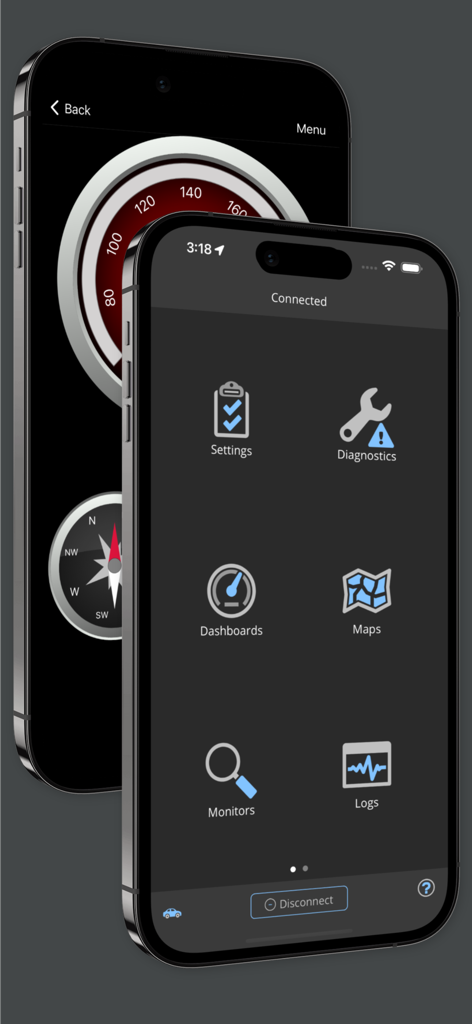
OBD Fusion mobile app showing the main menu icons and a custom vehicle dashboard gauge.
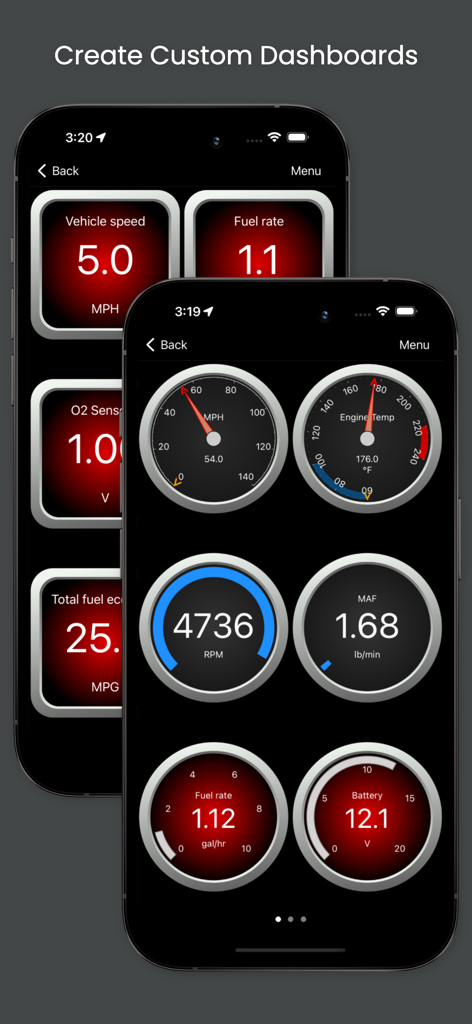
OBD Fusion app displaying custom car dashboards with real time diagnostic gauges
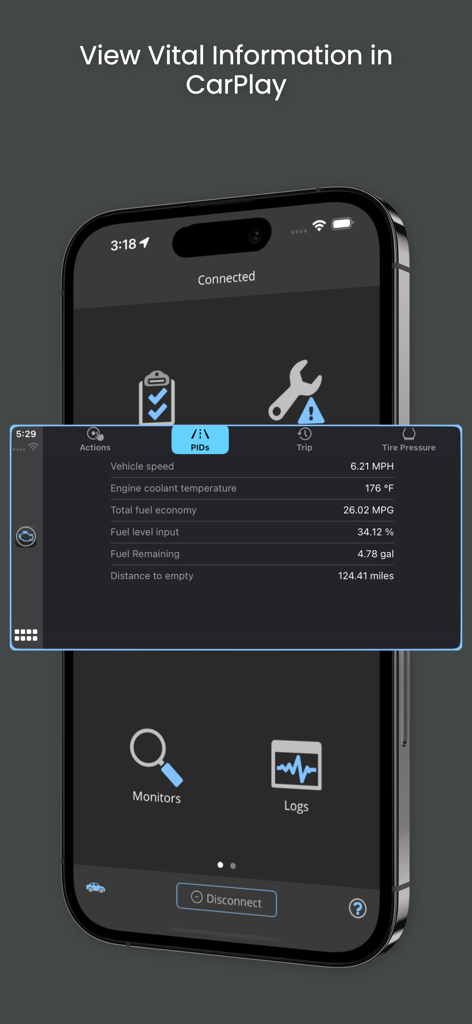
OBD Fusion app displaying vital vehicle data on a CarPlay screen
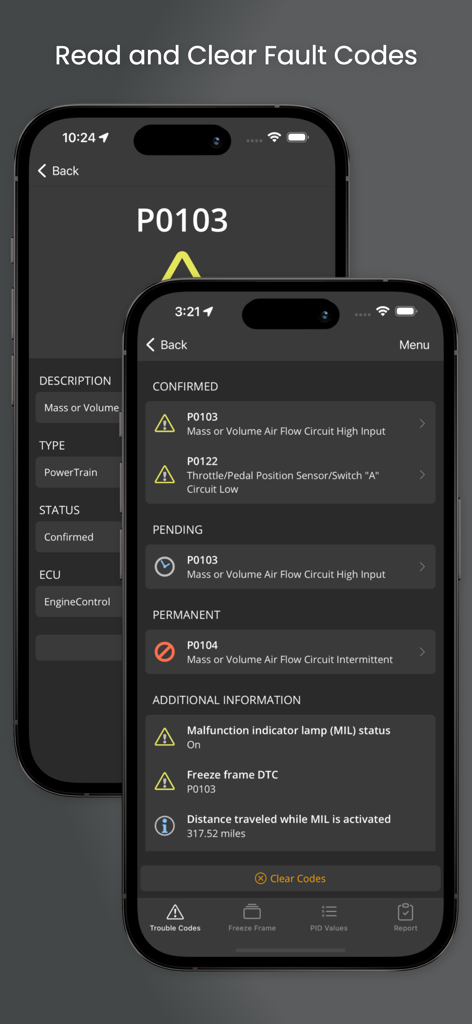
Smartphone screen displaying diagnostic trouble codes and engine fault details in the OBD Fusion app
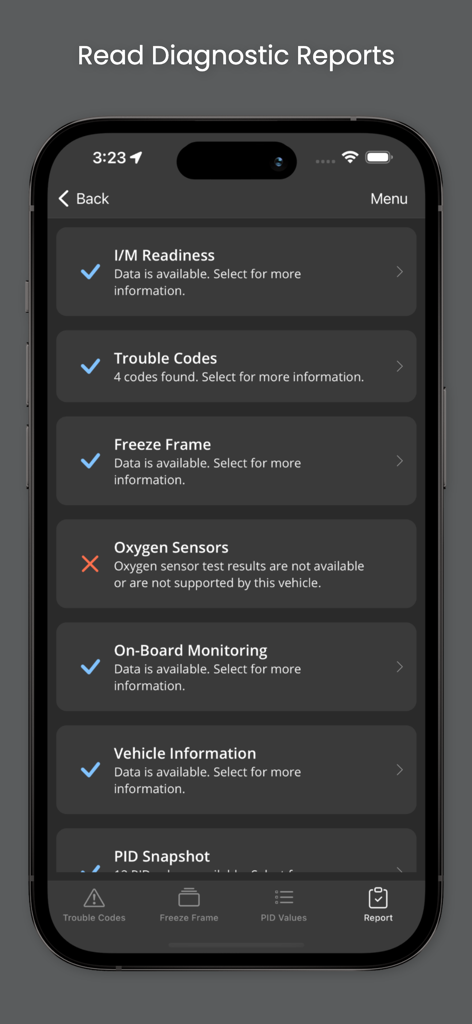
OBD Fusion app diagnostic report screen showing vehicle health checks like trouble codes and emissions readiness
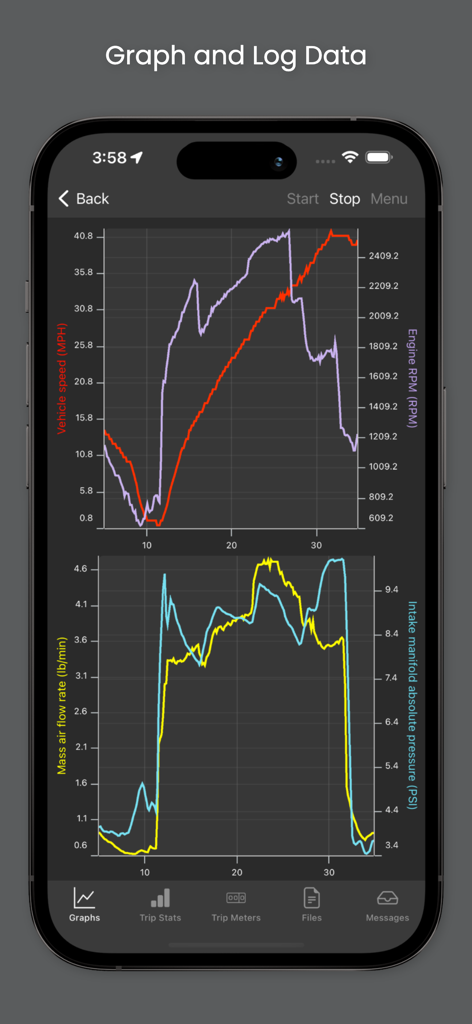
Interface of OBD Fusion app displaying real time graphs for vehicle speed engine rpm and manifold pressure
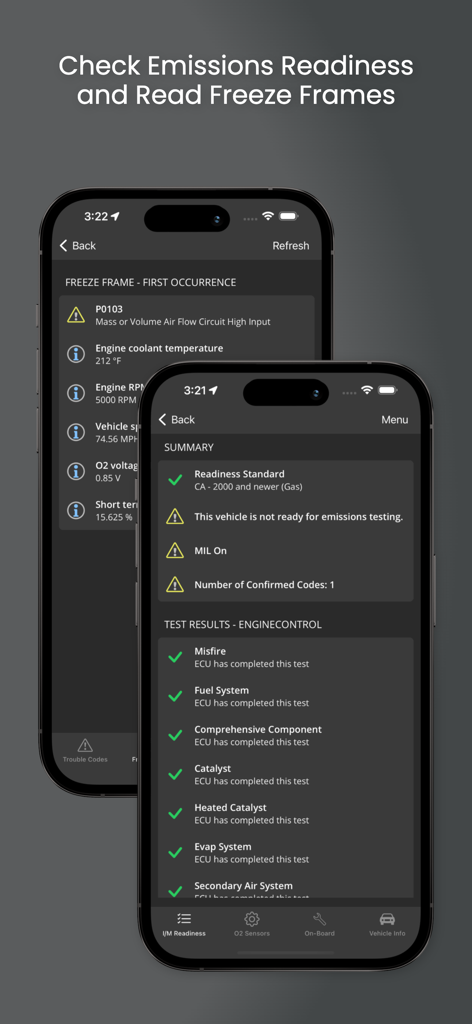
OBD Fusion app screens showing emissions readiness status and vehicle diagnostic freeze frame data on iPhone
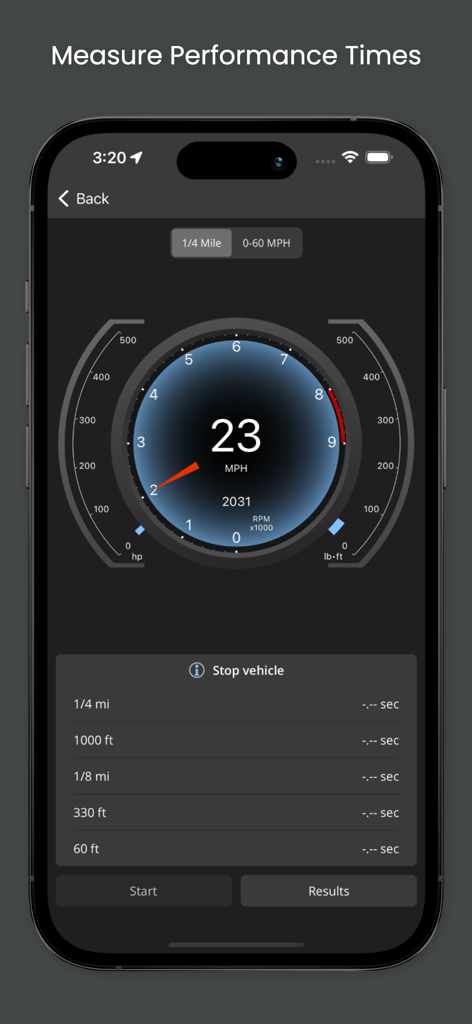
OBD Fusion app interface showing performance time measurements and a digital speedometer gauge
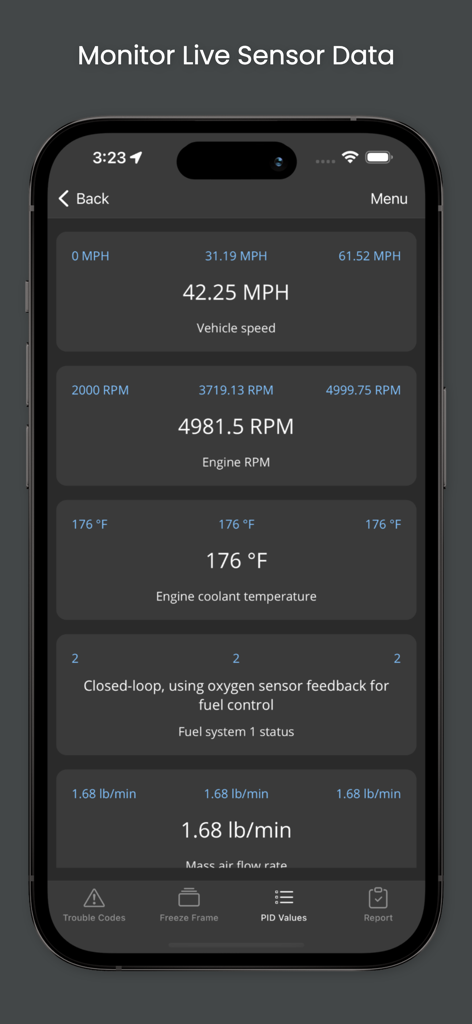
OBD Fusion app displaying live vehicle sensor data including speed, RPM, and engine temperature on an iPhone.
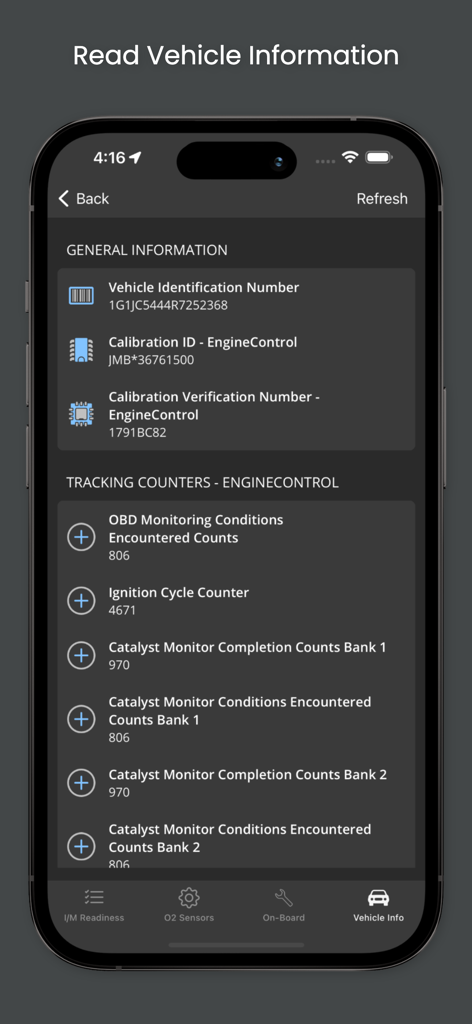
OBD Fusion app displaying vehicle identification number, calibration data, and engine tracking counters.
Description
Download
More Like This
Apps with similar features and user experience

Car Scanner ELM OBD2
Stanislav Svistunov

RepairSolutions2
Innova Electronics

OBDLink
OBD Solutions LLC
Car Mate - OBD2 CAR Scanner
Ihar Katkavets

Carly — OBD2 car scanner
Carly Solutions GmbH Co KG
BlueDriver OBD2 Scan Tool
Root Four Imagination Inc.

BimmerLink for BMW and MINI
SG Software GmbH & Co. KG

FIXD OBD2 Scanner
FIXD Automotive Inc
OBD2 Scanner: Torque ELM 327
MONIQ TAP COMPANY LIMITED
This page is not an official page of the app or its developer, but an independent editorial publication created for informational and commentary purposes. Unless expressly stated otherwise, neither the app nor its developer is affiliated with, endorsed by, sponsored by, authorized by, or otherwise officially connected with MWM, Apple, Google Play, the app publisher, or the app's developer, and nothing on this page implies that the app was developed using MWM's services. Any trademarks, logos, screenshots, and other content remain the property of their respective owners.