
This page is not an official page of the app or its developer, but an independent editorial publication created for informational and commentary purposes. Unless expressly stated otherwise, neither the app nor its developer is affiliated with, endorsed by, sponsored by, authorized by, or otherwise officially connected with MWM, Apple, Google Play, the app publisher, or the app's developer, and nothing on this page implies that the app was developed using MWM's services. Any trademarks, logos, screenshots, and other content remain the property of their respective owners.


OBS Controller
The minimalist mobile remote for creators and professionals. Control your scenes, toggle sources, and manage audio effortlessly from your iPhone or iPad—no expensive hardware required.
Downloads
31K+User Rating
Total Ratings
100Publisher
Category
Photo & VideoLocales
1Latest Version
0.11.0Size
28.8 MBFirst Released
Feb 16, 2021Pro-Level Stream Control, No Hardware Required
Turn your iPhone or iPad into a powerful OBS command center. Designed for creators who want professional transitions and audio management without the $150 price tag of dedicated hardware.
Seamless Scene Switching
Transition between gameplay, 'Just Chatting', and overlays instantly. Stop alt-tabbing and keep your focus on your audience while your mobile device handles the heavy lifting.
Real-Time Audio & Element Toggles
Mute your mic, trigger alerts, or hide specific scene elements with a single tap. Complete control over your broadcast's production value right at your fingertips.
Frequently Asked Questions
Everything you need to know about OBS Controller
How do I connect the OBS Controller app to OBS?
The OBS Controller app connects to OBS via QR code, by scanning for OBS, or through manual connection. OBS v28 and later work out of the box; earlier versions require the obs-websocket plugin.
What core features does the OBS Controller app offer?
The OBS Controller app allows users to switch scenes, control streams, recordings, and virtual camera output. It also hides unwanted scenes, shows/hides scene elements, and mutes audio sources.
Does OBS Controller support stream and recording control?
Yes, OBS Controller directly controls your stream, recording, and virtual camera output. It provides specific controls to start/stop broadcasting, recording, and virtual camera functions.
Can OBS Controller mute audio sources and control volume?
Yes, the OBS Controller app can mute individual audio sources and control audio input volume. This functionality is available directly within the app's control interface.
Can users configure delays for commands in OBS Controller?
Yes, OBS Controller allows users to configure a delay for commands. This feature helps synchronize scene switches with camera delays or other timed events within OBS.
How do I save and load my OBS Controller settings?
The OBS Controller app includes 'Export' and 'Import' functions. Users can export the app's state to a file and import it on any device to save and load their configurations.
Can I hide scenes in the OBS Controller app?
Yes, OBS Controller enables users to hide specific scenes that they do not want to accidentally switch to. This improves workflow and prevents unintended scene changes.
What is required for OBS Controller to work with older OBS versions?
For OBS versions prior to v28, the OBS Controller app requires the obs-websocket plugin to be installed. This plugin enables the necessary remote control functionality.
Can I customize the appearance of scene tiles in OBS Controller?
Yes, OBS Controller allows users to customize scene tiles. Customization options include name override and custom color selection to make specific tiles easier to find.
The following screenshots and description are sourced directly from the app's official store listing and are the property of the app developer.
App Store
Screenshots
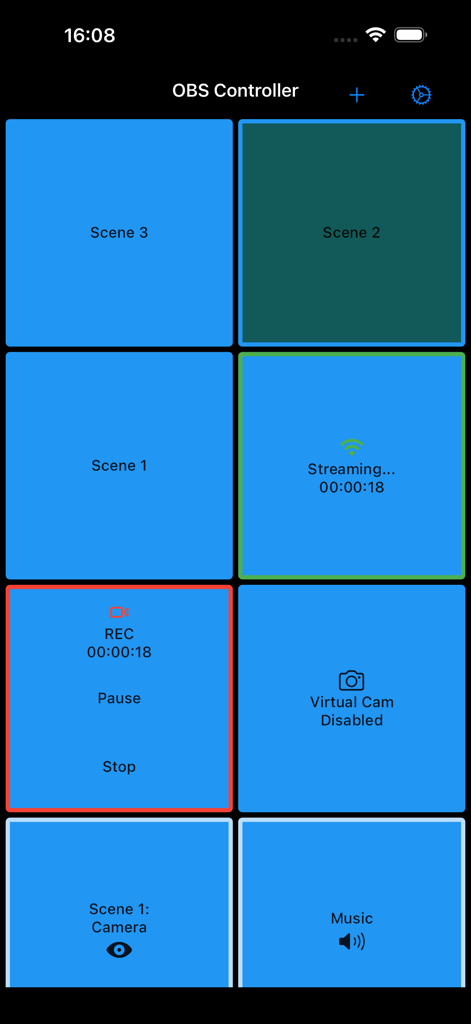
OBS Controller mobile app scene switcher and recording controls dashboard
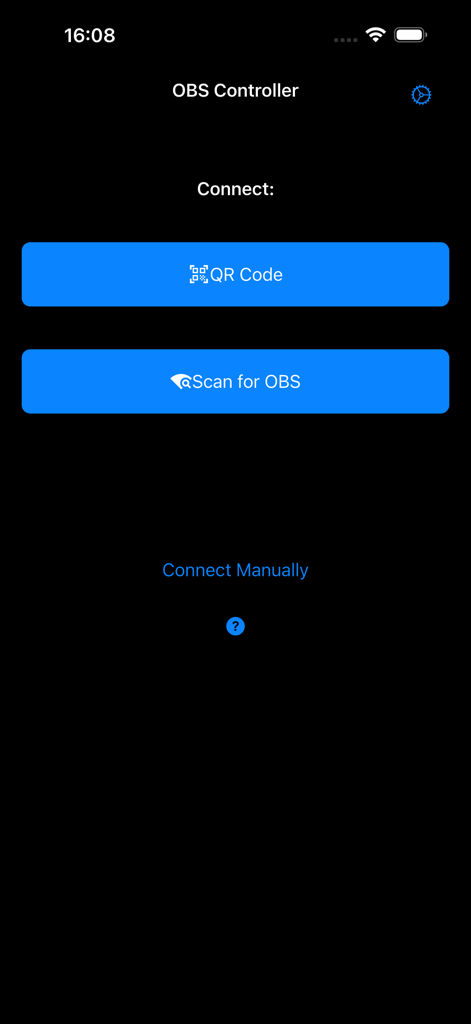
OBS Controller connection menu with QR code and scan for OBS buttons
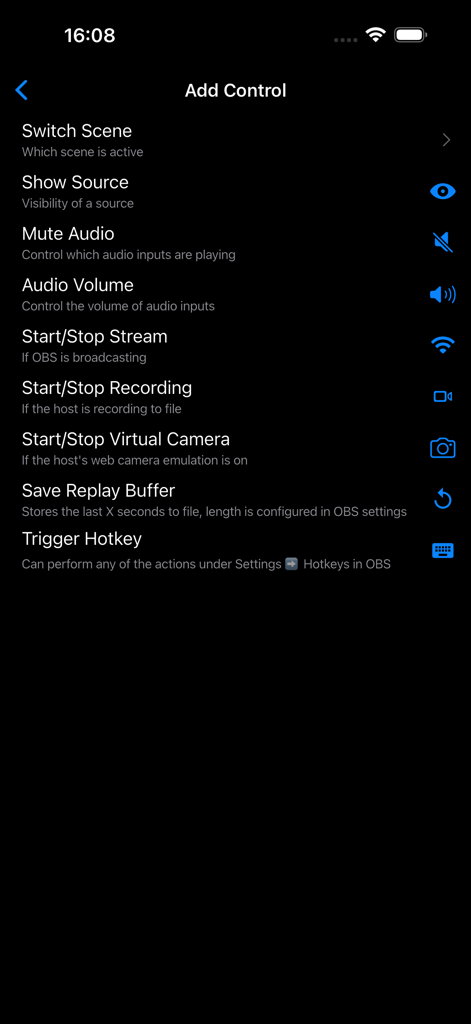
The Add Control menu in the OBS Controller app showing options like Switch Scene, Mute Audio, and Start Stop Stream.
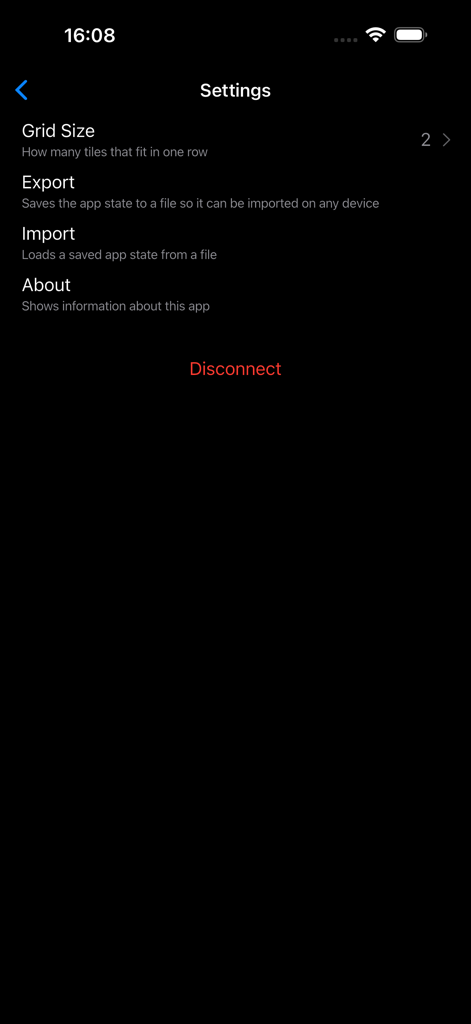
Settings screen of the OBS Controller app showing grid size and configuration options
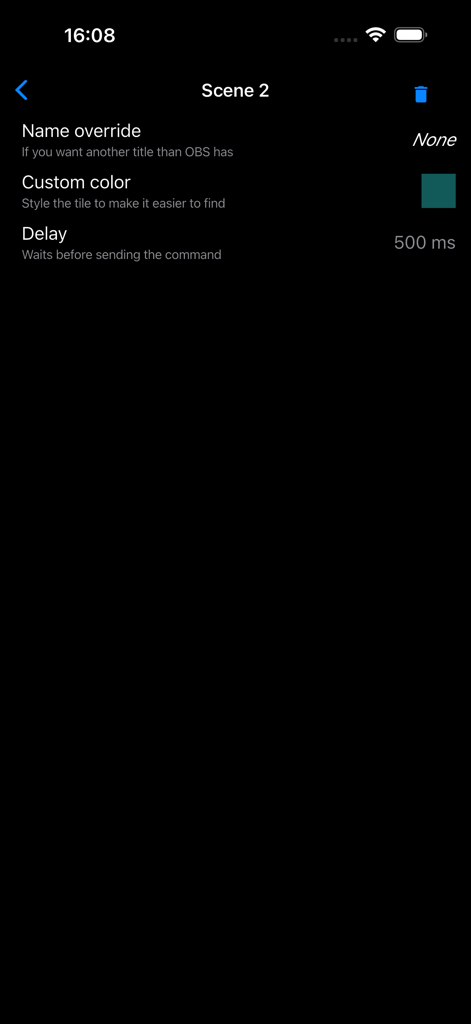
OBS Controller app scene configuration and delay settings
Description
Download
More Like This
Top-ranked apps in the same category

CapCut: Photo & Video Editor
BYTEDANCE PTE. LTD.

Instagram, Inc.

YouTube
Google LLC

Canva: AI Photo & Video Editor
Canva Pty Ltd

Snapchat
Snap, Inc.

快手
Beijing Kwai Technology Co., Ltd.

Edits: Video Editor
Instagram, Inc.

Meitu- AI Photo & Video Editor
Xiamen Meitu Technology Co., Ltd.

Google Photos: Backup & Edit
Google LLC
This page is not an official page of the app or its developer, but an independent editorial publication created for informational and commentary purposes. Unless expressly stated otherwise, neither the app nor its developer is affiliated with, endorsed by, sponsored by, authorized by, or otherwise officially connected with MWM, Apple, Google Play, the app publisher, or the app's developer, and nothing on this page implies that the app was developed using MWM's services. Any trademarks, logos, screenshots, and other content remain the property of their respective owners.