Off - Shutdown and Wake On Lan

Off - Shutdown and Wake On Lan


Download on App Store
Logo of Off - Shutdown and Wake On Lan

Off - Shutdown and Wake On Lan: Your Computer’s Power, Controlled from Your Wrist or Voice

Seamlessly shut down, wake, or sleep your PC and Mac from anywhere. Save energy, automate your home office with Siri Shortcuts, and manage your devices with a single tap.

Download on App Store

Publisher

BRIDGETECH SOLUTIONS LIMITED

Category

Utilities

Downloads

39K+

User Rating

4.3/5

Total Ratings

1K+

Locales

8

Your Command Center

Discover the interface used by 39K+ users.
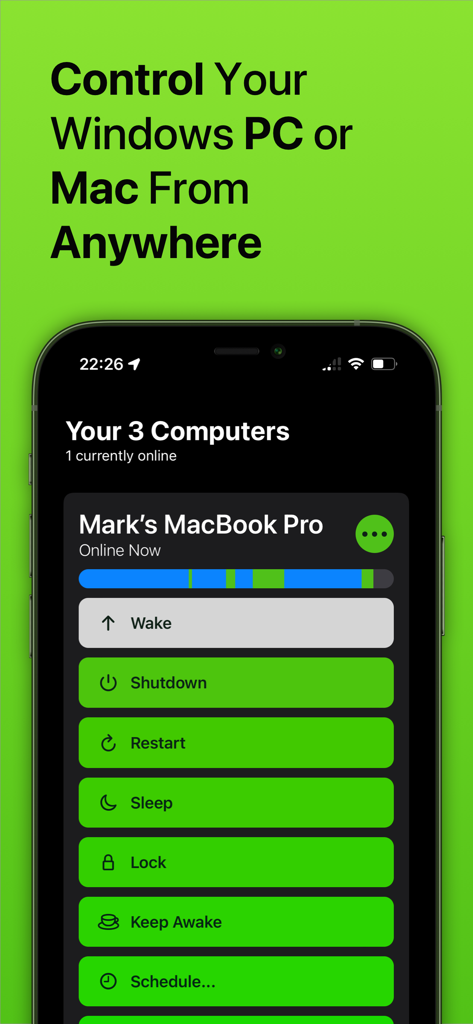
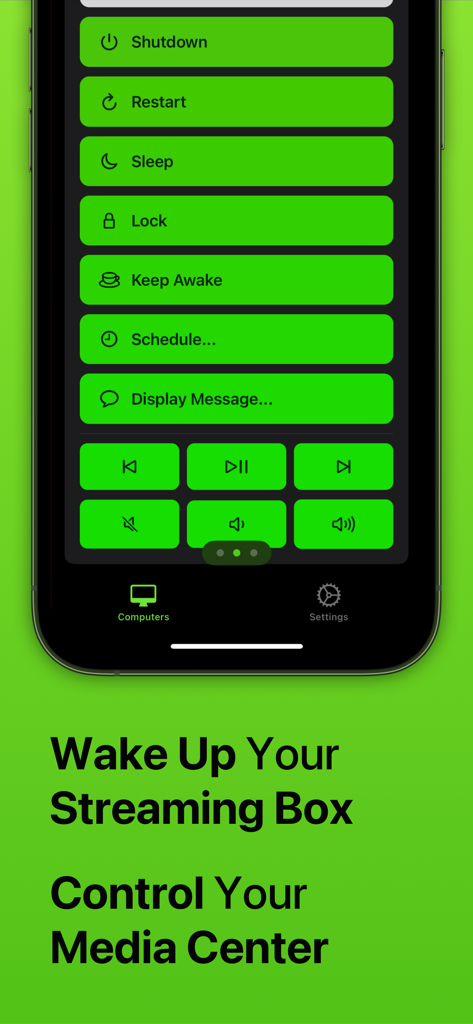
Remote computer management app screen with options for shutdown restart and sleep.

Remote computer management app screen with options for shutdown restart and sleep.

Screenshot of the Off app showing remote control buttons for shutdown, restart, sleep, and media playback control on a smartphone.

Screenshot of the Off app showing remote control buttons for shutdown, restart, sleep, and media playback control on a smartphone.

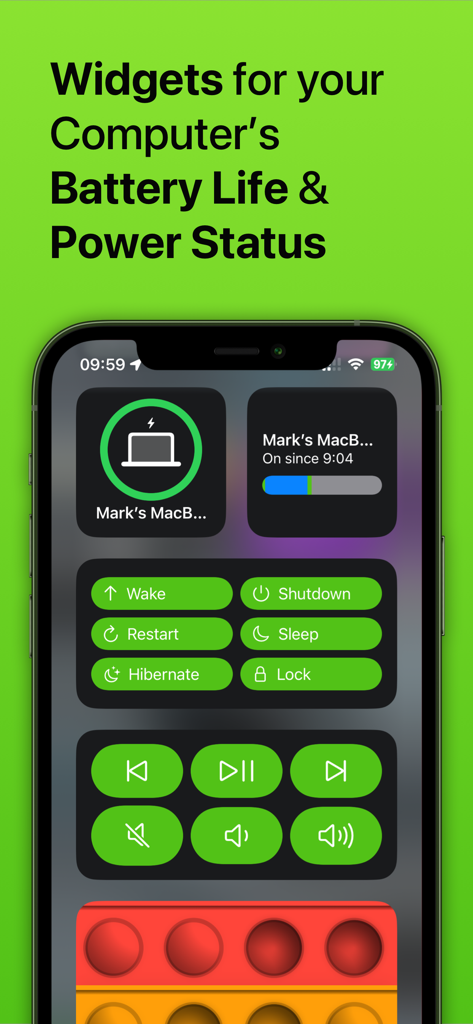
iPhone screen showing widgets for computer power status and remote control buttons

iPhone screen showing widgets for computer power status and remote control buttons

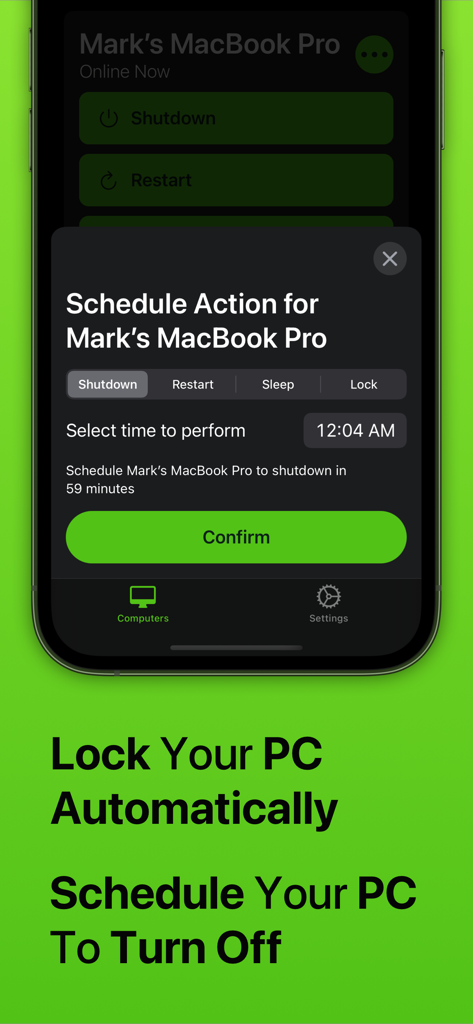
Off app interface on iPhone showing the schedule action menu to automatically shutdown or lock a Mac

Off app interface on iPhone showing the schedule action menu to automatically shutdown or lock a Mac

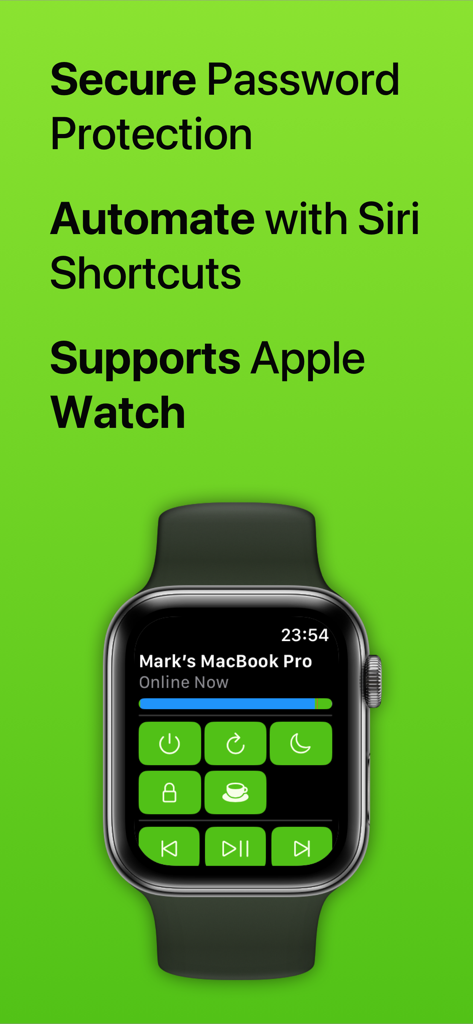
Off app interface on an Apple Watch showing remote controls for a MacBook Pro

Off app interface on an Apple Watch showing remote controls for a MacBook Pro

Master Your Workspace with Total Remote Control

The tools that make this app stand out, trusted by 39K+ users.

🪄

Voice-Powered Automation

Seamlessly integrate with Siri and the Shortcuts app to create powerful routines. Shutdown your office and lock your PC with a single custom voice command as you head out the door.

Wrist-Based Management

No need to get off the couch or walk to your desk. Wake up, sleep, or restart your Mac or PC directly from your Apple Watch, providing the ultimate convenience for your media setup.

Smart Energy & Schedule

Lower your electricity bills and manage family screen time with ease. Schedule automatic shutdowns to ensure your power-hungry gaming rig isn't running idle all night.

About the app

Everything you need to know about Off - Shutdown and Wake On Lan.

Description

With Off, you can control your computers remotely, from anywhere in the world. Off has several commands it can trigger on your computers, including: - Shutdown - Restart - Sleep - Lock - Wake Up (WOL) - Display Message - Keep Awake It works with any Windows PC, Mac or Linux PC. It doesn’t require any complex setup or configuration; anyone can use it. Off is integrated into Siri. You can create voice commands like "Hey Siri, switch off my computer" or "Hey Siri, wake up my Mac". Off is fully compatible with Apple's Shortcuts app. With this, you can design your own automation routines that combine Off's ability to control your computers with any other action available through Shortcuts. For example, you could create a 'Finished Work' routine that turns off your office lights and shuts down your computer at the same time. If you've got kids, you can use Off to limit how long they're spending on their computers. Use the app to schedule their computer to automatically turn off when it's time for bed. Off comes with an Apple Watch app. With just a tap on your wrist, you can control the computers in your home. With Off, you’ll be able to save money on your electricity because it’ll be effortless to shut down your power-hungry machines. If you stream media from your computer to your iPhone or iPad, Off is invaluable as it allows you to fix problems by restarting without even getting up. You can set your computer to shut down at a scheduled time if you’re watching something in bed and don’t want your computer to be left on all night. Off is secure, if you want to set a password to stop unwanted access you can. Off requires the Off Helper application to be installed on any computer you wish to control. This is available to download for free from www.bridgetech.io Off is compatible with: Windows Vista (32bit and 64bit) Windows 8 (32bit and 64bit) Windows 10 (32bit and 64bit) Windows 11 macOS 10.14 (Mojave) macOS 10.15 (Catalina) macOS 11 (Big Sur) macOS 12 (Monterey) macOS 13 (Ventura) macOS 14 (Sonoma) Ubuntu Raspbian Full Terms and Conditions: http://bit.ly/2KylV0Y Follow me on Twitter for the latest promotions, news and updates. @MarkBridgesApps

Latest Version

3.39

Size

57.9 MB

First Released

Jun 4, 2012

Ready to Master Your Workspace?

Join thousands of users who control their computers with just a tap or a Siri command. Save energy and gain total peace of mind today.

Download on App Store

App information, icons, screenshots, and descriptions displayed on this page are sourced from the Apple App Store and are the property of their respective developers. Download estimates and rankings are based on MWM's proprietary models and may not reflect actual figures. This page is provided for informational and analytical purposes only.

Believe this page infringes your intellectual property? File a dispute