This page is not an official page of the app or its developer, but an independent editorial publication created for informational and commentary purposes. Unless expressly stated otherwise, neither the app nor its developer is affiliated with, endorsed by, sponsored by, authorized by, or otherwise officially connected with MWM, Apple, Google Play, the app publisher, or the app's developer, and nothing on this page implies that the app was developed using MWM's services. Any trademarks, logos, screenshots, and other content remain the property of their respective owners.
Offline Office: Doc PDF & Scan
Edit docs, manage PDFs, and scan with AI—100% offline. No subscriptions, no cloud tracking, and no internet required for professional-grade productivity.
Key Figures
Downloads
100+
User Rating
1.0/5
Total Ratings
0
Publisher
Umar Bilal
Category
Productivity
Locales
1
Latest Version
1.0.9
Size
100.1 MB
First Released
Dec 4, 2025
Features
Your Complete Office, Everywhere and Always
Master your documents with a powerful, 100% offline suite that puts professional-grade editing, PDF management, and AI scanning right in your pocket.
The Ultimate All-in-One Suite
Edit Word docs, manage spreadsheets, and design presentations without ever switching apps or paying for cloud subscriptions.
100% Private & Offline
No cloud, no tracking, and no data leaks. Your sensitive contracts and personal files stay strictly on your device, even in Airplane Mode.
The following screenshots and description are sourced directly from the app's official store listing and are the property of the app developer.
App Store
Screenshots
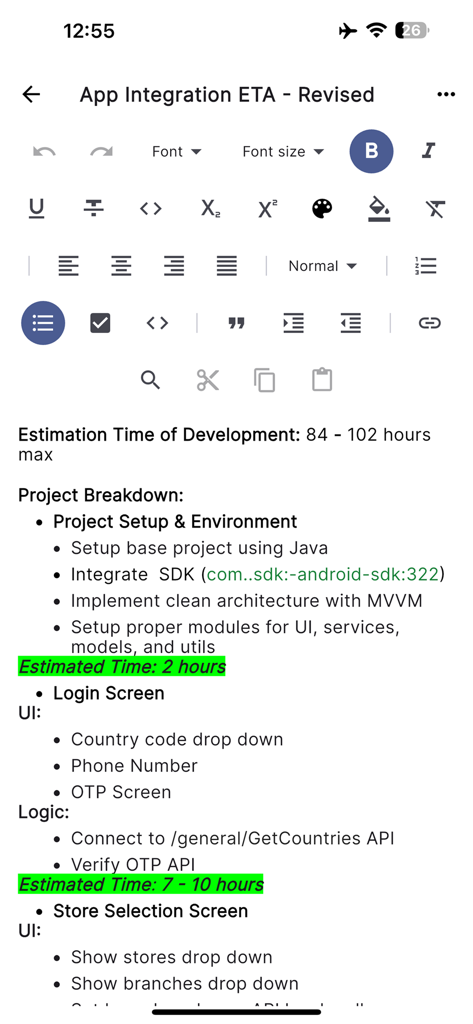
Mobile interface of Offline Office app showing a text document with editing tools and project breakdown content
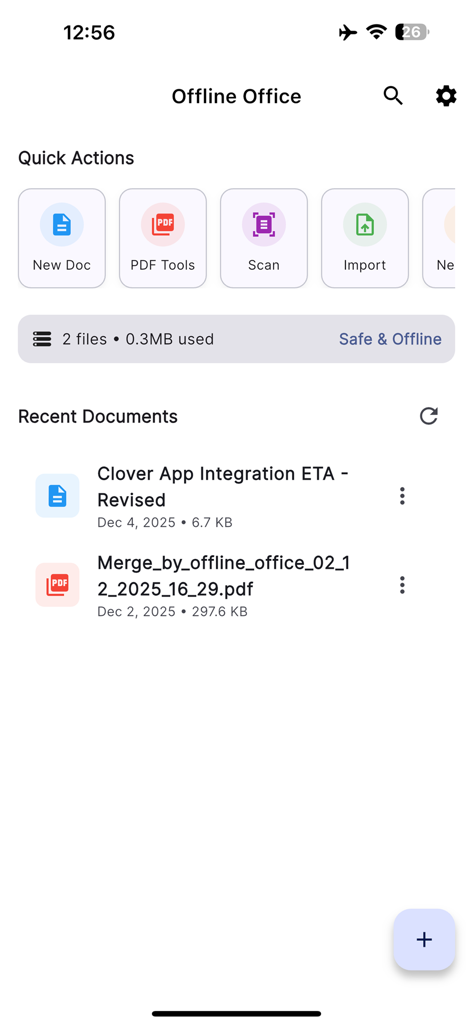
Main dashboard of Offline Office app showing quick actions and recent documents
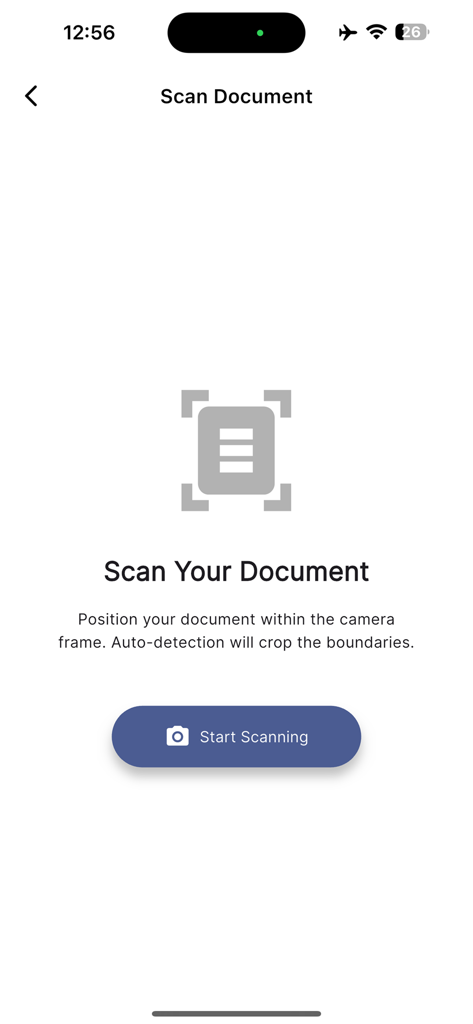
A mobile app screen for scanning documents with a start scanning button and auto detection instructions.
Description
The definitive Offline Office Suite PDF Reader and all-in-one Document Reader designed for maximum productivity and privacy. Power Point View, PDF View, Cam Scan, Doc View functionalities with all text styling options. Power Point edit, PDF Edit, spreadsheet and Doc Edit functionality all in one offline office. Make Presentations, manage comprehensive PDF Tools, and turn your phone into an Intelligent Document Scanner all without needing an internet connection using PDF Reader.
This application is built as a complete replacement for cloud-dependent services, offering a powerful Documents Editor for seamless on-the-go work and total PDF file control. We offer Offline Office, Cam scan, PDF, spreadsheet, and Doc Scanner to ensure maximum discoverability for users seeking reliable, powerful document management.
You can find easy ways for PDF Reader, PDF Watermark, Image to PDF converter, Edit PDF, Merge PDF, Split PDF and Document to PDF with enhanced PDF tools in PDF Reader. We have Doc Edit, Documents Edit, Docs edit functionality that have rich text style in Doc editor all in one offline office suite. Power point presentations to make slides with a lot of features in the presentation. Power full spreadsheet for finance. This is not the end. We use AI-Powered for scanning documents with a lot of filters for scan documents, and enhance scan documents with AI-Powered intelligence. Notes editor along with PDF Reader.
Key Features: All-in-One Productivity Hub
1. Powerful Word Document & Presentation Editor Unleash a full Word document processing experience with rich formatting support for DOCX files, allowing you to create, view, and edit complex documents directly on your device through PDF Reader. Easily open and edit PPTX and TXT files, providing comprehensive multi-format support across the entire Office ecosystem with Word document.
2. Advanced PDF Tools and Editor Go beyond a simple PDF Viewer or PDF Reader. Our robust suite of utilities gives you complete control over your files.
Merge & Split: Combine multiple PDF documents or quickly split large files.
Watermark: With PDF Reader secure your files with custom watermarks.
Image to PDF Converter: Instantly transform images (including JPG and PNG) into high-quality PDFs.
3. Intelligent AI Document Scanner Use your cam to capture, digitize, and convert physical papers into crisp, professional PDF or Image files. The AI-powered cam scanner uses advanced auto-detection for perfect cropping and enhancement every time, functioning like a superior Cam-Scanner alternative.
4. Notes Functionality Quickly capture thoughts and organize information with the integrated Notes functionality. That will boost your productivity while maintaining privacy using offline office services.
5. Unmatched Privacy and Offline Security We champion user privacy. The app is 100% offline, meaning all your files, documents, edits, and scans remain strictly on your device. With zero cloud dependency, you can trust that your sensitive work is secure and private, offering a unique selling point over standard document viewing applications.
6. Powerful spreadsheet editor for business work with a lot of rich text styling sheets to manage your data.
Offline office suite all-in-one Modules:
PDF Reader
Document Reader
Power Point Preview
Document Editor
PDF Editor
Power Point Editor
Image to PDF and PDF to Image
Documents Scanner
Word Document
Spreadsheets edit
PDF Merge
PDF Split
Doc to PDF and PDF to Doc
PDF Watermark
Cam Scanner
Notes edit
Download the ultimate Offline Office Document Suite today and experience powerful editing, secure PDF management, PDF Reader, Cam Scan, Power Point, Spreadsheet, Notes, PDF Converter, Image to PDF, intelligent scanning and many more tools without compromising your security or connectivity.
This page is not an official page of the app or its developer, but an independent editorial publication created for informational and commentary purposes. Unless expressly stated otherwise, neither the app nor its developer is affiliated with, endorsed by, sponsored by, authorized by, or otherwise officially connected with MWM, Apple, Google Play, the app publisher, or the app's developer, and nothing on this page implies that the app was developed using MWM's services. Any trademarks, logos, screenshots, and other content remain the property of their respective owners.