Offline Video Converter & Tool

Offline Video Converter & Tool

Logo of Offline Video Converter & Tool

Offline Video Converter & Tool: The Ultimate Private Batch Processing Toolbox

Compress 4K footage, extract audio, and merge clips in seconds with 100% offline reliability. Save storage and protect your privacy with powerful batch processing that never leaves your device.

Publisher

Duong Vu

Category

Photo & Video

Downloads

0

User Rating

1.0/5

Total Ratings

0

Locales

1

A Glimpse Inside

Discover the interface used by 0 users.

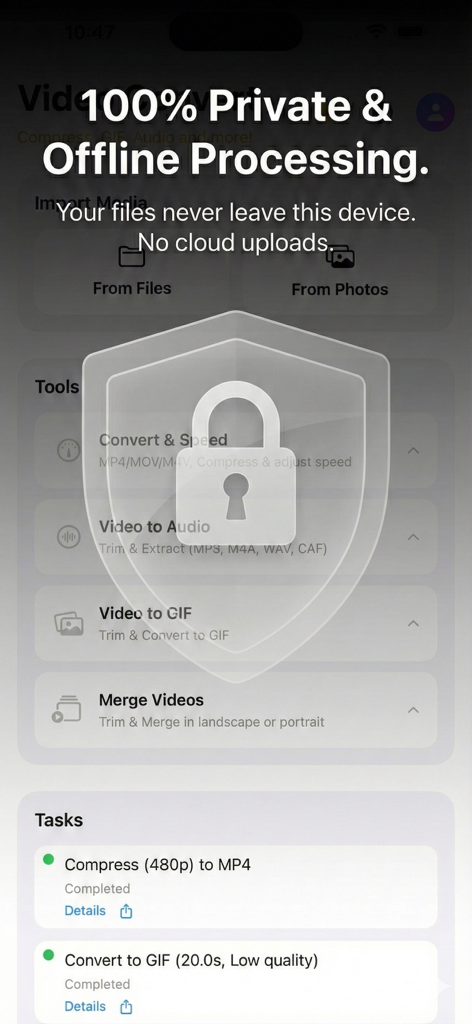
Interface of the Offline Video Converter app emphasizing secure and private video processing with a lock icon
Interface of the Offline Video Converter app emphasizing secure and private video processing with a lock icon

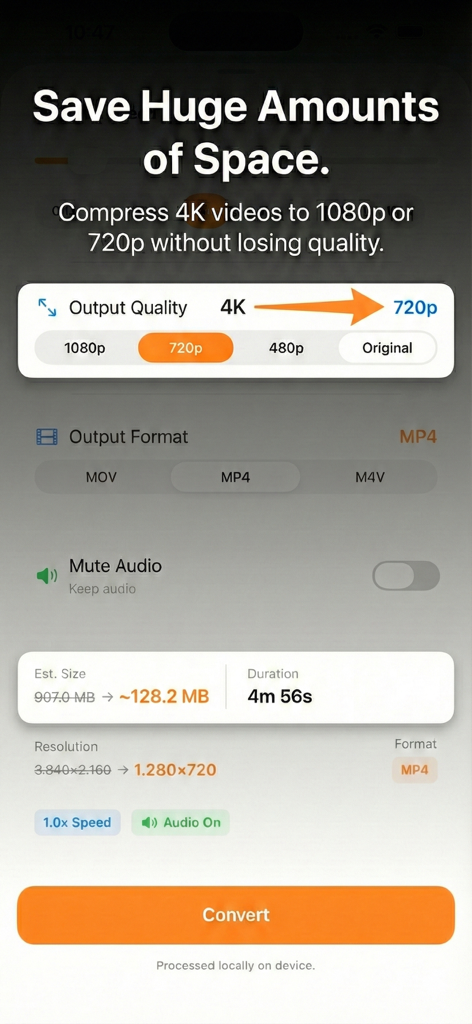
Interface showing video compression from 4K to 720p to save storage space
Interface showing video compression from 4K to 720p to save storage space

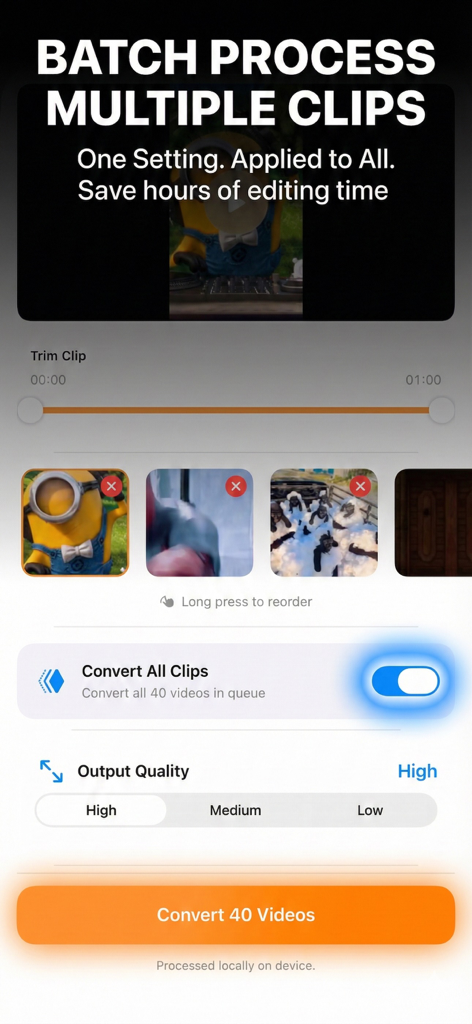
Interface showing batch video processing of multiple clips in the Offline Video Converter app.
Interface showing batch video processing of multiple clips in the Offline Video Converter app.

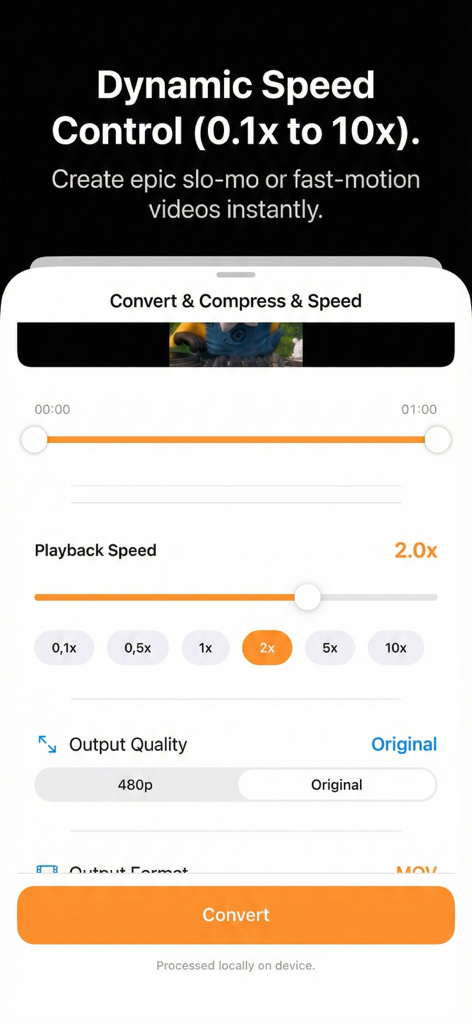
Mobile app interface showing dynamic playback speed control options from 0.1x to 10x for creating slow motion or fast motion videos.
Mobile app interface showing dynamic playback speed control options from 0.1x to 10x for creating slow motion or fast motion videos.

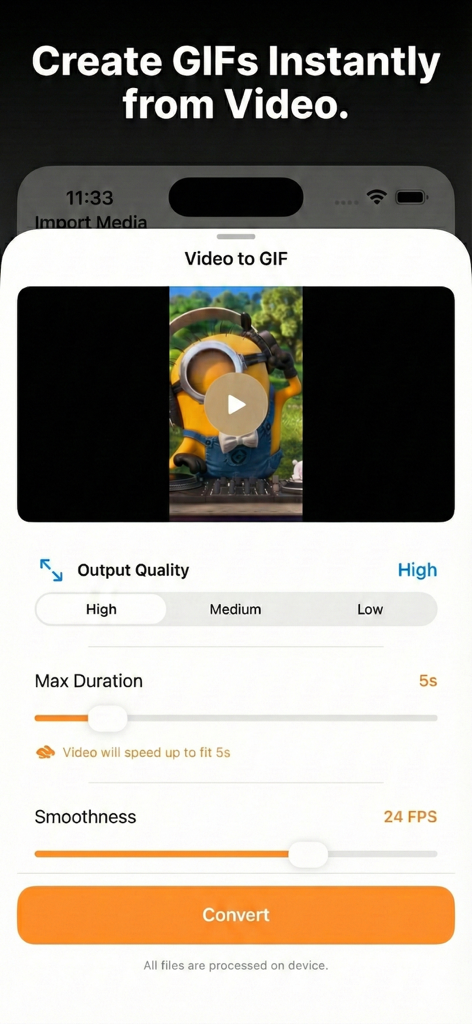
Interface of the Video to GIF tool showing options for output quality, duration, and smoothness.
Interface of the Video to GIF tool showing options for output quality, duration, and smoothness.

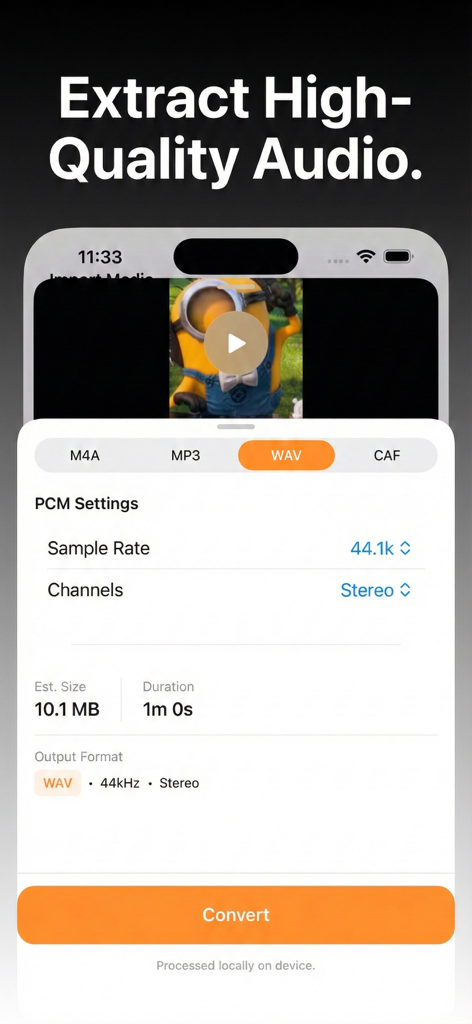
Interface showing audio extraction settings for converting video to WAV format with PCM options like sample rate and stereo channels.
Interface showing audio extraction settings for converting video to WAV format with PCM options like sample rate and stereo channels.

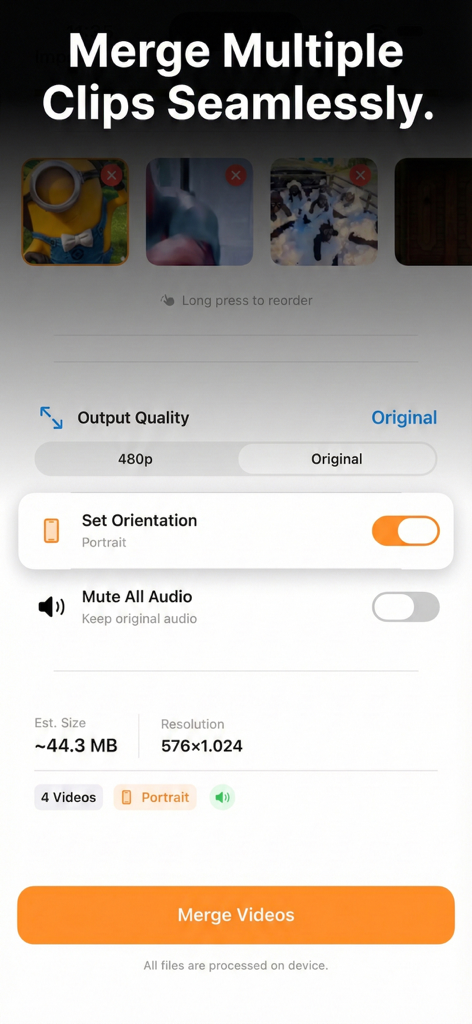
A mobile app interface showing how to merge multiple video clips with orientation and quality options
A mobile app interface showing how to merge multiple video clips with orientation and quality options

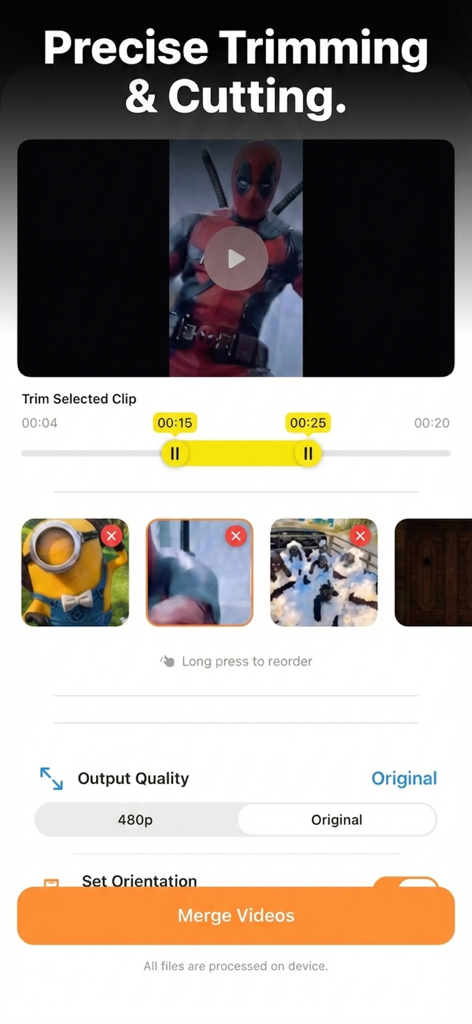
Interface of the Offline Video Converter app showing precise trimming and cutting tools with a video timeline and merge option.
Interface of the Offline Video Converter app showing precise trimming and cutting tools with a video timeline and merge option.

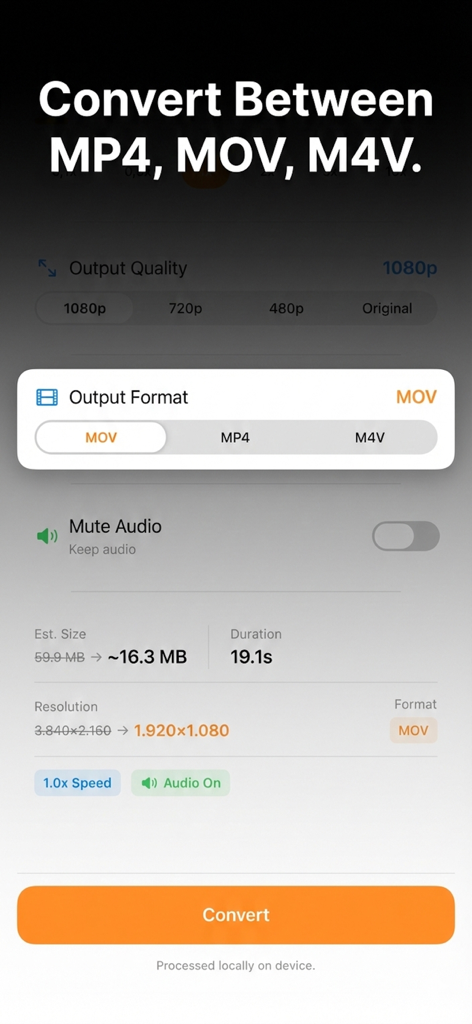
Mobile app interface for converting video between MP4 MOV and M4V formats with compression settings
Mobile app interface for converting video between MP4 MOV and M4V formats with compression settings

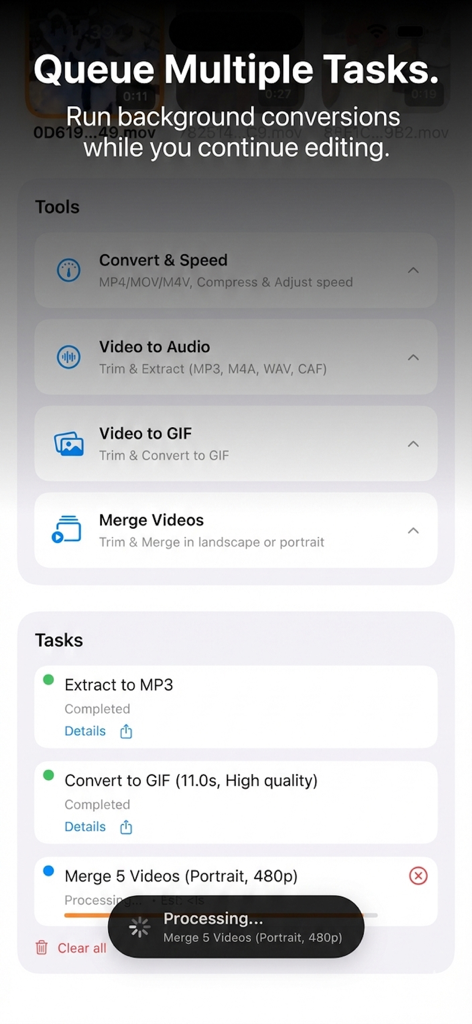
Interface of the Offline Video Converter app showing tools and a queue of background processing tasks.

Interface of the Offline Video Converter app showing tools and a queue of background processing tasks.

Powerful Video Tools, Absolute Privacy

The tools that make this app stand out, trusted by 0 users.

🛡️

100% Private Processing

Keep your sensitive footage safe. Every conversion happens locally on your device, ensuring your videos never leave your hands or hit the cloud.

🚀

Pro-Grade Batch Engine

Stop wasting time on manual edits. Select unlimited clips to merge, convert, or extract audio from all at once with a single high-speed tap.

📱

Smart Storage Optimizer

Reclaim gigabytes of iPhone space. Shrink massive 4K files by up to 80% without visible quality loss, perfect for managing large libraries on the go.

About the app

Everything you need to know about Offline Video Converter & Tool.

Description

Process your entire video library in seconds with the ultimate private batch processing toolbox. Offline Video Converter is the all-in-one solution for content creators and pros who value speed, privacy, and offline reliability. Whether you need to compress 4K footage, turn a funny clip into a GIF, merge your vacation memories, or extract audio from 50 videos at once, our powerful Batch Engine handles it all in a single tap. 100% PRIVATE AND OFFLINE Your videos never leave your phone. Unlike other apps that upload your files to the cloud, Offline Video Converter performs all conversions locally on your device. • No Internet Required: Works perfectly in Airplane mode. • Zero Tracking: No accounts, no logins, no data collection. • Secure: Your personal memories stay in your hands. POWERFUL BATCH PROCESSING Why edit one by one? Select unlimited videos and apply edits globally: • Batch Convert and Compress: Resize and format multiple videos instantly. • Batch Merge: Join multiple clips into a single seamless video. • Batch GIF Maker: Create high-quality animated GIFs from your videos. • Batch Audio: Extract MP3, WAV, or M4A from a list of videos. • Batch Speed: Create timelapses or slow-motion effects for the entire queue. KEY FEATURES 1. Video Converter and Compressor (Highlight) • Save Memory: Reduce file size by up to 80% without visible quality loss. • Format Control: Convert videos to popular formats (MP4, MOV) for easy sharing. • Bulk Resize: Batch convert 4K videos to 1080p, 720p, or 480p to free up iPhone storage space. 2. Audio Management and Extraction • Audio Control: Choose to Mute video sound (remove background noise) or Keep the original audio track during conversion. • Extract Audio: Turn video files into high-fidelity audio files (MP3, M4A, WAV, CAF). • Pro Settings: Customize Sample Rate (44.1kHz, 48kHz) and Channels (Mono/Stereo). 3. Video Merger • Combine multiple clips into one seamless movie. • Orientation Control: Choose between Landscape or Portrait merging. • Batch Processing: Add as many clips as you need. 4. Precision Speed Control • Slo-Mo & Fast Motion: Adjust playback speed dynamically from 0.1x up to 10x. • Two-in-One: Change speed and compress file size in a single step. • Smart Safety: Built-in protection prevents you from making videos too short to export. 5. High-Quality GIF Maker • Turn any video into a smooth, high-quality GIF. • Custom Control: Adjust FPS and duration limits to create the perfect file size for social media sharing. 6. Precise Video Trimming • Cut and Edit: Easily remove unwanted parts from the beginning or end of your clips before processing. • Batch Trim: Apply unique trim ranges to each video in your queue, then process them all at once. 7. Optimized for iPhone & iPad • Full-Screen iPad Experience: Utilize the full display for precise editing. • Background Processing: Queue up multiple tasks and let them run. • Clean Design: Intuitive interface designed for efficiency. Download Offline Video Converter now and experience the fastest, safest way to manage your video library! [About Version Premium] • Payment will be charged to iTunes Account at confirmation of purchase • Subscription automatically renews unless auto-renew is turned off at least 24 hours before the end of the current period • The account will be charged for renewal within 24 hours before the end of the current period • Any unused portion of a free trial period, if offered, will be forfeited when the user purchases a subscription • Subscriptions may be managed by the user, and auto-renewal may be turned off by going to iTunes Subscriptions after purchase Terms of Use: https://duongvu.page.link/VideoConverter_TermsOfService Privacy Policy: https://duongvu.page.link/VideoConverter_PrivacyPolicy

Latest Version

1.0

Size

38.8 MB

First Released

Feb 3, 2026

Ready to Process Your Videos 10x Faster?

Download the ultimate batch converter and keep your footage 100% private. No cloud, no limits, just pure offline power for your iPhone and iPad.

App information, icons, screenshots, and descriptions displayed on this page are sourced from the Apple App Store and are the property of their respective developers. Download estimates and rankings are based on MWM's proprietary models and may not reflect actual figures. This page is provided for informational and analytical purposes only.

Believe this page infringes your intellectual property? File a dispute