OmniFocus 4

OmniFocus 4

Download on App Store
Logo of OmniFocus 4

OmniFocus 4: Professional Task Management Built for Focus

Tame the chaos and regain control of your day. A powerful, secure, and unified system designed to scale with your complex projects across the entire Apple ecosystem.

Download on App Store

Publisher

The Omni Group

Category

Productivity

Downloads

25K+

User Rating

4.1/5

Total Ratings

900

Locales

13

Master Your Workflow

Discover the interface used by 25K+ users.
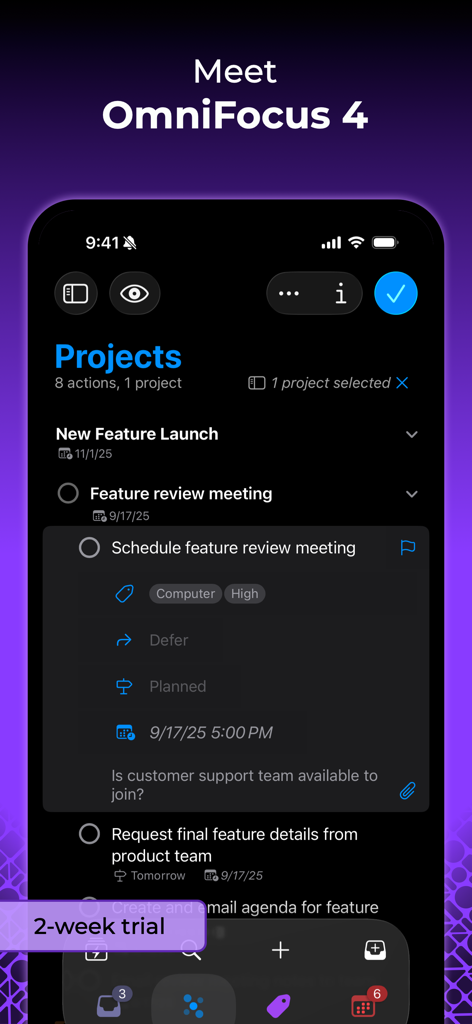
A screenshot of OmniFocus 4 on iPhone showing the Projects view and a detailed task entry with tags and scheduling in dark mode.

A screenshot of OmniFocus 4 on iPhone showing the Projects view and a detailed task entry with tags and scheduling in dark mode.

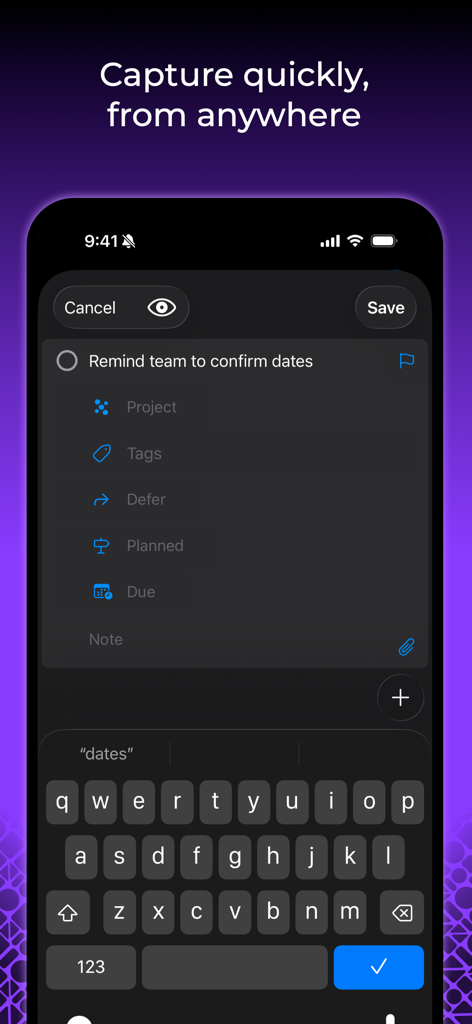
OmniFocus 4 mobile interface showing quick task entry with project and tag fields

OmniFocus 4 mobile interface showing quick task entry with project and tag fields

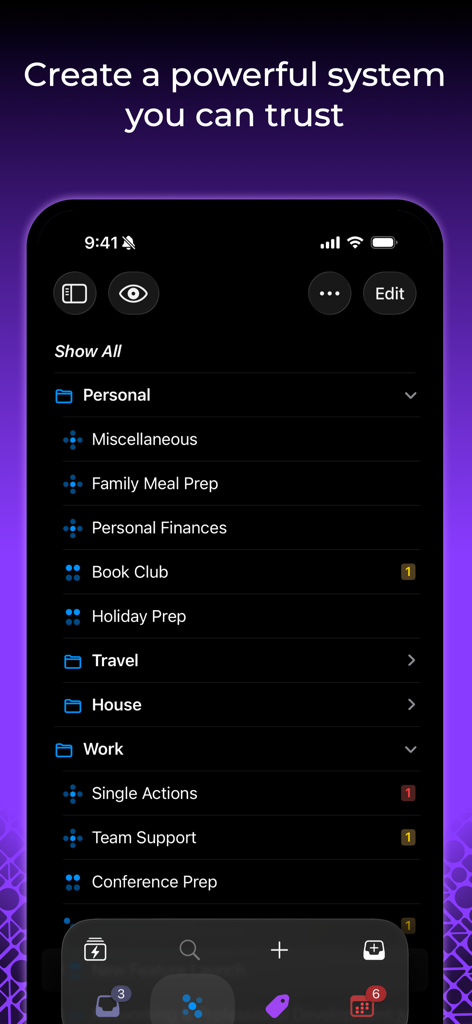
OmniFocus 4 interface on iPhone showing organized folders for personal and work task management.

OmniFocus 4 interface on iPhone showing organized folders for personal and work task management.

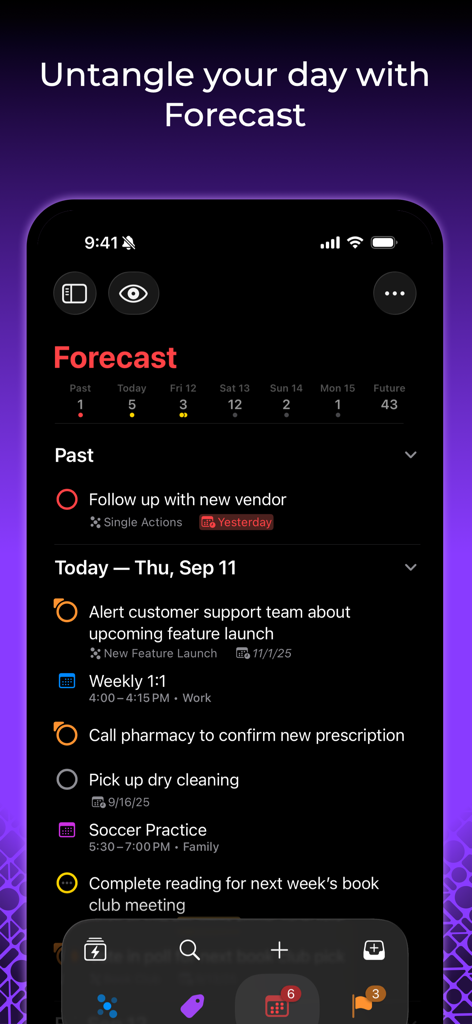
OmniFocus 4 Forecast view on iPhone displaying a list of tasks and calendar events in dark mode

OmniFocus 4 Forecast view on iPhone displaying a list of tasks and calendar events in dark mode

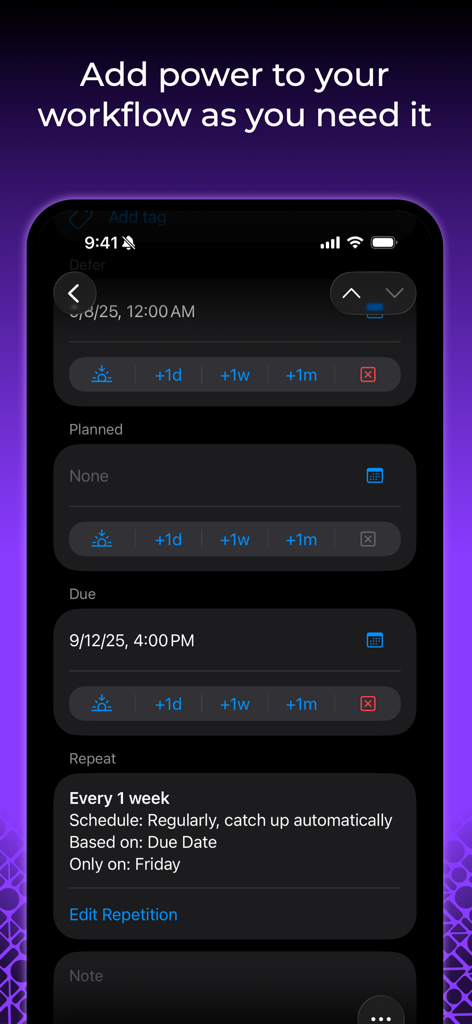
OmniFocus 4 mobile interface showing detailed task scheduling and repetition settings

OmniFocus 4 mobile interface showing detailed task scheduling and repetition settings

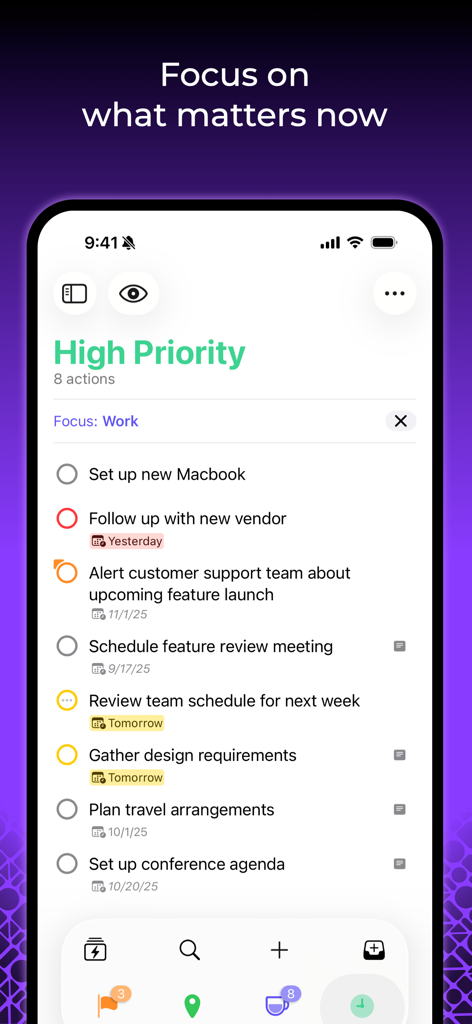
OmniFocus 4 task management app on iPhone displaying a high priority work checklist

OmniFocus 4 task management app on iPhone displaying a high priority work checklist

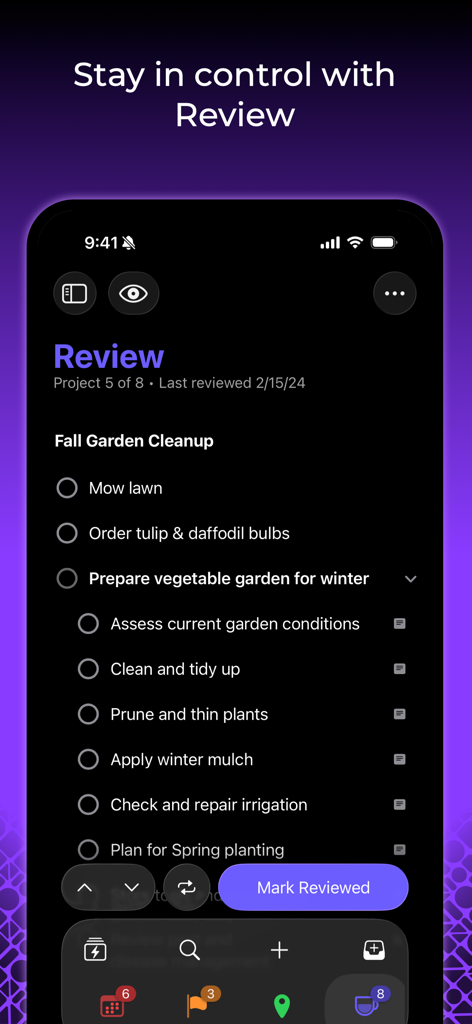
OmniFocus 4 app on iPhone showing the Review perspective with a task list for a garden project.

OmniFocus 4 app on iPhone showing the Review perspective with a task list for a garden project.

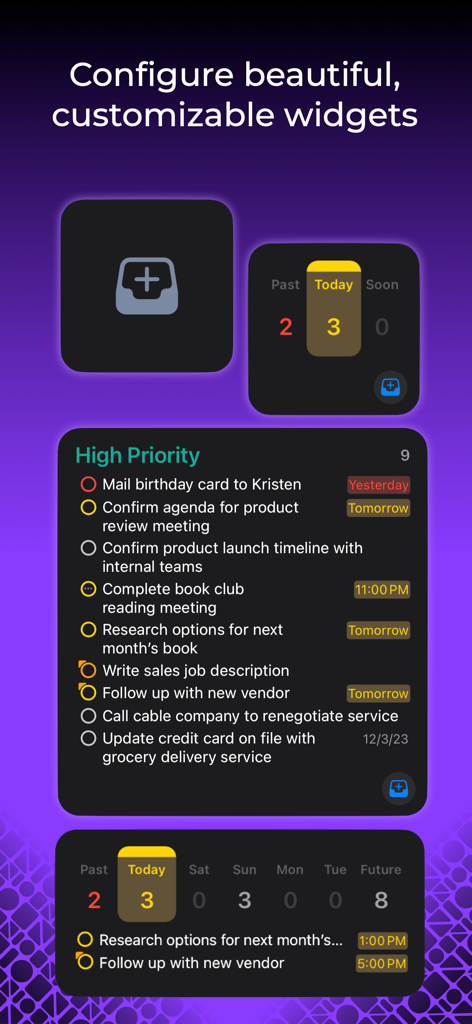
Display of various customizable OmniFocus 4 widgets showing high priority task lists and daily task counts

Display of various customizable OmniFocus 4 widgets showing high priority task lists and daily task counts

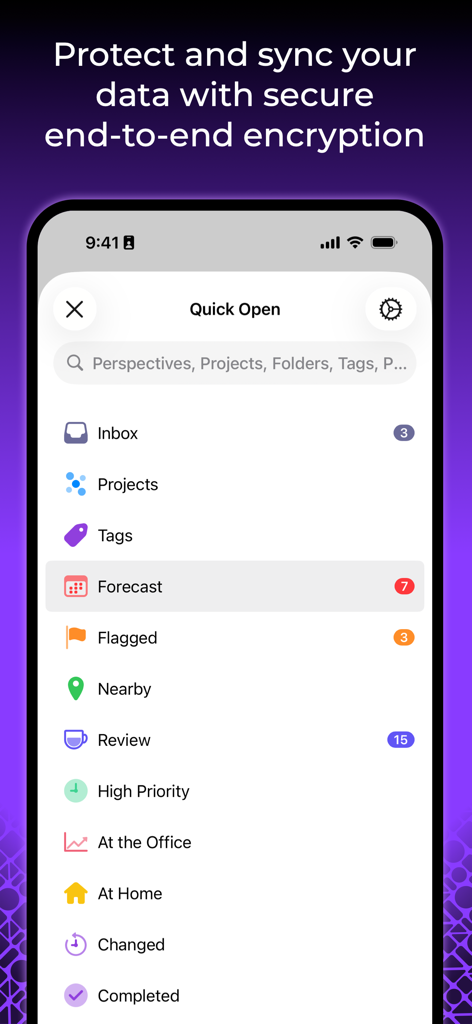
OmniFocus 4 iPhone interface displaying the Quick Open menu and a message about secure end-to-end encryption.

OmniFocus 4 iPhone interface displaying the Quick Open menu and a message about secure end-to-end encryption.

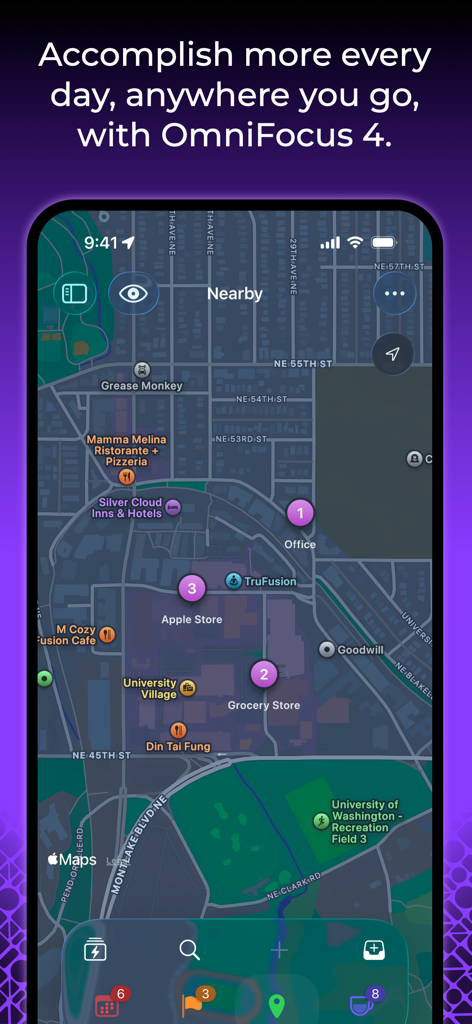
OmniFocus 4 interface showing location-based tasks on a city map view

OmniFocus 4 interface showing location-based tasks on a city map view

Master Your Professional Complexity

The tools that make this app stand out, trusted by 25K+ users.

🍎

Seamless Apple Integration

A single universal purchase gives you a powerful, native experience across Mac, iPhone, iPad, Apple Watch, and Vision Pro.

🚀

Context-Aware Productivity

Use custom Perspectives and Focus modes to see exactly what you need to do next, tailored to your current environment and priority.

🛡️

Enterprise-Grade Privacy

Protect your sensitive projects with end-to-end encryption and a secure sync service that guarantees your data stays private.

About the app

Everything you need to know about OmniFocus 4.

Description

OmniFocus is powerful task management software for busy professionals. With tools to help tame the chaos, you can focus on the right tasks at the right time. Two-week free trial! OmniFocus 4 introduces a modernized, unified interface across Mac, iPhone, iPad, Apple Watch, and Apple Vision Pro. Centered around your task outline, OmniFocus 4 brings a consistent experience, optimized for each device type, to all of your Apple devices. Easily create tasks anytime–from anywhere–and organize them with projects, tags, and dates. Quickly navigate OmniFocus on any device using the Perspectives Bar, Quick Open, and Back and Forward history. With Pro, use Focus to help focus your attention on specific projects or folders, and customize OmniFocus to only display the information most relevant to you. New to OmniFocus? The simple, efficient OmniFocus 4 interface will help you discover and implement a trusted system that works and grows with you. Upgrading from a previous version of OmniFocus? In OmniFocus 4, discover enhanced versions of all the powerful task management features you already rely on, along with new features that will level-up your workflow. Omni offers a free and secure sync service, protected with end-to-end encryption, ensuring only devices you authorize can access your data. And now, for the first time ever, OmniFocus is available as a universal cross-platform purchase: get full access to OmniFocus 4 on your Mac, iPhone, iPad, Apple Watch, and Apple Vision Pro with a single license purchase. Accomplish more every day–anywhere you go–with OmniFocus 4.

Latest Version

4.8.5

Size

117.5 MB

First Released

Dec 12, 2023

Ready to Tame the Chaos and Master Your Day?

Experience the ultimate task management system across all your Apple devices. Start your two-week free trial today and discover why professionals trust OmniFocus for their most important work.

Download on App Store

App information, icons, screenshots, and descriptions displayed on this page are sourced from the Apple App Store and are the property of their respective developers. Download estimates and rankings are based on MWM's proprietary models and may not reflect actual figures. This page is provided for informational and analytical purposes only.

Believe this page infringes your intellectual property? File a dispute