Omnistream Live Video Creator
Download on App Store

This page is not an official page of the app or its developer, but an independent editorial publication created for informational and commentary purposes. Unless expressly stated otherwise, neither the app nor its developer is affiliated with, endorsed by, sponsored by, authorized by, or otherwise officially connected with MWM, Apple, Google Play, the app publisher, or the app's developer, and nothing on this page implies that the app was developed using MWM's services. Any trademarks, logos, screenshots, and other content remain the property of their respective owners.


Logo of Omnistream Live Video Creator
Download on App Store

Omnistream Live Video Creator

Eliminate stream failures with rock-solid cellular bonding. Combine Wi-Fi and 5G to broadcast UHD video from your DSLR or iPhone using industry-standard SRT and HEVC protocols—built for journalists, videographers, and pro-level creators.

Key Figures

Downloads

0

User Rating

1.0/5

Total Ratings

0

Publisher

Omnistream

Category

Photo & Video

Locales

1

Latest Version

1.1.17

Size

92.3 MB

First Released

Jan 26, 2024
Features

Broadcast-Grade Tools in Your Pocket

Empower your mobile production with industry-standard protocols, rock-solid network bonding, and cinematic external camera support for flawless live delivery.

Unbreakable Cellular Bonding

Combine Wi-Fi and 5G networks simultaneously to ensure a stable, high-bitrate stream even in crowded event spaces or remote locations.

Cinematic 4K Integration

Connect your DSLR via Accsoon SeeMo to bypass mobile lens limitations and stream in stunning UHD with professional depth of field.

The following screenshots and description are sourced directly from the app's official store listing and are the property of the app developer.

App Store

Screenshots
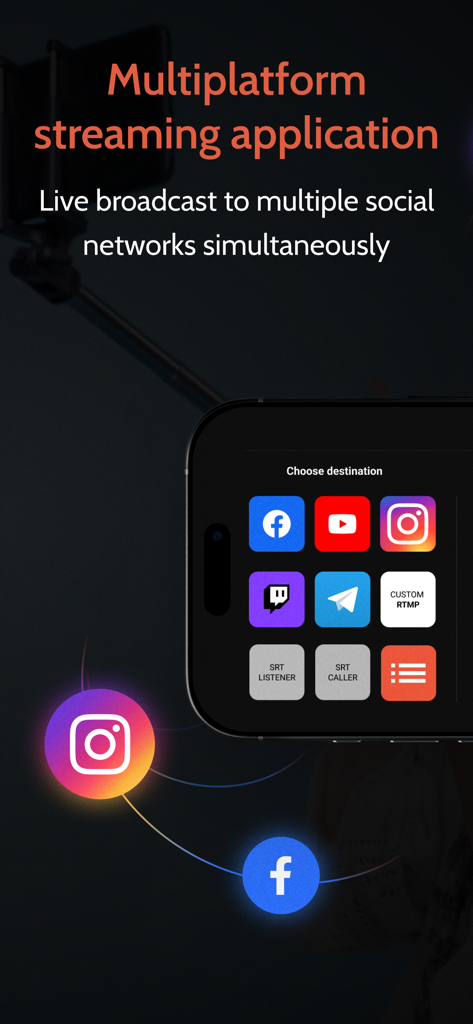
Omnistream Live Video Creator - Omnistream app screen showing options for simultaneous live broadcasting to social media and professional SRT protocols
Omnistream app screen showing options for simultaneous live broadcasting to social media and professional SRT protocols

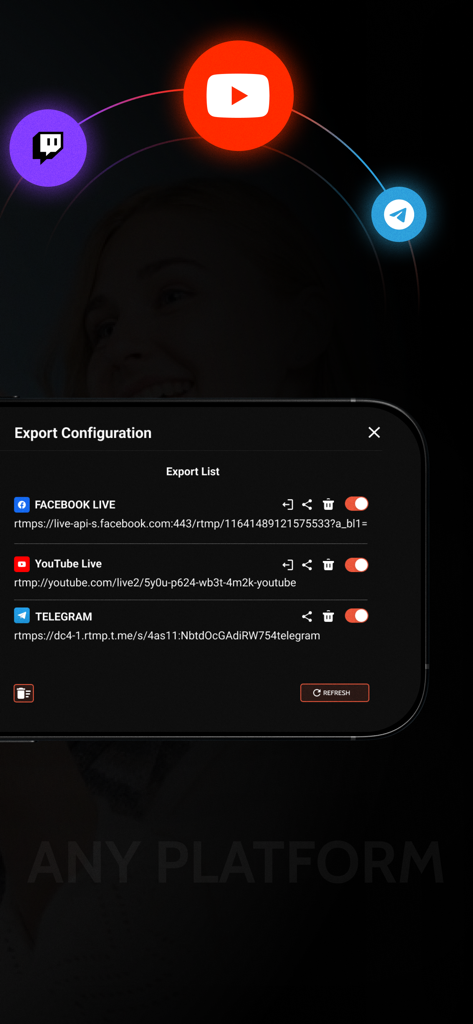
Omnistream Live Video Creator - Omnistream app export configuration screen showing multi-platform streaming settings for Facebook Live YouTube and Telegram
Omnistream app export configuration screen showing multi-platform streaming settings for Facebook Live YouTube and Telegram

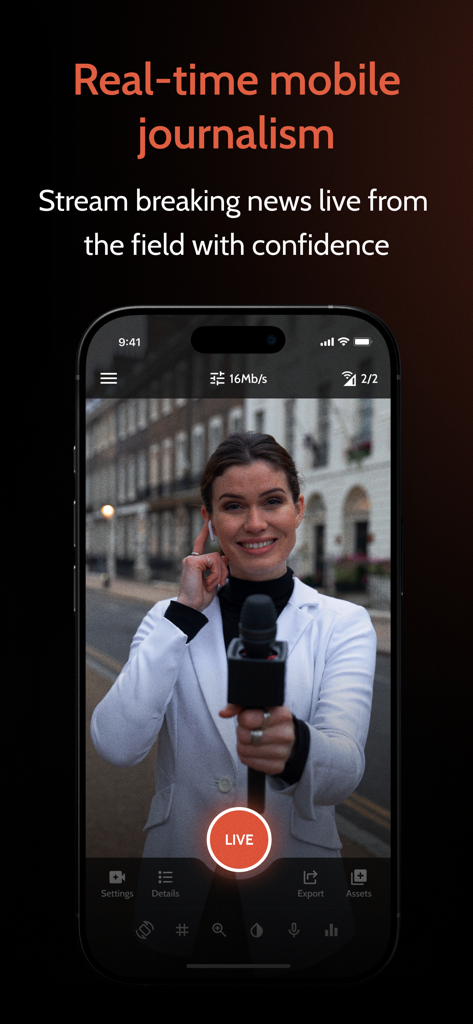
Omnistream Live Video Creator - Female journalist streaming live news from the field using Omnistream app on a smartphone
Female journalist streaming live news from the field using Omnistream app on a smartphone

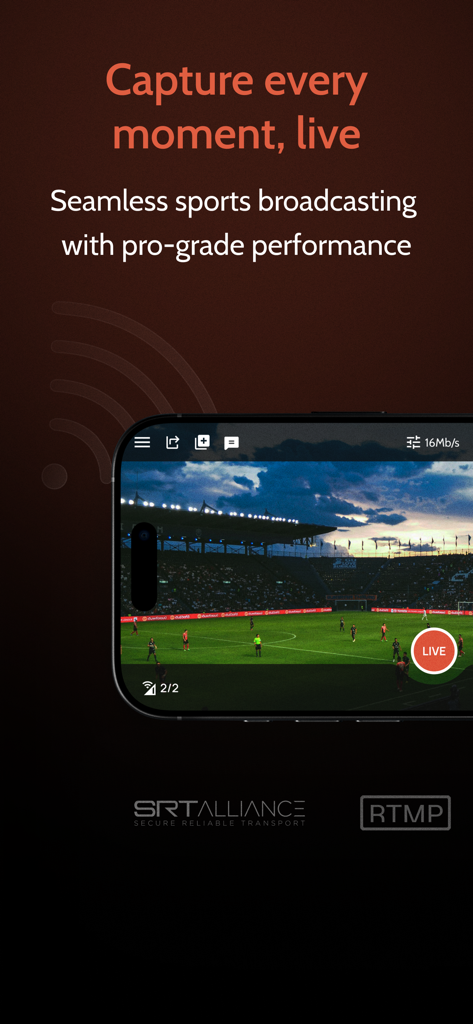
Omnistream Live Video Creator - Omnistream app interface displaying a professional live sports broadcast of a soccer match in a stadium
Omnistream app interface displaying a professional live sports broadcast of a soccer match in a stadium

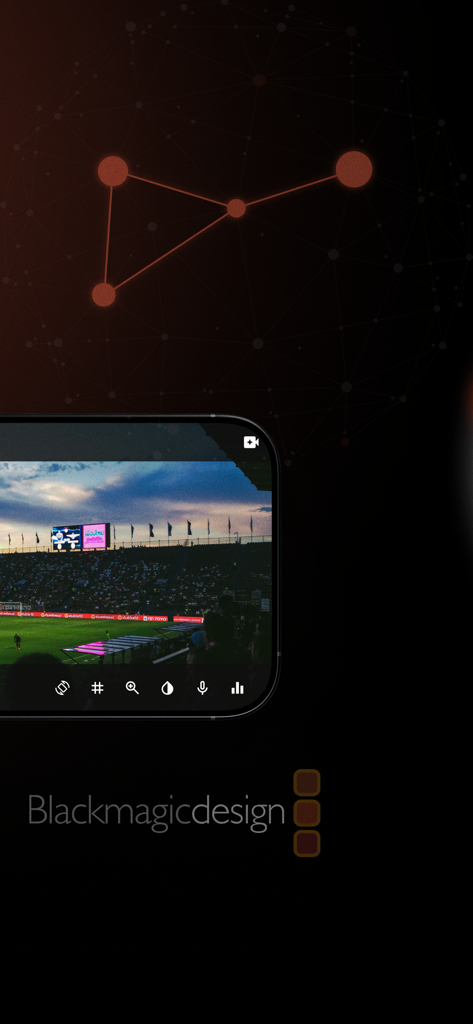
Omnistream Live Video Creator - Omnistream app interface broadcasting live sports from a stadium with Blackmagic Design integration
Omnistream app interface broadcasting live sports from a stadium with Blackmagic Design integration

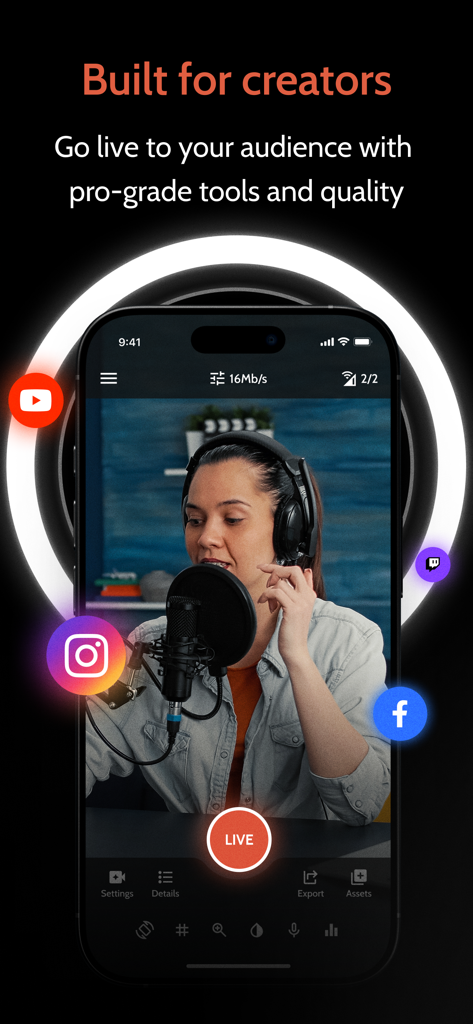
Omnistream Live Video Creator - Omnistream mobile app interface showing a professional live stream with multi platform broadcasting icons for YouTube Instagram and Facebook
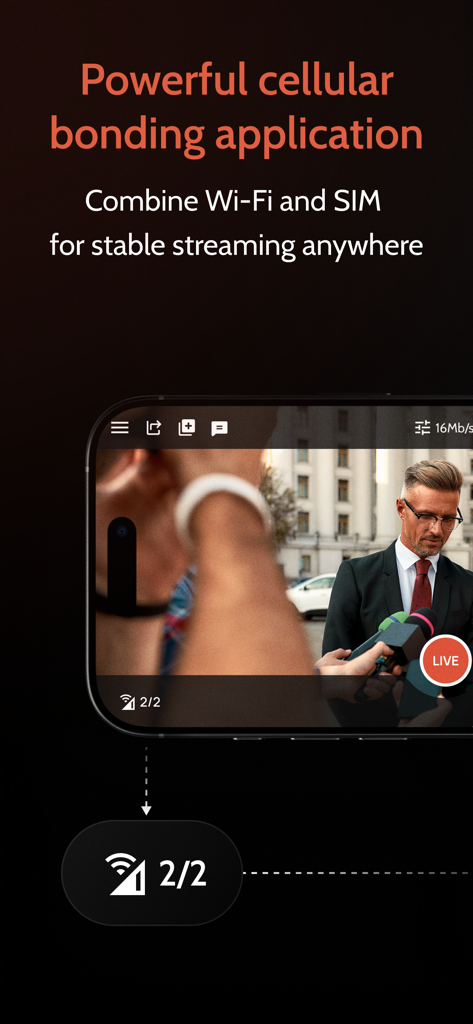
Omnistream mobile app interface showing a professional live stream with multi platform broadcasting icons for YouTube Instagram and Facebook

Omnistream Live Video Creator - Smartphone interface demonstrating cellular bonding for stable live broadcast.
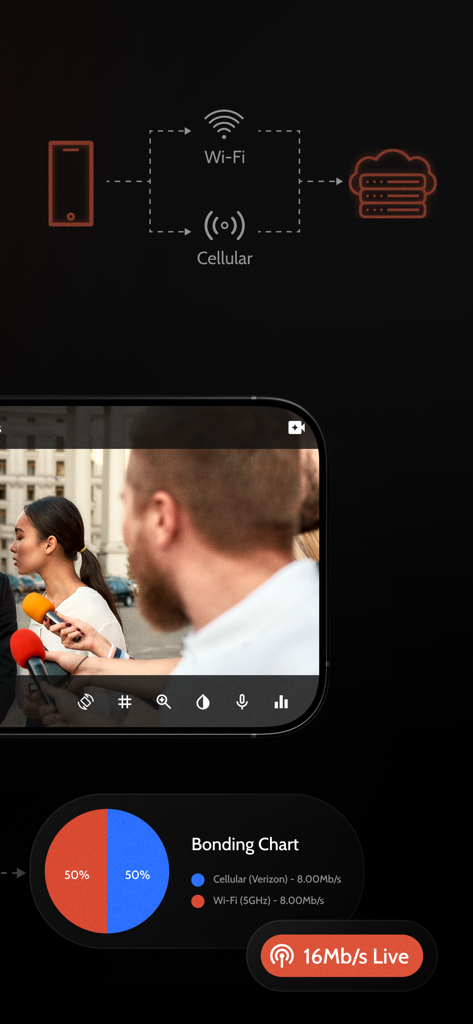
Smartphone interface demonstrating cellular bonding for stable live broadcast.

Omnistream Live Video Creator - Omnistream app interface showing cellular bonding combining Wi-Fi and cellular networks for stable professional live streaming
Omnistream app interface showing cellular bonding combining Wi-Fi and cellular networks for stable professional live streaming

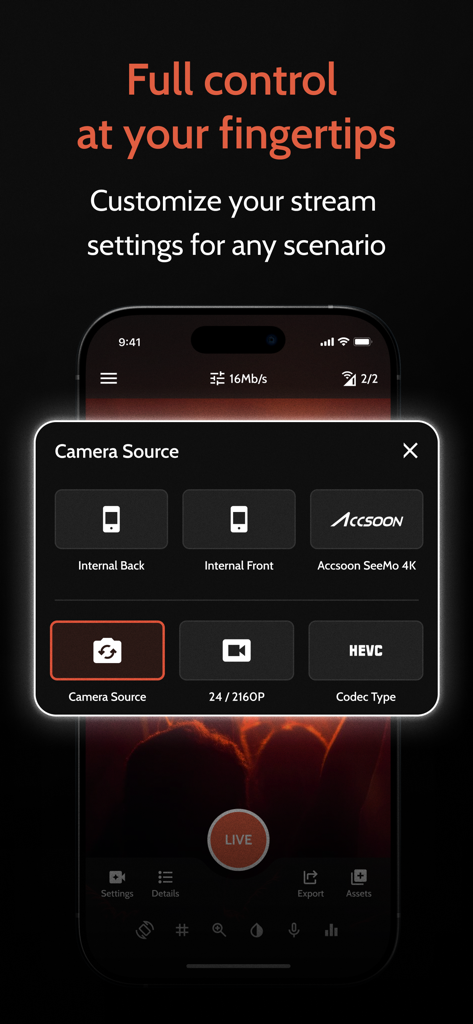
Omnistream Live Video Creator - Omnistream app interface showing camera source selection with options for internal cameras and Accsoon SeeMo 4K
Omnistream app interface showing camera source selection with options for internal cameras and Accsoon SeeMo 4K

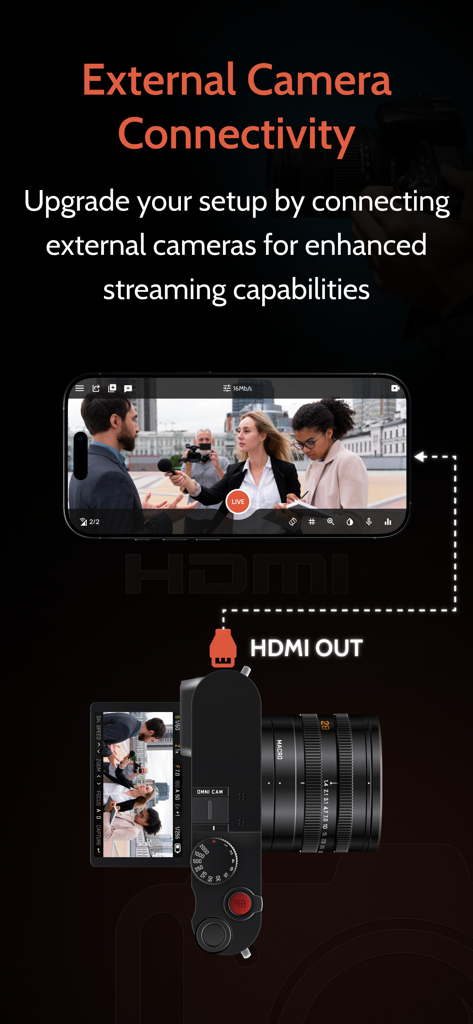
Omnistream Live Video Creator - An illustration showing a professional camera connected to an iPhone via HDMI for live streaming with the Omnistream app

An illustration showing a professional camera connected to an iPhone via HDMI for live streaming with the Omnistream app

Description

Go Live Like a Pro — From Your iPhone/ iPad Whether you're streaming IRL, capturing live events, or running a professional broadcast, Omnistream gives you everything you need to produce, stream, and share high-quality video content. Stream to Any Platform Broadcast in up to UHD quality to Facebook, YouTube, Instagram, Telegram, or any RTMP/SRT-compatible destination. Expand your reach with multiplatform streaming and take control of your content. Stable, Reliable Video With Cellular Bonding Combine multiple network connections — Wi-Fi + LTE/5G — for rock-solid live streams, even in unpredictable environments. External Camera Support With Accsoon SeeMo 4K Connect your DSLR or HDMI camera using the Accsoon SeeMo 4K for cinematic image quality and full external camera control. Stream like a pro with greater depth of field, better lenses, and enhanced visuals — all powered through your iPhone / iPad. Professional Tools Built In Omnistream supports HEVC streaming and flexible bitrate control (VBR/CBR) — allowing you to adjust bitrate in real time based on your network conditions. It also includes external microphone input for professional-grade audio and local recording with user-selectable quality — unaffected by streaming bandwidth. Picture-in-Picture (PiP) mode lets you stay live while multitasking, keeping your stream running in a floating window. Remote Dashboard / Controller App Manage your production from anywhere with the Omnistream Dashboard. Control connected devices, monitor streaming status, adjust settings in real time, and collaborate with your team — all from a single, intuitive remote interface. Advanced Broadcast Features Power your studio-grade productions with SDI output via the Omnistream Recipient app and Decklink Blackmagic integration. Designed for professional workflows, this feature set includes remote file storage, store-and-forward capability for low-connectivity environments or flexible content delivery, a full remote production dashboard, guest invitation tools for managing multi-source streams, multiple licenses, or reporters simultaneously, and IFB (Interruptible Foldback) for real-time communication with on-air talent. Perfect For IRL streamers, content creators and influencers, Videographers and production teams, Broadcasters and mobile journalists. Flexible Usage for Every Creator Whether you stream daily or just for special events, Omnistream offers flexible monthly and annual subscriptions to fit your workflow. Subscription Plans Omnistream requires a purchase to access its features. We offer a one-time One-Week access license for short-term projects, as well as auto-renewable monthly and annual subscriptions for ongoing use. All features listed above require an active license or subscription. The Influencer plan includes core features such as cellular bonding, multi-platform RTMP distribution, and external camera support. The Videographer plan is designed for professional users and includes everything in the Influencer plan plus HEVC and SRT for high-end broadcast needs. Account Required An Omnistream account is required to manage licenses, sync purchases across devices, and receive updates. Terms of Use https://www.apple.com/legal/internet-services/itunes/dev/stdeula/

Download

Download on App Store

This page is not an official page of the app or its developer, but an independent editorial publication created for informational and commentary purposes. Unless expressly stated otherwise, neither the app nor its developer is affiliated with, endorsed by, sponsored by, authorized by, or otherwise officially connected with MWM, Apple, Google Play, the app publisher, or the app's developer, and nothing on this page implies that the app was developed using MWM's services. Any trademarks, logos, screenshots, and other content remain the property of their respective owners.