
This page is not an official page of the app or its developer, but an independent editorial publication created for informational and commentary purposes. Unless expressly stated otherwise, neither the app nor its developer is affiliated with, endorsed by, sponsored by, authorized by, or otherwise officially connected with MWM, Apple, Google Play, the app publisher, or the app's developer, and nothing on this page implies that the app was developed using MWM's services. Any trademarks, logos, screenshots, and other content remain the property of their respective owners.


OnBeat: Reels Maker Editor
Skip the hours of manual editing. Use AI-powered beat syncing to create stunning vlogs, travel recaps, and aesthetic stories that your followers will love.
Downloads
389K+User Rating
Total Ratings
9K+Publisher
Category
Photo & VideoLocales
6Latest Version
4.10.0Size
362.0 MBFirst Released
Jul 29, 2022Create Viral Content in Seconds
Stop struggling with complex editors. OnBeat turns your memories into professionally synced Reels that capture every vibe.
One-Tap AI Beat Sync
Skip the tedious trimming. Our AI automatically matches your video transitions to the beat of any song for a perfect flow.
Trending Recap Templates
Choose from a library of aesthetic layouts designed for travel vlogs, weekend dumps, and year-in-review highlights.
Frequently Asked Questions
Everything you need to know about OnBeat: Reels Maker Editor
What is OnBeat: Reels Maker Editor?
OnBeat is an AI-powered video editor that helps users create stunning Reels by automatically syncing videos to music beats. It offers tools for vlogs, travel content, weekend recaps, and sharing on Instagram and other platforms.
How does OnBeat automatically sync videos to music?
OnBeat uses AI to automatically sync videos to music beats in seconds. Users also have the option to easily add custom beats and finely tune the synchronization to match their unique style.
Can I use my own music with OnBeat: Reels Maker Editor?
Yes, OnBeat allows users to import their own music from personal Files and iTunes library. The app also provides access to an extensive collection of 50+ copyright-free tracks within its library.
Does OnBeat offer templates for Instagram Reels?
Yes, OnBeat provides a diverse range of professionally crafted templates for Reels, including video recaps and end-of-year highlights. These templates help users create eye-catching content and elevate their Instagram presence.
What exclusive features are available with OnBeat Pro?
OnBeat Pro offers exclusive features including audio extraction from videos, adding music from Files & iTunes, access to exclusive music, fonts, and filters for Reels, and the ability to remove the OnBeat watermark.
Is there a free trial for OnBeat Pro?
Yes, new users can start a free 7-day trial of OnBeat Pro. This trial allows them to experience all the enhanced video editing and Reels making features before subscribing.
Can OnBeat combine both photos and videos for Reels?
Yes, OnBeat works seamlessly with both photos and videos. Its video collage feature allows users to combine various media types to create dynamic and engaging content for Instagram stories and posts.
Can I customize individual beats in OnBeat: Reels Maker Editor?
Yes, OnBeat allows users to customize every beat. While it automatically syncs videos, users retain control to add custom beats and precisely adjust the timing on a detailed timeline.
Does OnBeat export videos in high quality?
Yes, OnBeat allows users to export their Reels and video edits in high quality. This ensures that the final content maintains a professional appearance when shared on Instagram or other platforms.
How can I provide feedback or feature requests for OnBeat?
Users can provide feedback or feature requests by emailing onbeat@cardinalblue.com. They can also connect with the OnBeat team and share their thoughts on Instagram at @onbeat.app.
The following screenshots and description are sourced directly from the app's official store listing and are the property of the app developer.
App Store
Screenshots
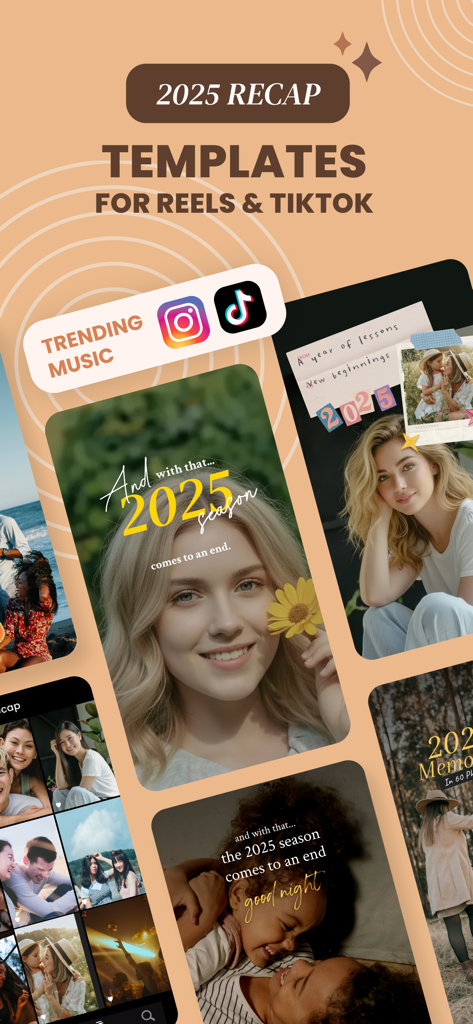
OnBeat app interface featuring 2025 recap templates for Reels and TikTok.
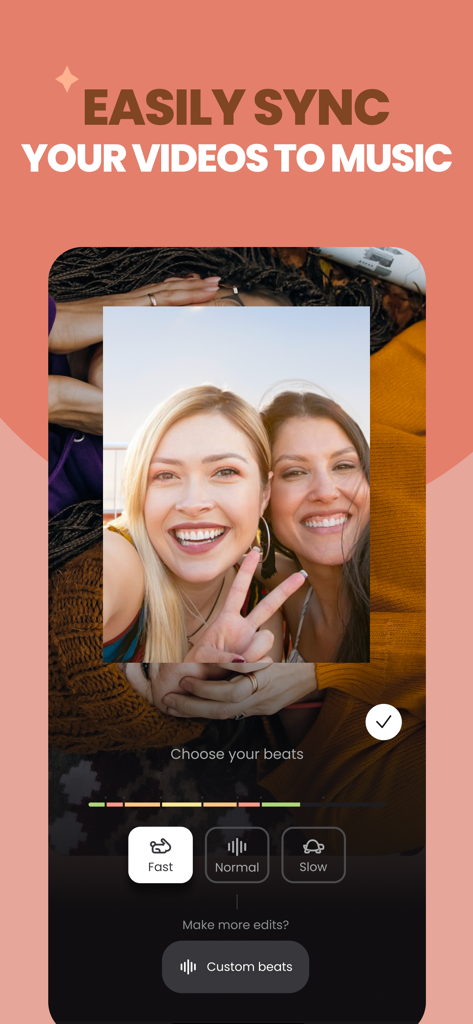
A mobile video editor interface showing two women smiling while the user selects a beat synchronization speed like fast normal or slow
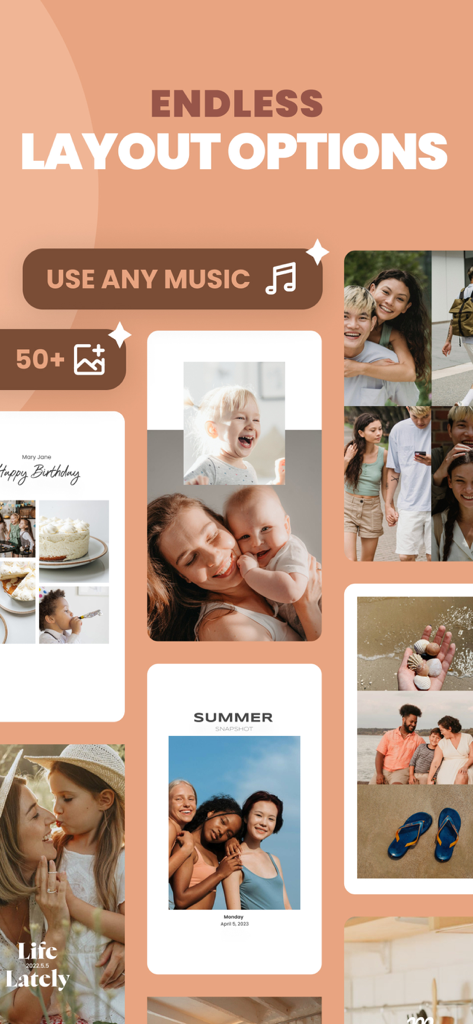
OnBeat app showing diverse photo and video collage layouts for Reels and Stories
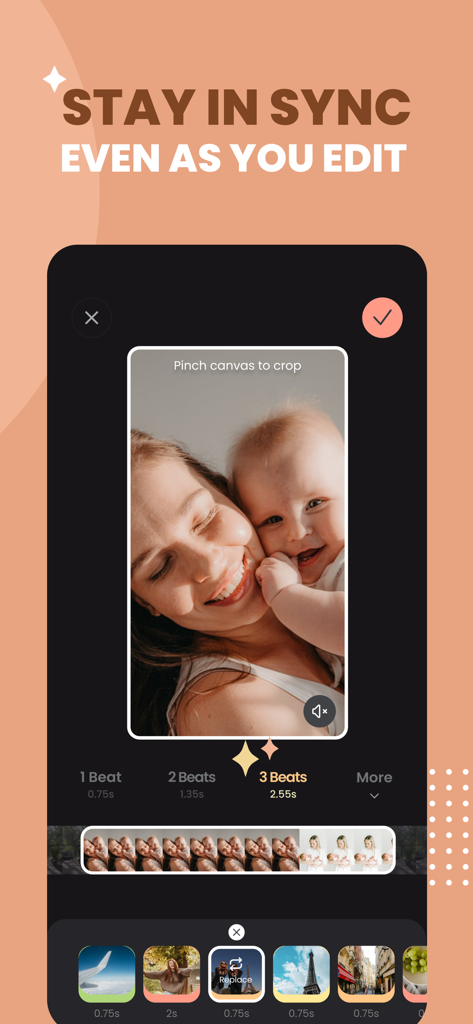
OnBeat app interface showing automatic beat sync tools for editing social media reels with a woman and baby photo.

OnBeat app interface showing a Life Lately video reel with a couple photo and editing tools

Interface of the OnBeat app showcasing a variety of aesthetic font styles and a text editor for social media reels.
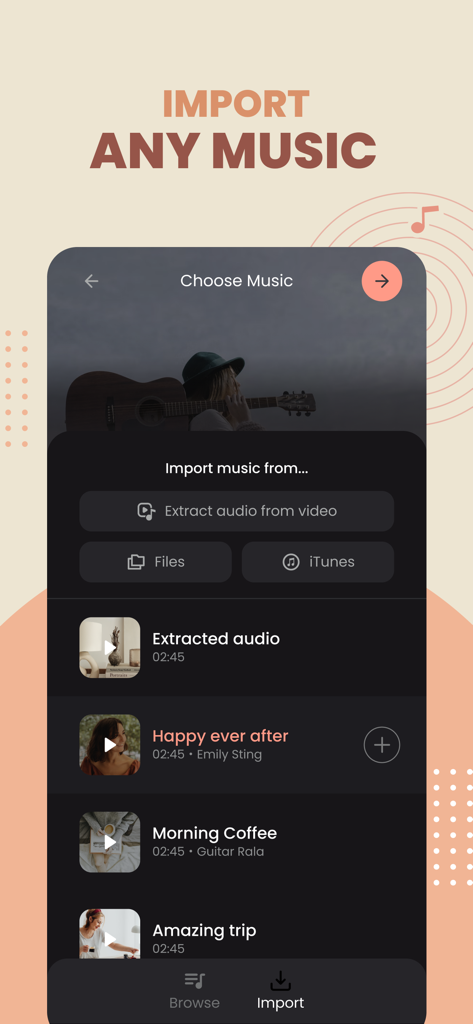
Interface of OnBeat app showing options to import music from files iTunes or by extracting audio from video for reels editing
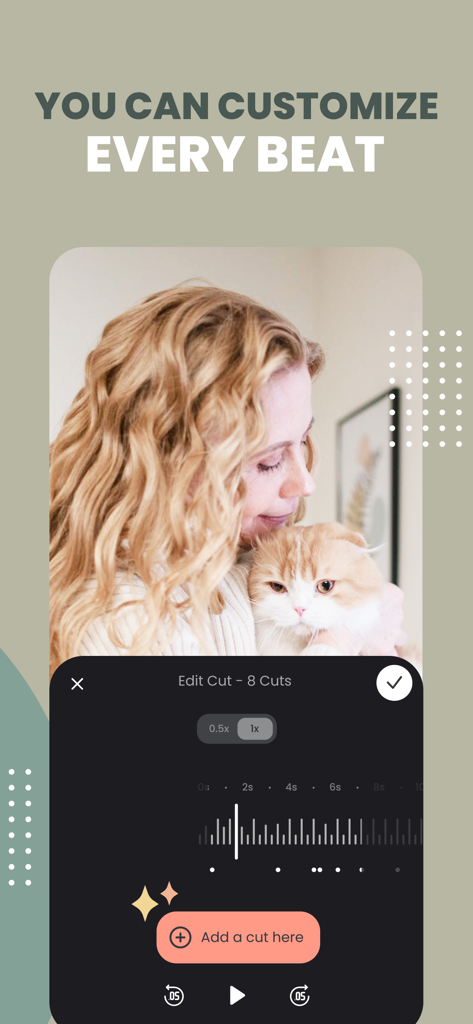
The OnBeat app interface for customizing video cuts and syncing clips to the music beat.
Description
Download
More Like This
Apps with similar features and user experience

Wink: Video Enhancer & Editor
Xiamen Meitu Technology Co., Ltd.

Instories: AI Photo & Video
Ylee Studio LTD

秒剪 - 视频创作 & Live 实况制作
Tencent Technology (Shenzhen) Company Limited

Vids AI - Reels Video Editor
Viral Vision Ltd

Reels Maker for Instagram BEAT
Onelight Apps CY Ltd

Mojo: AI Video & Reels Editor
Archery Inc.

Unfold: Reels & Story Maker
Squarespace, Inc.
Reels Editor, AI Video: inMelo
APPBYTE PTE. LTD.

Reelsapp: reel & video editor
Rustam Achilov
This page is not an official page of the app or its developer, but an independent editorial publication created for informational and commentary purposes. Unless expressly stated otherwise, neither the app nor its developer is affiliated with, endorsed by, sponsored by, authorized by, or otherwise officially connected with MWM, Apple, Google Play, the app publisher, or the app's developer, and nothing on this page implies that the app was developed using MWM's services. Any trademarks, logos, screenshots, and other content remain the property of their respective owners.