
This page is not an official page of the app or its developer, but an independent editorial publication created for informational and commentary purposes. Unless expressly stated otherwise, neither the app nor its developer is affiliated with, endorsed by, sponsored by, authorized by, or otherwise officially connected with MWM, Apple, Google Play, the app publisher, or the app's developer, and nothing on this page implies that the app was developed using MWM's services. Any trademarks, logos, screenshots, and other content remain the property of their respective owners.


Once - Disposable Camera Event
No more digital clutter. The app gives hosts absolute command over event memories, ensuring every candid shot counts.
Downloads
25k+User Rating
Total Ratings
260Publisher
Category
Photo & VideoLocales
1Latest Version
1.5.2Size
89.7 MBFirst Released
Nov 24, 2025An analytical overview of core functionalities enhancing collective memory capture.
Key Features: Once - Disposable Camera Event
Seamless Guest Participation
The app provides a QR code or link for guests to join events quickly, without requiring them to download an application, ensuring high adoption and frictionless use.
Unified Event Photo Gallery
It centralizes all candid and unique perspectives from every participant into a single shared gallery, ensuring no memory from the event is missed.
Anticipated Photo Unlock
This tool allows hosts to set a specific time for photos to be collectively revealed, building anticipation and encouraging guests to stay present during the event rather than checking photos immediately.
Curated Photo Capture
The app encourages more thoughtful and story-driven photography by limiting the number of shots per person, fostering authenticity over endless, uncurated pictures.
Comprehensive Host Controls
It offers hosts full control over event parameters, including shot limits, reveal modes (instant or delayed), and participant caps, allowing for a tailored experience.
Secure & Downloadable Memories
The app ensures event galleries are private by default and controlled by the host, with options to download all photos, safeguarding precious memories and user data.
Frequently Asked Questions
Everything you need to know about Once - Disposable Camera Event
What is the Once app for?
The Once app creates shared digital disposable cameras for events. It allows guests to capture limited photos, which unlock together at a chosen time, centralizing memories from multiple perspectives.
Do guests need to download the Once app to join an event?
No, guests do not need to download the Once app. They can join an event and contribute photos using an App Clip by scanning a QR code or clicking a shared link.
Is my event gallery private in the Once app?
Yes, your event gallery is private by default in the Once app. The host controls access, visibility, and downloads, and Once does not sell your data.
What control does a host have over an event in the Once app?
The host controls shot limits per person, the photo reveal mode (instant or delayed), and participant caps for their event. They also manage access, visibility, and photo downloads.
How does Once encourage thoughtful photo captures?
Once encourages thoughtful captures by limiting the number of shots per person. This scarcity promotes story-driven photography over indiscriminate snapping, aiming for better quality photos.
When do photos become available in the Once app?
Photos become available in the Once app at a time chosen by the host. This can be at the event's end or a custom delayed reveal time, enhancing the experience and keeping guests present.
What types of events is the Once app suitable for?
The Once app is perfect for weddings, receptions, bachelor/bachelorette parties, birthdays, reunions, group trips, team offsites, school events, clubs, and fundraisers.
Can I download photos from a Once event gallery?
Yes, the Once app allows hosts to download full galleries to their device or archive them for later. Guests may also download if the host permits.
How do I name a film in the Once app?
You name a film in the Once app by entering your desired title into the "What should we call this film?" input field during the film creation process.
How can I share an event for the Once app?
You can share an event for the Once app by sharing a QR code or a link with guests. These options are available within the app, allowing guests to join easily.
The following screenshots and description are sourced directly from the app's official store listing and are the property of the app developer.
App Store
Screenshots
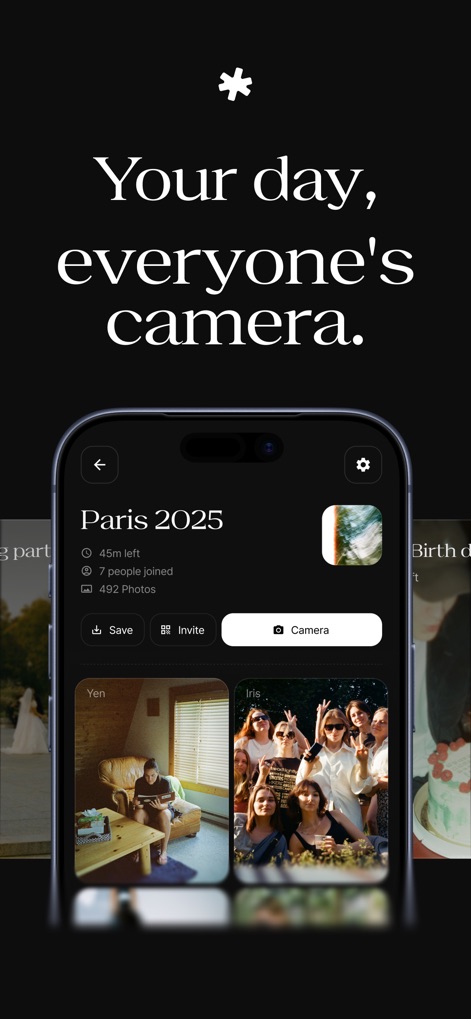
This screen showcases the event's central dashboard with key details like event duration and total photos captured, alongside individual participant contributions.
Event Dashboard View
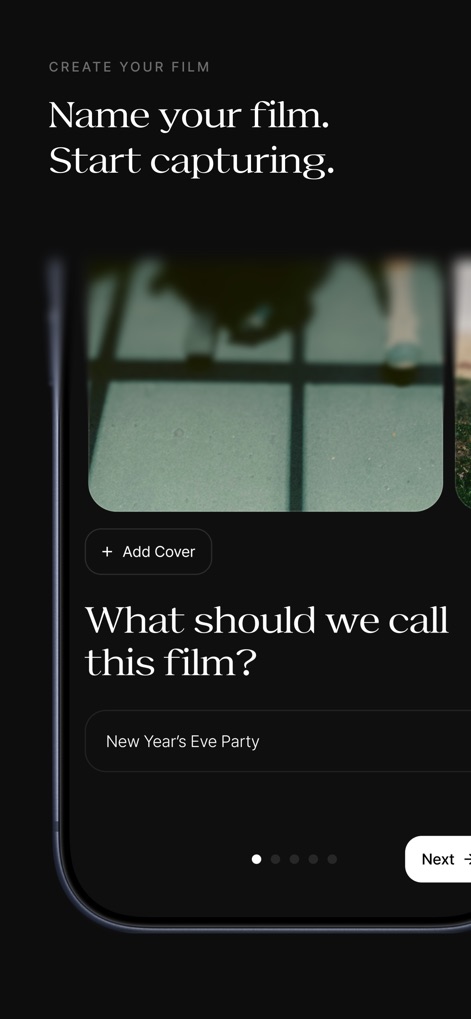
The app guides users through the film creation process, enabling them to name their event and add a unique cover image for visual identification.
Film Creation Flow
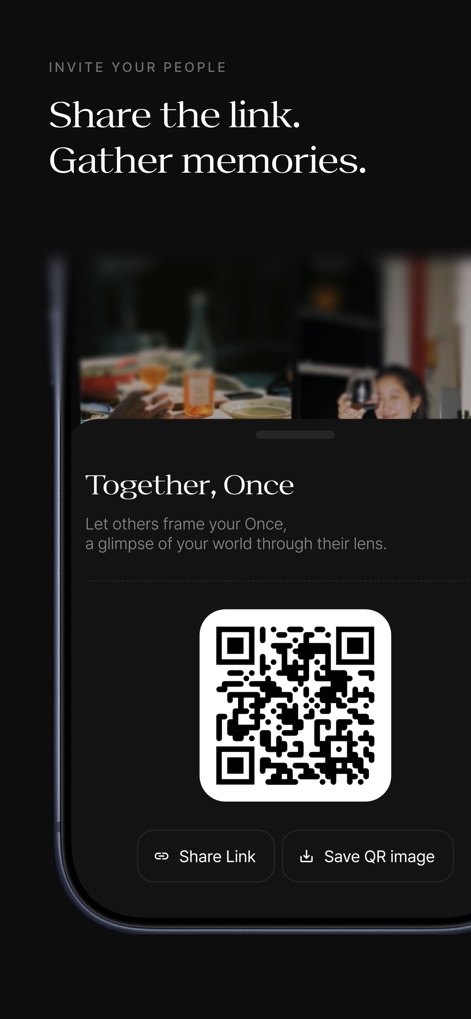
This interface simplifies guest onboarding by providing a scannable QR code and direct share links, ensuring participants can join events effortlessly.
Seamless Guest Invitation
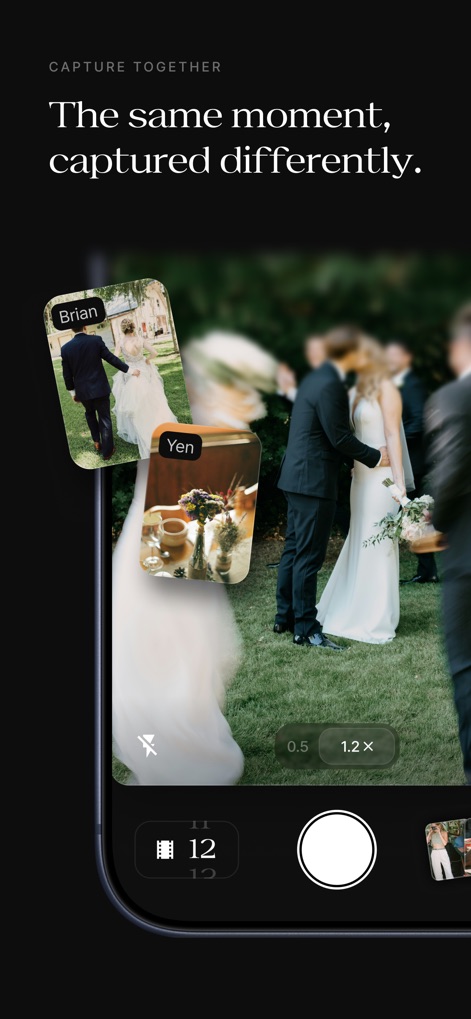
The camera interface promotes collaborative photography with a prominent shutter button and a visible film count indicating remaining shots.
Collective Captures
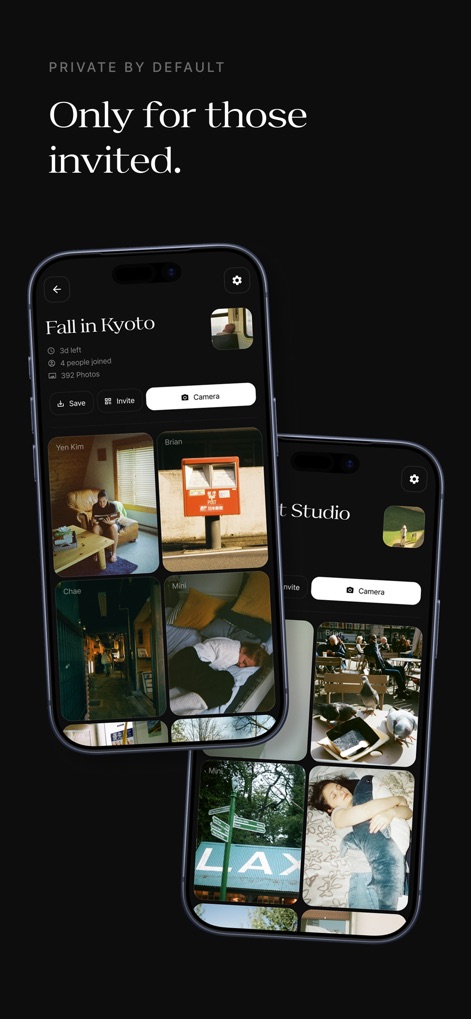
The app ensures event privacy by default, showcasing secure galleries like 'Fall in Kyoto' with participant details and curated photo thumbnails.
Secure Event Galleries

Users can easily manage active and archived events, viewing the remaining time for active 'films' and accessing past memories organized into distinct albums.
Event Overview
Description
Download
More Like This
Top-ranked apps in the same category

CapCut: Photo & Video Editor
BYTEDANCE PTE. LTD.

Instagram, Inc.

YouTube
Google LLC

Canva: AI Photo & Video Editor
Canva Pty Ltd

Snapchat
Snap, Inc.

快手
Beijing Kwai Technology Co., Ltd.

Edits: Video Editor
Instagram, Inc.

Meitu- AI Photo & Video Editor
Xiamen Meitu Technology Co., Ltd.

Google Photos: Backup & Edit
Google LLC
This page is not an official page of the app or its developer, but an independent editorial publication created for informational and commentary purposes. Unless expressly stated otherwise, neither the app nor its developer is affiliated with, endorsed by, sponsored by, authorized by, or otherwise officially connected with MWM, Apple, Google Play, the app publisher, or the app's developer, and nothing on this page implies that the app was developed using MWM's services. Any trademarks, logos, screenshots, and other content remain the property of their respective owners.