Open UI - Open WebUI Client

Open UI - Open WebUI Client

Logo of Open UI - Open WebUI Client

Open UI: The Ultimate Native iOS Client for Open WebUI

Bring your self-hosted AI models to life with a high-performance, privacy-first SwiftUI experience. Enjoy native chart rendering, real-time streaming, and voice calls with total data sovereignty.

Publisher

Abhishek Bhardwaj

Category

Productivity

Downloads

0

User Rating

1.0/5

Total Ratings

0

Locales

1

Native Power, Visualized

Discover the interface used by 0 users.

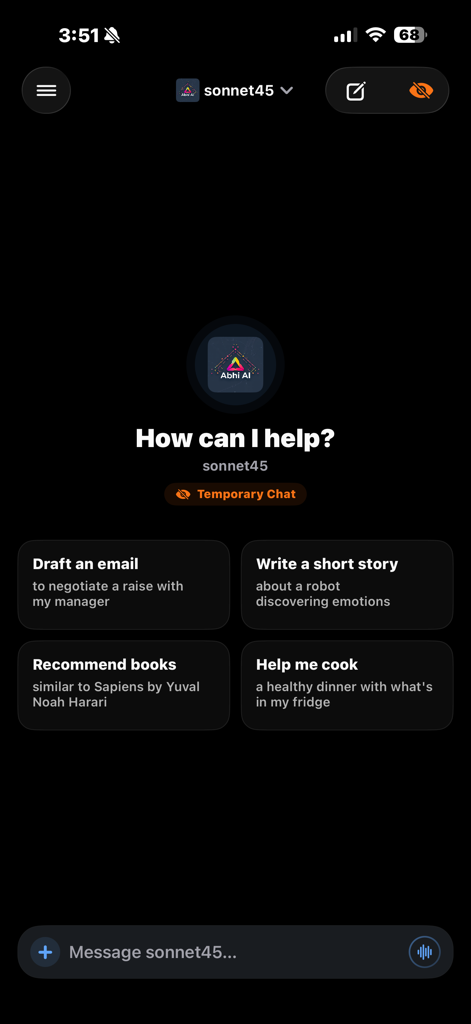
Open UI mobile chat interface with prompt suggestions and dark mode theme
Open UI mobile chat interface with prompt suggestions and dark mode theme

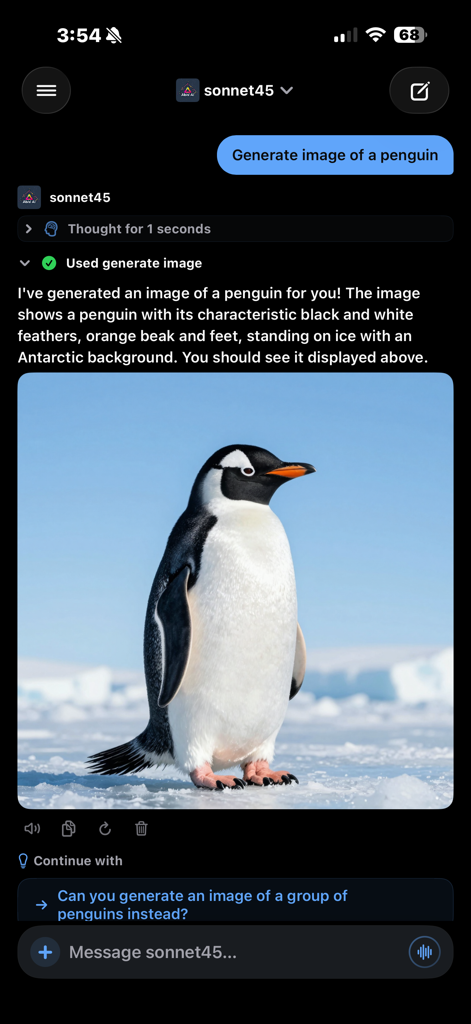
Open UI app chat interface showing a generated image of a penguin and a collapsible reasoning block.
Open UI app chat interface showing a generated image of a penguin and a collapsible reasoning block.

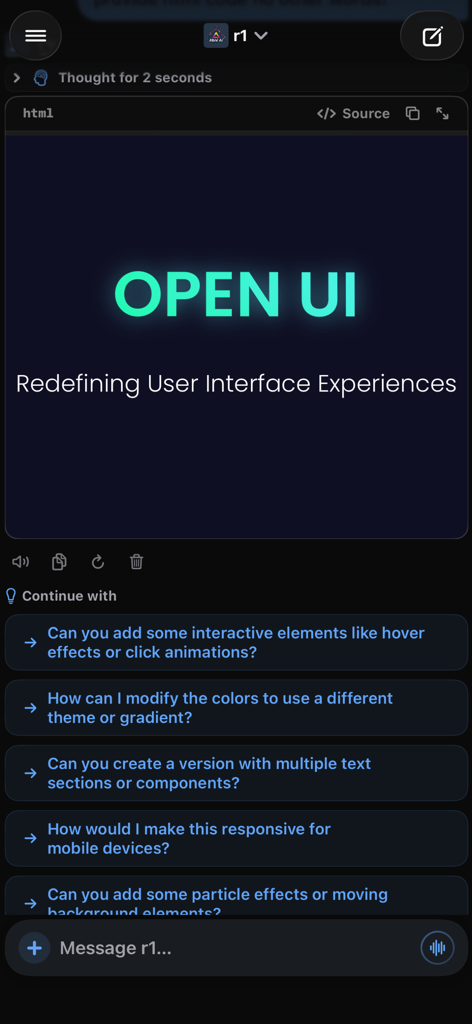
Open UI mobile app interface showing an AI chat with a rendered HTML preview and collapsible reasoning block
Open UI mobile app interface showing an AI chat with a rendered HTML preview and collapsible reasoning block

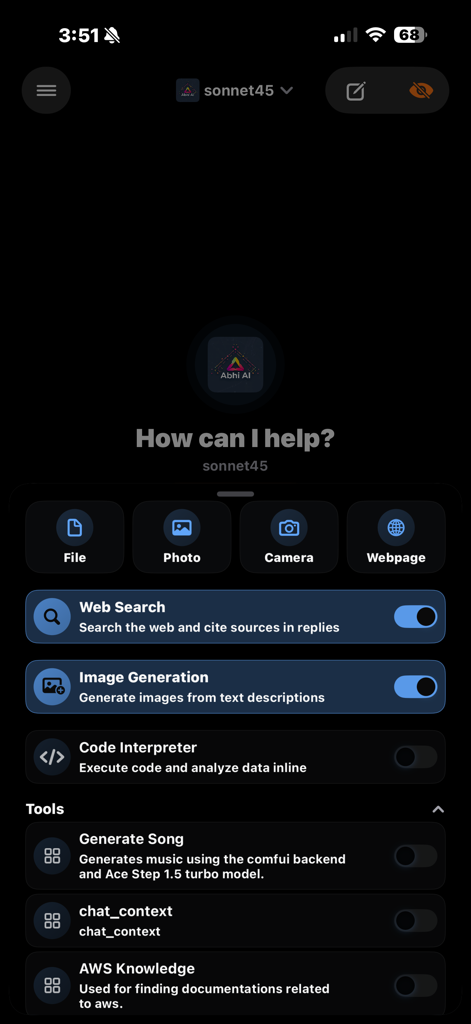
Open UI app interface on iOS showing AI chat tools including web search and image generation
Open UI app interface on iOS showing AI chat tools including web search and image generation

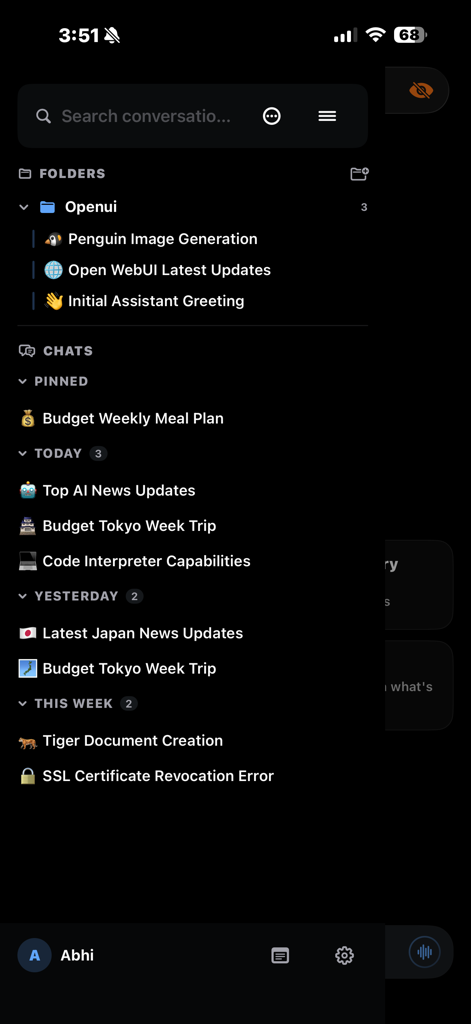
Open UI app sidebar showing organized chat folders and conversation history in dark mode
Open UI app sidebar showing organized chat folders and conversation history in dark mode

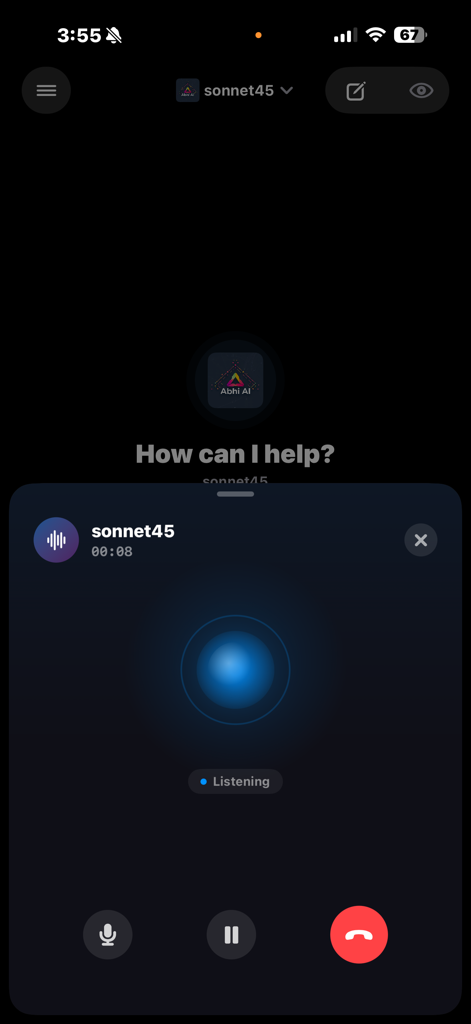
Open UI app displaying its native iOS voice call interface with an active listening state and call controls
Open UI app displaying its native iOS voice call interface with an active listening state and call controls

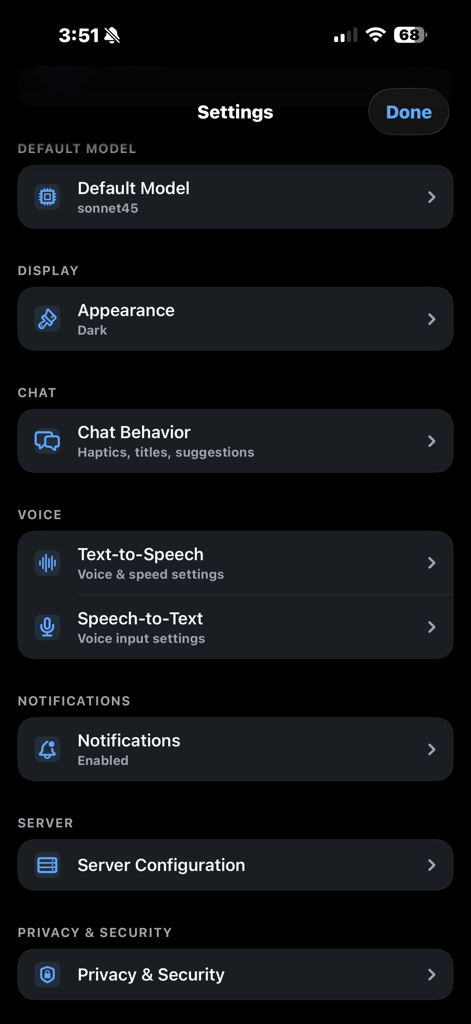
Settings menu of the Open UI iOS client showing options for model selection, appearance, and server configuration.

Settings menu of the Open UI iOS client showing options for model selection, appearance, and server configuration.

The Native Powerhouse for Your Self-Hosted AI

The tools that make this app stand out, trusted by 0 users.

🔒

Absolute Data Sovereignty

Your data never leaves your infrastructure. With no intermediate servers and an open-source core, your prompts stay private, secure, and under your total control.

📊

Advanced Data & HTML Rendering

Transform raw JSON into native Swift charts and preview HTML code in a live sandboxed environment. Perfectly designed for developers and data scientists on the go.

🧠

Deep Reasoning & RAG Support

Explore complex 'Chain of Thought' models with collapsible reasoning blocks and query your private knowledge bases using native # commands for precision context.

About the app

Everything you need to know about Open UI - Open WebUI Client.

Description

Open UI is a beautiful, native iOS client for Open WebUI. Connect to your self-hosted server and chat with any AI model you've configured — right from your iPhone. Built 100% in SwiftUI, Open UI delivers a fast, polished experience with features the browser can't match. STREAMING CHAT WITH RICH MARKDOWN Get real-time, word-by-word streaming responses. Messages render with full markdown — syntax-highlighted code blocks with copy buttons, tables, math equations, block quotes, headings, and more. Everything flows smoothly as it streams in with no layout jumps. LIVE CROSS-DEVICE STREAMING Start a generation on the website and watch it stream in real-time on the app, token by token. Regenerations, title updates, follow-ups, and completion events all sync instantly between devices. CHART RENDERING When the AI outputs chart data in code blocks (Chart.js, ECharts, Highcharts, Vega-Lite, or Plotly), it's automatically rendered as a beautiful native Swift Chart right in the conversation. Supports line, bar, area, scatter, bubble, pie, heatmap, and histogram charts. Includes a Chart/Source toggle to view the raw JSON data. HTML PREVIEWS HTML code blocks are now rendered as a live preview instead of raw code. Includes a Preview/Source toggle, fullscreen mode, copy button, share sheet, and dark mode support — all in a scrollable sandboxed webview. VOICE CALLS WITH AI Have a real voice conversation with AI. Open UI uses CallKit for native iOS call integration, with animated visualizations that react to voice, real-time transcription, and familiar call controls. It feels like a real phone call. KNOWLEDGE BASES (RAG) Type # in the chat to browse and attach knowledge collections, folders, and files from your server. Your AI responds using the context you provide — just like the web UI. WEB SEARCH & CITATIONS Toggle web search per message. Your AI searches the web and responds with numbered source citations, favicons, and tappable links. TOOLS Enable server-side tools per conversation. Tool calls render inline with expandable arguments, results, and status indicators. REASONING / THINKING DISPLAY See the full chain-of-thought from models like DeepSeek and QwQ. Collapsible "Thought for X seconds" blocks let you explore the reasoning process. TEXT-TO-SPEECH Choose from four TTS engines: • Marvis Neural Voice — on-device AI voice powered by MLX • Server TTS — your Open WebUI server's endpoint • System TTS — Apple's built-in voices • Auto mode — picks the best available engine SPEECH-TO-TEXT Two STT options: • Apple Speech — fast, private, works offline • Server STT — server-side transcription FOLDERS & ORGANIZATION Organize conversations into folders with drag-and-drop. Pin important chats, bulk delete, and search across everything. Collapsible time-grouped sections keep things tidy. THEMING Light, Dark, and System modes. Pick an accent color from presets or a full color wheel. Enable pure black OLED mode and tinted surfaces. A live preview card shows your theme as you build it. RICH ATTACHMENTS Attach files, photos, and documents. Paste images directly into chat. Share content from any app using the Share Extension. QUICK ACTION PILLS One-tap toggles below the chat input for web search, image generation, or any tool. Customize which pills appear. NOTES & NOTIFICATIONS Create notes alongside your chats with built-in voice recording. Get notifications when a generation completes and tap to jump right in. ADDITIONAL SETTINGS • Default model picker synced with your server • Send on Enter toggle • Streaming haptics — feel each token arrive • Temporary chats for privacy • Configurable silence detection for STT Open UI is open source and doesn't collect your data. Your conversations go directly to your server — nowhere else. Requires a running Open WebUI server instance and iOS 18 or later.

Latest Version

1.0

Size

36.9 MB

First Released

Mar 11, 2026

Take Command of Your Self-Hosted AI

Ditch the mobile browser for a high-performance, native SwiftUI experience. Secure, private, and engineered specifically for the power user.

App information, icons, screenshots, and descriptions displayed on this page are sourced from the Apple App Store and are the property of their respective developers. Download estimates and rankings are based on MWM's proprietary models and may not reflect actual figures. This page is provided for informational and analytical purposes only.

Believe this page infringes your intellectual property? File a dispute