OTAMap

OTAMap

Download on App Store
Logo of OTAMap

OTAMap: Precision Antenna Alignment for Perfect TV & FM Reception

Harness official FCC and Industry Canada data to locate transmission towers within 150 miles. Whether you are a cord-cutter, an RVer, or a DX enthusiast, OTAMap provides the precise bearings and signal contours you need for crystal-clear free television.

Download on App Store

Publisher

Arctic Surf Designs

Category

Utilities

Downloads

7K+

User Rating

3.2/5

Total Ratings

0

Locales

1

Precision Signal Mapping

Discover the interface used by 7K+ users.
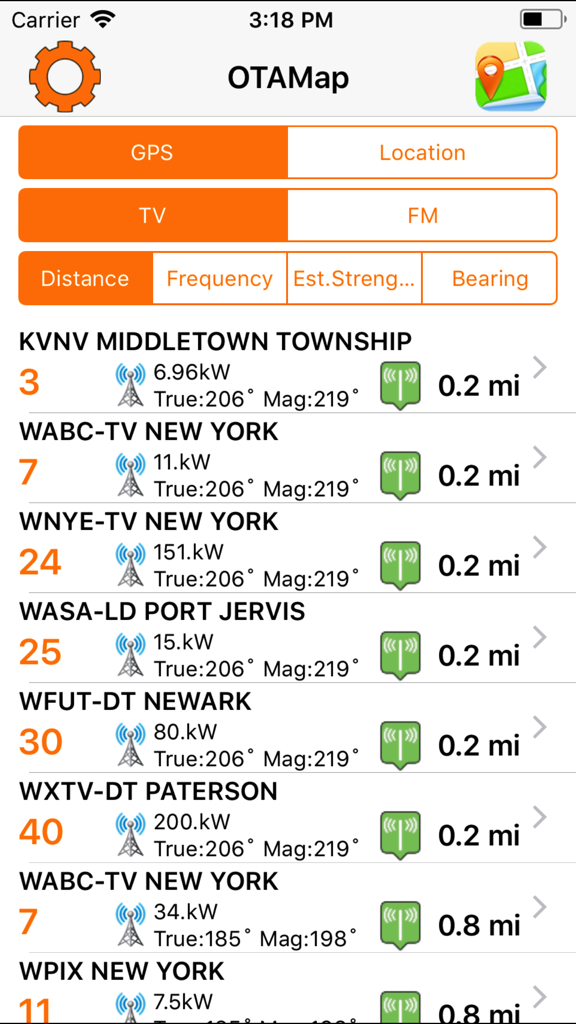
OTAMap app interface showing a list of nearby TV stations with signal strength, distance, and transmitter bearing data.

OTAMap app interface showing a list of nearby TV stations with signal strength, distance, and transmitter bearing data.

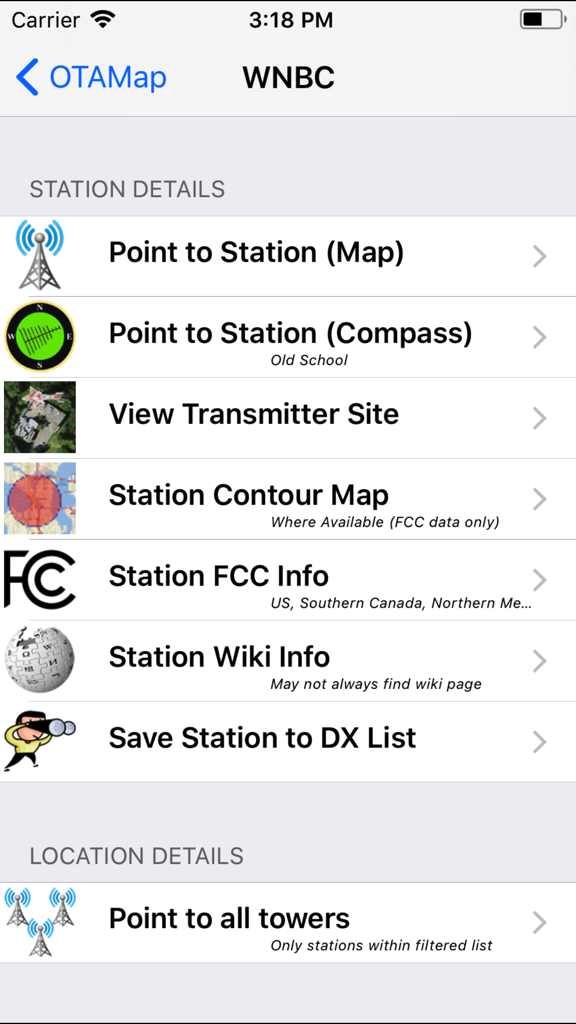
The station details menu in the OTAMap app showing antenna pointing and signal data options for a TV station.

The station details menu in the OTAMap app showing antenna pointing and signal data options for a TV station.

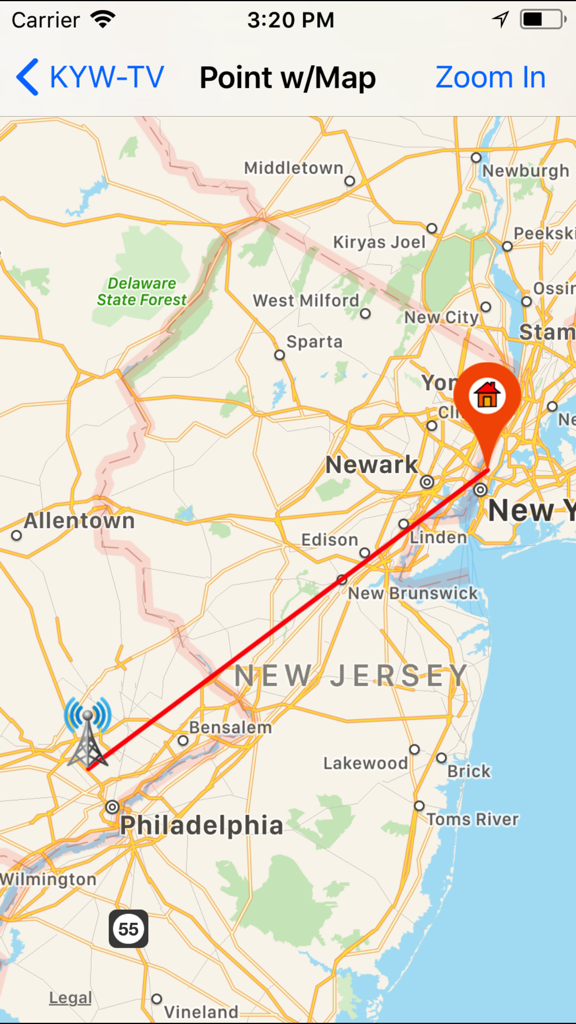
Map view in OTAMap showing the transmission tower location and bearing for KYW-TV station

Map view in OTAMap showing the transmission tower location and bearing for KYW-TV station

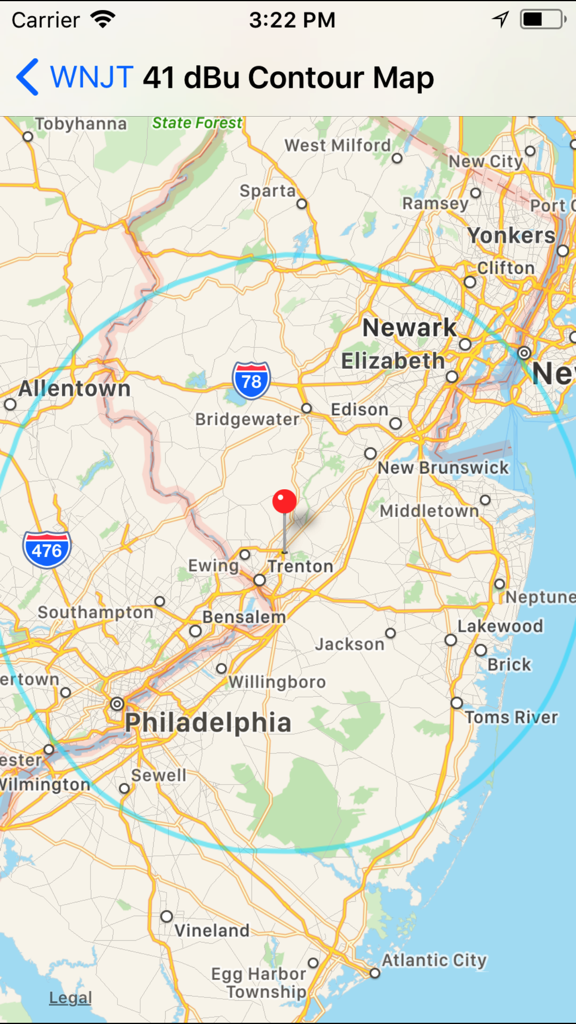
OTAMap screen showing a 41 dBu signal contour map for WNJT centered near Trenton and Philadelphia

OTAMap screen showing a 41 dBu signal contour map for WNJT centered near Trenton and Philadelphia

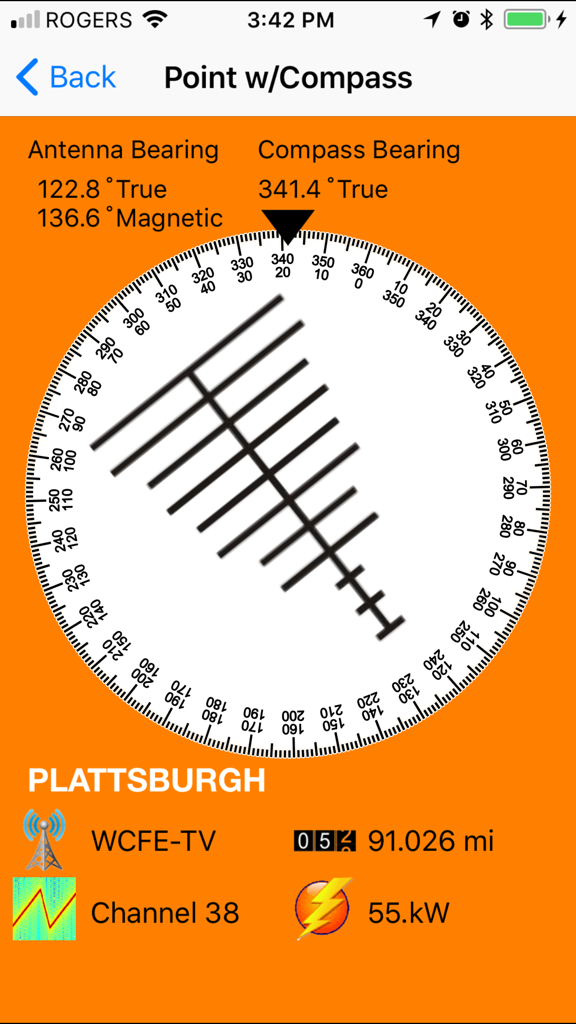
Digital compass and bearing tool for television antenna alignment

Digital compass and bearing tool for television antenna alignment

Master Your Antenna Setup

The tools that make this app stand out, trusted by 7K+ users.

📡

Precision Tower Mapping

Locate every broadcast tower within 150 miles with GPS-driven accuracy to find the perfect bearing for your HD antenna.

📈

Professional Signal Contours

Analyze 41/60 dBu signal maps to identify exactly which channels are reachable from your specific roof or yard location.

🚐

Built for the Road

Perfect for RVers and rural homeowners, featuring offline map capabilities for reliable signal hunting in remote areas.

About the app

Everything you need to know about OTAMap.

Description

Works for both FM and TV! Loaded with new features in 2.0! Use OTAMap to find and point your antenna to all your Over The Air (OTA) television and FM stations. OTAMap gives you the latest Over The Air (OTA) television/FM station information. for all of the continental USA, Alaska, Canada, Hawaii, Northern Mexico and some US territories such as Puerto Rico. OTA Map will list all OTA channels/stations within 150 miles of your current geographical position as indicated by your iPhone/iPad. With this tool you can quickly see what OTA stations may be available in your area. With OTAMap you can view the position of the transmission towers, of any of these Over The Air television stations, in relationship to you. This can be used to help adjust your HD OTA antenna for local reception, for that hard to get station, or even the far far away channel that you have been trying to "DX" for quite a while. Whether you are on your roof or turning your rotor from your living room, OTAMap can help you. *****Note to Northern Canadian Users: OTAMap does work everywhere in Canada (including Edmonton), however you may need to flip on the Industry Canada Data in the preferences. Some of the new features in 2.0 Now you can choose between FM or TV stations •You can filter station list based on distance, power, FCC data, Industry Canada data, Canadian, Mexican and US stations. •You can now even filter based on whether your location falls within a stations 41 dBU Contours! •You can sort the displayed stations by distance, channel, power or even it's bearing from you. •Save and recall locations. •Do locations based on -Actual GPS -Entered GPS (IOS 6.1 and higher only) -ZIP/postal code (IOS 6.1 and higher only) -Street Address (IOS 6.1 and higher only) -Or a previously saved location. •Download and update latest FCC station data anytime. •No longer server based. Some functionality will run without a network connection. If a particular map was previously loaded, even mapping functionality may work offline. •Fixed magnetic declination (no longer IRC dependent) (may be off as you near the Arctic Circle). •Added ability to add stations/save maps to a DX list. The list can be pulled up anytime and the pointing maps reviewed. •Added Super Contour Map. Given a particular location it -will list all stations that fall within the 41/60 dBu contour map which should indicate stations that should be received relatively easily. Will show curves of all coverage contours and darken overlapping sections. The resulting stations can then be viewed as your filtered station list. •Added a search for call sign option. This will allow mapping of super long range reception or help in obscure DX attempts. •Now works for all of the Great White North - Uses IRC data for anything not included in the FCC database. •In the station pointing map view the map can be updated if the users gps determination has changed. •In the station pointing and the all station map views, you can drag the home icon to say a different part of the roof/yard and the calculations will follow. •You can erase your downloaded data (which may include FCC FM/TV database and any cached contours) and restore to original data from preference menu.

Latest Version

2.2

Size

27.7 MB

First Released

Jun 14, 2011

Master Your Signal and Cut the Cord Today

Stop guessing your antenna's direction. Join thousands of DIYers and RVers using official FCC data to unlock crystal-clear HD TV and FM stations for free.

Download on App Store

App information, icons, screenshots, and descriptions displayed on this page are sourced from the Apple App Store and are the property of their respective developers. Download estimates and rankings are based on MWM's proprietary models and may not reflect actual figures. This page is provided for informational and analytical purposes only.

Believe this page infringes your intellectual property? File a dispute