
This page is not an official page of the app or its developer, but an independent editorial publication created for informational and commentary purposes. Unless expressly stated otherwise, neither the app nor its developer is affiliated with, endorsed by, sponsored by, authorized by, or otherwise officially connected with MWM, Apple, Google Play, the app publisher, or the app's developer, and nothing on this page implies that the app was developed using MWM's services. Any trademarks, logos, screenshots, and other content remain the property of their respective owners.


PairDrop
No more digital bottlenecks. The app grants users total command over their visual data, making slow, clunky transfers obsolete.
Downloads
25k+User Rating
Total Ratings
147Publisher
Category
ProductivityLocales
1Latest Version
2.0Size
44.6 MBFirst Released
Sep 19, 2025A deep dive into features designed for efficient and secure content sharing.
Analytical Review of PairDrop's Core Capabilities
Secure Sharing
It ensures the confidentiality and integrity of shared content, safeguarding personal and professional data during transfers.
Fast Transfers
This allows for efficient transfer of digital content, maintaining original fidelity which is crucial for high-quality visual media.
Cross-Device Support
It enables seamless content management and sharing across various devices, enhancing user flexibility and workflow.
One-Tap Send
This simplifies the sharing process significantly, allowing users to quickly send content with minimal effort directly from their media library.
Batch Sharing
It boosts productivity by enabling users to transfer numerous files simultaneously, which is ideal for managing large photo collections.
Backup & Restore
It provides a critical safety net for digital content, offering robust protection against data loss and facilitating recovery.
Frequently Asked Questions
Everything you need to know about PairDrop
What is PairDrop?
PairDrop is an all-in-one solution for easy, fast, and secure photo sharing and transfers. It helps users send pictures, back up memories, and move photos between devices.
Does PairDrop allow fast transfers?
Yes, PairDrop allows users to send photos instantly without losing quality. The app is designed for quick file transfers.
How does PairDrop ensure secure sharing?
PairDrop protects your pictures with safe transfers. It offers secure sharing and can generate secure share links for your files.
Can I use PairDrop on multiple devices?
Yes, PairDrop offers cross-device support. It works across iPhone, iPad, and other devices, facilitating seamless photo and file transfers.
What are the pricing options for PairDrop?
PairDrop offers a Weekly Plan for recurring access to premium features, which can be canceled anytime. A Lifetime Plan is also available for a one-time purchase, providing permanent access.
Can PairDrop transfer multiple photos at once?
Yes, PairDrop supports batch sharing. Users can send multiple photos in one go, making large transfers efficient and simple.
Does PairDrop support sharing text or notes?
Yes, PairDrop supports sharing text and notes. Users can create notes or messages and send them instantly to any device using the 'Create Text' feature.
Can PairDrop generate QR codes for sharing?
Yes, PairDrop can generate a QR code for sharing. This allows anyone to access your content easily with a scan for instant sharing.
How do I back up my memories with PairDrop?
PairDrop provides a Backup & Restore feature. This allows users to keep their memories safe by backing them up in the cloud.
Is there a way to use PairDrop without recurring fees?
Yes, PairDrop offers a Lifetime Plan. This is a one-time purchase that provides access to all premium features forever without any recurring fees.
The following screenshots and description are sourced directly from the app's official store listing and are the property of the app developer.
App Store
Screenshots
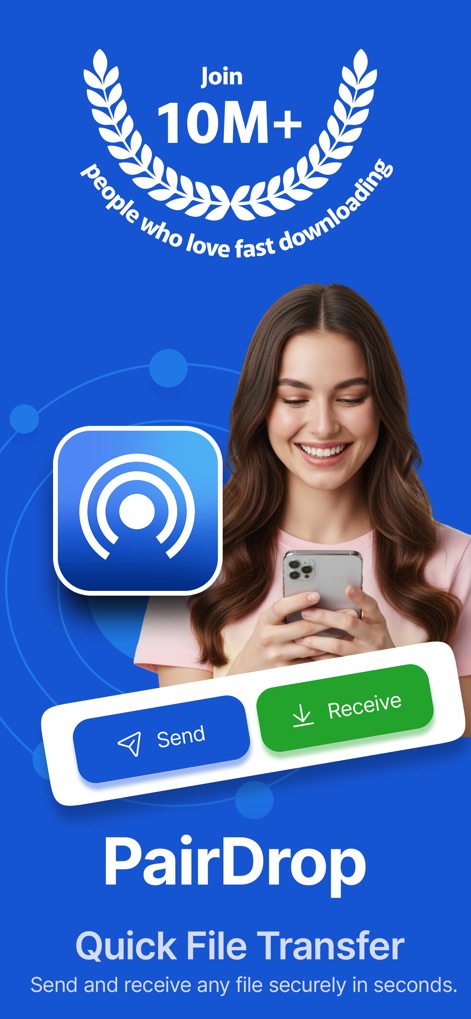
The app's intuitive interface highlights clear 'Send' and 'Receive' options, demonstrating its core functionality for over 10 million users.
Instant Transfer Control
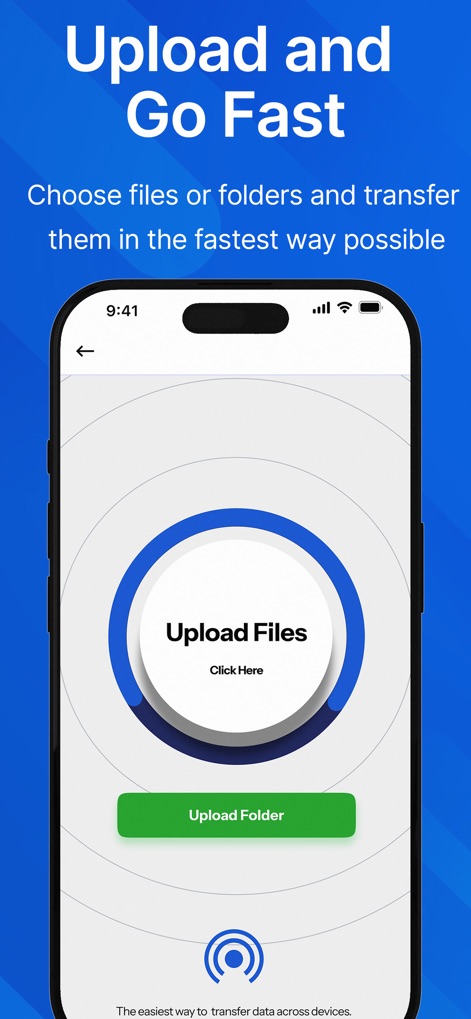
This screen illustrates the streamlined process for initiating transfers, featuring distinct 'Upload Files' and 'Upload Folder' options for quick content selection.
Effortless File Uploads

Users can effortlessly establish connections through the central 'Pair Device' feature, complemented by immediate options like 'Generate QR Code' for versatile sharing.
Seamless Device Pairing

The app confirms successful link creation with a prominent 'Success! Your share link is ready' notification, ensuring secure sharing via a dedicated link icon.
Secure Link Generation
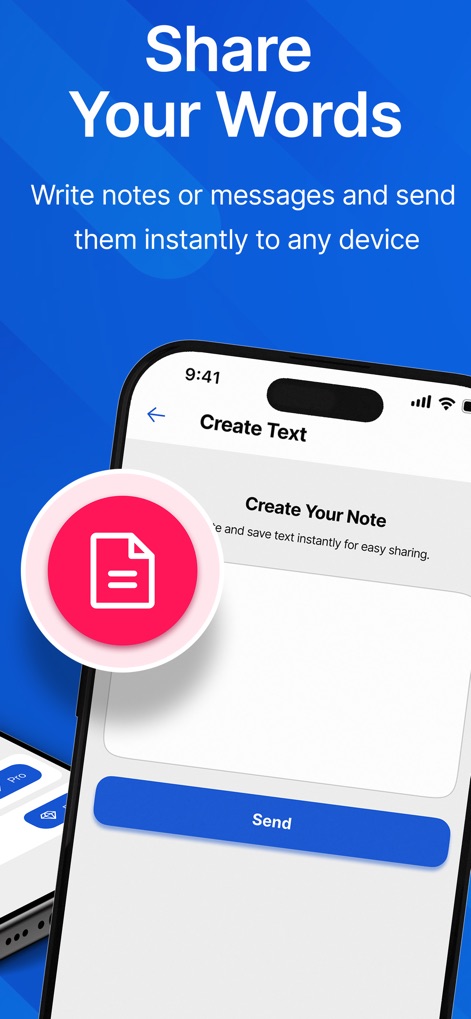
This view showcases the dedicated 'Create Your Note' field for composing messages, enabling instant dispatch with a clear 'Send' button.
Direct Text Sharing
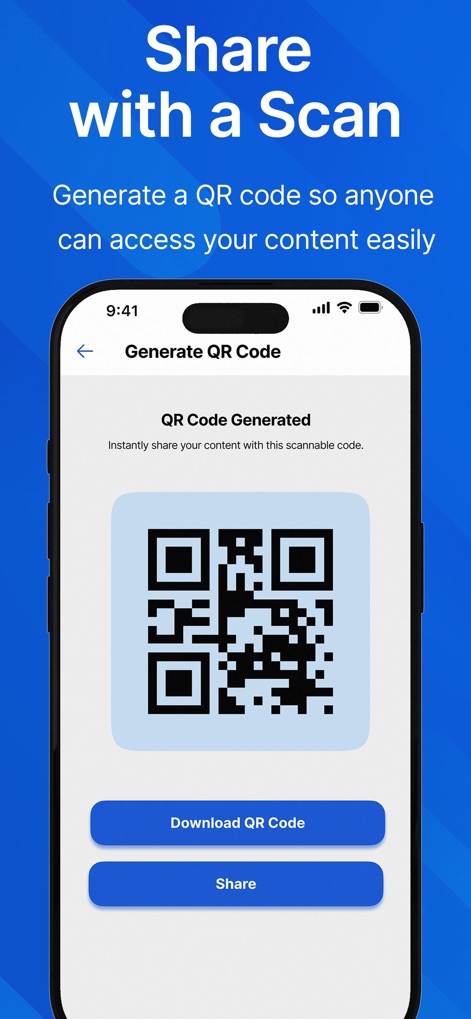
The tool generates a unique QR code for easy content access, providing options to 'Download QR Code' and share it directly.
QR Code Sharing
Description
Download
More Like This
Top-ranked apps in the same category

ChatGPT
OpenAI OpCo, LLC

Google Gemini
Google LLC

Grok
X.AI Corporation

Gmail - Email by Google
Google LLC

千问 - 阿里最强大模型官方AI助手
Shanghai Zhixin Puhui Technology Co., Ltd.

Google Drive
Google LLC

Microsoft Authenticator
Microsoft Corporation

Google Sheets
Google LLC

Google Docs
Google LLC
This page is not an official page of the app or its developer, but an independent editorial publication created for informational and commentary purposes. Unless expressly stated otherwise, neither the app nor its developer is affiliated with, endorsed by, sponsored by, authorized by, or otherwise officially connected with MWM, Apple, Google Play, the app publisher, or the app's developer, and nothing on this page implies that the app was developed using MWM's services. Any trademarks, logos, screenshots, and other content remain the property of their respective owners.