
This page is not an official page of the app or its developer, but an independent editorial publication created for informational and commentary purposes. Unless expressly stated otherwise, neither the app nor its developer is affiliated with, endorsed by, sponsored by, authorized by, or otherwise officially connected with MWM, Apple, Google Play, the app publisher, or the app's developer, and nothing on this page implies that the app was developed using MWM's services. Any trademarks, logos, screenshots, and other content remain the property of their respective owners.

Parakey
Unlock your office, gym, and parking garage with a single tap. Ditch the physical fobs and experience the magic of frictionless, offline access designed for your modern, hybrid lifestyle.
Downloads
394K+User Rating
Total Ratings
200Publisher
Category
ProductivityLocales
3Latest Version
8.7.4Size
22.9 MBFirst Released
Sep 3, 2016Your Smartphone is the Only Key You Need
Streamline your daily routine by replacing physical fobs and entry cards with a secure, all-in-one digital key that works everywhere you go.
Seamless Proximity Access
Forget scrolling through lists. The app automatically detects the doors you’re near, letting you unlock your space with a single tap or NFC scan.
Reliable Offline Entry
No signal? No problem. Access parking garages, basements, and stairwells without an internet connection thanks to secure Bluetooth technology.
Frequently Asked Questions
Everything you need to know about Parakey
What is the Parakey app?
Parakey is an app that transforms your smartphone into a digital key for locked spaces like offices, parking garages, and gyms. It eliminates the need for physical keys, fobs, or entry cards.
How does the Parakey app unlock doors?
Parakey unlocks doors by allowing users to tap their phone on a Parakey NFC sticker or by pressing the lock's name directly within the app. It supports unlocking even without internet access.
Can I use Parakey to unlock doors without internet access?
Yes, Parakey allows users to unlock spaces even without an active internet connection. The app is designed to function independently once access permissions are configured.
What are the system requirements for the Parakey app?
To use Parakey, the locked areas must have Parakey-devices installed. Users require an invitation from an administrator, and an iPhone 6s or greater running iOS 15.0 or greater is necessary.
Does Parakey automatically detect nearby doors?
Yes, Parakey automatically detects doors you are close to and have access to. This feature simplifies the unlocking process by presenting relevant options without extensive scrolling.
Does the Parakey app support lock screen widgets?
Yes, Parakey offers widgets that users can add to their lock screen. These widgets provide quick access to open the app or activate the NFC reader for unlocking functions.
How do I get access to a locked space using Parakey?
Access to locked spaces via Parakey requires an invitation from an administrator. An administrator must invite you to create an account and log in to gain user access.
Can I view my accessible locations within the Parakey app?
Yes, the Parakey app includes a "Places" tab where users can view all locations and specific doors they have been granted access to, organized by category.
The following screenshots and description are sourced directly from the app's official store listing and are the property of the app developer.
App Store
Screenshots
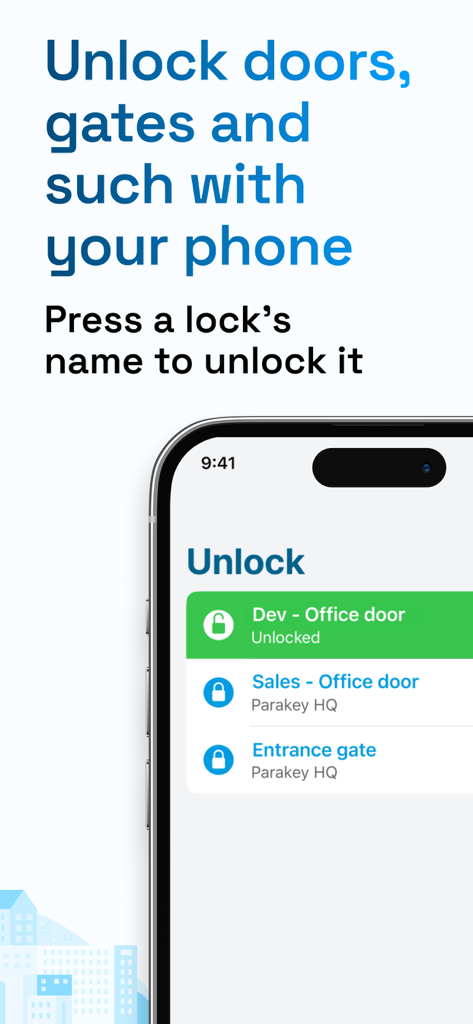
Parakey app interface showing digital keys for office doors and entrance gates on a smartphone
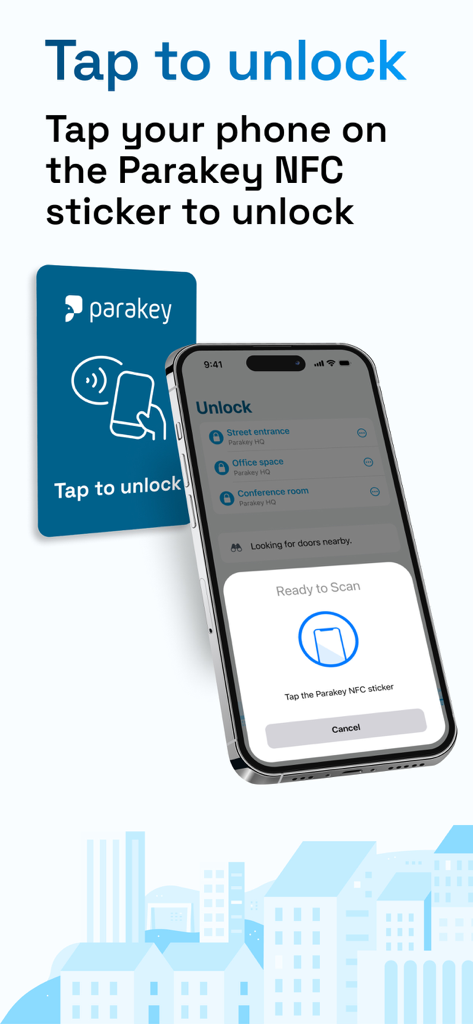
iPhone showing the Parakey app with a prompt to tap an NFC sticker to unlock a door.
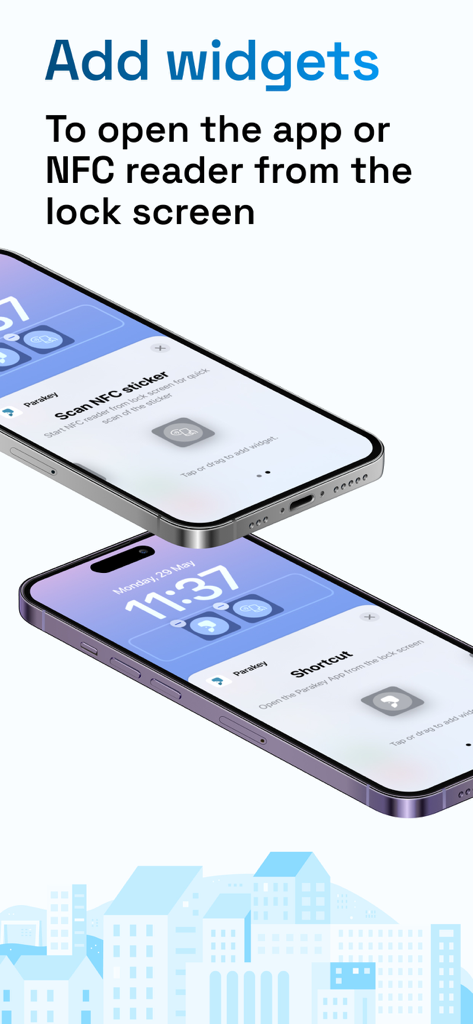
Two iPhones displaying Parakey lock screen widgets for NFC scanning and app shortcuts
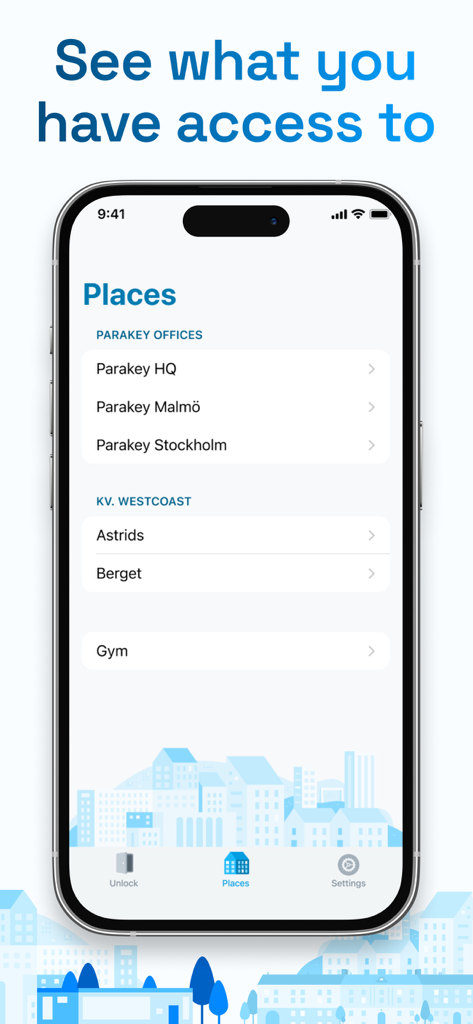
A smartphone displaying the Parakey app's Places screen listing several accessible locations like offices and a gym.
Description
Download
More Like This
Apps with similar features and user experience

Avigilon Alta Open
OpenPath Security, Inc.

Kisi
KISI Incorporated
UniFi Endpoint
Ubiquiti Inc.

HID Mobile Access
HID Global Corporation

Unloc.
UNLOC AS

해피 파킹 - 스마트 방문 차량 예약 앱
Bn industry co.,ltd

OpenKey
OPENKEY, INC.

Okul Güvenliği
Egemen Gultekin

Salto KS
Salto CloudWorks B.V.
This page is not an official page of the app or its developer, but an independent editorial publication created for informational and commentary purposes. Unless expressly stated otherwise, neither the app nor its developer is affiliated with, endorsed by, sponsored by, authorized by, or otherwise officially connected with MWM, Apple, Google Play, the app publisher, or the app's developer, and nothing on this page implies that the app was developed using MWM's services. Any trademarks, logos, screenshots, and other content remain the property of their respective owners.