Passport Photo Grid
Passport Photo Grid
Download on App Store

This page is not an official page of the app or its developer, but an independent editorial publication created for informational and commentary purposes. Unless expressly stated otherwise, neither the app nor its developer is affiliated with, endorsed by, sponsored by, authorized by, or otherwise officially connected with MWM, Apple, Google Play, the app publisher, or the app's developer, and nothing on this page implies that the app was developed using MWM's services. Any trademarks, logos, screenshots, and other content remain the property of their respective owners.

Logo of Passport Photo Grid
Download on App Store

Passport Photo Grid

Skip the retail lines and expensive studios. Take total control of your look with unlimited retakes and customizable grids for passports, visas, and official documents for the whole family.

Key Figures

Downloads

200

User Rating

5.0/5

Total Ratings

0

Publisher

Eden Matana

Category

Photo & Video

Locales

12

Latest Version

2.2

Size

3.6 MB

First Released

Dec 11, 2024
Features

Your Perfect ID Photo, Created at Home

Save time and skip the pharmacy lines. Design, edit, and print professional-grade passport grids with full control over your lighting and look.

Unlimited Retakes

Don't settle for a bad photo for the next ten years. Take as many shots as you need until you look professional and presentable.

Family-Ready Layouts

Choose between 4, 6, or 8 photos per grid. Perfect for managing multiple travel documents or visas for the entire household at once.

The following screenshots and description are sourced directly from the app's official store listing and are the property of the app developer.

App Store

Screenshots
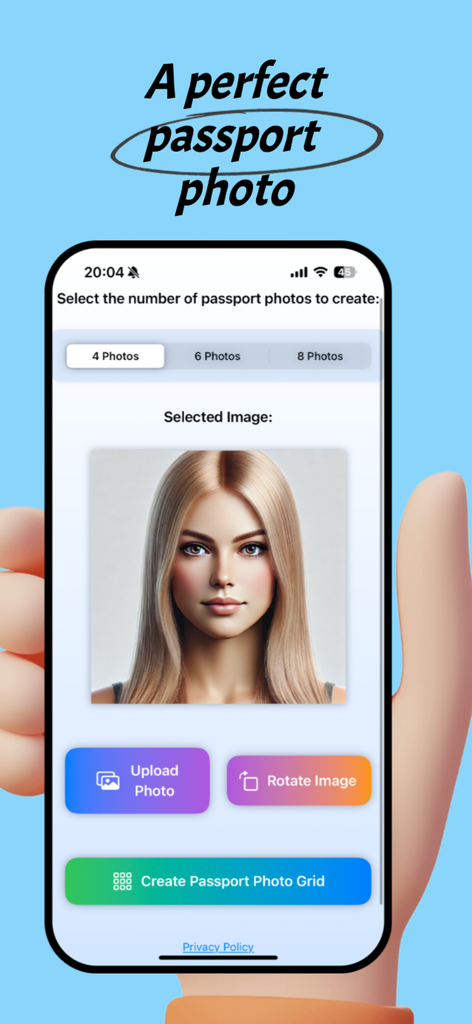
Passport Photo Grid - Interface of the Passport Photo Grid app on an iPhone showing photo editing and grid selection options.
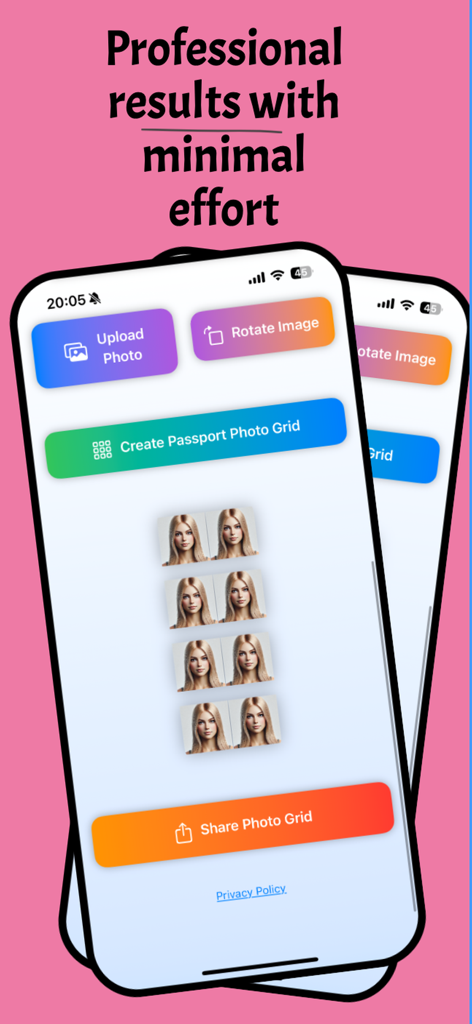
Interface of the Passport Photo Grid app on an iPhone showing photo editing and grid selection options.

Passport Photo Grid - Smartphone screen showing the Passport Photo Grid app interface with a generated grid of eight passport photos and editing options.
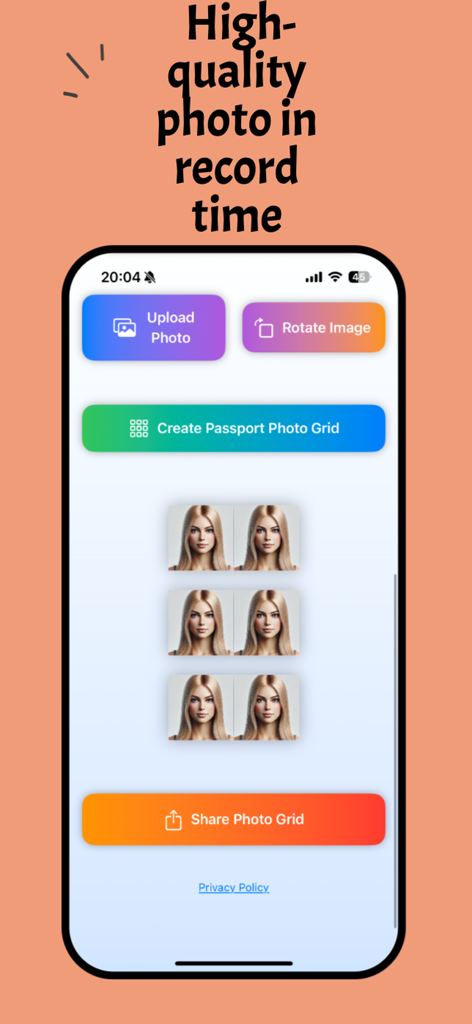
Smartphone screen showing the Passport Photo Grid app interface with a generated grid of eight passport photos and editing options.

Passport Photo Grid - Interface of Passport Photo Grid app displaying a six photo grid on an iPhone

Interface of Passport Photo Grid app displaying a six photo grid on an iPhone

Description

Passport Photo Creator: Create Perfect Passport Photos Anytime, Anywhere Passport Photo Creator simplifies the process of creating professional-quality passport photos. Whether for travel, work, or official documents, this app is your all-in-one solution, saving you time and money. Key Features: Customizable Layouts: Choose from 4, 6, or 8 photos per grid. Photo Editing Tools: Effortlessly upload, rotate, and adjust your photo. High-Quality Output: Ready for printing or sharing in seconds. Easy Sharing: Save or instantly share your completed photo grid. Subscription Information: Enjoy full access with a 7-day free trial: Subscription Name: "Monthly Subscription with 7-Day Free Trial." Price: $14.99 per month. Features: Unlimited access to all app features. Renewal: The subscription automatically renews monthly unless canceled. Management: Cancel anytime through your Apple account settings. Note: Without an active subscription, app access will be limited after the trial period ends. What You Get with the Subscription: Unlimited photo creations and edits. No feature restrictions during the subscription period. Seamless user experience for professional results. End User License Agreement (EULA): Your license to use Passport Photo Creator is: Non-exclusive, non-transferable, and revocable. For personal and non-commercial use only. Restricted from copying, modifying, distributing, or selling any part of the app. https://sites.google.com/view/pasport119911/home https://www.apple.com/legal/internet-services/itunes/dev/stdeula/ The app is provided "as is" without warranty. The developers are not liable for damages resulting from app usage. These terms are governed by the laws of Israel, with disputes resolved in Tel Aviv courts. Users are responsible for ensuring the app meets their country's requirements. Privacy & Security: Your privacy is our top priority: Photos and personal data are securely stored and not shared with third parties. For details, see our Privacy Policy: https://sites.google.com/view/pasport119911/home FAQs: How does the 7-day free trial work? Enjoy unlimited access to all features for 7 days at no cost. Afterward, your subscription begins automatically unless canceled. How can I cancel my subscription? Go to Settings > Your Name > Subscriptions and select "Monthly Subscription with 7-Day Free Trial" to cancel. What happens if I cancel during the trial period? You won't be charged, and you'll retain access to the app until the trial period ends. Can I use the app without a subscription? No, a subscription is required after the 7-day trial to continue using the app. Terms of Use: By using Passport Photo Creator, you agree to the Terms of Use and Privacy Policy: https://sites.google.com/view/pasport119911/home Customer Support: For questions or feedback, contact us: Email: matanaeden@gmail.com We’re here to assist and ensure the best experience for you. Important Notes: Subscriptions auto-renew unless canceled at least 24 hours before the trial ends. Payment will be charged to your Apple account at the end of the trial period. Manage your subscription through Apple account settings. Start creating professional passport photos today with Passport Photo Creator. Skip the studio and enjoy the convenience of designing from the comfort of your home!

Download

Download on App Store

This page is not an official page of the app or its developer, but an independent editorial publication created for informational and commentary purposes. Unless expressly stated otherwise, neither the app nor its developer is affiliated with, endorsed by, sponsored by, authorized by, or otherwise officially connected with MWM, Apple, Google Play, the app publisher, or the app's developer, and nothing on this page implies that the app was developed using MWM's services. Any trademarks, logos, screenshots, and other content remain the property of their respective owners.








