
This page is not an official page of the app or its developer, but an independent editorial publication created for informational and commentary purposes. Unless expressly stated otherwise, neither the app nor its developer is affiliated with, endorsed by, sponsored by, authorized by, or otherwise officially connected with MWM, Apple, Google Play, the app publisher, or the app's developer, and nothing on this page implies that the app was developed using MWM's services. Any trademarks, logos, screenshots, and other content remain the property of their respective owners.

PDF Converter: File & Photo
The ultimate productivity tool for busy professionals and students. Effortlessly convert photos, web pages, and files into secure, organized PDFs—anytime, anywhere.
Downloads
7K+User Rating
Total Ratings
100Publisher
Category
ProductivityLocales
1Latest Version
1.0.6Size
87.6 MBFirst Released
Oct 28, 2025Your Professional Mobile Document Studio
The all-in-one PDF solution designed for high-productivity professionals and students who need to scan, merge, and secure documents on the move.
Bank-Grade Security
Protect sensitive contracts, tax records, and private information by adding custom passwords to your PDF files instantly.
Smart File Merging
Combine photos, web pages, and documents into a single professional report, perfect for expense filing and academic submissions.
Frequently Asked Questions
Everything you need to know about PDF Converter: File & Photo
What is PDF Converter: File & Photo?
PDF Converter: File & Photo is a versatile application for simplifying PDF management and enhancing data security. It allows users to set passwords, manage pages, merge, export, and share PDF documents.
Can I protect my PDF files with a password using PDF Converter: File & Photo?
Yes, PDF Converter: File & Photo allows users to set passwords on individual files. This feature ensures sensitive information remains protected within the application.
What are the subscription options for PDF Converter: File & Photo?
PDF Converter: File & Photo offers auto-renewable subscriptions including weekly ($4.99), monthly ($12.99), yearly ($39.99), and a one-time lifetime purchase ($59.99).
How can I convert files into PDF format with PDF Converter: File & Photo?
The PDF Converter: File & Photo app supports file selection from various sources like gallery, camera, file manager, websites, and other applications to convert them into PDF format.
Does PDF Converter: File & Photo allow merging multiple documents?
Yes, PDF Converter: File & Photo enables users to seamlessly merge multiple files into a single PDF document. This feature helps in organizing various documents efficiently.
Can I share documents created or managed with PDF Converter: File & Photo?
Yes, PDF Converter: File & Photo allows users to export and share documents effortlessly after creation or management. This streamlines the distribution of files.
How does PDF Converter: File & Photo handle document history?
PDF Converter: File & Photo keeps a history of all converted files. This feature enables quick access to previously processed documents and provides the option to delete unnecessary files.
Can I edit existing PDF documents in PDF Converter: File & Photo?
Yes, PDF Converter: File & Photo offers page management features for editing PDFs, including options to rotate, crop, sign, add text, or use a pencil tool within the document.
What is the privacy policy for PDF Converter: File & Photo?
The privacy policy for PDF Converter: File & Photo is available at the provided link: https://docs.google.com/document/d/1hOlcfnrHXQHGafp9KbY32PLAvumz7EVjTBft3VRnamE/edit?tab=t.0.
Does PDF Converter: File & Photo support scanning physical documents?
Yes, PDF Converter: File & Photo includes a feature to scan documents. Users can scan single or several pages to convert them into digital format within the app.
The following screenshots and description are sourced directly from the app's official store listing and are the property of the app developer.
App Store
Screenshots
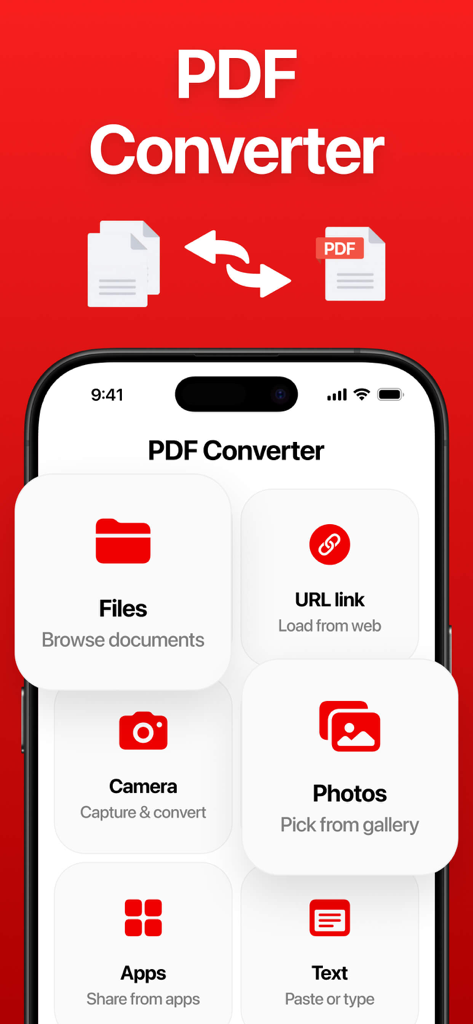
Main dashboard of the PDF Converter app showing options to convert from files, photos, URLs, and camera
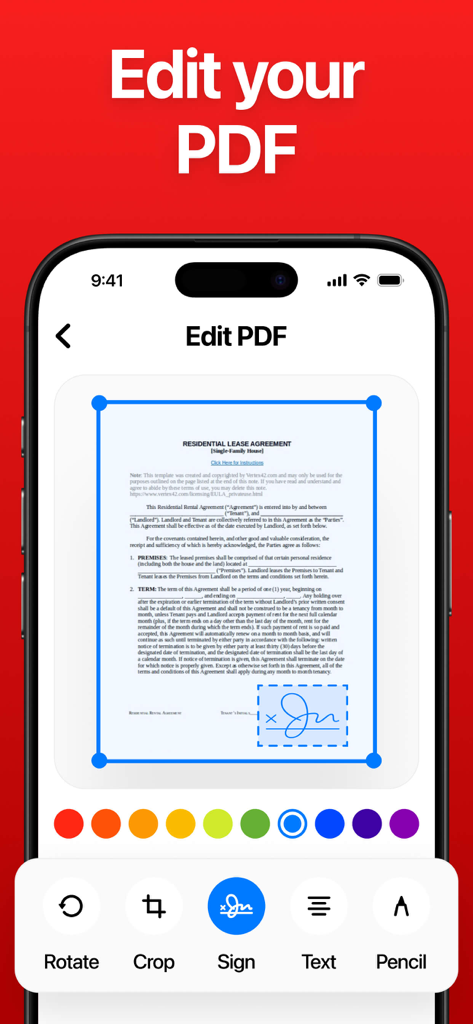
A mobile app interface displaying a PDF editor with options to sign, crop, and add text to a lease agreement document.
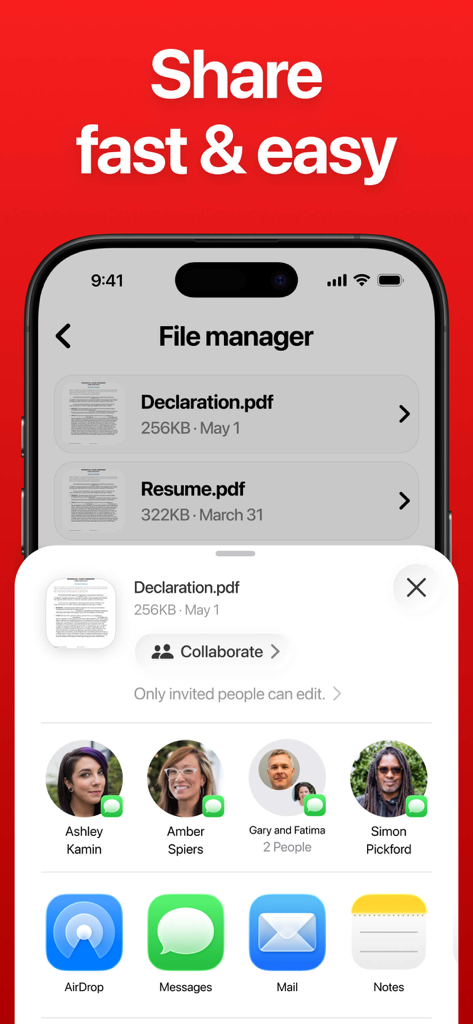
Mobile app interface showing options to share and collaborate on PDF files through AirDrop, Messages, and Mail.
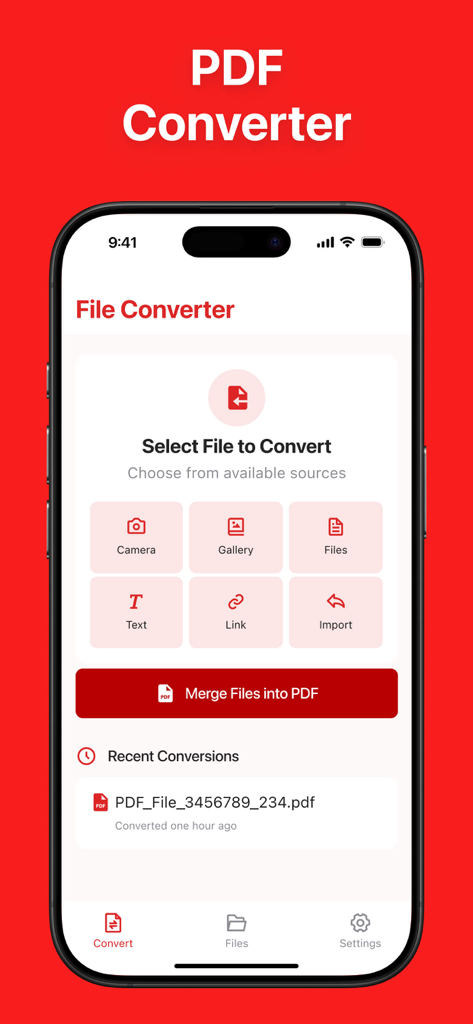
Main interface of PDF Converter app showing various options to convert files from camera gallery and web links
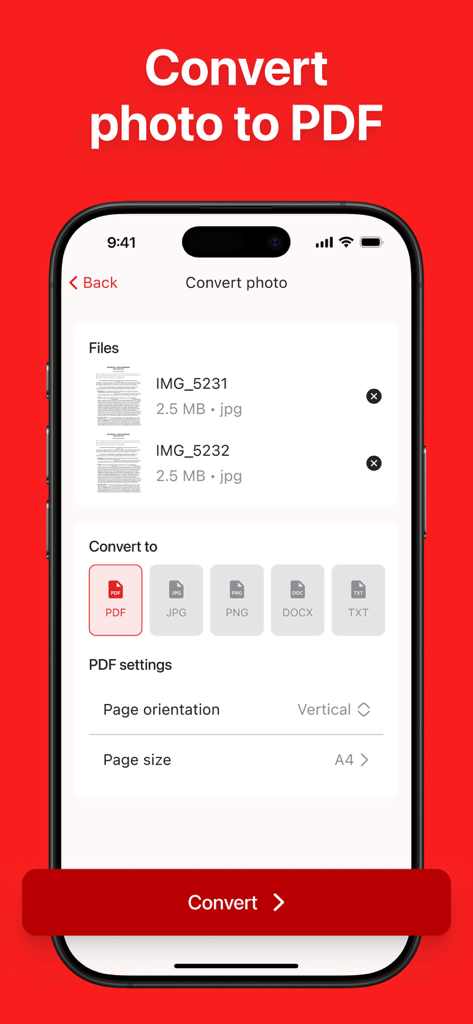
Mobile app interface showing the process of converting multiple JPG images into a PDF with custom page size and orientation settings.
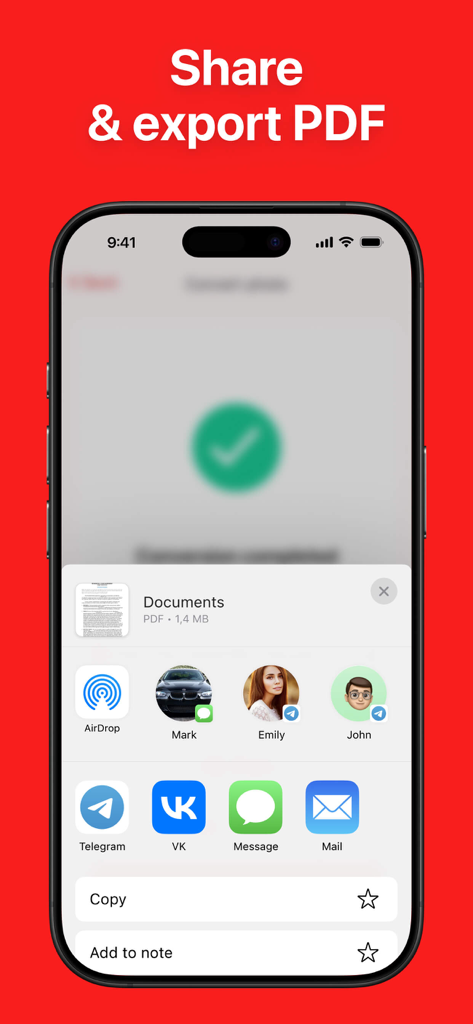
A mobile app interface showing the share and export options for a PDF document on an iPhone
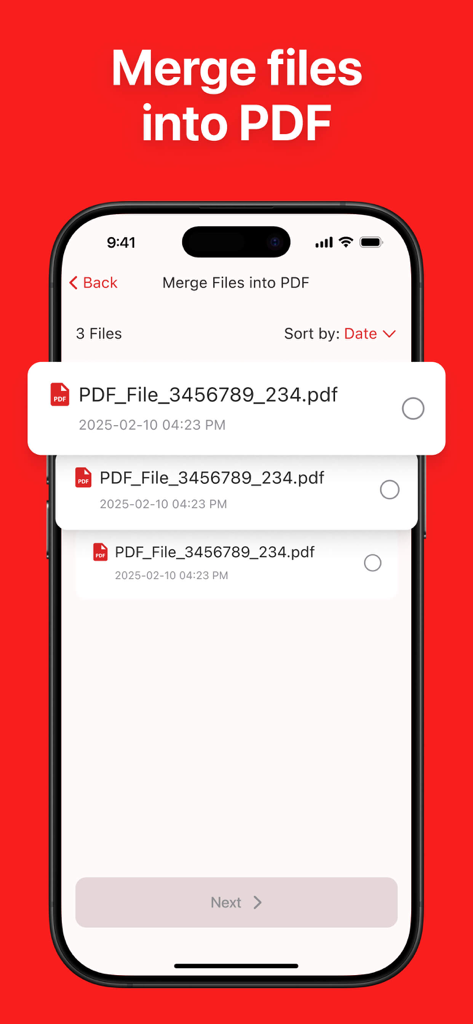
A mobile app interface showing a list of documents selected to be merged into a single PDF file
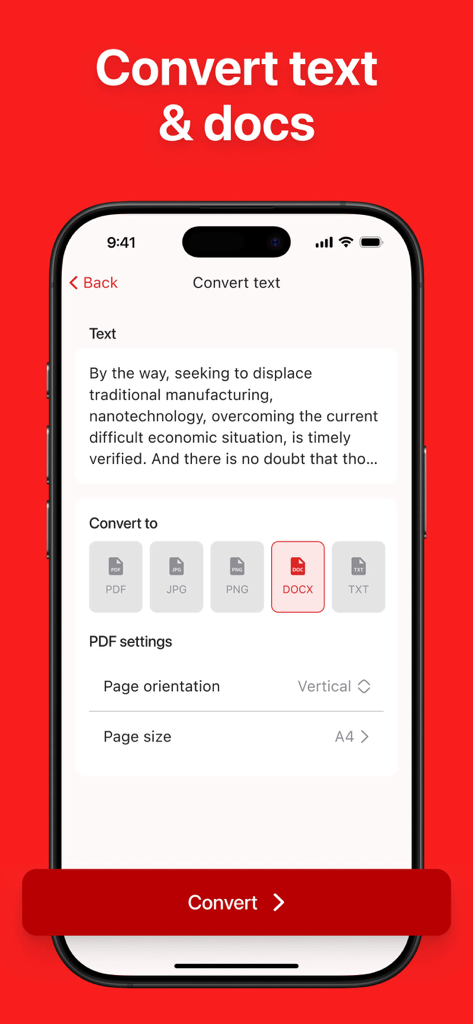
Mobile app interface showing the process of converting raw text into various document formats like DOCX and PDF with customizable page settings.
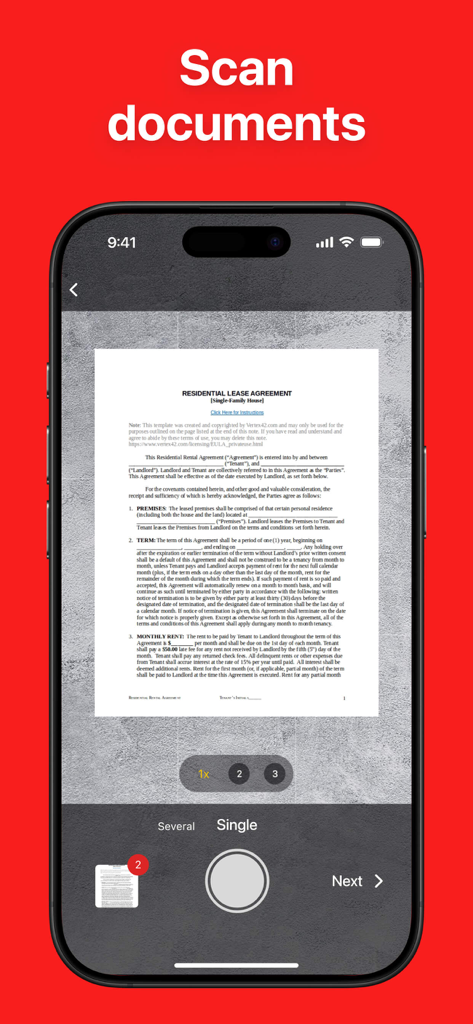
A mobile interface scanning a residential lease agreement document to convert it into a PDF
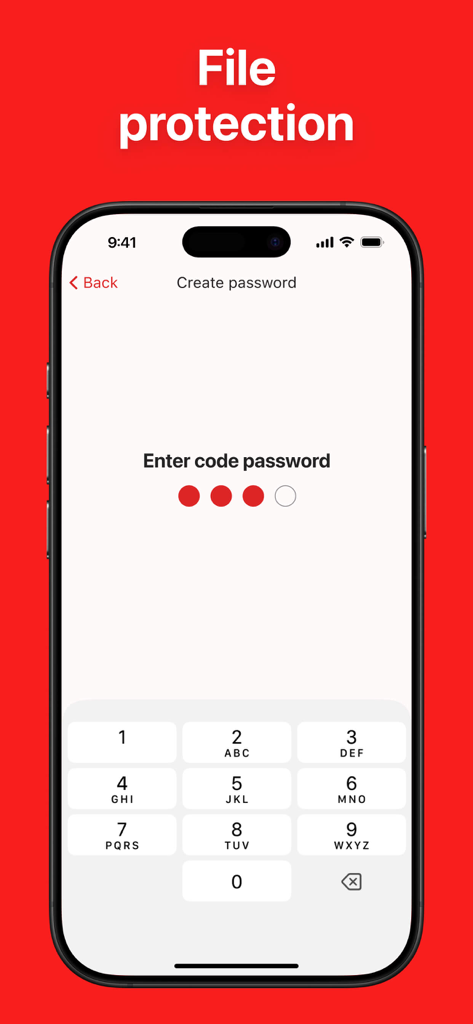
A mobile phone screen displaying the password protection setup for securing PDF files.
Description
Download
More Like This
Top-ranked apps in the same category

ChatGPT
OpenAI OpCo, LLC

Google Gemini
Google LLC

Grok
X.AI Corporation

Gmail - Email by Google
Google LLC

千问 - 阿里最强大模型官方AI助手
Shanghai Zhixin Puhui Technology Co., Ltd.

Google Drive
Google LLC

Microsoft Authenticator
Microsoft Corporation

Google Sheets
Google LLC

Google Docs
Google LLC
This page is not an official page of the app or its developer, but an independent editorial publication created for informational and commentary purposes. Unless expressly stated otherwise, neither the app nor its developer is affiliated with, endorsed by, sponsored by, authorized by, or otherwise officially connected with MWM, Apple, Google Play, the app publisher, or the app's developer, and nothing on this page implies that the app was developed using MWM's services. Any trademarks, logos, screenshots, and other content remain the property of their respective owners.