PenToPrint Handwriting to PDF
Download on App Store

This page is not an official page of the app or its developer, but an independent editorial publication created for informational and commentary purposes. Unless expressly stated otherwise, neither the app nor its developer is affiliated with, endorsed by, sponsored by, authorized by, or otherwise officially connected with MWM, Apple, Google Play, the app publisher, or the app's developer, and nothing on this page implies that the app was developed using MWM's services. Any trademarks, logos, screenshots, and other content remain the property of their respective owners.

Logo of PenToPrint Handwriting to PDF
Download on App Store

PenToPrint Handwriting to PDF

The ultimate OCR bridge for analog thinkers. Instantly convert paper notes into searchable digital archives while preserving your original layout and unique handwriting style.

Key Figures

Downloads

800

User Rating

4.4/5

Total Ratings

0

Publisher

Serandi systems LTD

Category

Productivity

Locales

1

Latest Version

1.02

Size

34.2 MB

First Released

Nov 6, 2024
Features

Master Your Analog-to-Digital Workflow

Experience the ultimate bridge between pen and paper and your digital second brain. Scan, convert, and organize your thoughts with ease.

Smart Search Capabilities

Find exactly what you need in seconds. Our OCR turns your handwriting into a searchable database, making manual browsing a thing of the past.

Original Layout Preservation

Keep the soul of your notes. We digitize your text while maintaining the authentic look and feel of your unique handwriting and sketches.

The following screenshots and description are sourced directly from the app's official store listing and are the property of the app developer.

App Store

Screenshots
PenToPrint Handwriting to PDF - Handwriting to PDF conversion feature to make handwritten notes searchable
Handwriting to PDF conversion feature to make handwritten notes searchable

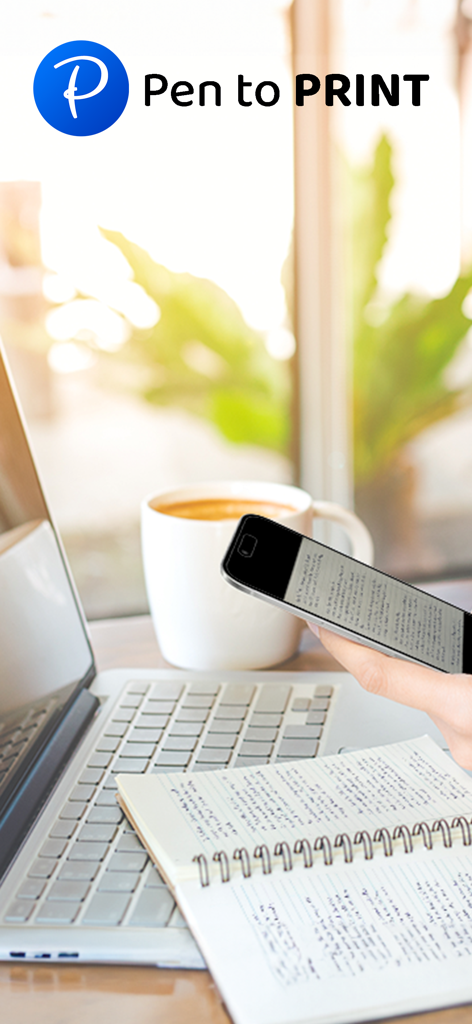
PenToPrint Handwriting to PDF - A person using a smartphone to scan handwritten notes in a notebook on a desk next to a laptop and coffee
A person using a smartphone to scan handwritten notes in a notebook on a desk next to a laptop and coffee

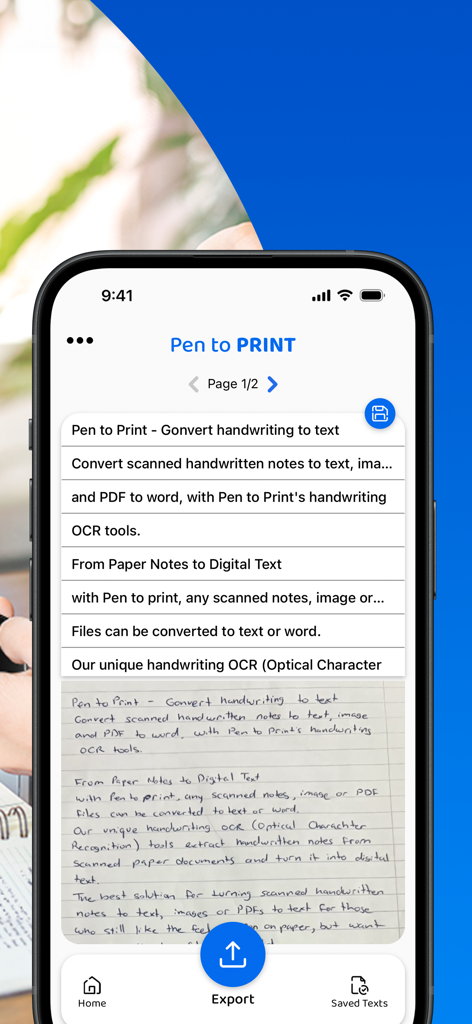
PenToPrint Handwriting to PDF - Interface of PenToPrint app showing handwritten notes converted into digital text lines on a mobile screen
Interface of PenToPrint app showing handwritten notes converted into digital text lines on a mobile screen

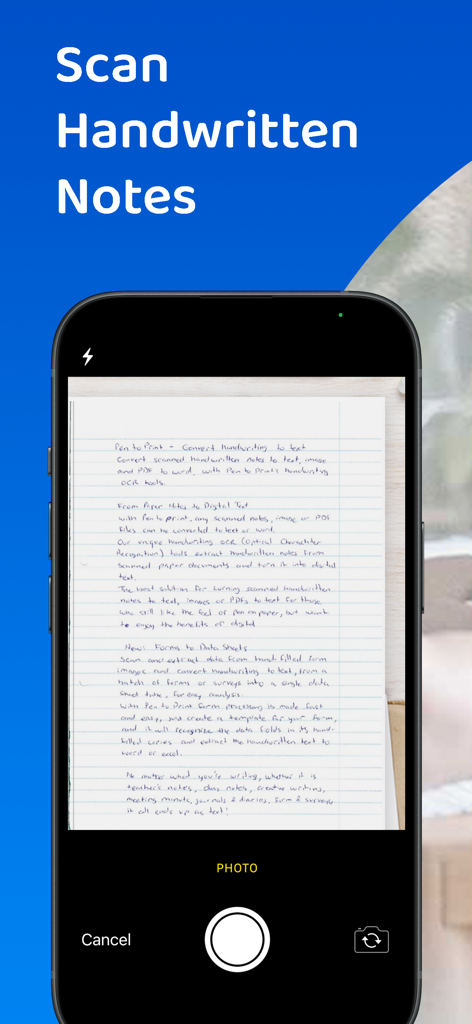
PenToPrint Handwriting to PDF - Smartphone scanning handwritten paper notes with the PenToPrint app interface
Smartphone scanning handwritten paper notes with the PenToPrint app interface

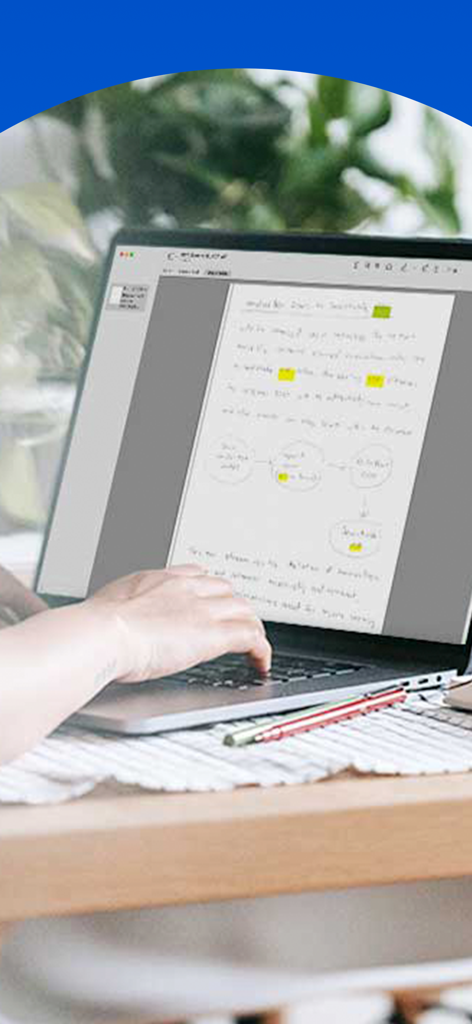
PenToPrint Handwriting to PDF - Digitized handwritten notes with highlights and diagrams displayed on a laptop screen
Digitized handwritten notes with highlights and diagrams displayed on a laptop screen

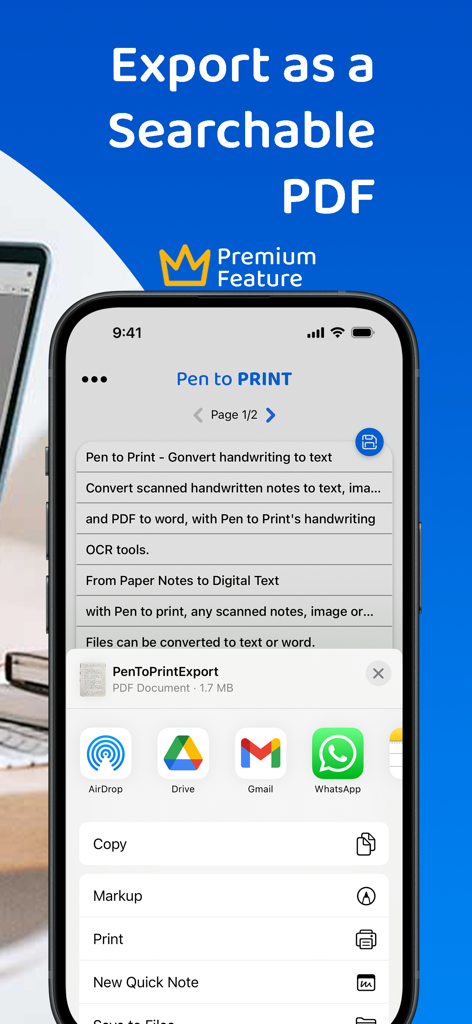
PenToPrint Handwriting to PDF - An iPhone screen displaying the PenToPrint app with the share menu open to export a handwritten document as a searchable PDF.
An iPhone screen displaying the PenToPrint app with the share menu open to export a handwritten document as a searchable PDF.

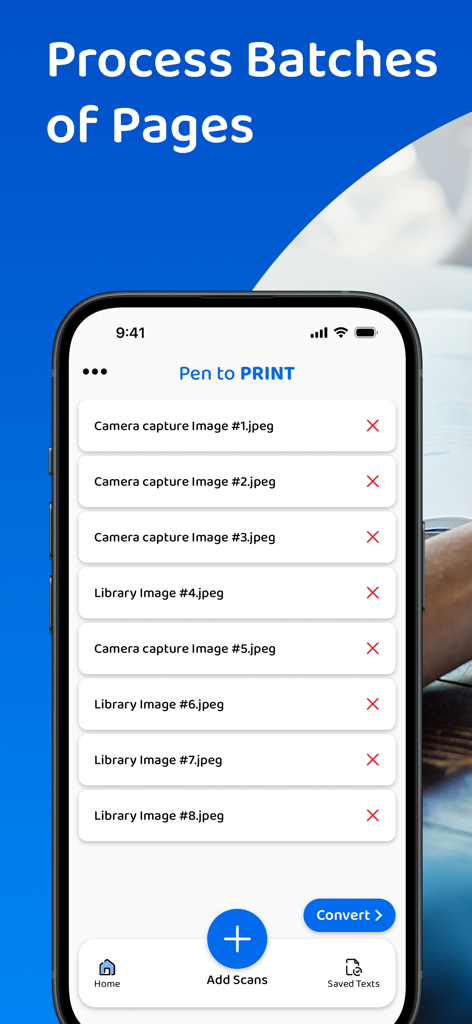
PenToPrint Handwriting to PDF - A mobile interface of PenToPrint app showing a list of multiple scanned images ready to be processed in batches for conversion to PDF.

A mobile interface of PenToPrint app showing a list of multiple scanned images ready to be processed in batches for conversion to PDF.

PenToPrint Handwriting to PDF - A person using a smartphone to scan handwritten notes from a notebook for digital conversion to a searchable PDF.
A person using a smartphone to scan handwritten notes from a notebook for digital conversion to a searchable PDF.

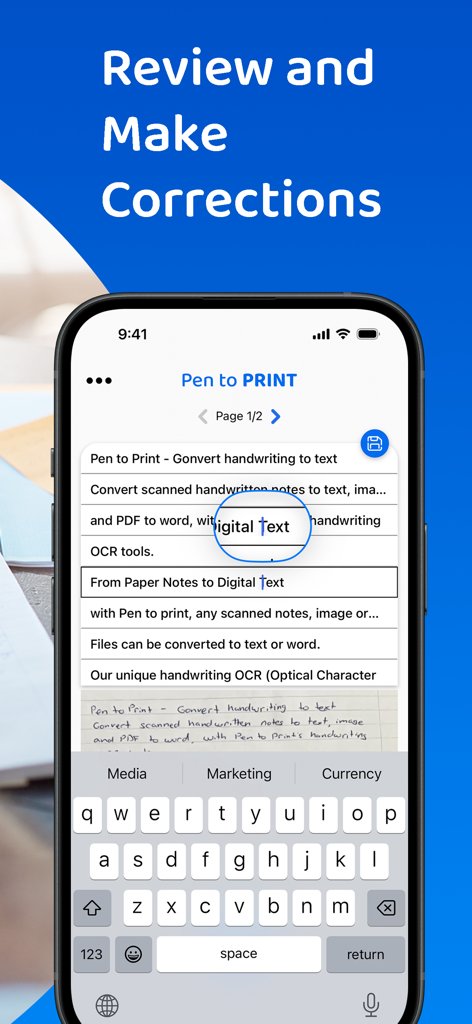
PenToPrint Handwriting to PDF - Interface for reviewing and correcting handwritten notes converted to digital text

Interface for reviewing and correcting handwritten notes converted to digital text

Description

Pen to Print - Convert scanned handwritten images to PDF and make your notes searchable. Pen to Print's Searchable PDF maker is designed to effortlessly transform scanned handwritten notes to a searchable PDF using OCR. It easily converts scanned images into fully searchable PDF documents, digitizing the scanned handwriting to text. Its advanced OCR technology, accurately recognizes and converts handwriting to text, enabling users to easily transform their scanned images to PDF and allow them to search, highlight, and extract information from their scanned handwritten notes. This OCR app preserves the authenticity of scanned handwritten notes with its original layout and unique handwriting, while providing the convenience of digital search capabilities, making a huge leap in the efficiency of document management with a quick and easy access to relevant information within the converted texts. The Pen to Print searchable PDF maker offers many advantages, transforming the way users interact with handwritten content. One of its key strengths lies in the significant time efficiency it brings to document management. By converting handwritten images to PDF with the precision of Pen to Print’s OCR technology, users can swiftly locate specific information within the handwritten text, eliminating the need for laborious manual searches. Enhanced accessibility is another notable advantage, allowing users to access their documents from any device at any time, fostering flexibility in a fast-paced digital environment. The preservation of scanned handwritten notes, from image to PDF, in a searchable format, strikes a harmonious balance between tradition and modern efficiency, and boosts productivity while preserving the authenticity of the original handwritten scanned notes. We welcome all feedback and are always happy to hear from our users. If you like our app, an app review will be well appreciated :-) If you encounter a problem, please contact us at: contact@serendi.me, so we can provide you assistance and support. For more information and online OCR tools, visit our website: https://www.pen-to-print.com Download Pen to Print now, and start converting your handwriting to text! The Yearly Plan and Monthly Plan are auto-renewing subscriptions, providing an unlimited amount of text exports for a year/a month respectively, therefore: Payment will be charged to iTunes Account at confirmation of purchase. Subscription automatically renews unless auto-renew is turned off at least 24 hours before the end of the current period. Account will be charged for renewal within 24 hours prior to the end of the current period, and identify the cost of the renewal. Subscriptions may be managed by the user and auto-renewal may be turned off by going to the user's Account Settings after purchase. Any unused portion of a free trial period, if offered, will be forfeited when the user purchases a subscription to that publication, where applicable. Check out the user terms of use at: https://www.apple.com/legal/internet-services/itunes/dev/stdeula, and our privacy policy: https://www.pen-to-print.com/privacy

Download

Download on App Store

This page is not an official page of the app or its developer, but an independent editorial publication created for informational and commentary purposes. Unless expressly stated otherwise, neither the app nor its developer is affiliated with, endorsed by, sponsored by, authorized by, or otherwise officially connected with MWM, Apple, Google Play, the app publisher, or the app's developer, and nothing on this page implies that the app was developed using MWM's services. Any trademarks, logos, screenshots, and other content remain the property of their respective owners.








