PenToPRINT Handwriting to Text
Download on App Store

This page is not an official page of the app or its developer, but an independent editorial publication created for informational and commentary purposes. Unless expressly stated otherwise, neither the app nor its developer is affiliated with, endorsed by, sponsored by, authorized by, or otherwise officially connected with MWM, Apple, Google Play, the app publisher, or the app's developer, and nothing on this page implies that the app was developed using MWM's services. Any trademarks, logos, screenshots, and other content remain the property of their respective owners.

Logo of PenToPRINT Handwriting to Text
Download on App Store

PenToPRINT Handwriting to Text

The ultimate handwriting OCR tool for students and professionals. Convert cursive, scripts, or print into editable Word documents and bridge the gap between paper and digital.

Key Figures

Downloads

765K+

User Rating

4.4/5

Total Ratings

4K+

Publisher

Serandi systems LTD

Category

Productivity

Locales

1

Latest Version

2.13

Size

31.2 MB

First Released

Nov 7, 2017
Features

Bridge the Gap Between Paper and Screen

Pen to Print empowers you to keep the tactile benefits of handwriting while gaining the searchability and shareability of digital text.

Decipher Cursive with Ease

Our specialized OCR engine reads messy scripts and cursive, saving you hours of manual re-typing from your favorite notebook.

Streamlined Digital Workflow

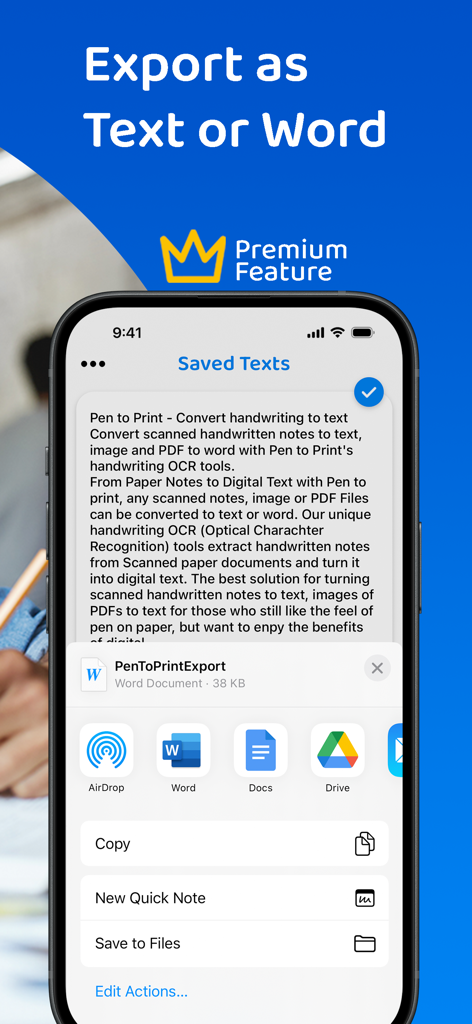
Export your converted text directly to Word or Email, integrating your handwritten insights into your professional or academic projects.

The following screenshots and description are sourced directly from the app's official store listing and are the property of the app developer.

App Store

Screenshots

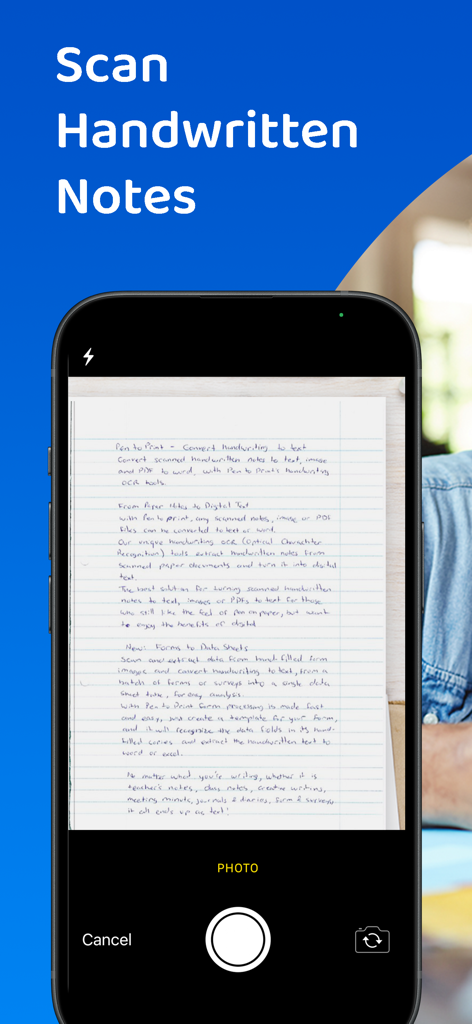
PenToPRINT Handwriting to Text - Blue screen with white text saying Convert Handwriting to Text
Blue screen with white text saying Convert Handwriting to Text

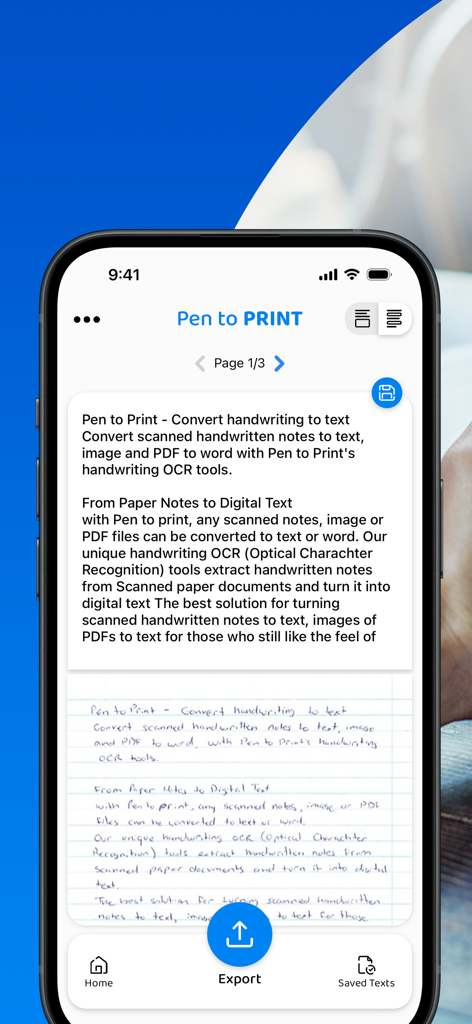
PenToPRINT Handwriting to Text - A smartphone screen showing the PenToPRINT app converting a handwritten note into editable digital text with an export option.
A smartphone screen showing the PenToPRINT app converting a handwritten note into editable digital text with an export option.

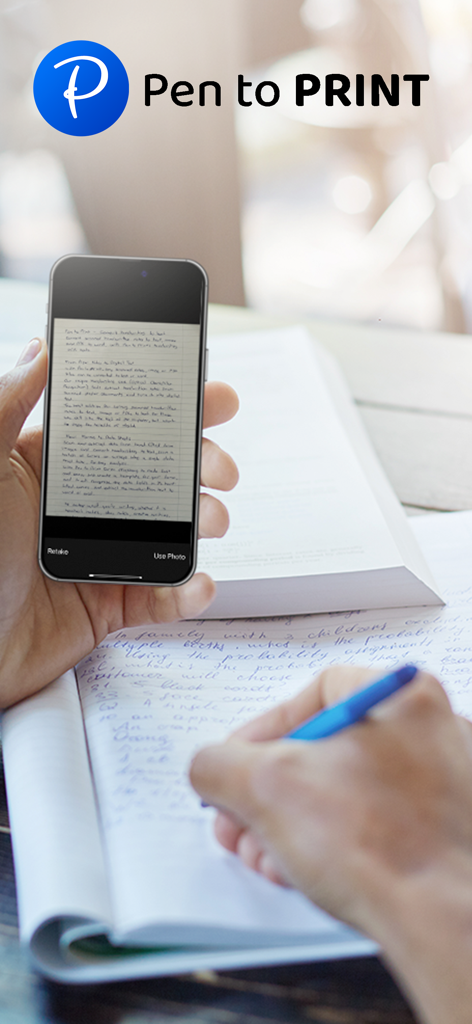
PenToPRINT Handwriting to Text - Person scanning handwritten notes with the Pen to Print app on a smartphone
Person scanning handwritten notes with the Pen to Print app on a smartphone

PenToPRINT Handwriting to Text - A smartphone interface scanning a handwritten document using the PenToPRINT OCR feature

A smartphone interface scanning a handwritten document using the PenToPRINT OCR feature

PenToPRINT Handwriting to Text - A student using a smartphone to digitize handwritten notes while studying
A student using a smartphone to digitize handwritten notes while studying

PenToPRINT Handwriting to Text - PenToPRINT app screen showing export options to Word and Google Docs
PenToPRINT app screen showing export options to Word and Google Docs

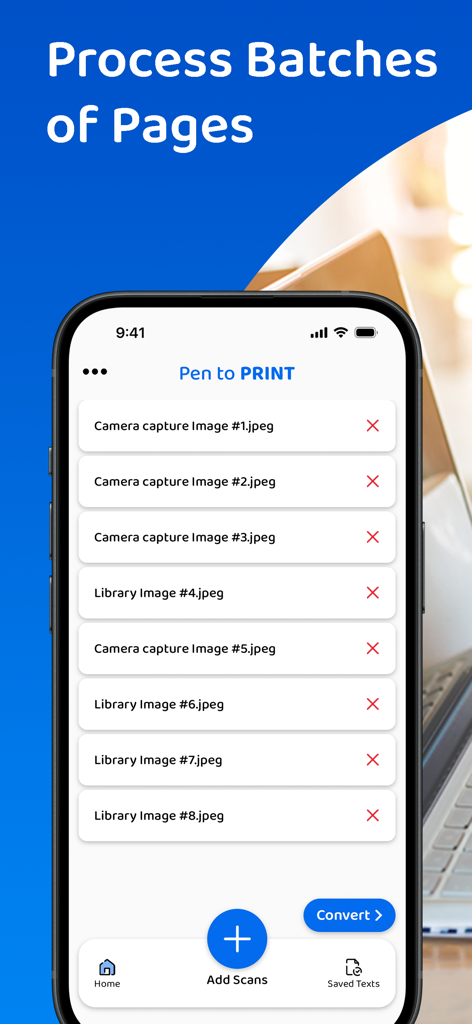
PenToPRINT Handwriting to Text - A mobile interface for the PenToPRINT app showing a batch list of scanned handwritten pages ready for conversion to digital text

A mobile interface for the PenToPRINT app showing a batch list of scanned handwritten pages ready for conversion to digital text

PenToPRINT Handwriting to Text - A person using a smartphone to scan handwritten notes from a spiral notebook
A person using a smartphone to scan handwritten notes from a spiral notebook

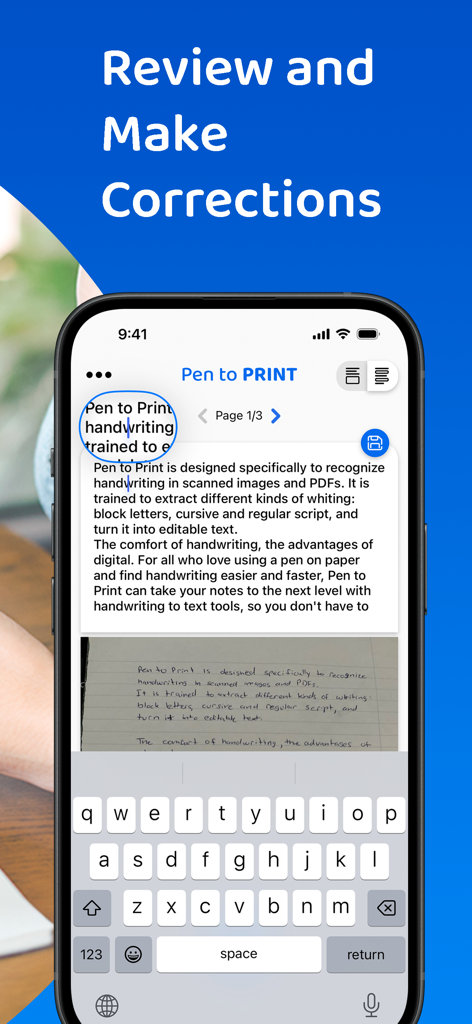
PenToPRINT Handwriting to Text - Interface of PenToPRINT app showing the feature to review and correct converted handwriting to digital text
Interface of PenToPRINT app showing the feature to review and correct converted handwriting to digital text

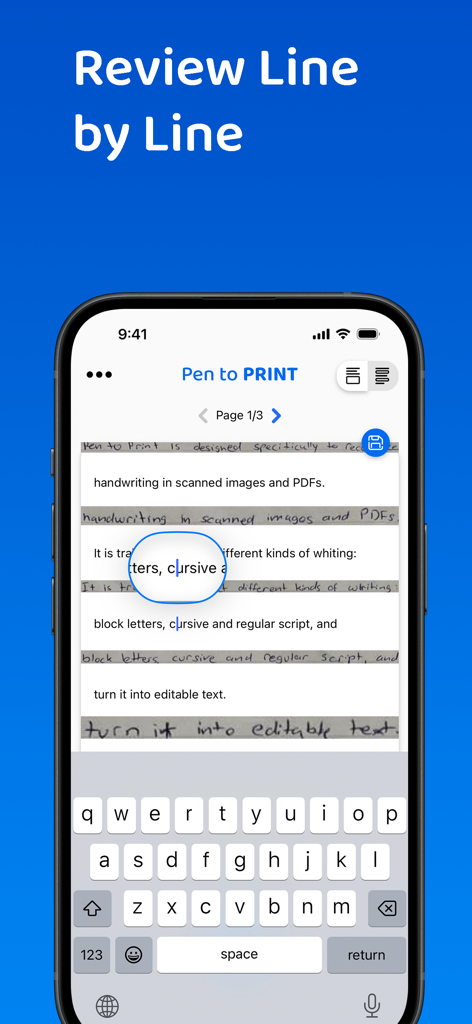
PenToPRINT Handwriting to Text - Smartphone showing the PenToPRINT app interface for reviewing and editing handwritten notes converted to digital text line by line.

Smartphone showing the PenToPRINT app interface for reviewing and editing handwritten notes converted to digital text line by line.

Description

Pen to Print, the leading handwriting to text OCR platform, is converting scanned handwritten notes into editable, searchable, and shareable digital text. Leveraging advanced Handwriting OCR (Optical Character Recognition) technology, Pen to Print is your go-to solution for digitizing handwritten notes, enhancing your productivity by bridging the gap between traditional handwriting and the digital world. Our unique handwriting to text OCR (Optical character recognition) engine extracts handwritten texts from scanned paper notes and turns them into digital editable text. Unlike other OCR scanner apps, it is designed specifically to recognize handwriting and works great as a cursive reader and deciphering illegible handwriting. Elevate your experience by opting for our premium plan, which allows you to export your text or share it effortlessly with others. With a premium subscription, you gain the flexibility to export your text in either txt or Word formats to any compatible applications on your device. Additionally, premium subscribers have the convenience of sharing their texts with others through email, messaging platforms, or social media networks. We suggest starting with assessing our handwriting recognition capability and the app's effectiveness in transforming handwriting to text before deciding to upgrade to the premium plan. Although Digital text is easier to edit, search and store, handwriting on paper notes is still commonly used, since it's fast, easy, and accessible. Pen to Print's handwriting recognition (OCR) is an excellent solution for those who still like the feel of pen on paper, but want to enjoy the benefits of digital. It is easy to use, fast and affordable. Converting handwriting to text with Pen to Print is a perfect solution for cursive reading and illegible writing, for students, for sharing meeting minutes, protocols, and other handwritten documents with multiple participants. Please note: The success of handwriting recognition relates directly to the quality of your scan. For best results scan your document in a well-lighted area, and make sure the paper is straightened and not folded or skewed. If unsuccessful, just try scanning again, it might make all the difference. The app currently supports Latin script only. Our handwriting recognition system can convert different kinds of handwriting to text: block letters, cursive, and regular script. Significant time and effort are invested in this app in order to provide an efficient quality handwriting to text OCR tool. We hope you find this app useful and enjoy using it to convert your handwritten notes to text. We welcome all feedback and are always happy to hear from our users. If you like our app, an app review will be well appreciated :-) If you encounter a problem, please contact us at: contact@serendi.me, so we can provide you assistance and support. For more information, visit our website: https://www.pen-to-print.com Download Pen to Print now, and start converting your handwriting to text! The Yearly Plan and Monthly Plan are auto-renewing subscriptions, providing an unlimited amount of text exports for a year/a month respectively, therefore: Payment will be charged to iTunes Account at confirmation of purchase. Subscription automatically renews unless auto-renew is turned off at least 24 hours before the end of the current period. Account will be charged for renewal within 24 hours prior to the end of the current period, and identify the cost of the renewal. Subscriptions may be managed by the user and auto-renewal may be turned off by going to the user's Account Settings after purchase. Any unused portion of a free trial period, if offered, will be forfeited when the user purchases a subscription to that publication, where applicable. Check out our terms & conditions at: https://www.serendi.me/p2p-terms-and-conditions

Download

Download on App Store

This page is not an official page of the app or its developer, but an independent editorial publication created for informational and commentary purposes. Unless expressly stated otherwise, neither the app nor its developer is affiliated with, endorsed by, sponsored by, authorized by, or otherwise officially connected with MWM, Apple, Google Play, the app publisher, or the app's developer, and nothing on this page implies that the app was developed using MWM's services. Any trademarks, logos, screenshots, and other content remain the property of their respective owners.








