
This page is not an official page of the app or its developer, but an independent editorial publication created for informational and commentary purposes. Unless expressly stated otherwise, neither the app nor its developer is affiliated with, endorsed by, sponsored by, authorized by, or otherwise officially connected with MWM, Apple, Google Play, the app publisher, or the app's developer, and nothing on this page implies that the app was developed using MWM's services. Any trademarks, logos, screenshots, and other content remain the property of their respective owners.


PeriPage
Transform digital memories into physical keepsakes. From aesthetic scrapbooking to instant study notes, PeriPage makes it easy to print photos, labels, and lists directly from your phone—no ink required.
Downloads
1M+User Rating
Total Ratings
14K+Publisher
Category
EducationLocales
19Latest Version
6.10.0Size
457.1 MBFirst Released
Jun 20, 2020Elevate Your Aesthetic and Productivity
PeriPage bridges the gap between your digital life and your physical world. Print anything from custom stickers to study guides with a single tap.
Instant Aesthetic Prints
Turn your camera roll into physical keepsakes. Perfect for bullet journaling, dorm room decor, and sharing tactile memories with friends.
Study Smarter, Not Harder
Snap photos of textbook diagrams or use OCR to grab text instantly. Print your notes and stick them directly into your planner to master your exams.
Frequently Asked Questions
Everything you need to know about PeriPage
What is the PeriPage app used for?
The PeriPage app is a mini printer companion that prints photos, notes, lists, labels, and web pages. It includes AR phone functions and OCR capabilities. It aims to simplify daily life, study, and work with various creative and practical features.
Can the PeriPage app print photos?
Yes, the PeriPage app supports photo printing. The app description explicitly lists "print photos" as a key function, and Screenshot #1 shows a dedicated "Photo Printing" option for users.
Does PeriPage offer label printing features?
Yes, the PeriPage app offers comprehensive label printing features. Users can create and print various labels, as evidenced by the app description and the detailed "Label Edit" interface shown in Screenshot #3.
What types of thermal paper are compatible with PeriPage?
The PeriPage app is compatible with several thermal paper types. These include note paper, label paper, full sticky paper, part sticky paper, and photo paper, offering diverse printing options.
Does the PeriPage app have a text scanner feature?
Yes, the PeriPage app includes a text scanner feature. It efficiently converts pictures into editable text, as depicted by the "Scan and Recognize" function in Screenshot #1 and the "Text Scanner" interface in Screenshot #4.
Can PeriPage create AR Photos?
Yes, the PeriPage app enables animated photos using its AR Photo feature. Screenshot #5 demonstrates this capability, providing options to select images from local albums or capture new ones for AR effects.
Are there video tutorials available within the PeriPage app?
Yes, the PeriPage app provides an "APP Video Tutorial." Screenshot #1 prominently displays a banner on the home screen, inviting users to "Click to learn" and access helpful video guides directly within the application.
Can the PeriPage app print A4 documents?
Yes, the PeriPage app supports A4 printing. Screenshot #1, located on the home screen, clearly lists "A4 Printer" among the available printer types, confirming its ability to handle A4 documents.
Does the PeriPage app support barcode generation for labels?
Yes, the PeriPage app supports barcode generation for labels. Screenshot #3, which illustrates the "Label Edit" feature, clearly shows a generated barcode with numbers on a sample label.
The following screenshots and description are sourced directly from the app's official store listing and are the property of the app developer.
App Store
Screenshots
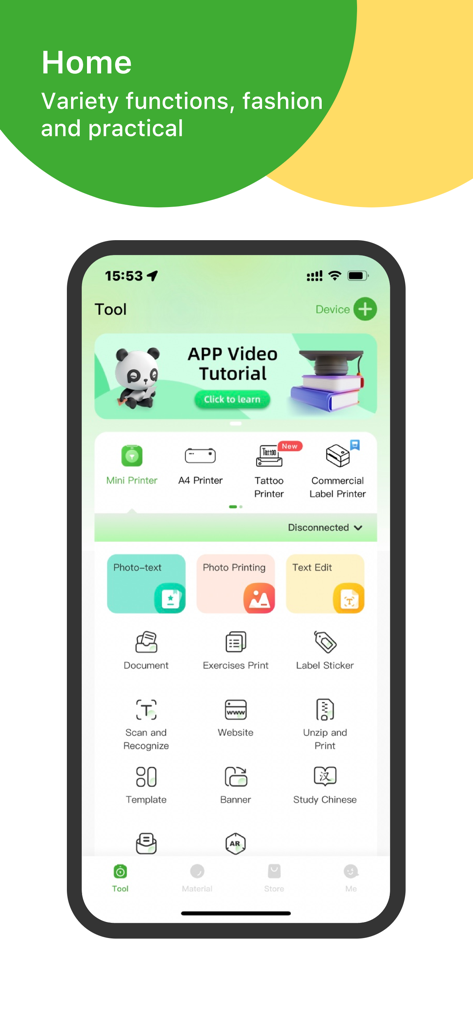
PeriPage mobile app home screen showing various printing tools including photo printing and label stickers
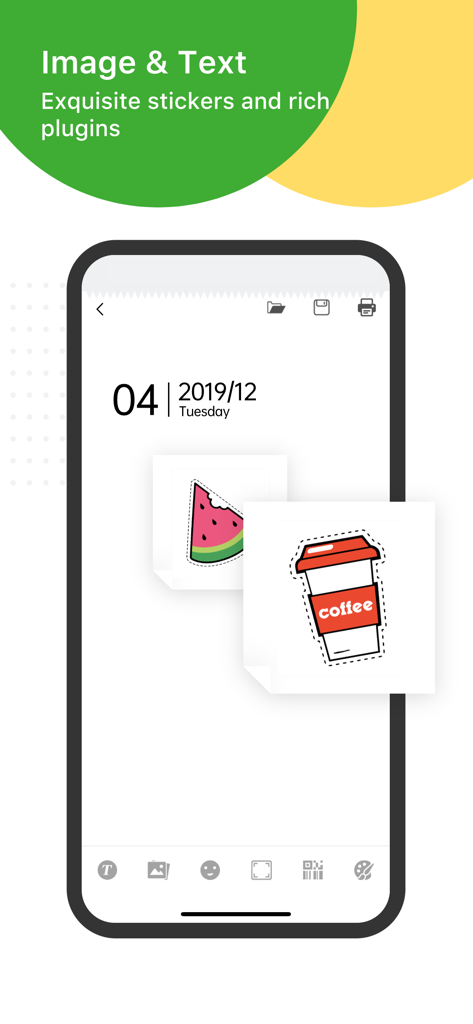
PeriPage app interface showing custom stickers of a watermelon and coffee cup on a digital note for creative journaling
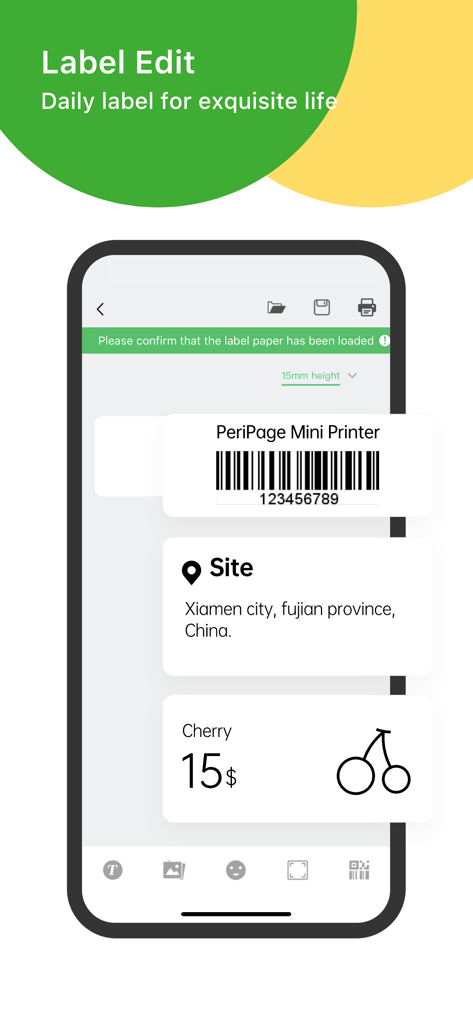
PeriPage app interface showing label customization for barcodes and price tags
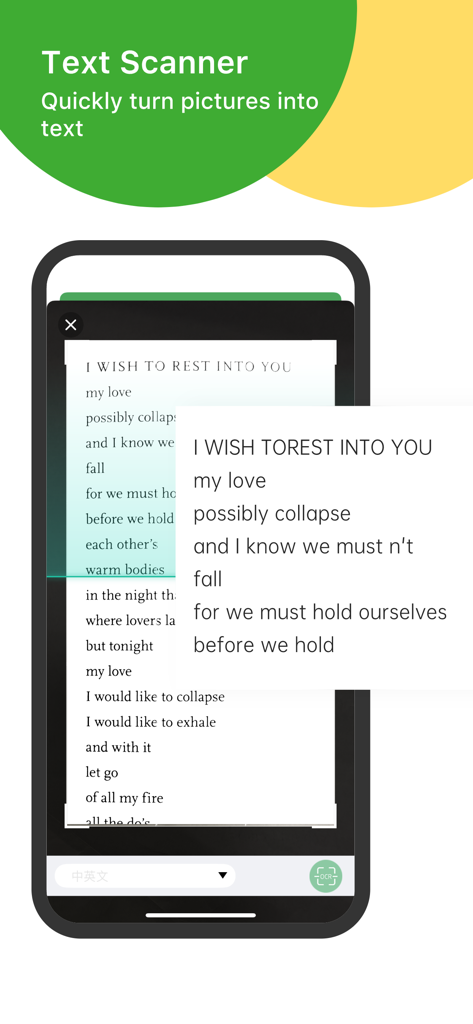
PeriPage app text scanner feature converting a printed poem into digital text using OCR technology
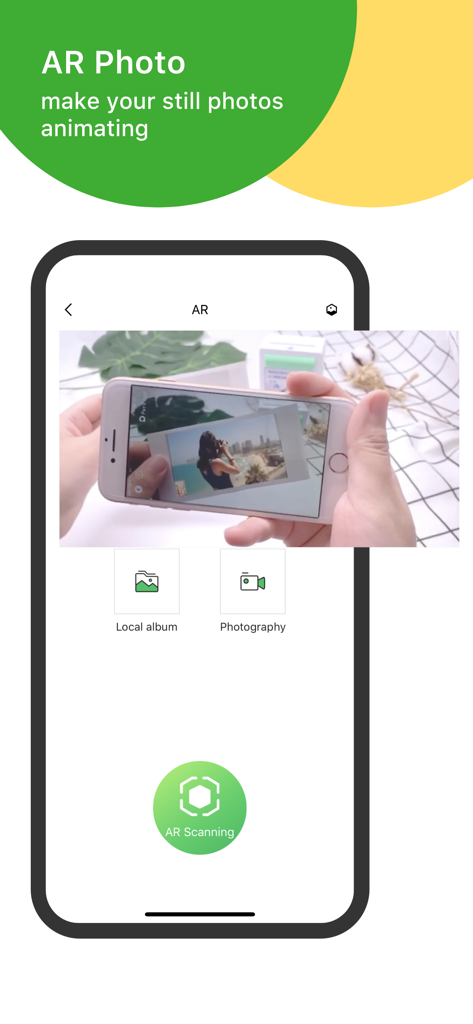
PeriPage app screen demonstrating the AR photo feature to animate still photos
Description
Download
More Like This
Apps with similar features and user experience

NIIMBOT
WUHAN JINGCHEN INTELLIGENT IDENTIFICATION TECHNOLOGY CO., LTD

Nelko
E-z Ink Technology Co., Ltd

Print Master
PHOMEMO PTE. LTD.

Labelnize
E-z Ink Technology Co., Ltd

NIIM
WUHAN JINGCHEN INTELLIGENT IDENTIFICATION TECHNOLOGY CO., LTD
Polaroid Hi·Print
Polaroid International B.V.

Jadens Printer
JADENS COMPANY LIMITED
FlashLabel Pro
Xiamen Print Future Technology Co.Ltd.

WePrint App
Shanghai ThanMore Network Technology Co., Ltd.
This page is not an official page of the app or its developer, but an independent editorial publication created for informational and commentary purposes. Unless expressly stated otherwise, neither the app nor its developer is affiliated with, endorsed by, sponsored by, authorized by, or otherwise officially connected with MWM, Apple, Google Play, the app publisher, or the app's developer, and nothing on this page implies that the app was developed using MWM's services. Any trademarks, logos, screenshots, and other content remain the property of their respective owners.