
This page is not an official page of the app or its developer, but an independent editorial publication created for informational and commentary purposes. Unless expressly stated otherwise, neither the app nor its developer is affiliated with, endorsed by, sponsored by, authorized by, or otherwise officially connected with MWM, Apple, Google Play, the app publisher, or the app's developer, and nothing on this page implies that the app was developed using MWM's services. Any trademarks, logos, screenshots, and other content remain the property of their respective owners.


Phonto
Elevate your brand with 300+ designer fonts and intuitive creative tools. Create stunning watermark-free banners, social media ads, and personal invitations directly from your phone.
Downloads
291K+User Rating
Total Ratings
0Publisher
Category
Photo & VideoLocales
37Latest Version
4.22Size
491.3 MBFirst Released
Jan 25, 2019Elevate Your Brand with Professional Designs
From eye-catching Instagram Stories to high-converting marketing flyers, Phonto gives you the professional tools to turn your ideas into visual masterpieces in minutes.
300+ Premium Fonts
Find the perfect voice for your brand with a massive library of fonts, fully customizable for color, spacing, and professional typography styling.
Precision Layer Management
Master complex designs easily. Lock, move, and organize elements with a pro-level layer manager that ensures a polished, watermark-free finish.
Frequently Asked Questions
Everything you need to know about Phonto
What is Phonto?
Phonto is an application designed to create posters, flyers, quotes, and advertisement banners by adding text and various design elements to photos.
Does Phonto offer free usage without watermarks?
Yes, Phonto allows users to create designs without any watermarks. This feature is explicitly stated in the app's description.
What types of designs can Phonto create?
Phonto creates posters, banners, ads, quotes, invitations, greeting cards, flyers, and logos. It supports diverse design needs for personal and business use.
Can users add custom fonts in Phonto?
Yes, Phonto allows users to add custom fonts. Screenshot #2 demonstrates the option to "Install Font" from an external source like dafont.com.
How many fonts are available in Phonto?
Phonto provides over 300 fonts to customize text style, tone, and voice. Users can adjust font size, color, line height, spacing, alignment, and rotation.
Does Phonto include stickers for designs?
Yes, Phonto includes stickers. It offers over 20 categories, with more than 300 stickers per category, for various events like sales, birthdays, and holidays.
Are there pre-made templates available in Phonto?
Yes, Phonto offers free ready-made templates. New templates are added weekly, allowing users to start editing without designing from scratch.
Can users manage layers in Phonto?
Yes, Phonto features a Layers Manager. This option allows users to easily move layers up or down and lock specific layers to manage layout effectively.
What are the subscription options for Phonto?
Phonto offers auto-renewing subscription options, including $0.99 per week. Subscriptions are billed monthly for unlimited access to all features.
How do Phonto subscriptions renew?
Phonto subscriptions automatically renew unless turned off at least 24 hours before the current period ends. Payment charges occur within 24 hours prior to renewal.
Can users save and share their creations from Phonto?
Yes, Phonto allows users to save templates to their device gallery and share creations directly to social media platforms like Facebook, Twitter, and Instagram.
Does Phonto support image filters and overlay effects?
Yes, Phonto supports image filters and offers over 100 overlay effects to edit backgrounds. Screenshot #6 demonstrates various available filters like Film and Vintage.
Can Phonto create 3D text effects?
Yes, Phonto can create 3D text effects. Screenshot #3 visually confirms this feature, showing text rendered with a three-dimensional appearance.
Does Phonto have drawing tools?
Yes, Phonto includes creative drawing tools. Screenshot #7 displays options such as Pen, Pencil, Brush, Glow, and Claw, allowing users to draw directly on designs.
Is it possible to adjust text alignment in Phonto precisely?
Yes, Phonto enables precise text alignment. Screenshot #9 shows alignment guides and X/Y coordinate adjustments for accurate positioning of text elements.
The following screenshots and description are sourced directly from the app's official store listing and are the property of the app developer.
App Store
Screenshots
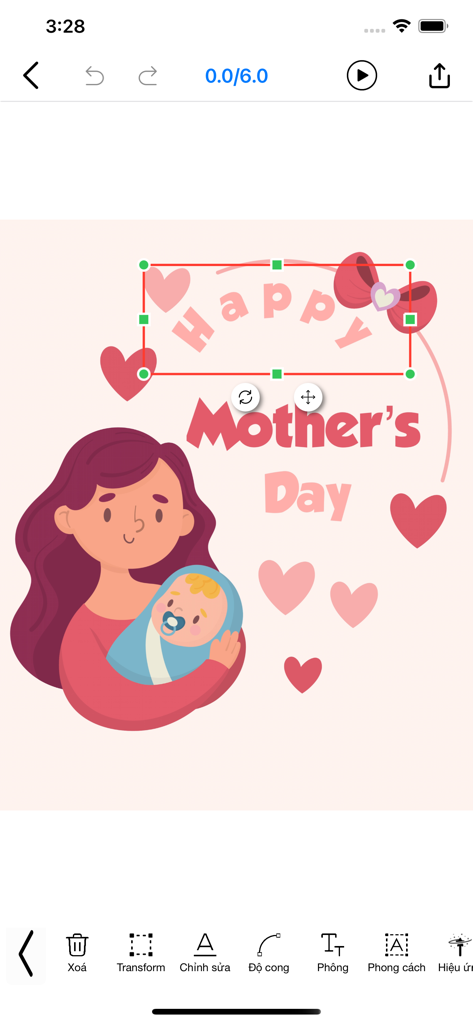
Editing a Mother's Day card with illustrations and curved text in the Phonto app.
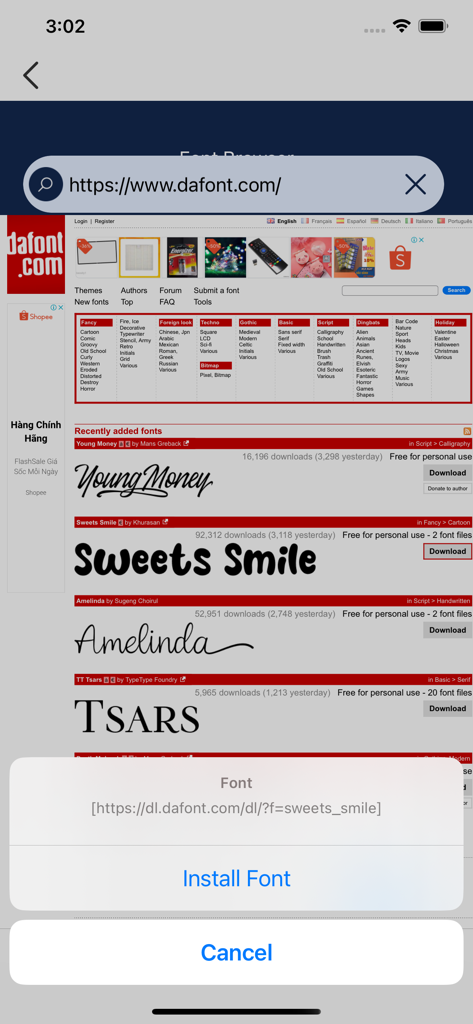
Interface of the Phonto app showing the font browser with an option to install a custom typeface from a website.
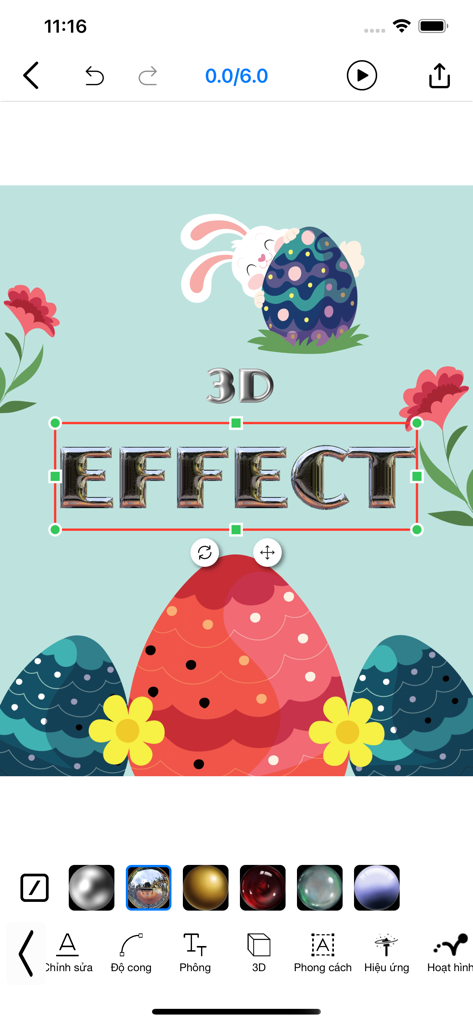
A mobile app interface demonstrating a 3D text effect on an Easter-themed graphic design
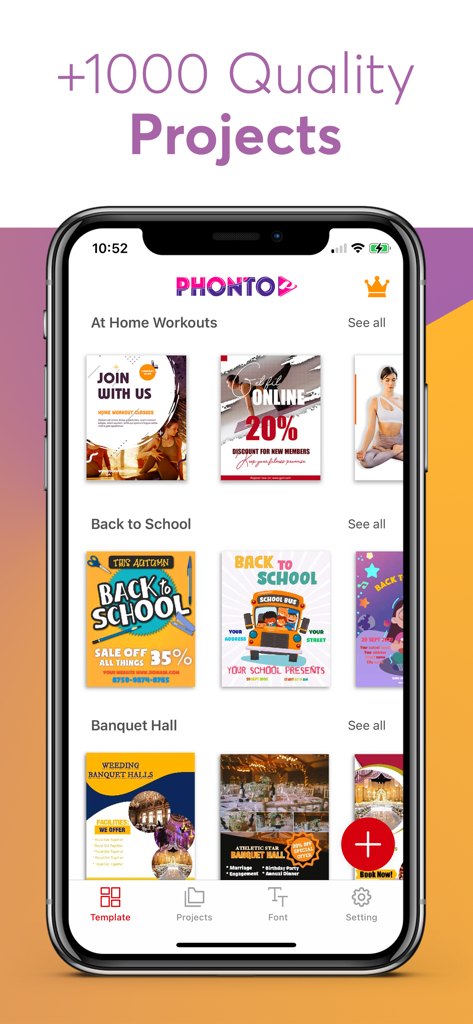
Phonto app interface showing a variety of graphic design templates for social media posters and flyers
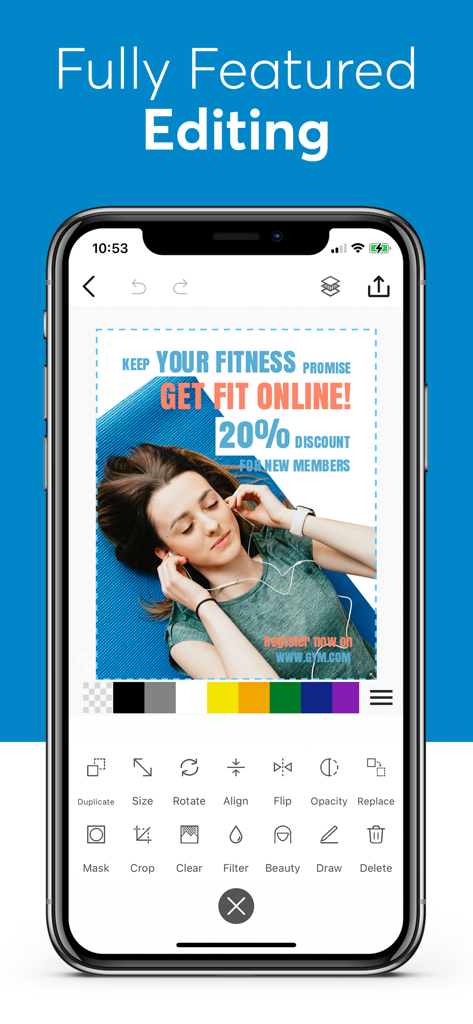
Phonto app interface displaying a fitness advertisement design with text overlay and editing options.
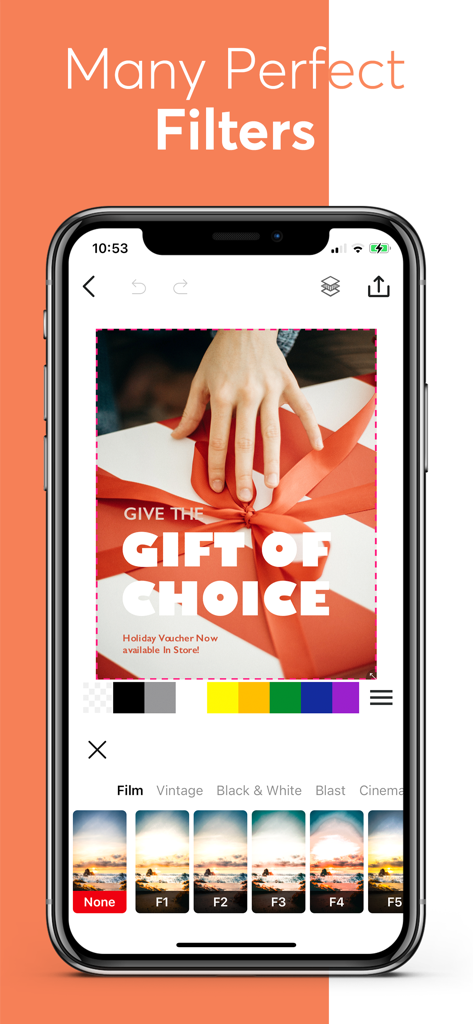
Smartphone screen displaying Phonto app photo filters and editing tools.
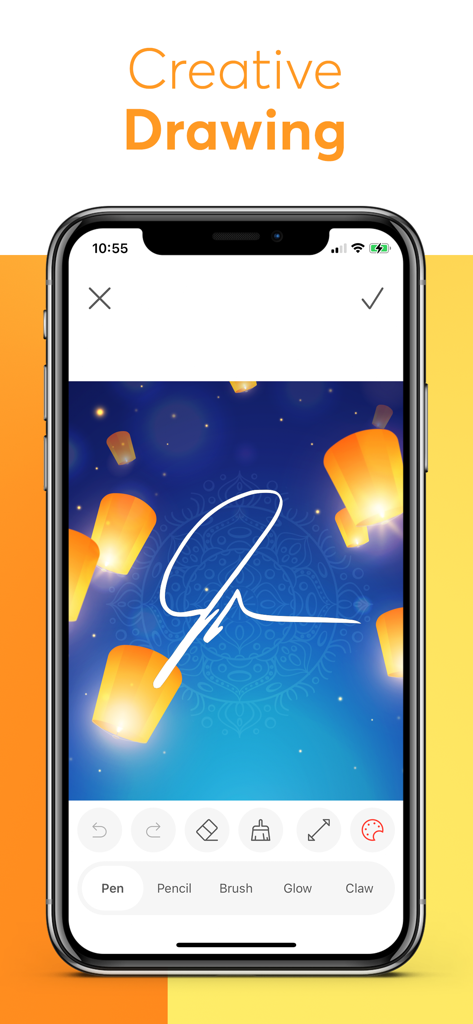
Screenshot of Phonto app showing the creative drawing tool being used to sketch a signature on a photo with floating lanterns
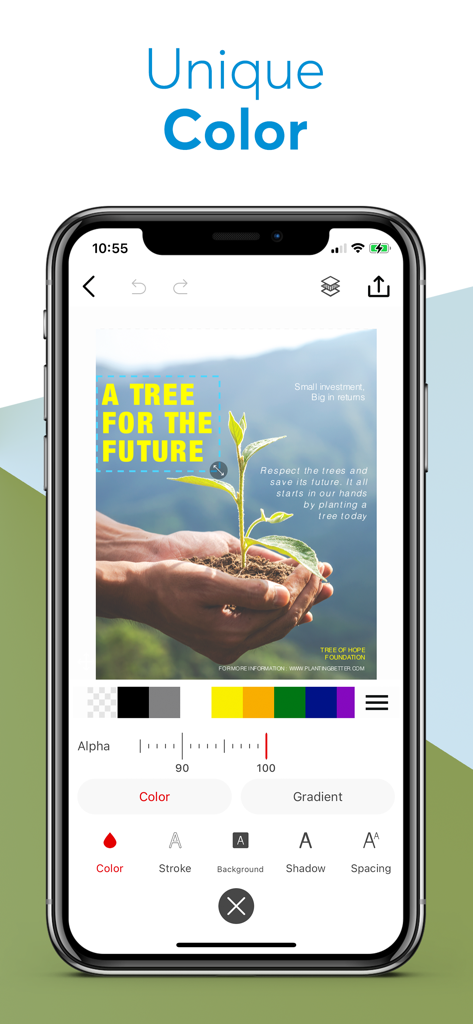
Screenshot of Phonto app interface showing unique color and text styling tools for photo editing
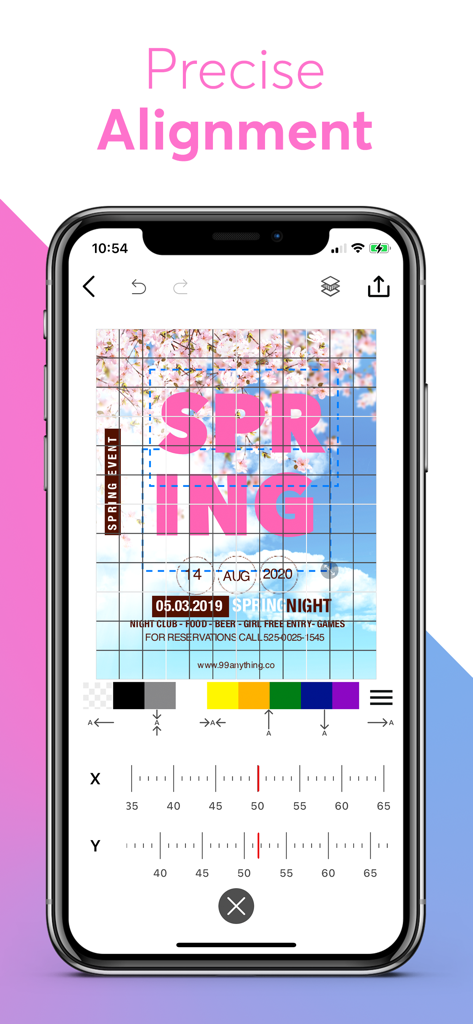
Interface of the Phonto app showing a grid overlay and coordinate sliders for precise alignment of text on a photo
Description
Download
More Like This
Apps with similar features and user experience

Phonto - Text on Photos
Yusuke Horie
排版小动物 - tinytype 你的文字排版助手
Kairutu Technology (Shanghai) Co., Ltd.
LOOMY: Fonts & Aesthetic Text
Anton Havrylenko
Fonting: Font Editor for IG
SPARKLECT CO.,LTD.

微商文案-模拟聊天对话电影制作
庆 李
txt: Add Text To Photo & Video
Ancle Apps LTD
StoryFont for Instagram Story
Alireza Namazian

Typorama: Text on Photo Editor
App Business Ventures LLC

ColadaPic – Aesthetic Stickers
NEX INNOVATION PTE. LTD
This page is not an official page of the app or its developer, but an independent editorial publication created for informational and commentary purposes. Unless expressly stated otherwise, neither the app nor its developer is affiliated with, endorsed by, sponsored by, authorized by, or otherwise officially connected with MWM, Apple, Google Play, the app publisher, or the app's developer, and nothing on this page implies that the app was developed using MWM's services. Any trademarks, logos, screenshots, and other content remain the property of their respective owners.