Photo Editor:AI Photo Enhancer

Photo Editor:AI Photo Enhancer


Download on App Store
Logo of Photo Editor:AI Photo Enhancer

Photo Editor: AI Photo Enhancer – Pro-Level Visuals for the Modern Creator

Stop settling for average shots. Transform your feed with AI-powered sky replacement, cinematic color grading, and viral retro effects. Get the precision of professional desktop software with the speed your social life demands.

Publisher

Xiamen Suijisenlin Technology Co., Ltd.

Category

Photo & Video

Downloads

209K+

User Rating

4.5/5

Total Ratings

8K+

Locales

3

Visual Excellence in Action

Discover the interface used by 209K+ users.
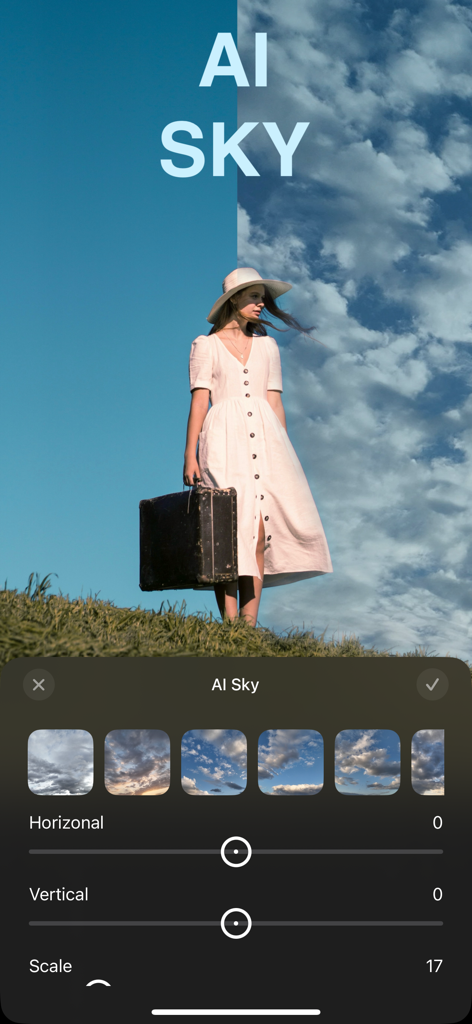
A screenshot of a mobile photo editing app showing an AI sky replacement feature with a before and after comparison of clouds.

A screenshot of a mobile photo editing app showing an AI sky replacement feature with a before and after comparison of clouds.

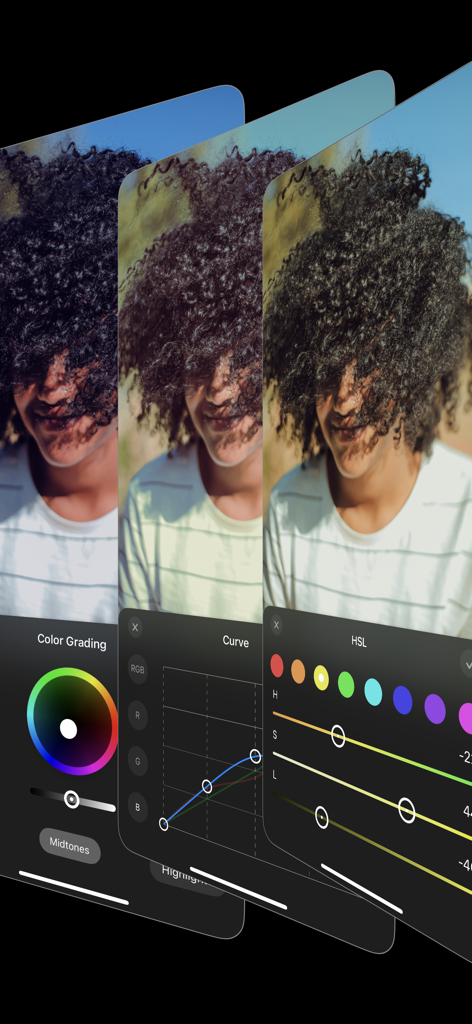
Mobile app interface showing professional photo editing tools like color grading curve adjustments and HSL sliders

Mobile app interface showing professional photo editing tools like color grading curve adjustments and HSL sliders

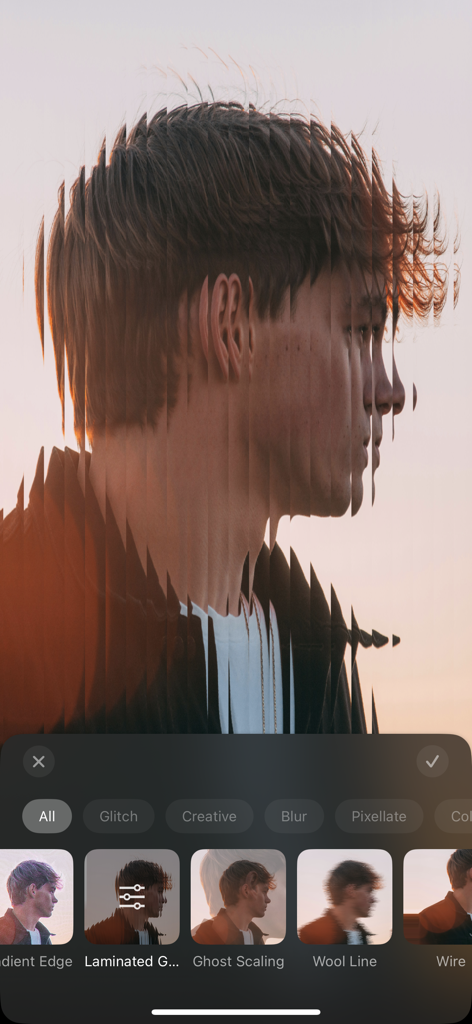
A portrait photo with a vertical laminated glitch effect applied using a mobile photo editor

A portrait photo with a vertical laminated glitch effect applied using a mobile photo editor

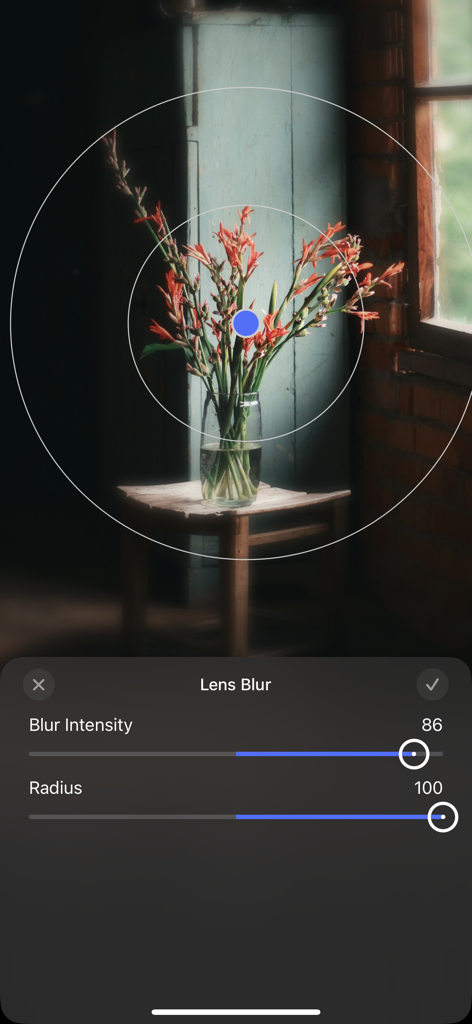
Adjusting lens blur intensity and radius on a floral photo in the app interface

Adjusting lens blur intensity and radius on a floral photo in the app interface

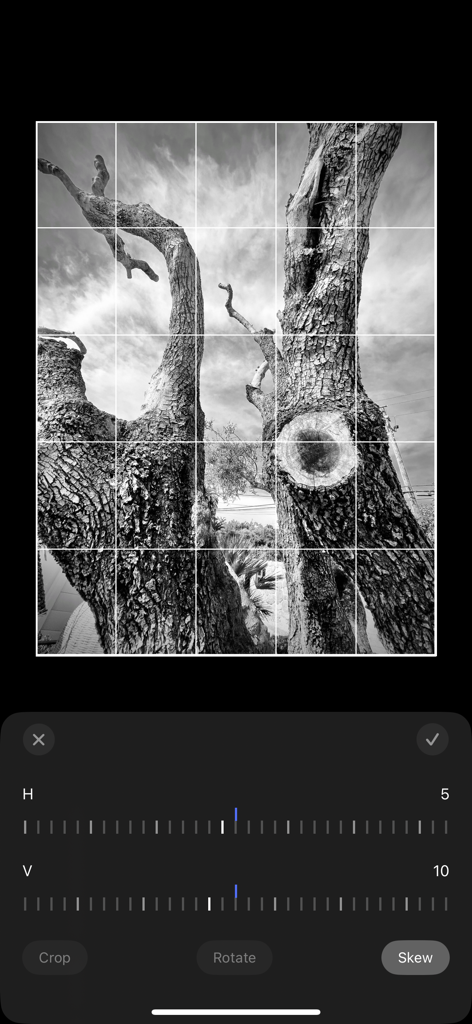
Mobile app interface showing perspective correction and skew adjustment tools on a black and white photo of a tree

Mobile app interface showing perspective correction and skew adjustment tools on a black and white photo of a tree

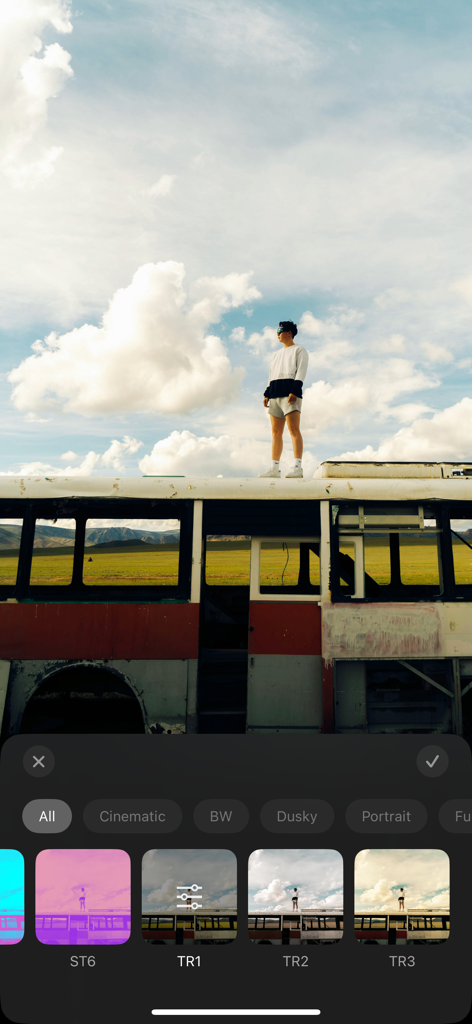
Interface of a mobile photo editor app showing various color filters and creative presets

Interface of a mobile photo editor app showing various color filters and creative presets

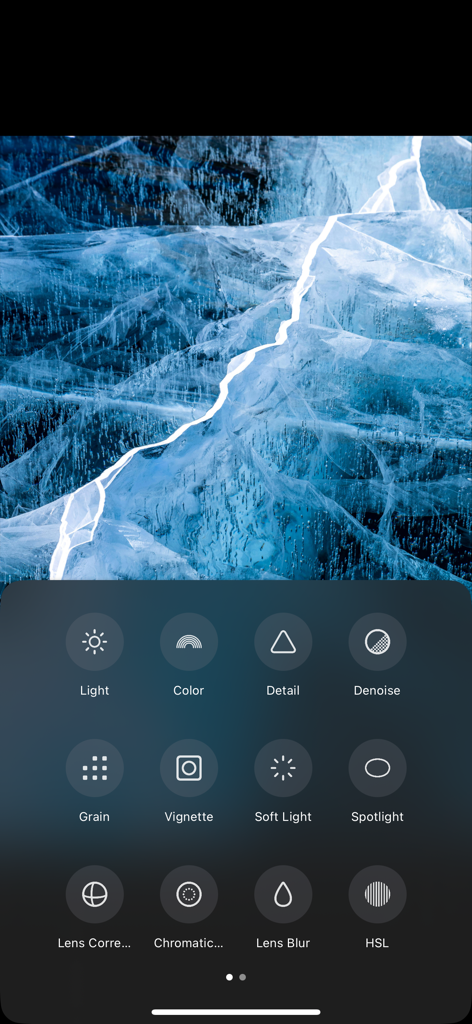
A mobile interface of the AI Photo Enhancer app showing professional editing tools like HSL grain and lens blur below an edited image of blue ice.

A mobile interface of the AI Photo Enhancer app showing professional editing tools like HSL grain and lens blur below an edited image of blue ice.

Unlock Professional Aesthetics with AI

The tools that make this app stand out, trusted by 209K+ users.

Intelligent AI Enhancement

Automatically optimize exposure, skin tones, and clarity to achieve a professional-grade finish in seconds.

🌄

Cinematic Sky & Color

Swap gray skies for breathtaking sunsets and use HSL tools for precise, studio-quality color grading.

👾

Viral Creative Effects

Stay on trend with VHS, Glitch Art, and Retro presets designed to make your social media feed pop.

About the app

Everything you need to know about Photo Editor:AI Photo Enhancer.

Description

This is a powerful, professional-grade AI photo editing app that combines advanced artificial intelligence technology with a wide range of image editing tools, making it easy for users to achieve both creative and professional-level photo retouching. Key Features: - Composition & Adjustment - Cropping: Supports multiple common aspect ratios, perfectly adapting to various image requirements. - Rotation & Flipping: Precise rotation adjustments, 90-degree rotation, and 180-degree flipping, allowing for easy angle adjustments. - Perspective Correction: Smartly corrects the tilt of buildings or landscapes to maintain image proportions. - Image Tools - Brightness Adjustment: Fine-tune exposure, brightness, contrast, highlights, and shadows to optimize every detail. - Color Adjustment: Smart adjustments for color temperature, hue, skin tone, and saturation, bringing natural and vibrant colors to life. - Detail Enhancement: Sharpen, texture enhancement, and dehaze functions to improve image clarity and visual impact. - Noise Reduction & Effects: Intelligent noise reduction, noise removal, soft focus, vignette, color fringing correction, as well as lens blur and spotlight effects. - Color Grading: AI-powered color grading and HSL adjustments, delivering cinematic-level effects. - Advanced Features: AI Sky Replacement, frames, curve adjustments, highlight-shadow tone adjustments, and other powerful tools to meet professional retouching needs. - Creative Presets Offers a collection of carefully designed creative filters, tailored for various scenes, enabling quick and easy processing for unique visual effects. - Unique Effects A rich library of effects including Instant Motion, Clone, VHS Retro, Fisheye, Dreamy, Starburst, Glitch Art, Scanlines, Neon Glow, Dynamic Water Ripple, and more, adding creativity and vitality to your work with ease. Privacy Policy: http://www.sjslai.com/privacy.html Terms of Use: http://www.sjslai.com/terms.html

Latest Version

1.11.5

Size

131.4 MB

First Released

Aug 10, 2024

Ready to Master the Art of the Perfect Post?

Join over 200,000 creators using AI to turn everyday moments into professional masterpieces. Get the ultimate toolkit for your creative journey today.

Download on App Store
FAQ

Frequently Asked Questions

Everything you need to know about Photo Editor:AI Photo Enhancer

What is Photo Editor:AI Photo Enhancer?

Photo Editor:AI Photo Enhancer is a professional-grade AI photo editing app. It combines advanced AI technology with a wide range of image editing tools for creative and professional photo retouching.

Does Photo Editor:AI Photo Enhancer offer AI Sky Replacement?

Yes, Photo Editor:AI Photo Enhancer includes AI Sky Replacement as an advanced feature. Users can adjust parameters like horizontal, vertical, and scale for precise sky changes.

What image adjustment tools are available in Photo Editor:AI Photo Enhancer?

Photo Editor:AI Photo Enhancer provides brightness, color, and detail adjustments. Specific tools include exposure, contrast, temperature, hue, sharpen, texture, and dehaze functions for comprehensive image optimization.

Can users apply creative effects with Photo Editor:AI Photo Enhancer?

Yes, Photo Editor:AI Photo Enhancer offers a rich library of unique effects. These include Instant Motion, Clone, VHS Retro, Glitch Art, and Dynamic Water Ripple to add creativity to photos.

Does Photo Editor:AI Photo Enhancer support perspective correction?

Yes, Photo Editor:AI Photo Enhancer supports perspective correction. It smartly corrects the tilt of buildings or landscapes to maintain image proportions, ensuring visual accuracy.

Where can I find the privacy policy for Photo Editor:AI Photo Enhancer?

The privacy policy for Photo Editor:AI Photo Enhancer is available on the official website. The direct link is http://www.sjslai.com/privacy.html.

Can I perform professional color grading in Photo Editor:AI Photo Enhancer?

Yes, Photo Editor:AI Photo Enhancer includes AI-powered color grading and HSL adjustments. These tools enable users to achieve cinematic-level effects and precise color control.

What advanced photo editing tools does Photo Editor:AI Photo Enhancer provide?

Photo Editor:AI Photo Enhancer provides advanced tools like AI Sky Replacement, frames, curve adjustments, and highlight-shadow tone adjustments. These meet professional retouching needs effectively.

App information, icons, screenshots, and descriptions displayed on this page are sourced from the Apple App Store and are the property of their respective developers. Download estimates and rankings are based on MWM's proprietary models and may not reflect actual figures. This page is provided for informational and analytical purposes only.

Believe this page infringes your intellectual property? File a dispute