Photo Editor * Collage Maker

Photo Editor * Collage Maker


Download on App Store
Logo of Photo Editor * Collage Maker

Photo Editor * Collage Maker: The Secret Tool for Influencer-Level Content

Level up your social media game with professional grids, trending filters, and 500+ stickers. Combine up to 25 photos into one high-resolution masterpiece designed to make your feed pop.

Publisher

Tech Nest IT Services

Category

Photo & Video

Downloads

103K+

User Rating

1.0/5

Total Ratings

0

Locales

1

The Secret to Stunning Feeds

Discover the interface used by 103K+ users.
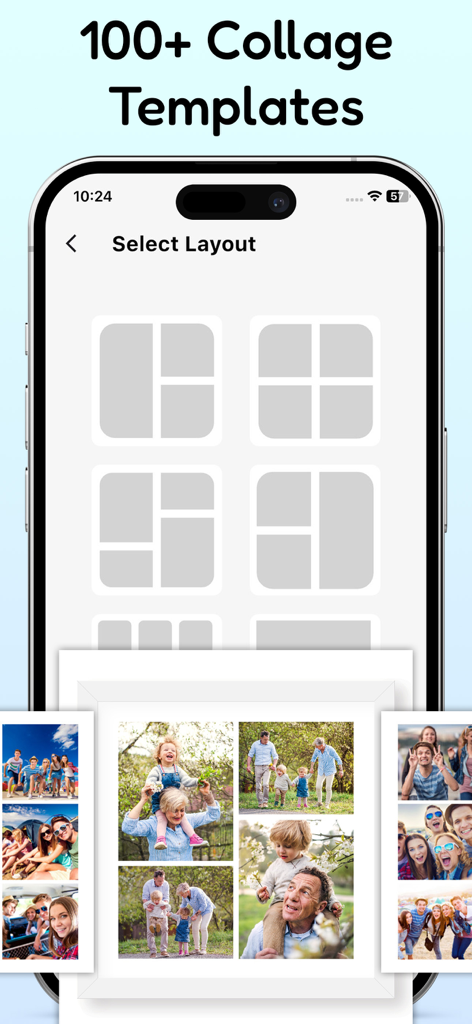
Mobile app interface showing various photo collage grid layouts and a sample family picture collage

Mobile app interface showing various photo collage grid layouts and a sample family picture collage

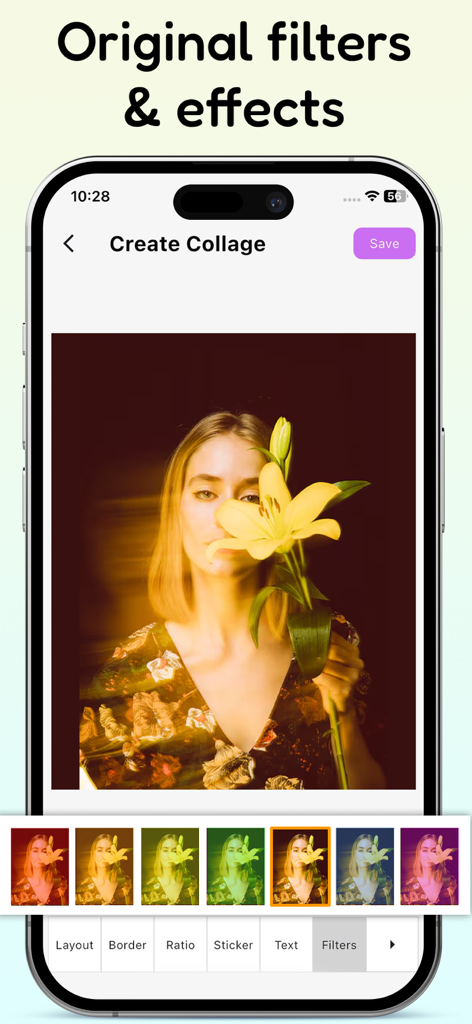
Iphone app interface of Photo Editor Collage Maker showing original filters and effects applied to a photo of a woman holding a lily.

Iphone app interface of Photo Editor Collage Maker showing original filters and effects applied to a photo of a woman holding a lily.

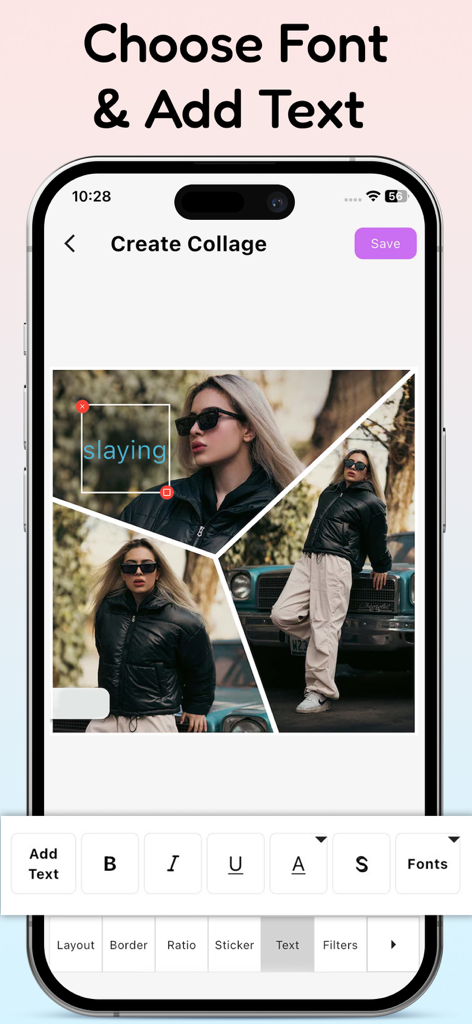
A mobile app interface displaying a collage creator with text editing tools and a stylish photo overlay

A mobile app interface displaying a collage creator with text editing tools and a stylish photo overlay

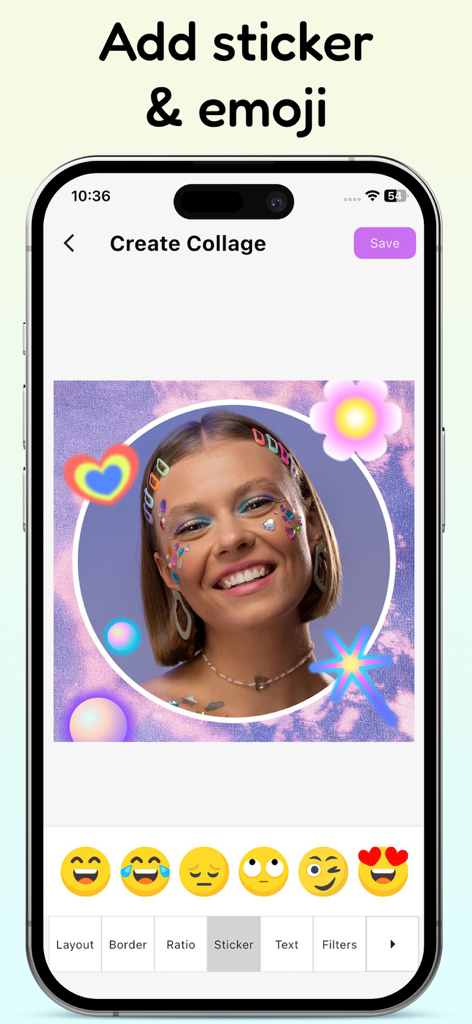
Mobile app interface showing a photo being edited with colorful stickers and emoji selection

Mobile app interface showing a photo being edited with colorful stickers and emoji selection

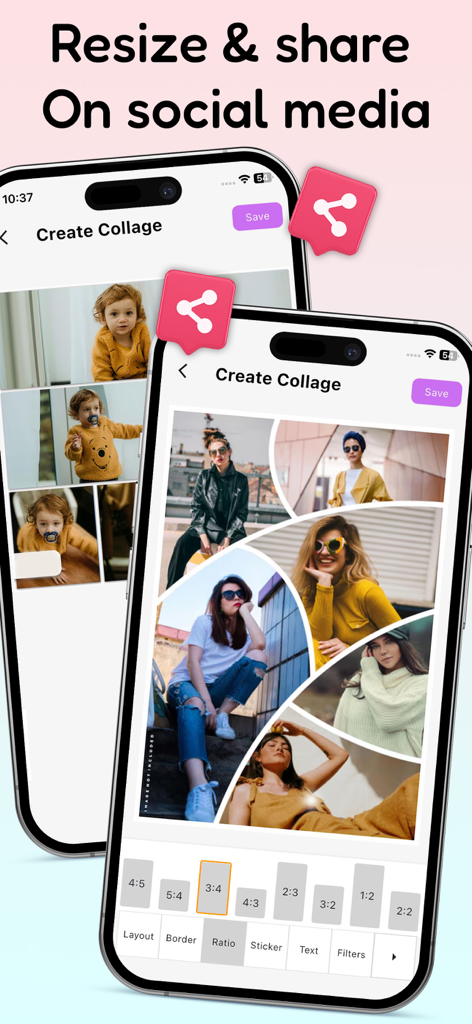
A mobile app interface for creating photo collages with different aspect ratios for social media sharing.

A mobile app interface for creating photo collages with different aspect ratios for social media sharing.

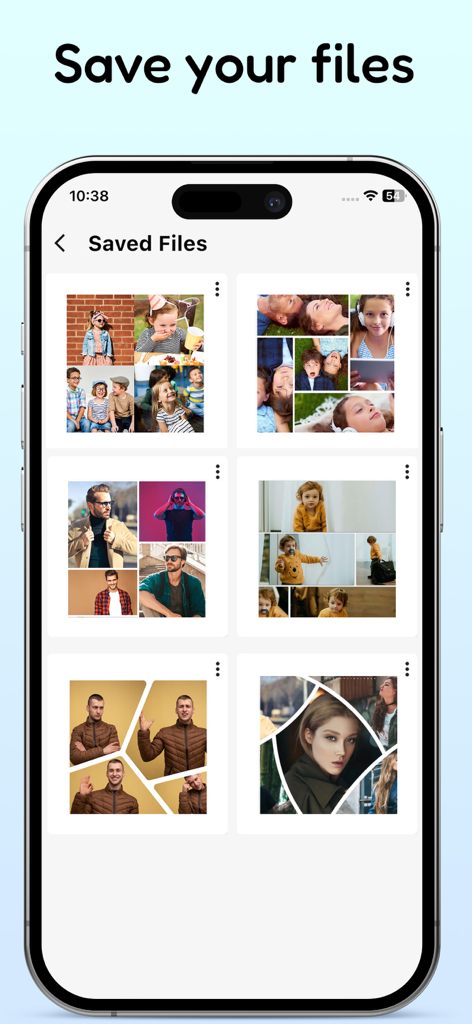
A mobile app screen displaying a gallery of various saved photo collages

A mobile app screen displaying a gallery of various saved photo collages

Elevate Your Digital Presence

The tools that make this app stand out, trusted by 103K+ users.

🖼️

Ultimate Collage Freedom

Master the 'photo dump' trend by merging up to 25 photos into one high-resolution masterpiece using flexible, professional layouts.

Aesthetic Editing Suite

Apply the same secret FX filters, makeup stickers, and precision editing tools used by industry pros to make your feed stand out.

✍️

Signature Text & Styles

Personalize your content with 90+ premium patterns, handpicked fonts, and 500+ trending stickers that match your unique vibe.

About the app

Everything you need to know about Photo Editor * Collage Maker.

Description

Photo Editor: Collage Maker is a must-have app for anyone looking to level-up their photography, whether you're a social media influencer, blogger, content creator, or just looking to make unique collages to share with friends. Create professional-looking collages and make your photos pop with the same powerful tools and templates used by top photographers in the industry. If you have ever wondered how social media influencers combine several images into one glamorous frame, this is the secret tool they all use to make their content a masterpiece! Feature For Photo Editor: Collage Maker - Many collage app layouts in different shapes and styles. - Move, Scale, Rotate your pics in any way you like. - Combine from 2 to 25 pics into one creative image. - Make collage app boxes larger or smaller, squarer or rounder. - Amazing photo FX filters - Save to your photo album - High resolution export Powerful Photo Editor: Collage Maker - Turn your collage photos into art with perfect filters, effects and photo editing tools - Crop, rotate, resize, mirror, blur, cutout, flip photo editing, Pinch to zoom in or out - Large number of stickers, emoji, text, graffiti, borders for every need Professional Collage Maker & Photo Grid - All-in-one photo editing & photo frame app provides a bunch of photo editing tools - Combine up to 20 photos to create fun layouts and collage photos - Custom grid photo size, border and background, design layout on your own! So easy to make a beautiful photo collage Photo Collage Template Maker - Easily to swap, change and rotate and zoom pictures in the template maker - Flexibly create photo collage maker a shaped collage such as heart or diamond - Change the default text and create the right atmosphere with filters Text & Fonts - A rich variety of handpicked fonts. - Color your text, select a gradient, or go for one of the 90+ patterns. - Text stroke color and width is changeable. Emoji Stickers - Choose from over 500 funny stickers that can lend a festive touch to your photos. - They are regularly updated to stay on trend. Besides, there are a variety of amazing makeup stickers - Try adding emoji or makeup stickers to your collage, and see how it can enhance your creation. Photo Editor: Collage Maker has a simple design with a powerful photo editing to give you everything you could, add collage template maker to your photos to be amazing. Photo collage maker is an easy to use and all in one fancy collage app and photo editor. Photo Editor: Collage Maker is a powerful fancy collage maker and photo editor for you to create amazing collage photos using your photos, backgrounds and frames. Photo collage maker is the best collage app and photo editor helps you combine multiple photos with various frame patterns and photo grids, then share them at a time. By using our app, you accept our Privacy Policy and Terms of use. Privacy Policy: https://sites.google.com/view/technestitservices/photo-editor-collage-maker/privacy-policy Terms of Use: https://sites.google.com/view/technestitservices/photo-editor-collage-maker/terms-of-use

Latest Version

1.0.5

Size

49.1 MB

First Released

Mar 3, 2025

Ready to Level Up Your Aesthetic?

Join over 100,000 creators using the secret tool for viral photo dumps and professional-grade edits. Download Photo Editor & Collage Maker and start creating your masterpiece today.

Download on App Store
FAQ

Frequently Asked Questions

Everything you need to know about Photo Editor * Collage Maker

What is Photo Editor: Collage Maker?

Photo Editor: Collage Maker is an all-in-one photo editing and collage app. It enables users to combine photos, apply filters, add text, and create professional-looking collages with various tools and templates.

Does Photo Editor: Collage Maker offer various collage templates?

Yes, Photo Editor: Collage Maker offers many collage app layouts in different shapes and styles. Users select from over 100 collage templates to create unique designs.

How many photos can users combine in Photo Editor: Collage Maker?

Users combine from 2 to 25 photos into one creative image using Photo Editor: Collage Maker. The app also allows combining up to 20 photos for fun layouts.

What photo editing tools are available in Photo Editor: Collage Maker?

Photo Editor: Collage Maker provides tools for cropping, rotating, resizing, mirroring, blurring, cutting out, and flipping photos. It also includes filters, effects, and pinch-to-zoom functionality.

Does Photo Editor: Collage Maker include filters and effects?

Yes, Photo Editor: Collage Maker includes amazing photo FX filters and original filters and effects. These tools help users turn their collage photos into art.

Can users add text and customize fonts in Photo Editor: Collage Maker?

Yes, Photo Editor: Collage Maker allows users to add text and choose from a rich variety of handpicked fonts. Text color, gradients, patterns, stroke color, and width are all changeable.

Does Photo Editor: Collage Maker offer stickers and emojis?

Yes, Photo Editor: Collage Maker provides over 500 funny stickers, including makeup stickers, that are regularly updated. Users add these to their collages to enhance creations.

How can users save and share their creations from Photo Editor: Collage Maker?

Users save their creations to their photo album in high resolution. Photo Editor: Collage Maker also allows users to resize and share their collages directly on social media platforms.

Does Photo Editor: Collage Maker have a Privacy Policy?

Yes, Photo Editor: Collage Maker has a Privacy Policy. Users accept it and the Terms of Use by using the app. The policy link is provided in the app description.

Can users customize the collage grid and layout in Photo Editor: Collage Maker?

Yes, Photo Editor: Collage Maker allows users to customize the grid photo size, border, and background. They design layouts, make boxes larger or smaller, and change them to be squarer or rounder.

App information, icons, screenshots, and descriptions displayed on this page are sourced from the Apple App Store and are the property of their respective developers. Download estimates and rankings are based on MWM's proprietary models and may not reflect actual figures. This page is provided for informational and analytical purposes only.

Believe this page infringes your intellectual property? File a dispute