Photo to PDF Converter - PDFio

Photo to PDF Converter - PDFio

Download on App Store
Logo of Photo to PDF Converter - PDFio

Photo to PDF Converter - PDFio: Your Professional Mobile Scanner

Transform photos into high-quality, watermark-free PDFs in seconds. Smart edge detection and multi-page support designed for professionals and students on the go.

Download on App Store

Publisher

Danila Dundukov

Category

Utilities

Downloads

0

User Rating

1.0/5

Total Ratings

0

Locales

1

Precision at Your Fingertips

Discover the interface used by 0 users.
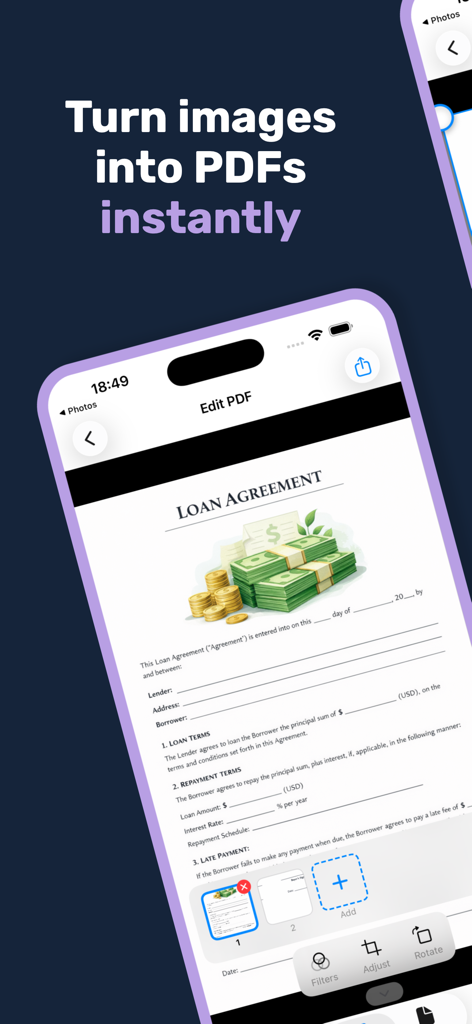
Smartphone screen showing the PDFio app interface editing a loan agreement document for PDF conversion

Smartphone screen showing the PDFio app interface editing a loan agreement document for PDF conversion

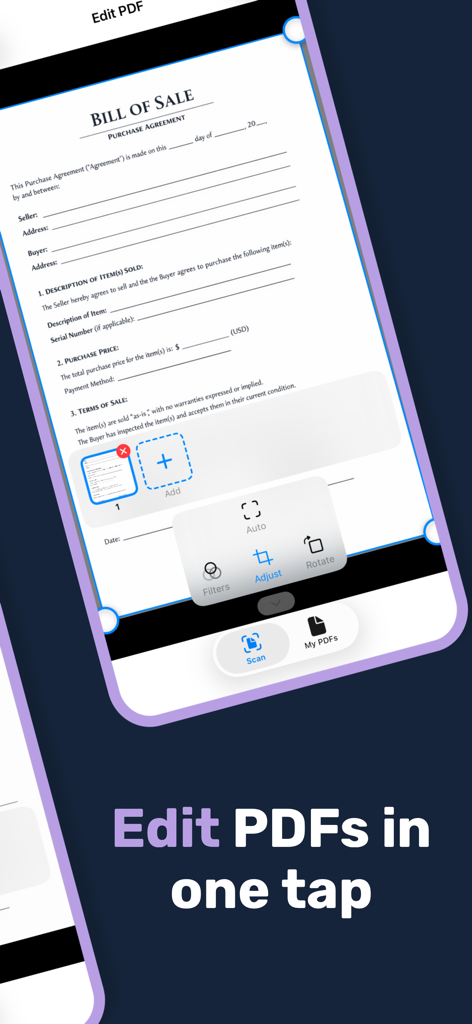
Mobile app interface showing a bill of sale document being edited with edge adjustment and cropping tools

Mobile app interface showing a bill of sale document being edited with edge adjustment and cropping tools

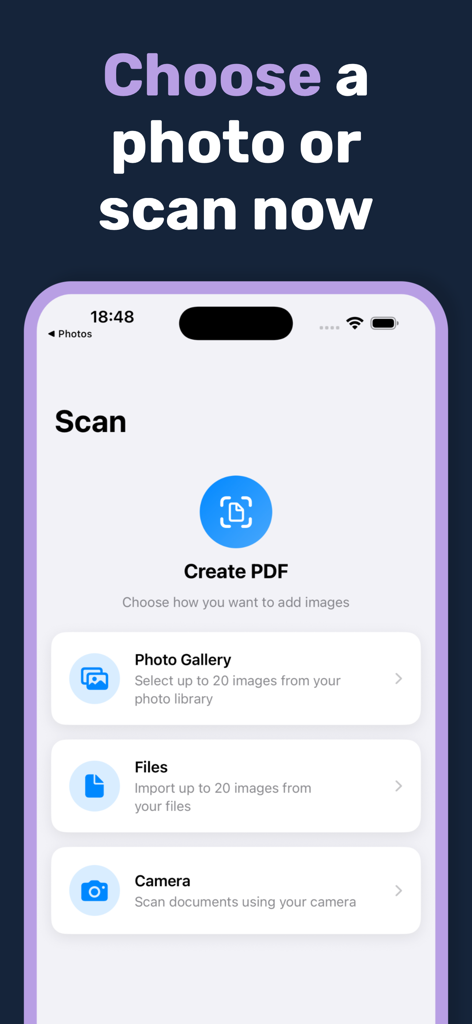
PDFio app interface showing options to select photos from gallery files or camera for PDF conversion

PDFio app interface showing options to select photos from gallery files or camera for PDF conversion

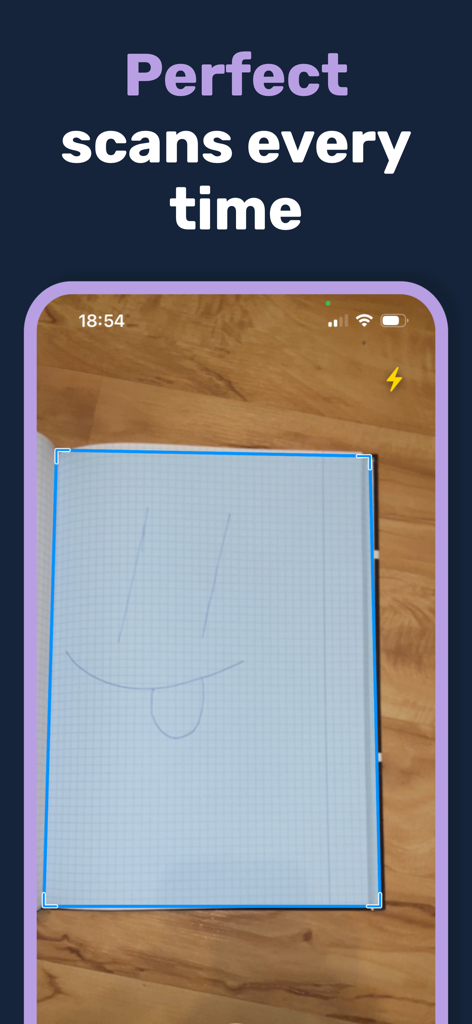
Mobile phone screen showing PDFio app automatically detecting edges of a paper document for scanning

Mobile phone screen showing PDFio app automatically detecting edges of a paper document for scanning

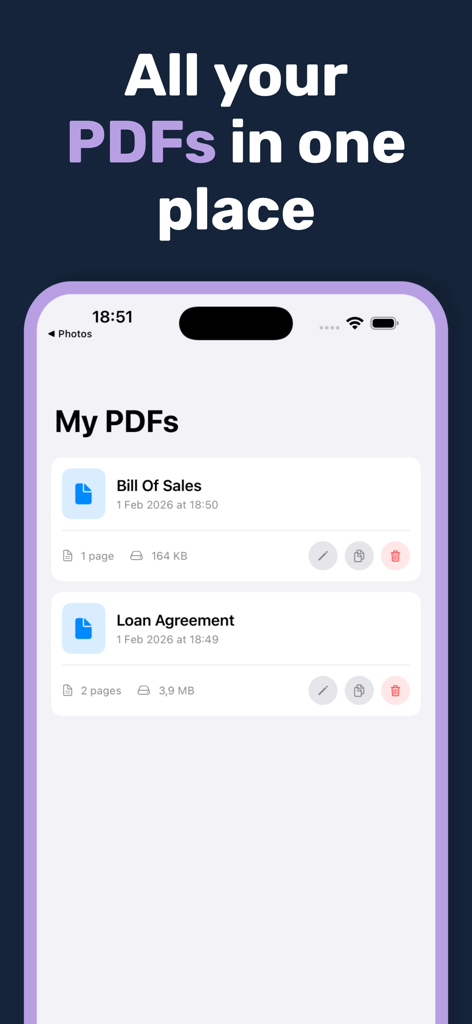
The My PDFs screen in the PDFio app showing a list of saved PDF documents

The My PDFs screen in the PDFio app showing a list of saved PDF documents

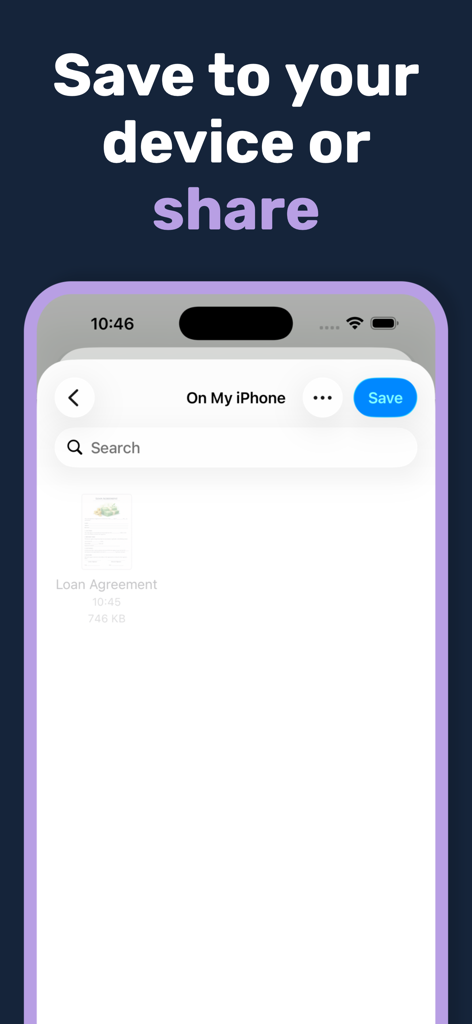
Interface of PDFio app showing a loan agreement document being saved to an iPhone

Interface of PDFio app showing a loan agreement document being saved to an iPhone

Professional PDF Power at Your Fingertips

The tools that make this app stand out, trusted by 0 users.

📱

Intelligent Auto-Scanning

Our smart technology automatically detects edges and fixes perspectives, making every scan look like it came from a flatbed scanner.

📂

Batch Processing & Organization

Combine up to 40 pages into a single document. Reorder, rename, and organize your files effortlessly for a paperless lifestyle.

💎

Pro Filters, Zero Watermarks

Keep your documents professional and clean. Use B&W or Grayscale filters for clarity and enjoy high-quality exports with no watermarks.

About the app

Everything you need to know about Photo to PDF Converter - PDFio.

Description

Transform your photos into professional PDF documents in seconds with PDFio — the smart, intuitive Photo to PDF converter for iPhone and iPad. Convert Any Image to PDF Easily convert JPG, PNG, HEIC, and other image formats into high-quality PDF files. Whether you're digitizing receipts, creating document archives, or sharing multi-page reports, PDFio makes Photos to PDF conversion effortless. Multiple Ways to Add Images • Select from your Photo Library • Import files from your device • Scan documents directly with your camera Smart Document Detection PDFio uses advanced technology to automatically detect document boundaries in your photos. The intelligent scanner finds edges, corrects perspective, and crops perfectly — no manual work required. Powerful Editing Tools • Fine-tune document boundaries with precision corner controls • Apply filters: Original, Black & White, or Grayscale • Rotate pages to the perfect orientation • Reorder pages with simple drag-and-drop • Create multi-page PDFs with up to 40 pages Organize Your PDFs Keep all your converted documents in one place. Rename, duplicate, edit, or share your PDFs anytime from the built-in file manager. Share Anywhere Export your Image to PDF conversions via AirDrop, email, cloud storage, or any app that accepts PDF files. Key Features: • Convert JPG to PDF • Convert PNG to PDF • Batch convert multiple photos to one PDF • Automatic document edge detection • Manual boundary adjustment with magnifier • Three image filters for perfect scans • Adjustable compression quality • Built-in PDF organizer • No watermarks Turn your iPhone into a portable scanner. Download PDFio and start converting your Photos to PDF today!

Latest Version

1.0

Size

3.1 MB

First Released

Feb 5, 2026

Stop Sending Photos. Start Sending Professional PDFs.

Turn your iPhone into a powerful portable scanner. Capture, crop, and convert documents in seconds—no watermarks, no hassle.

Download on App Store
FAQ

Frequently Asked Questions

Everything you need to know about Photo to PDF Converter - PDFio

What is PDFio: Photo to PDF Converter?

PDFio is a smart and intuitive Photo to PDF converter for iPhone and iPad. It transforms various image formats like JPG, PNG, and HEIC into high-quality PDF documents quickly.

Can PDFio convert JPG and PNG images to PDF?

Yes, PDFio converts multiple image formats including JPG, PNG, and HEIC into high-quality PDF files. It allows users to digitize receipts or create document archives.

How do I add images to PDFio for conversion?

PDFio offers multiple ways to add images: selecting from your Photo Library, importing files from your device, or scanning documents directly using your camera.

Does PDFio automatically detect document edges when scanning?

Yes, PDFio features smart document detection. It automatically detects document boundaries in photos, corrects perspective, and crops perfectly without manual work.

What editing features are available in PDFio?

PDFio provides powerful editing tools such as fine-tuning document boundaries, applying filters (Original, Black & White, Grayscale), rotating pages, and reordering pages with drag-and-drop.

Can I create multi-page PDF documents with PDFio?

Yes, PDFio allows you to create multi-page PDFs. You can combine up to 40 pages into a single PDF document using its powerful editing tools.

Does PDFio offer a way to organize my converted PDF files?

PDFio includes a built-in PDF organizer. It helps users keep all converted documents in one place, enabling them to rename, duplicate, edit, or share PDFs anytime.

Does PDFio add watermarks to the created PDFs?

No, PDFio does not add watermarks to your converted PDF documents. It ensures your files remain clean and professional.

How can I share PDF files created with PDFio?

You can export PDFio conversions via AirDrop, email, cloud storage, or any app that accepts PDF files. This provides flexible options for sharing your documents.

Where can I find the privacy policy for PDFio?

The privacy policy for PDFio is available at https://github.com/DEXIZ31/PDFio_Privacy_Policy/blob/main/Privacy%20Policy. This link details how user data is handled.

App information, icons, screenshots, and descriptions displayed on this page are sourced from the Apple App Store and are the property of their respective developers. Download estimates and rankings are based on MWM's proprietary models and may not reflect actual figures. This page is provided for informational and analytical purposes only.

Believe this page infringes your intellectual property? File a dispute