Photo Video Cast to Chromecast
Download on App Store

This page is not an official page of the app or its developer, but an independent editorial publication created for informational and commentary purposes. Unless expressly stated otherwise, neither the app nor its developer is affiliated with, endorsed by, sponsored by, authorized by, or otherwise officially connected with MWM, Apple, Google Play, the app publisher, or the app's developer, and nothing on this page implies that the app was developed using MWM's services. Any trademarks, logos, screenshots, and other content remain the property of their respective owners.


Logo of Photo Video Cast to Chromecast
Download on App Store

Photo Video Cast to Chromecast

Transform your living room into a digital gallery. Easily cast 4K UHD photos and videos from your iPhone or iPad to your TV, create custom musical slideshows, and share life’s best moments with the people who matter most.

Key Figures

Downloads

0

User Rating

4.4/5

Total Ratings

0

Publisher

Swishly inc

Category

Photo & Video

Locales

1

Latest Version

4.11.9

Size

33.8 MB

First Released

Feb 9, 2014
Features

Relive Your Moments on the Big Screen

Transform your living room into a digital gallery with seamless 4K casting and personalized features designed for your home and business.

Stunning 4K UHD Clarity

Experience your photos and videos in breathtaking resolution. Our smart framing automatically optimizes every shot to fit your large screen perfectly.

Custom Music Slideshows

Turn your albums into cinematic experiences by adding your favorite songs. Use face-detection to keep your family and friends at the center of the action.

The following screenshots and description are sourced directly from the app's official store listing and are the property of the app developer.

App Store

Screenshots
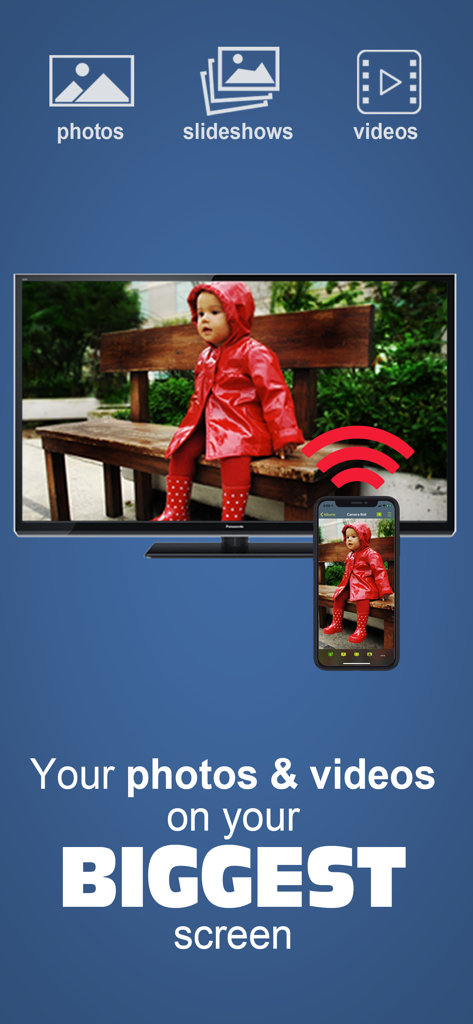
Photo Video Cast to Chromecast - An iPhone casting a photo of a child to a large television screen using the Photo Video Cast app
An iPhone casting a photo of a child to a large television screen using the Photo Video Cast app

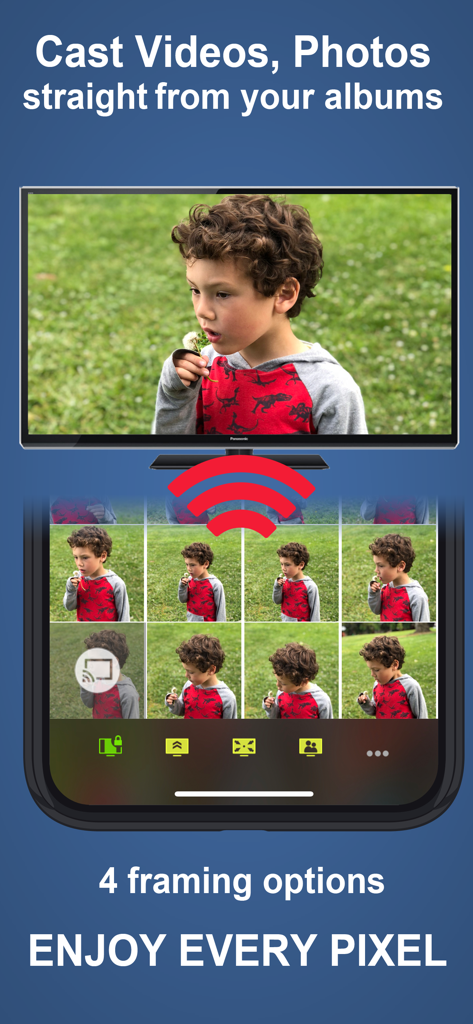
Photo Video Cast to Chromecast - An iPhone casting a photo from its gallery to a large television screen using Chromecast
An iPhone casting a photo from its gallery to a large television screen using Chromecast

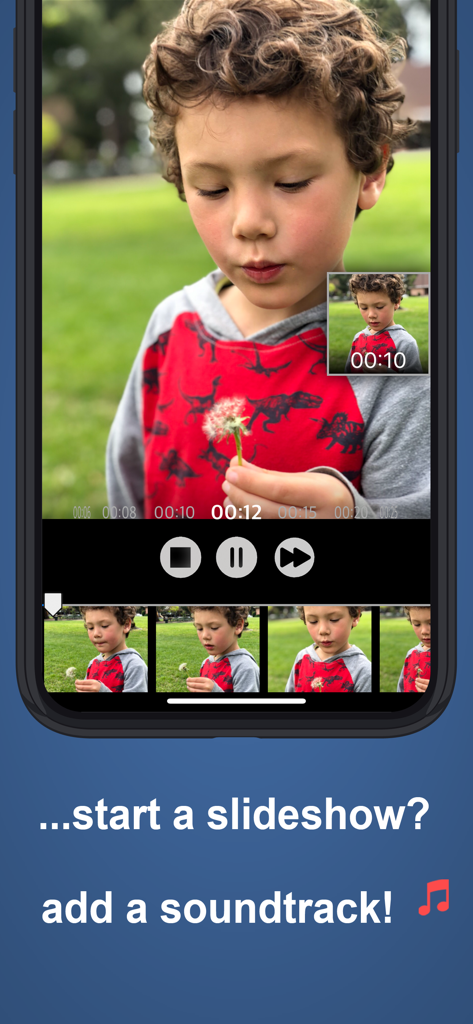
Photo Video Cast to Chromecast - iPhone app interface showing a photo slideshow of a child with an option to add a soundtrack for TV casting
iPhone app interface showing a photo slideshow of a child with an option to add a soundtrack for TV casting

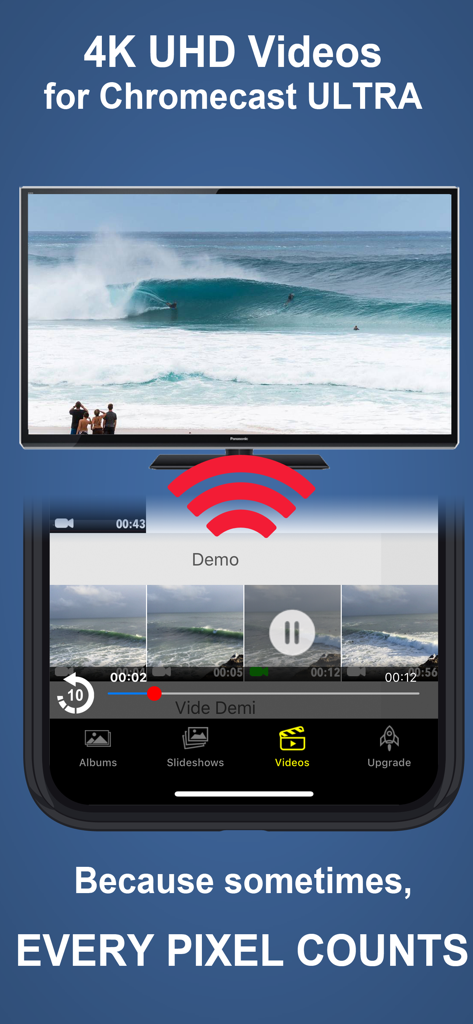
Photo Video Cast to Chromecast - An iPhone casting high quality 4K UHD video of a surfer to a television screen using Chromecast

An iPhone casting high quality 4K UHD video of a surfer to a television screen using Chromecast

Description

The easiest way to enjoy your own photos & videos on your TV. Photo Video Cast is the #1 chromecast application in its category, with powerful features presented in a straightforward, simple interface. *** App Requires a Chromecast, or a Chromecast-enabled TV *** A REALLY BIG DISPLAY changes everything! • Share your photos and videos on your bug screen TV with family and friends. • Create your own custom slideshows by picking individual photos or entire albums, add songs from your music library to make a soundtrack . • Multiple iPhones/iPads can beam photos & videos to a single screen. • Start a slideshow, and keep it running in the background. • Cast from any application that supports photo sharing. • 5 video resolutions available, up to 4K UHD with Chromecast Ultra! • 4 photo framing modes to make the most of your large screen: - Screen fit (resize photo to fit your TV frame) - Full screen (centered) - Full screen (pan) - Full screen (centered on faces) • Some great features for small businesses & events: - Let the cloud take over: loop your slideshows uninterrupted without tying down your iPhone/iPad. - Turn on multicast to cast slideshows to multiple TVs at the same time. Note that the face detection feature works best when both eyes + mouth are visible, and does not currently work with cloud slideshows. ***** Compatibility ***** If your TV is compatible with chromecast, photo cast will work. In other words, all you need is an HDMI port on your TV. The picture is optimized for your TV's resolution so you will be making the best of your TV. All resolutions are supported ***** Mobile HotSpot (MiFi) users ***** If your WiFi is powered by a Mobile HotSpot (MiFi), your MiFi device may need additional configuration to allow your chromecast dongle to request images from your iPhone/iPad on port 8081/8082 over HTTP. It may just work out of the box, but we recommend trying the following steps if it doesn't: 1. Port filtering should either be completely disabled, or if enabled, HTTP communication should be allowed on port 8081 & 8082 2. Privacy separation should be disabled 3. If all fails, enable port forwarding with these settings - protocol: HTTP - port range: 8081 to 8082 - destination ip: the ip address of the iOS device running photo cast ***** Important Notices ***** - Cloud-powered slideshows will automatically upload your photos to a private cloud. - If you experience frequent buffering with videos, make sure that both your chromecast and your iPhone/iPad have a good wifi signal reception. Should all else fail, pick a lower resolution. - If you are experiencing any issues, please contact us at photocast@swishly.com. We can't help you if we don't hear from you!

Download

Download on App Store

This page is not an official page of the app or its developer, but an independent editorial publication created for informational and commentary purposes. Unless expressly stated otherwise, neither the app nor its developer is affiliated with, endorsed by, sponsored by, authorized by, or otherwise officially connected with MWM, Apple, Google Play, the app publisher, or the app's developer, and nothing on this page implies that the app was developed using MWM's services. Any trademarks, logos, screenshots, and other content remain the property of their respective owners.