
This page is not an official page of the app or its developer, but an independent editorial publication created for informational and commentary purposes. Unless expressly stated otherwise, neither the app nor its developer is affiliated with, endorsed by, sponsored by, authorized by, or otherwise officially connected with MWM, Apple, Google Play, the app publisher, or the app's developer, and nothing on this page implies that the app was developed using MWM's services. Any trademarks, logos, screenshots, and other content remain the property of their respective owners.


PikPak - Cloud Storage & Saver
Storage is a battlefield; PikPak arms users with a digital fortress for their media, obliterating content clutter and slow transfers.
Downloads
1M+User Rating
Total Ratings
1.4KPublisher
Category
UtilitiesLocales
9Latest Version
1.33.5Size
153.2 MBFirst Released
Jun 10, 2022An evaluation of key functionalities for digital content consumers and creators.
PikPak: Core Features Analysis
Premium Cloud Storage Expansion
The app provides users with an impressive 10TB of private cloud storage upon upgrading to a Premium plan, capable of securely housing up to 8,000 video files.
One-Click Telegram Integration
This tool features a powerful Telegram Bot, enabling one-click forwarding to save files and links directly from Telegram chats to the user's cloud.
High-Speed Cloud Transfers
It employs leading acceleration technology, ensuring rapid saving of all files via cloud transfer, significantly reducing wait times for large media uploads.
Secure Data Protection
The app utilizes secure backup technology to safeguard user data, preventing file loss and ensuring the integrity of stored content.
Integrated Media Viewer
It allows users to conveniently preview images and play videos directly within the app, streamlining content consumption without needing external downloads.
Diverse Content Ingestion
This tool offers multiple ways to save content, including forwarding via the Telegram Bot and saving through system-wide sharing options.
Intuitive File Management
The app provides functionality to manage collected files by creating folders, facilitating efficient organization of extensive digital libraries.
Starter Free Storage
The app offers 6GB of free private cloud storage upon sign-up, allowing users to experience its core functionalities before committing to a premium plan.
Frequently Asked Questions
Everything you need to know about PikPak - Cloud Storage & Saver
How much free storage does PikPak provide?
PikPak offers 6GB of free private cloud storage upon sign-up. Users can upgrade to a Premium plan for significantly more storage capacity.
What is the maximum storage capacity for PikPak Premium users?
PikPak Premium plans offer 10TB of private cloud storage, capable of securely storing up to 8,000 video files for its users.
How can I save files to PikPak?
Users can save files to PikPak by forwarding them conveniently via the powerful Telegram Bot or through the system sharing function on their device.
Does PikPak allow in-app video playback and image preview?
Yes, PikPak supports online photo preview and convenient video playing directly within the application, enhancing the user experience.
What is the cost of a PikPak Premium Monthly subscription?
A PikPak Premium Monthly subscription costs $10.0 per month. Prices in other currencies are calculated based on the current exchange rate.
How much does a PikPak Premium Yearly subscription cost?
A PikPak Premium Yearly subscription costs $100.99 per year, offering a cost-effective solution for long-term cloud storage needs.
Is PikPak a secure platform for private data and files?
Yes, PikPak protects user privacy and keeps data safe and private using secure backup technology to prevent file loss.
Does PikPak offer fast file transfer speeds?
PikPak ensures fast file transfers through its leading acceleration technology, allowing files to be saved quickly and efficiently via cloud transfer.
Can I organize my files in PikPak with folders?
Yes, PikPak provides tools to manage files by creating folders, enabling users to organize their collected content efficiently.
How do I turn off PikPak's automatic subscription renewal?
To cancel PikPak auto-renewal, users must turn off the service in their "Account Settings" at least 24 hours before the current subscription expires.
The following screenshots and description are sourced directly from the app's official store listing and are the property of the app developer.
App Store
Screenshots
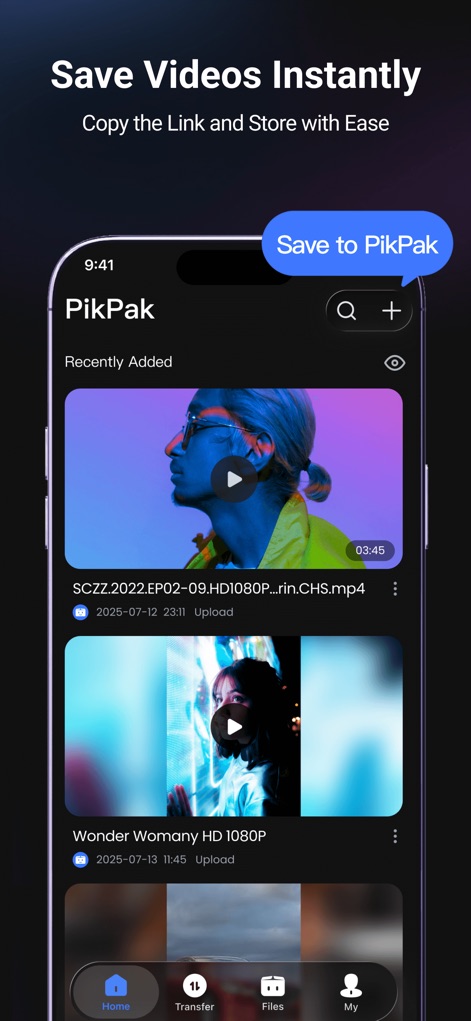
Discover how the app simplifies content acquisition with its prominent "Save to PikPak" button and convenient video preview functionality.
Instant Video Saving
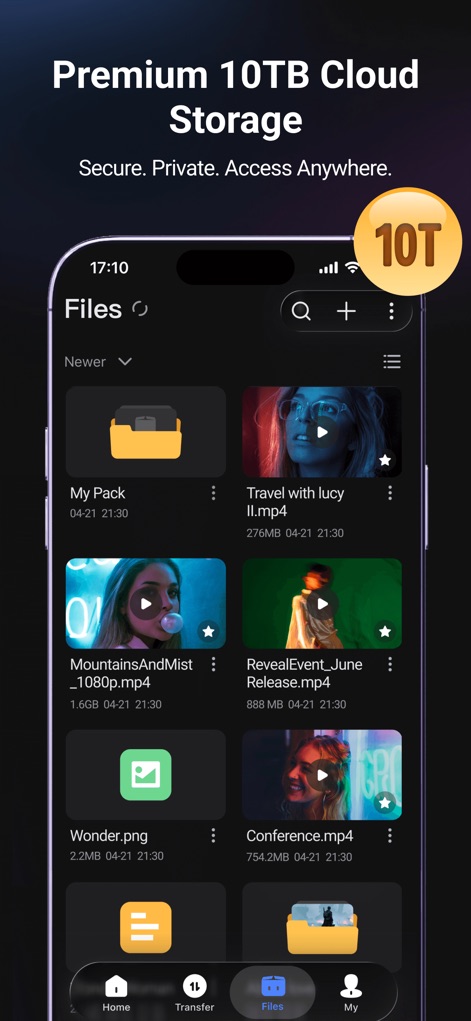
Explore the extensive 10TB cloud storage capacity and the intuitive file and folder organization system within the app.
Vast Storage, Organized
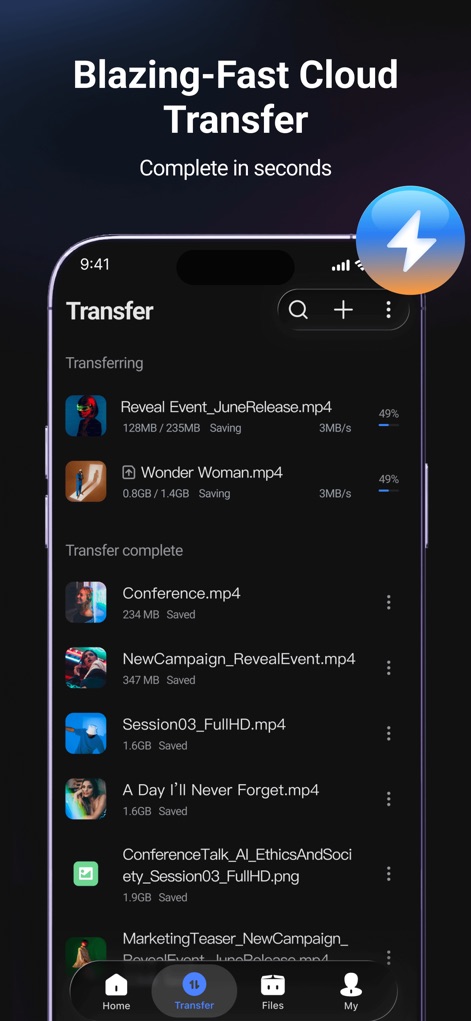
Witness the efficient cloud transfer process, displaying real-time transfer progress and a detailed list of completed file operations.
Rapid File Transfers
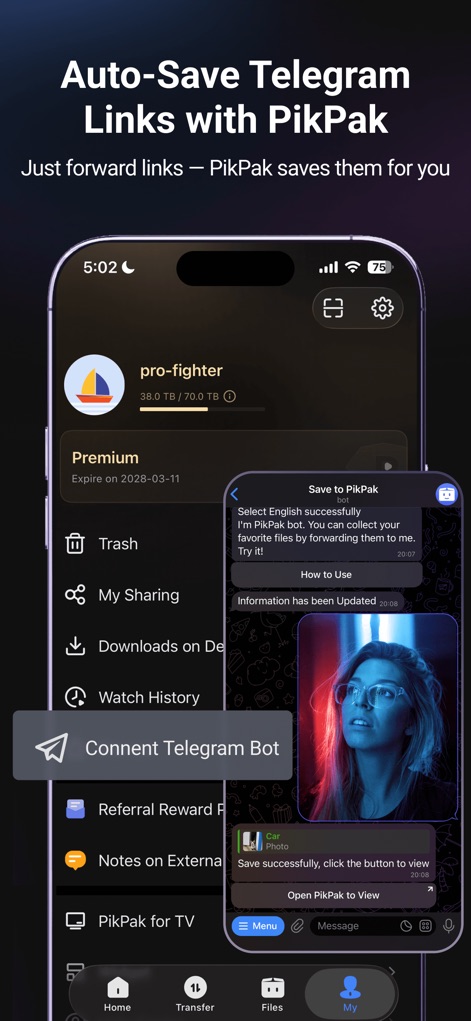
Uncover the powerful Telegram Bot connection feature and the seamless "Save to PikPak" integration directly from chat.
Seamless Telegram Integration
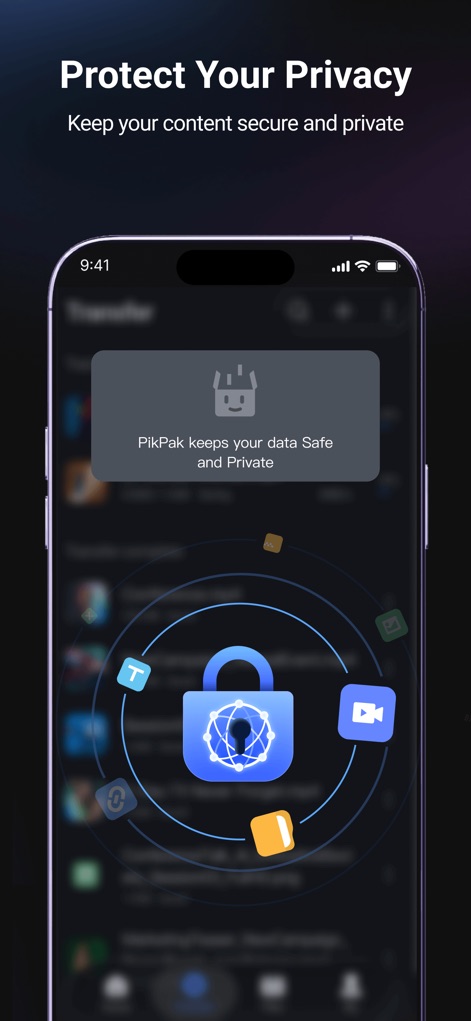
Understand the robust security measures, highlighted by the centralized lock graphic and the explicit data privacy assurance message.
Ultimate Data Privacy
Description
Download
More Like This
Apps with similar features and user experience

Google Photos: Backup & Edit
Google LLC

iMemories
iMemories, Inc

Amazon Photos: Photo & Video
AMZN Mobile LLC

App Lock - Block Apps
文忠 许

Super App Lock: Lock Apps
Jiangsu Chengying Technology Co.,LTD

Capture App - Photo Storage
Telenor Software Lab AS
App Lock - Lock Apps & Photos
KUPERTINO BIL. YAZ. HALIL IBRAHIM KARAHAN SAFFET ARSLAN MUSTAFA AYTEN MUHAMMET YALCIN OZDEMIR K. S.

App Lock, Hide App & Lock Apps
KINGSMEN VIETNAM COMPANY LIMITED

Lock Apps ⁺ Safe Photo Album
Plane Cubes
This page is not an official page of the app or its developer, but an independent editorial publication created for informational and commentary purposes. Unless expressly stated otherwise, neither the app nor its developer is affiliated with, endorsed by, sponsored by, authorized by, or otherwise officially connected with MWM, Apple, Google Play, the app publisher, or the app's developer, and nothing on this page implies that the app was developed using MWM's services. Any trademarks, logos, screenshots, and other content remain the property of their respective owners.