Pocket Informant

Pocket Informant

Download on App Store
Logo of Pocket Informant

Pocket Informant: The Ultimate All-in-One Professional Planner

Consolidate your calendar, tasks, and projects into a single powerful command center. Built for power users who demand the precision of GTD, Franklin Covey, and seamless multi-account sync.

Download on App Store

Publisher

Fanatic Software, Inc.

Category

Productivity

Downloads

402K+

User Rating

4.3/5

Total Ratings

15K+

Locales

45

Your Digital Command Center

Discover the interface used by 402K+ users.
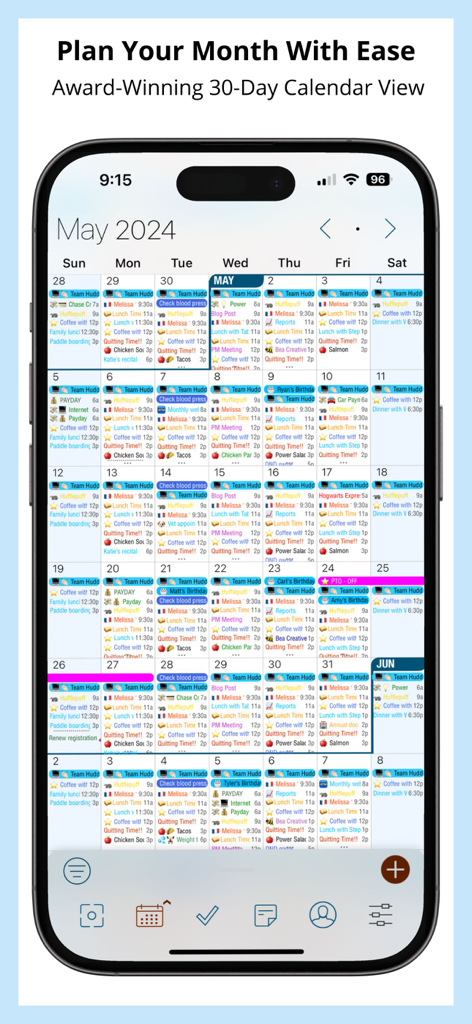
A detailed 30 day calendar view in the Pocket Informant app showing color coded tasks and appointments.

A detailed 30 day calendar view in the Pocket Informant app showing color coded tasks and appointments.

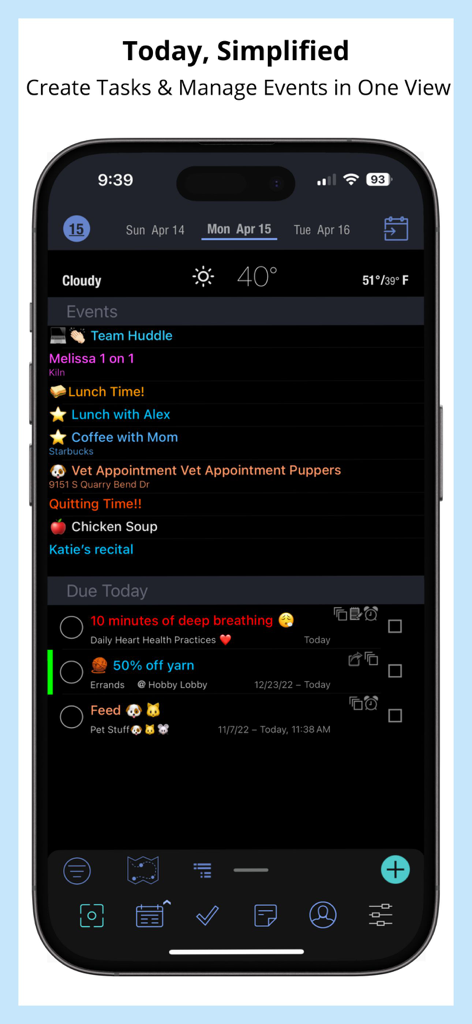
Pocket Informant app interface showing calendar events and daily tasks in a single view

Pocket Informant app interface showing calendar events and daily tasks in a single view

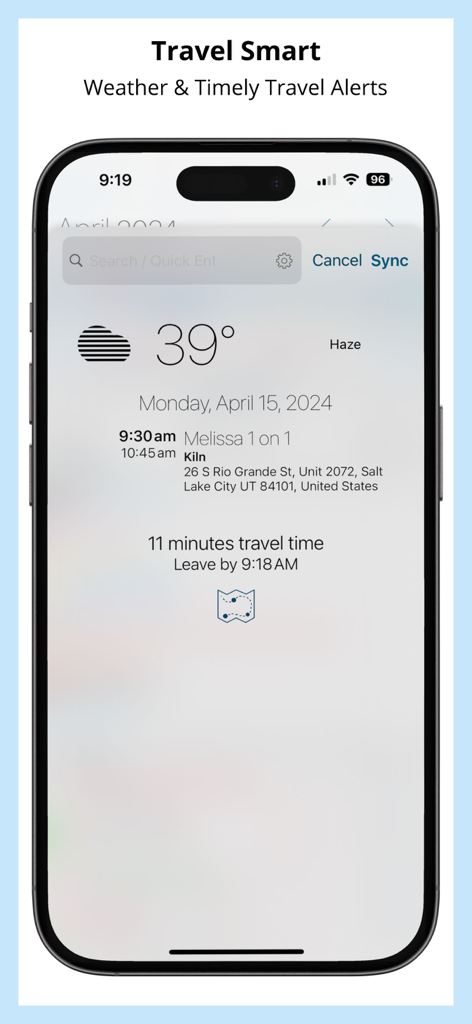
Pocket Informant app displaying weather and travel time alerts for a calendar event

Pocket Informant app displaying weather and travel time alerts for a calendar event

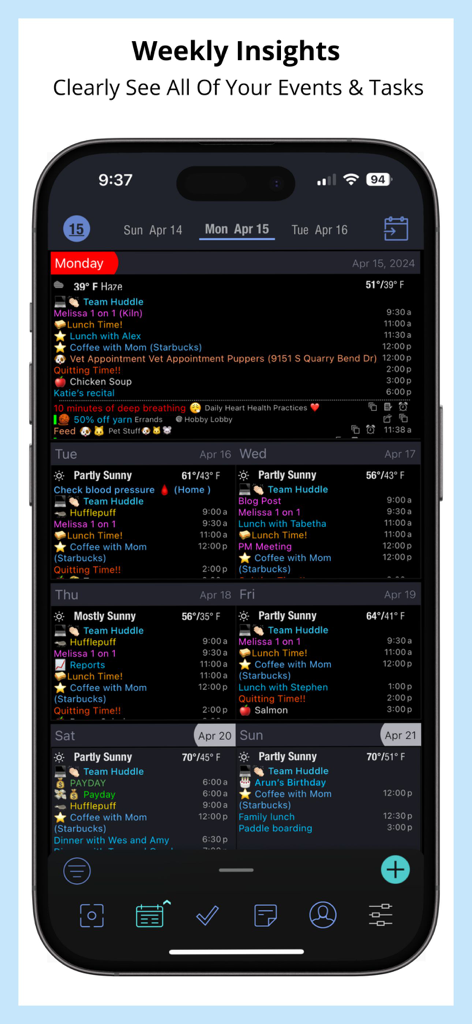
Pocket Informant app showing a detailed weekly view with integrated calendar events and tasks on a dark background

Pocket Informant app showing a detailed weekly view with integrated calendar events and tasks on a dark background

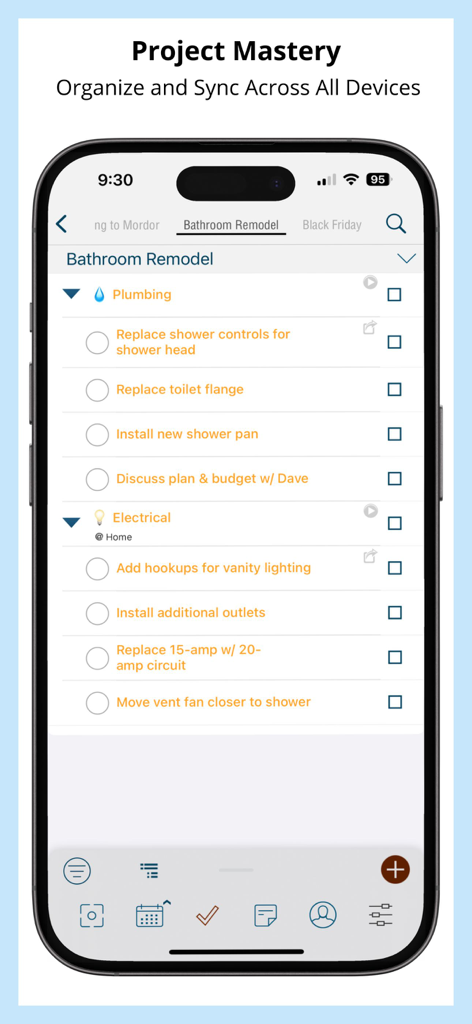
Pocket Informant app project management screen showing a detailed task list for a bathroom remodel

Pocket Informant app project management screen showing a detailed task list for a bathroom remodel

Master Your Life, Not Just Your Calendar

The tools that make this app stand out, trusted by 402K+ users.

šŸ—“ļø

Unified Productivity Hub

Eliminate app-switching fatigue by viewing your calendar, tasks, and projects in a single, consolidated dashboard designed for your iPhone and iPad.

🧠

Methodology-Ready

Whether you follow GTD, Franklin Covey, or your own system, our powerful task modes and triggers adapt to the way you think and work.

ā˜ļø

Total Sync Control

Work flawlessly across all environments with native support for iCloud, Google, and Outlook, ensuring your data is accessible even when you're offline.

Review Analysis

Insights from user reviews.

Sentiment Score

28%
Negative

Summary

Pocket Informant is lauded by many long-term users for its robust organizational capabilities, extensive customization options, and seamless integration of multiple calendars and tasks, which contribute to high productivity. However, recent updates have introduced a persistent and frustrating bug, forcing users to navigate a login screen for sync services every time the app opens, even if they don't utilize the feature. A major point of contention is the dramatic and frequent subscription price increases, often rising by 70-100% without significant new features, leading many loyal customers to abandon the app. Other criticisms include reports of unresponsive customer support, app instability post-update, and specific design flaws like poor text visibility in the Notes section or the "Travel Assist" feature altering event times.

Common Themes

Long-term Loyalty(14)
Organizational Tools(13)
User Interface(5)
Integration(3)
Customization(2)
Customer Support(1)

About the app

Everything you need to know about Pocket Informant.

Description

Informant is a trusted planner app with Calendar, Tasks, and Projects. More than just a calendar app, Informant also organizes your tasks into projects, and has many options for your agenda organized. Informant is a planner in your pocket. Free calendar app version or paid version unlocks more sync options and tasks, projects, and contacts. It works with native Apple data including iCloud, Exchange, Outlook.com, Microsoft 365, Google Calendar, Yahoo, AOL and more. Easy Immediate Setup. No account required. Use your current calendar accounts (free) or setup a Informant Sync account (paid feature). NEWEST FEATURES: - Lock screen widgets - Reordering tasks in Focus View - Expanded icon list - Search all MOST LOVED FEATURES: -Customizable calendar layers & views: Use both local and iOS data calendars at the same time with direct sync options to various services. -One purchase covers iPhone and iPad -Show tasks and Calendar together on one view -1 Day Daily Planner view -7 Day Stacked Week calendar view -30 Day monthly calendar view with tiny-text and emojis -*Projects with Tasks, subtasks, and checklists -Focus View: combines weather, and current day tasks and events -*Sync: Informant Sync, Google sync, Native (iOS) data and more. -*Triggers: create templates for frequently used appointments & tasks that you can trigger while typing event/task name -*Saved Filters feature allows you to combine your calendars together into multiple display views while keeping the data separate. -Powerful Customization of views, colors, tags, emoji, and sync options. -Offline access. Access all your data, all the time. Internet connection only required for syncing. -Trusted developer. Developing calendar & agenda apps for 21 years. -TravelAssist: helps with scheduling appointments that will take place in other time zones. -ForceTouch on App (when device supported) Icon for: Create new Task/Event/Note - 3 Task Modes - Simple, GTD, or Franklin Covey. Manage your tasks in your own way! -*Email integration. View emails & easy turn emails into tasks. *CONNECT BUNDLE (*Requires Subscription) •Sync Options Include: Google Calendar & Tasks, Toodledo, and Informant Sync • Weather and Email integration Sync Options Note: Informant can access Native Apple data calendars/reminders so you can set up iCloud, Exchange, 365, Outlook.com, AOL, Yahoo, and more.. 2 WAYS TO USE #1) FREE • Essential Calendaring with Apple Calendar support • No Tasks/Projects, Contacts • No Connect Bundle #2) Subscribe • Full features Access including: Full Calendaring, Tasks, Contacts with access to Apple Events and Reminders • Free Updates • Connect Bundle (email, sync & weather) • Choose: -Monthly: (30 days) -Reverts to Free version after subscription ends -Quarterly: (90 days) -Reverts to Free version after subscription ends -Year: (365 days) -Get a 7 Day trial of full version by selecting this option. Subscription automatically renews and your account will be charged unless auto-renew is turned off at least 24-hours before the end of the current period. Subscriptions are billed through iTunes every 30/90/365 days (as selected by you) until cancelled. Manage subscriptions including cancel or auto-renew on/off in iTunes Account Settings after purchase. No cancellation of the current subscription is allowed during active subscription period. SO MUCH MORE! Visit https://www.pocketinformant.com/ for more information! Our privacy Policy: https://www.pocketinformant.com/company-press/privacy/ Terms and Conditions: https://www.pocketinformant.com/tou/ Franklin Covey, GTD and Getting Things Done are Trademarks of their respective owners.

Latest Version

5.99

Size

99.3 MB

First Released

Nov 30, 2016

Take Command of Your Day

Join 400,000+ professionals who trust Pocket Informant to bridge the gap between their calendar and tasks. Start your journey toward ultimate organization with the planner that's been perfected over 21 years.

Download on App Store

App information, icons, screenshots, and descriptions displayed on this page are sourced from the Apple App Store and are the property of their respective developers. Download estimates and rankings are based on MWM's proprietary models and may not reflect actual figures. This page is provided for informational and analytical purposes only.

Believe this page infringes your intellectual property? File a dispute