
This page is not an official page of the app or its developer, but an independent editorial publication created for informational and commentary purposes. Unless expressly stated otherwise, neither the app nor its developer is affiliated with, endorsed by, sponsored by, authorized by, or otherwise officially connected with MWM, Apple, Google Play, the app publisher, or the app's developer, and nothing on this page implies that the app was developed using MWM's services. Any trademarks, logos, screenshots, and other content remain the property of their respective owners.


Toki: AI Scheduling & Tasks
Time is finite. The app hands users back control, letting AI manage the chaos so they can execute.
Downloads
250k+User Rating
Total Ratings
6.8KPublisher
Category
ProductivityLocales
9Latest Version
2.1Size
296.9 MBFirst Released
Nov 13, 2024An Analytical Overview of Key Capabilities for the Modern Professional
Toki: AI Scheduling & Tasks - Feature Analysis
AI-Powered Schedule Optimization
The app intelligently identifies and resolves scheduling conflicts, proposing optimal times to maintain an organized and efficient calendar.
Adaptive Learning & Personalization
This tool continually learns user habits and preferences, enabling it to provide increasingly personalized and effective scheduling suggestions over time.
Intelligent Task & Idea Planning
The app provides smart scheduling capabilities, transforming abstract ideas and to-do lists into structured plans by figuring out necessary times, participants, and details.
Multi-Modal Event Creation
It allows users to quickly create calendar events using a variety of input methods, including text, voice commands, screenshots, and emails, ensuring flexibility and speed.
Proactive Monitoring & Alerts
The app actively monitors conditions defined by the user and provides timely updates or alerts when those conditions are met, ensuring important events or changes are never missed.
Unified Calendar View
The app consolidates multiple external calendars into a single, comprehensive view, making it significantly faster and easier for users to identify available time slots.
Contextual Task Reminders
It allows users to defer tasks and receive intelligent, context-aware reminders precisely when it is most appropriate to take action, preventing both forgotten tasks and inconvenient interruptions.
Comprehensive Notification System
This tool features a robust notification system, including specific call reminders, to ensure that no important communication or scheduled action is overlooked.
Frequently Asked Questions
Everything you need to know about Toki: AI Scheduling & Tasks
What is Toki - The AI Calendar?
Toki AI is an AI calendar and smart assistant designed for effortless scheduling. It enables users to create and manage events up to 10 times faster using artificial intelligence.
Which calendars can Toki sync with?
Toki syncs with and manages Google, Apple, and Outlook calendars. Users can connect all these accounts in one place for comprehensive schedule management.
How do users create events in Toki?
Users create events in Toki using voice commands, text input, or by importing images like posters or screenshots. This flexible input allows for quick event creation.
Does Toki AI provide call reminders for events?
Yes, Toki AI offers a "Call Me" feature. This functionality allows the app to call users directly to remind them of important events, ensuring nothing is missed.
Are there privacy policies for Toki - The AI Calendar?
Yes, Toki - The AI Calendar provides a privacy policy. Users can review the full policy details at the provided URL: https://yestoki.com/privacy.
Does Toki AI support recurring events?
Yes, Toki AI supports recurring events. This feature allows users to easily set up and manage events that happen on a regular basis.
Can Toki AI detect scheduling conflicts?
Yes, Toki detects instant conflict detection. This smart personalization feature helps users avoid overlapping appointments and manage their schedule efficiently.
Does Toki - The AI Calendar offer home screen widgets?
Yes, Toki provides widgets built for your day. These widgets offer a quick overview of upcoming events directly from the user's home screen.
The following screenshots and description are sourced directly from the app's official store listing and are the property of the app developer.
App Store
Screenshots

This tool unifies diverse scheduling platforms, visible through the prominent calendar icons, and reinforces commitments with intelligent reminders.
Seamless Integration
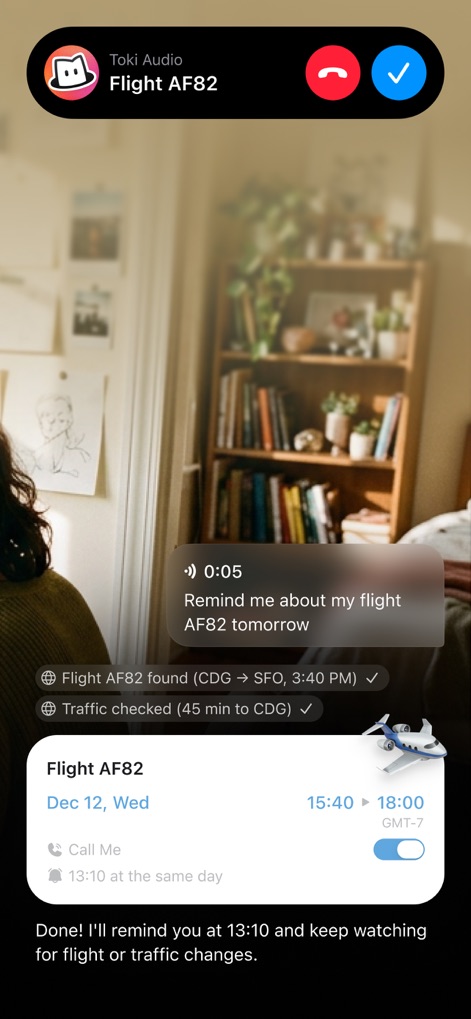
The app ensures users stay informed with call reminders for upcoming events and provides real-time updates on factors like flight status and traffic conditions.
Proactive Event Alerts
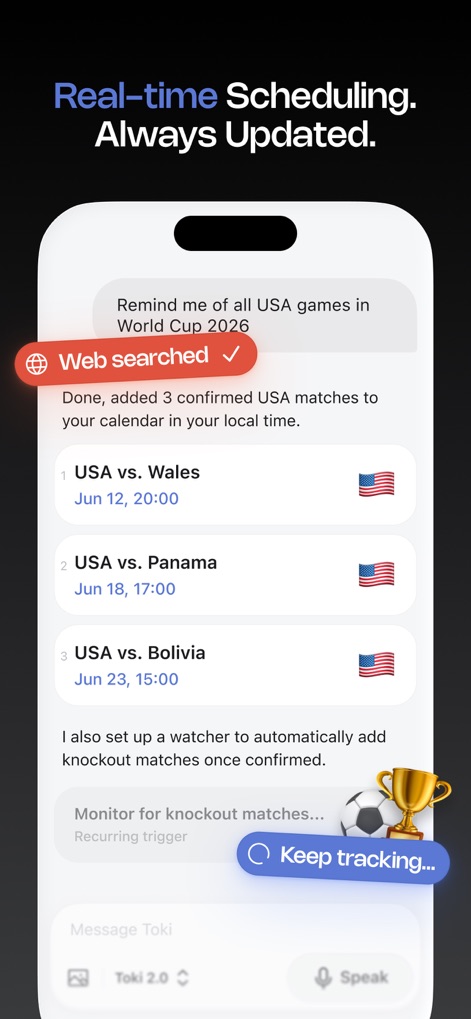
Users can effortlessly schedule events based on a simple request, with the app proactively performing web searches and monitoring for future updates.
Intelligent Event Discovery
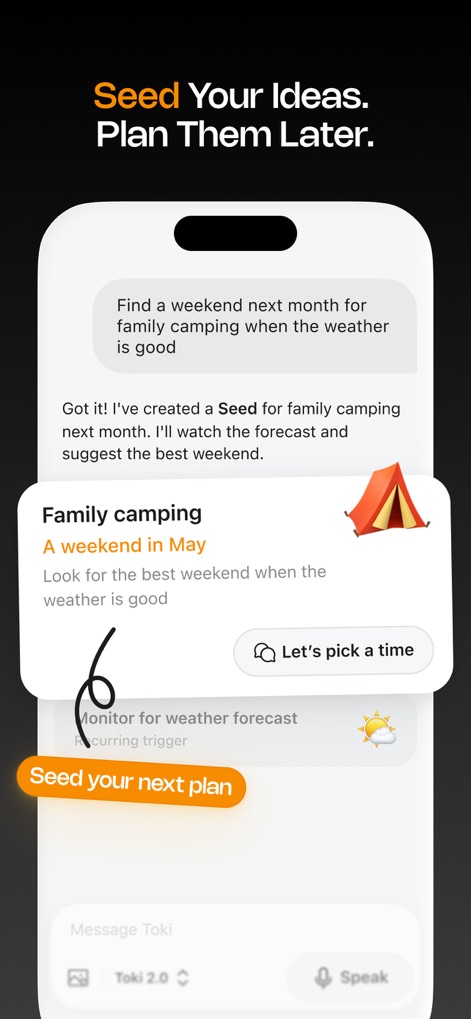
Toki allows users to 'Seed' nascent ideas for later development, actively monitoring external factors like weather forecasts to suggest optimal timing.
Future Planning Made Easy
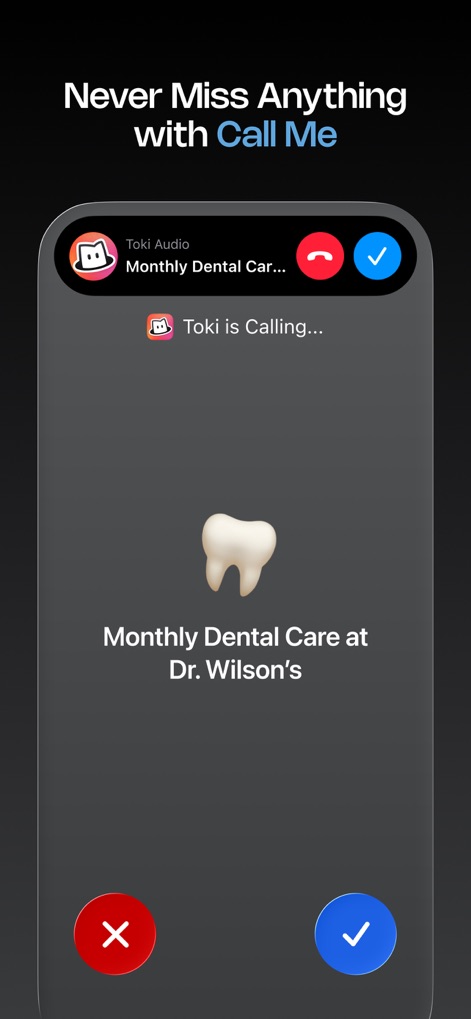
This feature uses direct call notifications to ensure critical appointments, such as monthly dental care, are impossible to overlook.
Unmissable Reminders
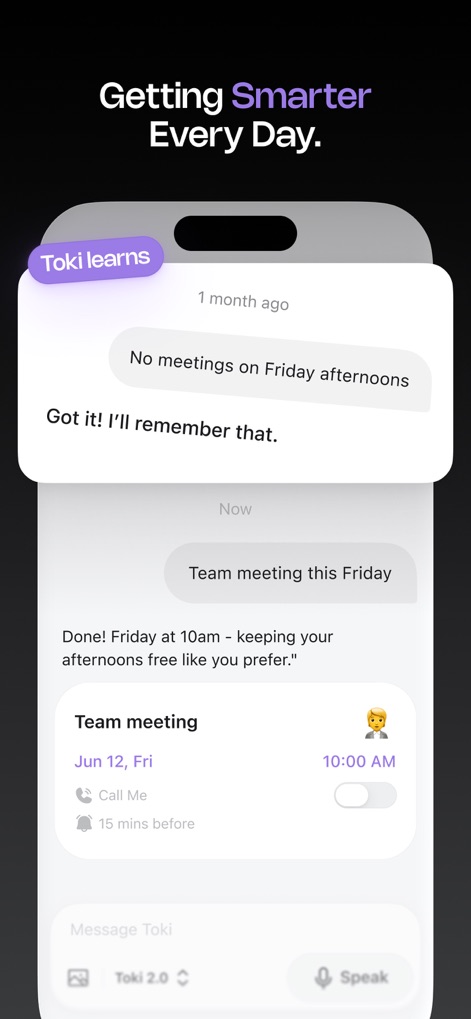
The app learns and adapts to user preferences, remembering specific scheduling habits and intelligently adjusting new events to honor established routines.
Personalized Scheduling Habits
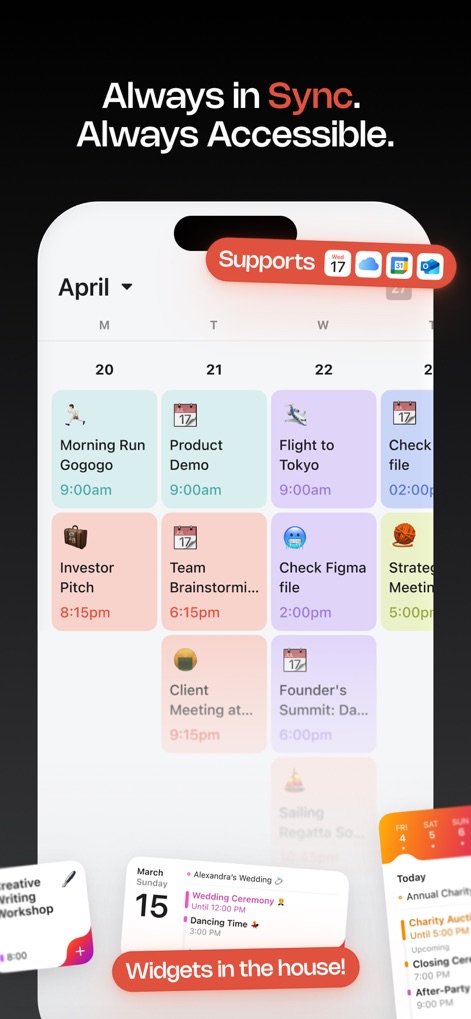
Toki centralizes all appointments into a single, comprehensive calendar display and offers convenient access via customizable home screen widgets.
Unified Calendar View
Description
Download
More Like This
Apps with similar features and user experience

CalendarTask - Efficient life
Beijing Xiaowei Cloud Service Technology Co., Ltd.
Across: Modern Calendar
DayMore Corp.
Calendar ·
Luni
BusyCal: Calendar & Tasks
Busy Apps FZE
iCalendar
Symfonies, Inc.
Calendar,Schedule & to do list
陈 彭
FirstSeed Calendar for iPad
FirstSeed Inc
Timepage: Calendar Planner
Bonobo Pte Ltd

GoodTask - To Do List, Tasks
haha Interactive
This page is not an official page of the app or its developer, but an independent editorial publication created for informational and commentary purposes. Unless expressly stated otherwise, neither the app nor its developer is affiliated with, endorsed by, sponsored by, authorized by, or otherwise officially connected with MWM, Apple, Google Play, the app publisher, or the app's developer, and nothing on this page implies that the app was developed using MWM's services. Any trademarks, logos, screenshots, and other content remain the property of their respective owners.