
This page is not an official page of the app or its developer, but an independent editorial publication created for informational and commentary purposes. Unless expressly stated otherwise, neither the app nor its developer is affiliated with, endorsed by, sponsored by, authorized by, or otherwise officially connected with MWM, Apple, Google Play, the app publisher, or the app's developer, and nothing on this page implies that the app was developed using MWM's services. Any trademarks, logos, screenshots, and other content remain the property of their respective owners.


Calendar ·
Finally, a calendar that actually works for you. This app eradicates scheduling headaches, offering users unparalleled control over their demanding lives.
Downloads
2.5M+User Rating
Total Ratings
68.3KPublisher
Category
ProductivityLocales
1Latest Version
2.106.0Size
70.4 MBFirst Released
Sep 15, 2016An Analytical Overview for Professionals
Key Features of 'Calendar ·'
Broad Calendar Integration
The app allows seamless synchronization and management of schedules across multiple popular calendar services like Google, Exchange, and iCloud.
Natural Language Event Entry
This tool features an intelligent natural language processing capability, enabling rapid creation of events by simply typing conversational phrases.
Unified Events and Reminders
It allows users to consolidate all events and reminders into one comprehensive view, eliminating the need to switch between different sections.
Meeting Context and History
The app provides historical information and contextual details related to contacts, enhancing preparation for meetings.
Frequently Asked Questions
Everything you need to know about Calendar ·
What features does the Calendar · app offer?
The Calendar · app provides intuitive daily and monthly views, a unified view of events and reminders, powerful natural language entry, and context with contacts. It also supports major calendar services.
What calendar services does Calendar · support?
Calendar · supports major calendar services including Google, Exchange, and iCloud. It also connects with Reminders and Facebook Events for a unified schedule view.
Can I add events using natural language in Calendar ·?
Yes, the Calendar · app features powerful natural language entry. Users quickly add events by typing phrases like "Coffee at 11am tomorrow," which the app processes automatically.
Does Calendar · offer a free trial for premium features?
Yes, Calendar · offers a 3-day trial. This trial is available with the 1-month subscription option, providing access to premium features. One-year and three-month subscriptions are also available.
Where can I find the Privacy Policy and EULA for the Calendar · app?
The Privacy Policy and End-User License Agreement (EULA) for the Calendar · app are located at http://privacy.appfeedbacks.com/1113106806. This link provides all relevant legal information.
Does Calendar · show historical interactions with contacts?
Yes, Calendar · provides history and context for contacts. Users see past and upcoming events linked to any contact, offering a complete interaction overview directly within the app.
Can I view my events by day and month in Calendar ·?
Yes, the Calendar · app provides intuitive and beautiful views of both individual days and the entire month. Users navigate their schedule with clarity and ease.
Is it possible to share event details or message participants from the Calendar · app?
Yes, Calendar · allows users to directly email or iMessage event participants from the event detail screen. This facilitates quick and efficient communication.
The following screenshots and description are sourced directly from the app's official store listing and are the property of the app developer.
App Store
Screenshots
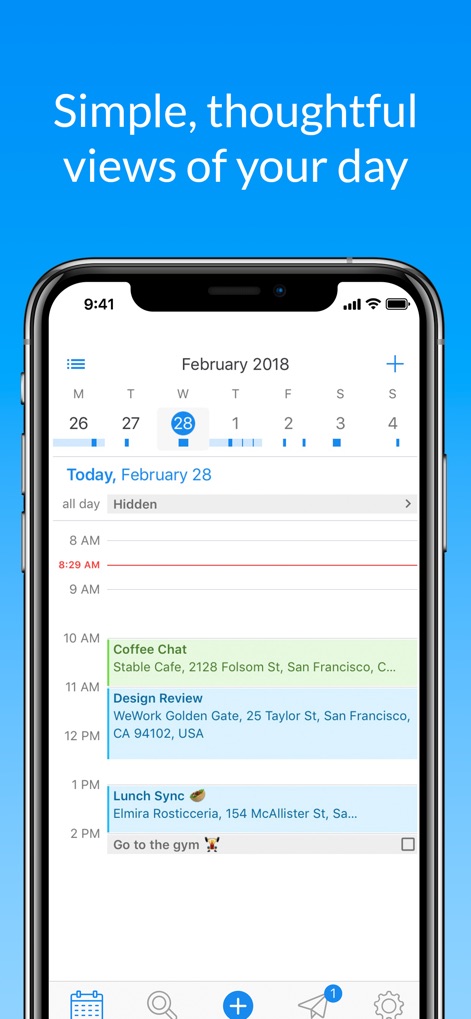
This app provides intuitive daily views, clearly displaying upcoming events like 'Coffee Chat' and 'Design Review' alongside the current date.
Daily Schedule At-a-Glance
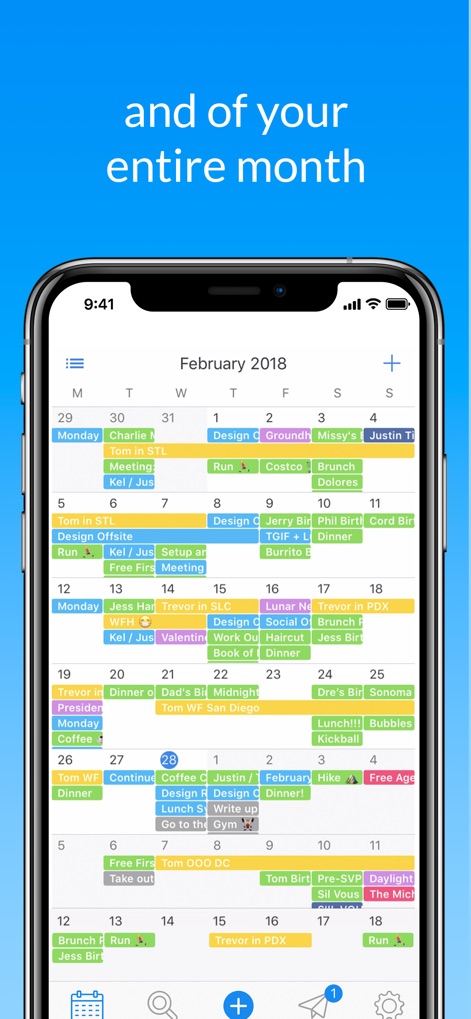
Users can effortlessly visualize their entire month, seeing all scheduled events and commitments within a unified calendar grid.
Comprehensive Monthly Overview
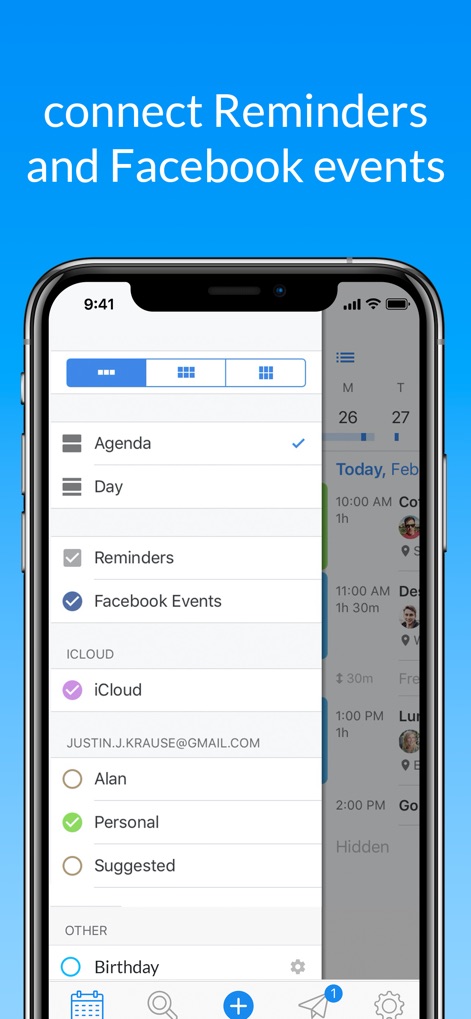
The app streamlines organization by allowing users to connect external services like 'Reminders' and 'Facebook Events' for a single, comprehensive view.
Unified Calendar Integration
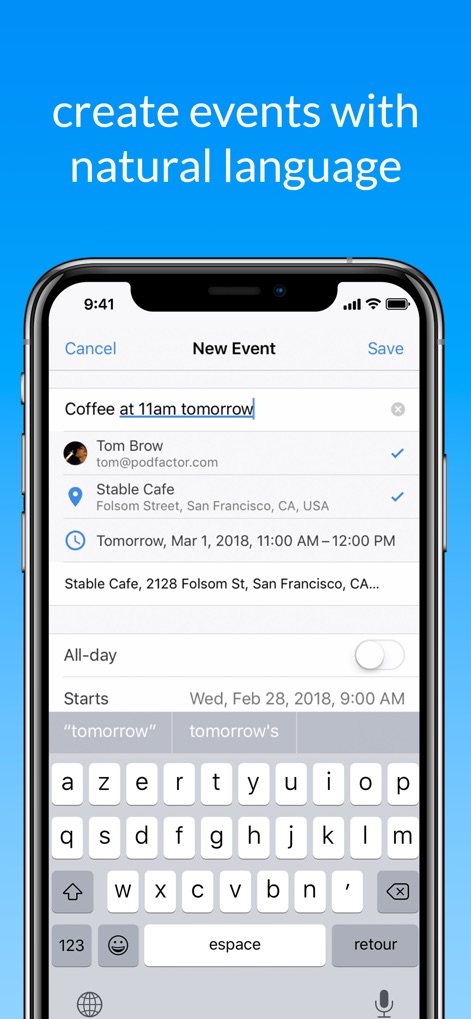
This tool features powerful natural language entry, letting users quickly add events like 'Coffee at 11am tomorrow' and intelligently parse details such as date and time.
Smart Event Creation
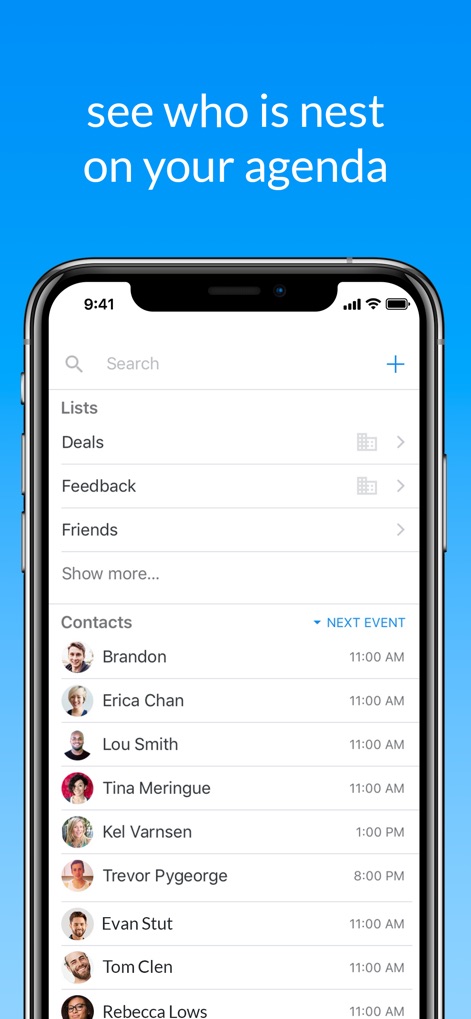
Users can easily identify who they're meeting next from a list of contacts, showing their profile pictures and upcoming event times.
Contact-Centric Scheduling
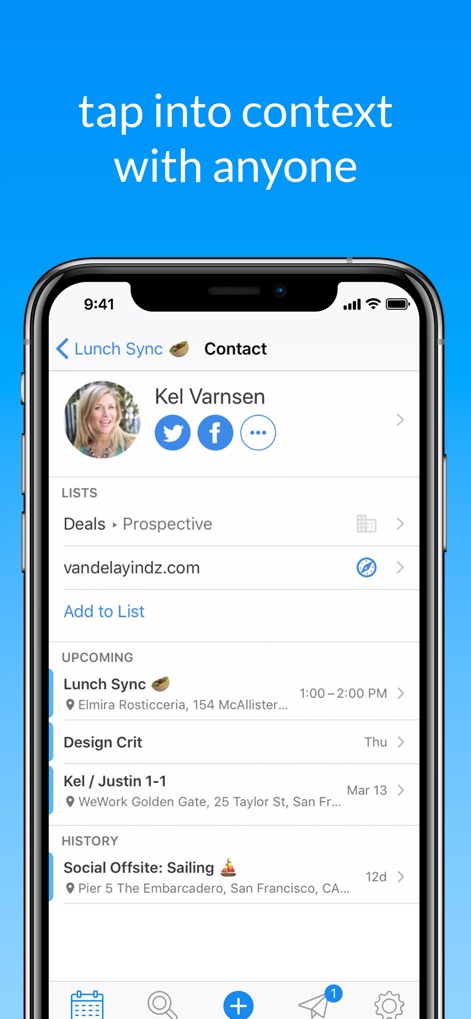
The app provides rich contextual information for contacts, displaying their associated lists and a chronological history of upcoming and past events.
Deep Contact Context
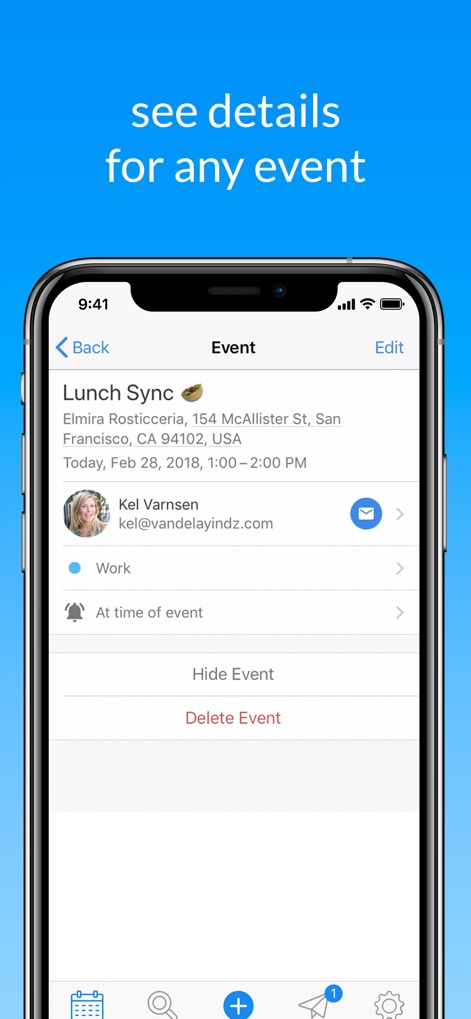
This tool offers a comprehensive overview of event details, including the specific time and location, along with options to 'Hide Event' or 'Delete Event'.
Event Detail Management
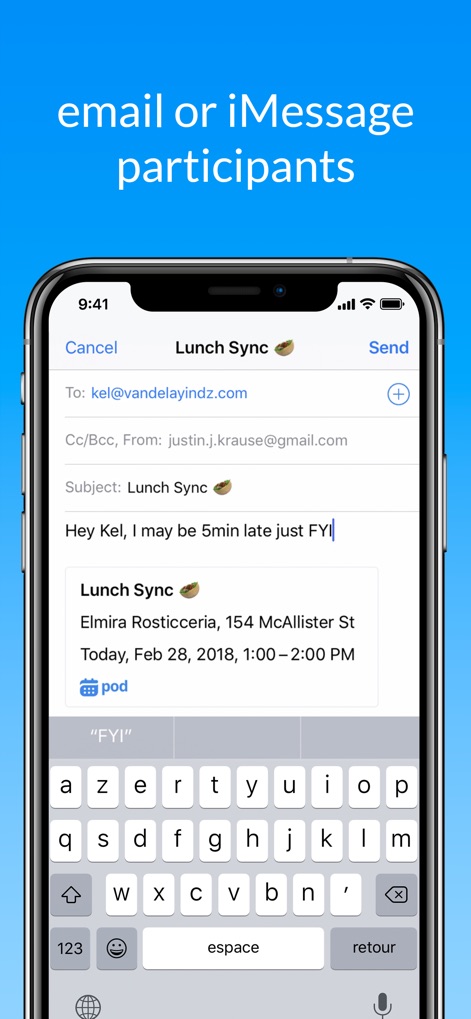
The app enables direct communication with event participants, allowing users to effortlessly 'email or iMessage' them with pre-filled event information.
Seamless Participant Communication
Description
Download
More Like This
Apps with similar features and user experience
Toki - The AI Calendar
Orion Arm Pte. Ltd

CalendarTask - Efficient life
Beijing Xiaowei Cloud Service Technology Co., Ltd.
Across: Modern Calendar
DayMore Corp.
BusyCal: Calendar & Tasks
Busy Apps FZE

iCalendar
Symfonies, Inc.

Calendar,Schedule & to do list
陈 彭
FirstSeed Calendar for iPad
FirstSeed Inc
Timepage: Calendar Planner
Bonobo Pte Ltd

GoodTask - To Do List, Tasks
haha Interactive
This page is not an official page of the app or its developer, but an independent editorial publication created for informational and commentary purposes. Unless expressly stated otherwise, neither the app nor its developer is affiliated with, endorsed by, sponsored by, authorized by, or otherwise officially connected with MWM, Apple, Google Play, the app publisher, or the app's developer, and nothing on this page implies that the app was developed using MWM's services. Any trademarks, logos, screenshots, and other content remain the property of their respective owners.