
This page is not an official page of the app or its developer, but an independent editorial publication created for informational and commentary purposes. Unless expressly stated otherwise, neither the app nor its developer is affiliated with, endorsed by, sponsored by, authorized by, or otherwise officially connected with MWM, Apple, Google Play, the app publisher, or the app's developer, and nothing on this page implies that the app was developed using MWM's services. Any trademarks, logos, screenshots, and other content remain the property of their respective owners.

CalendarTask - Efficient life
Seamlessly sync your schedule across iPhone, iPad, and Mac. Join over 500,000 users staying organized with beautiful widgets, countdown cards, and dedicated sub-accounts for work, study, and life.
Downloads
568K+User Rating
Total Ratings
17K+Publisher
Category
ProductivityLocales
5Latest Version
2.3.76Size
72.4 MBFirst Released
Jun 21, 2021Master Your Daily Flow, Stress-Free
Join over 500,000 high-achievers using a multi-platform productivity hub designed to bridge the gap between your work, study, and personal goals.
Seamless Multi-Device Sync
Keep your schedule in reach. Real-time synchronization across iPhone, iPad, Mac, and PC ensures your tasks are always updated, whether you are at your desk or on the move.
Separate Work, Life, and Study
Maintain perfect boundaries with dedicated sub-accounts. Toggle between professional projects and personal milestones to stay focused and avoid burnout.
Frequently Asked Questions
Everything you need to know about CalendarTask - Efficient life
What is CalendarTask - Efficient life?
CalendarTask is an app designed for efficient life management. It offers features like multi-platform task synchronization, custom reminders, countdown days, and desktop widgets to help prevent procrastination.
Does CalendarTask offer free features?
Yes, CalendarTask offers many core functions for free. These include multi-platform task synchronization, lunar calendar viewing, repeat task settings, countdown days, and mobile desktop widgets.
How does CalendarTask synchronize tasks across devices?
CalendarTask synchronizes tasks between mobile phones, computers, and iPad platforms. A member function provides automatic real-time synchronization across these devices.
Can users set recurring tasks and reminders in CalendarTask?
Yes, CalendarTask allows users to set repeat tasks and reminders. Options include daily, weekly, monthly, seasonal, yearly, or custom recurrence settings for notifications.
Does CalendarTask offer widgets for desktop task viewing?
Yes, CalendarTask provides widgets for task viewing. The computer terminal offers transparent desktop display, and the mobile application includes free widgets for quick task browsing on the desktop.
What types of countdown features are available in CalendarTask?
CalendarTask provides countdown days with five types of cards: birthday, exam, anniversary, festival, and default. These countdowns can also be set as widgets.
What benefits does a CalendarTask membership provide?
A CalendarTask membership offers automatic real-time synchronization, historical record backup, sub-account functionality for separate task logging, automatic extension of unfinished tasks, and online device management.
Can CalendarTask users customize the app's theme and appearance?
Yes, CalendarTask allows users to customize the app's appearance. It provides multiple theme colors, including LightMode, DarkMode, and various solid color options like Pink, Golden, and Sexy.
Does CalendarTask limit the number of logged-in devices for members?
No, CalendarTask does not limit the number of logged-in client devices for members. Users can log in with the same account at home, in the company, or anywhere.
The following screenshots and description are sourced directly from the app's official store listing and are the property of the app developer.
App Store
Screenshots
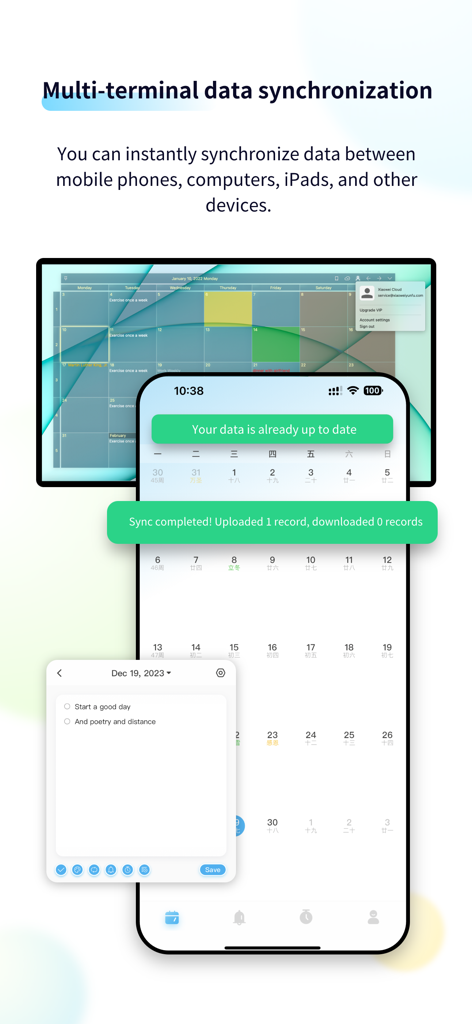
CalendarTask app interface demonstrating data synchronization across desktop and mobile devices
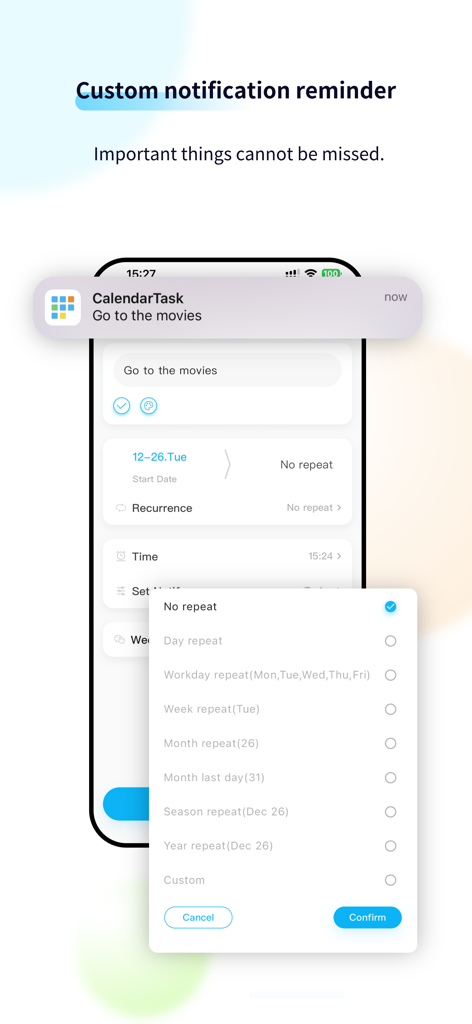
CalendarTask app interface showing a custom notification for a movie and task recurrence settings
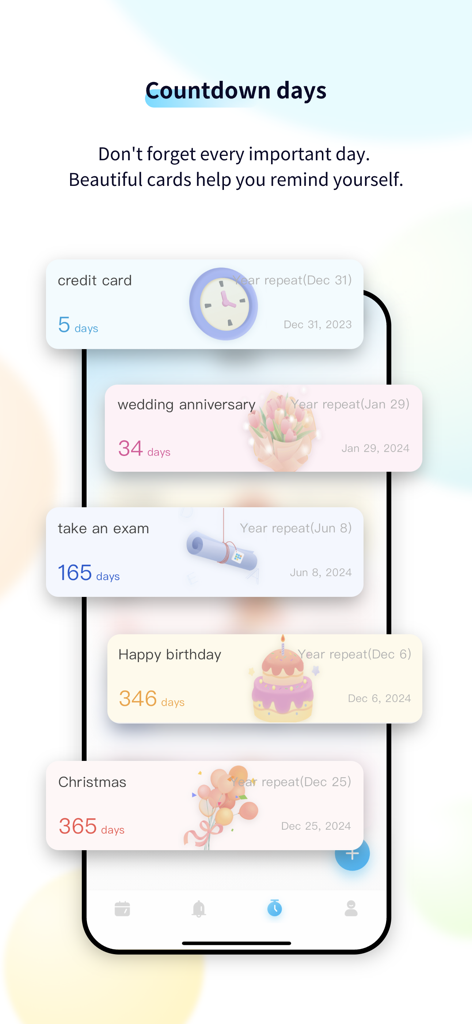
Mobile app screen showing countdown cards for events like birthdays and exams
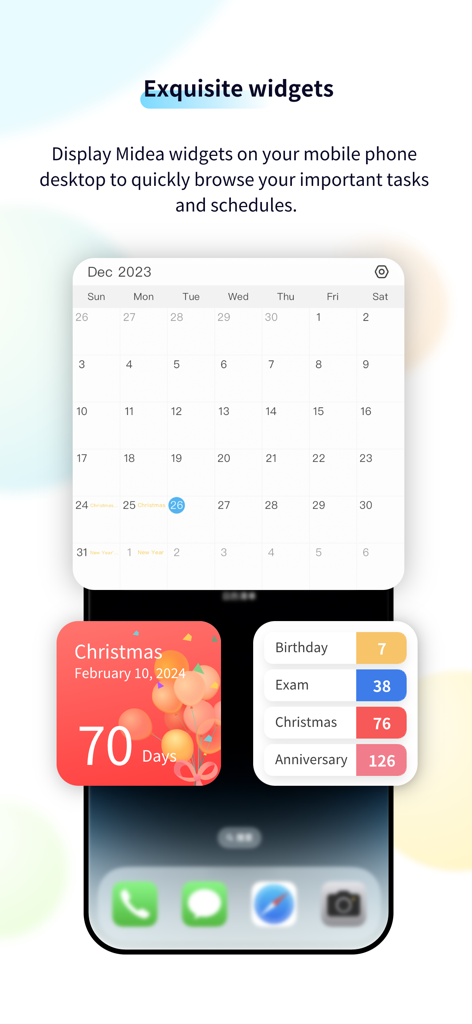
A mobile home screen showcasing customizable calendar and countdown widgets for birthdays and exams.
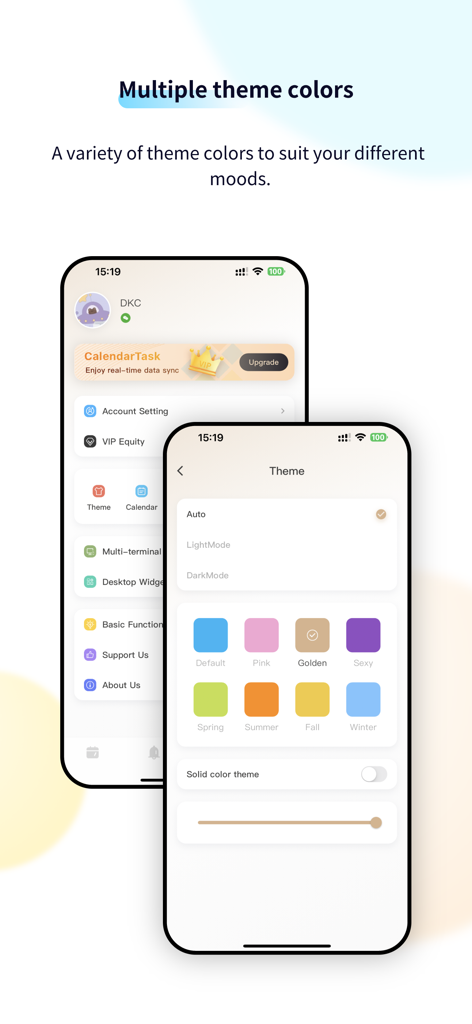
Interface of CalendarTask showing various theme color options including LightMode, DarkMode, and seasonal themes like Spring and Summer.
Description
Download
More Like This
Apps with similar features and user experience
Toki - The AI Calendar
Orion Arm Pte. Ltd
Across: Modern Calendar
DayMore Corp.
Calendar ·
Luni
BusyCal: Calendar & Tasks
Busy Apps FZE
iCalendar
Symfonies, Inc.
Calendar,Schedule & to do list
陈 彭
FirstSeed Calendar for iPad
FirstSeed Inc
Timepage: Calendar Planner
Bonobo Pte Ltd
GoodTask - To Do List, Tasks
haha Interactive
This page is not an official page of the app or its developer, but an independent editorial publication created for informational and commentary purposes. Unless expressly stated otherwise, neither the app nor its developer is affiliated with, endorsed by, sponsored by, authorized by, or otherwise officially connected with MWM, Apple, Google Play, the app publisher, or the app's developer, and nothing on this page implies that the app was developed using MWM's services. Any trademarks, logos, screenshots, and other content remain the property of their respective owners.