POIViewer
POIViewer
Download on App Store

This page is not an official page of the app or its developer, but an independent editorial publication created for informational and commentary purposes. Unless expressly stated otherwise, neither the app nor its developer is affiliated with, endorsed by, sponsored by, authorized by, or otherwise officially connected with MWM, Apple, Google Play, the app publisher, or the app's developer, and nothing on this page implies that the app was developed using MWM's services. Any trademarks, logos, screenshots, and other content remain the property of their respective owners.


Logo of POIViewer
Download on App Store

POIViewer

The high-performance bridge for power users and planners. Import thousands of waypoints from any file format, organize your custom datasets, and launch your favorite GPS apps for a perfectly planned journey.

Key Figures

Downloads

222K+

User Rating

4.1/5

Total Ratings

100

Publisher

David Epinette

Category

Navigation

Locales

5

Latest Version

1.43.1

Size

14.9 MB

First Released

Apr 1, 2010
Features

Master Your Custom Destinations

The ultimate utility for power users to manage, visualize, and navigate thousands of points of interest with surgical precision.

Unmatched Performance

Load and display over 10,000 custom points instantly without lag. Perfect for managing massive datasets of campsites, trailheads, or field locations.

Universal Data Sync

Seamlessly import GPX, KML, CSV, and legacy TomTom files from iCloud, Dropbox, or email. Keep all your specialized GPS data organized in one place.

The following screenshots and description are sourced directly from the app's official store listing and are the property of the app developer.

App Store

Screenshots
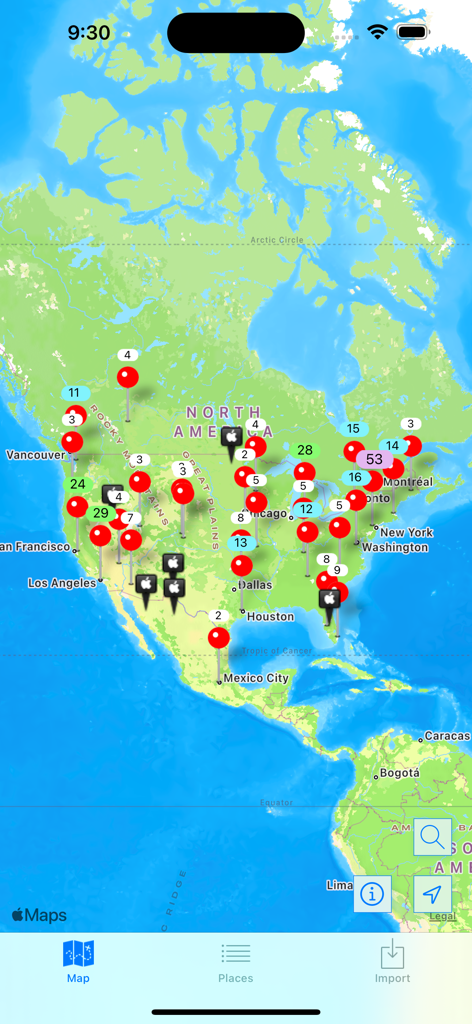
POIViewer - POIViewer map interface displaying multiple points of interest and clusters across North America.

POIViewer map interface displaying multiple points of interest and clusters across North America.
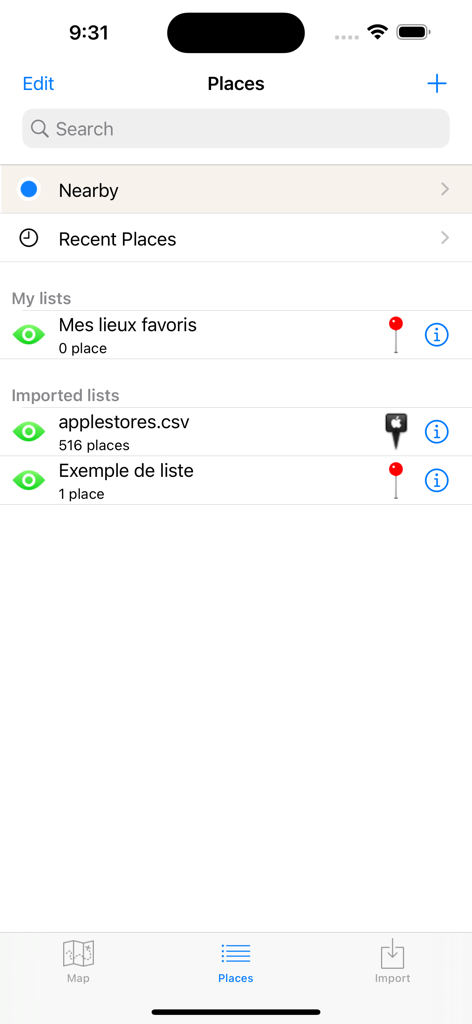
POIViewer - Screenshot of the POIViewer app showing a list of imported and custom points of interest
Screenshot of the POIViewer app showing a list of imported and custom points of interest

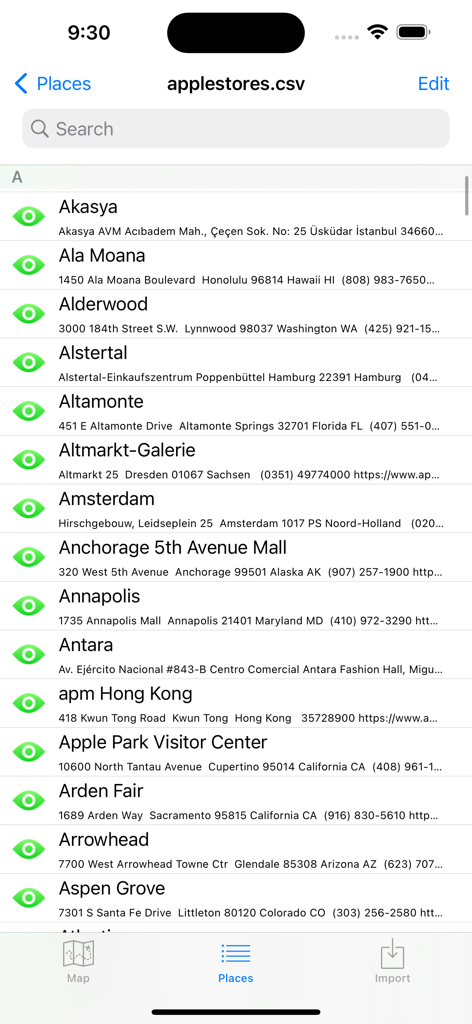
POIViewer - Searchable list of points of interest imported from a CSV file in POIViewer app
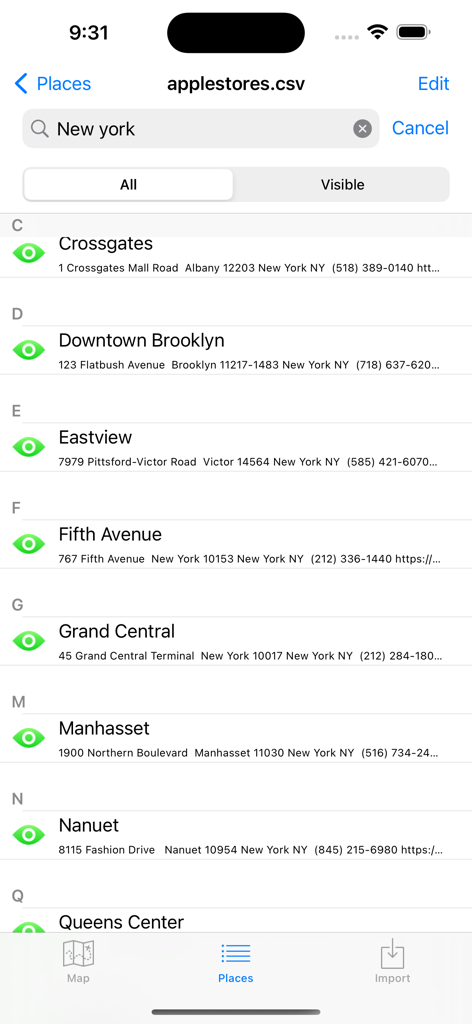
Searchable list of points of interest imported from a CSV file in POIViewer app

POIViewer - POIViewer app screen showing a searchable list of locations imported from a CSV file.
POIViewer app screen showing a searchable list of locations imported from a CSV file.

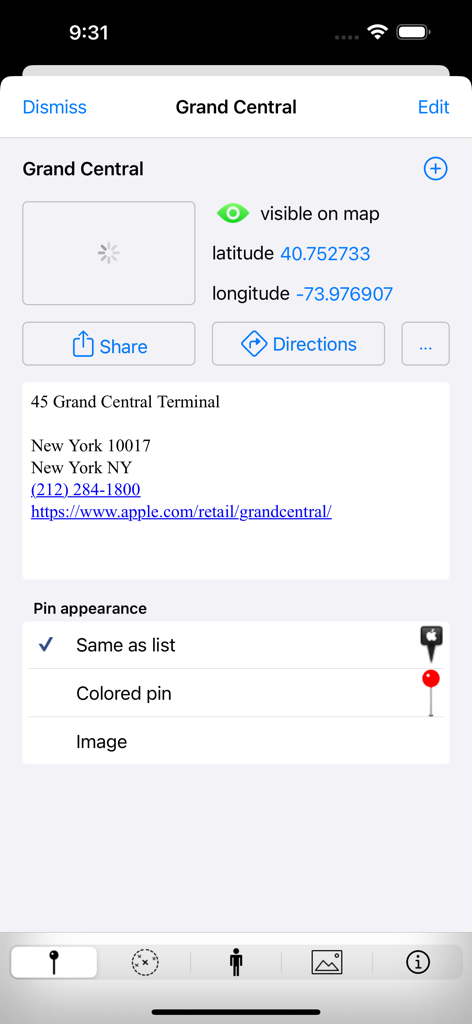
POIViewer - A detail screen in the POIViewer app showing location information for Grand Central with coordinates and pin appearance options.

A detail screen in the POIViewer app showing location information for Grand Central with coordinates and pin appearance options.

POIViewer - POIViewer app split screen showing Google Street View of Grand Central and its location on a map
POIViewer app split screen showing Google Street View of Grand Central and its location on a map

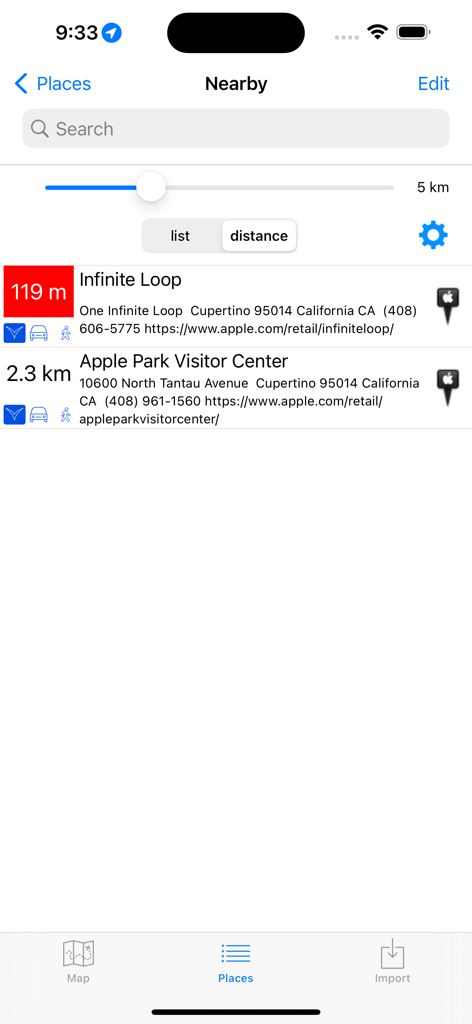
POIViewer - POIViewer app nearby places list showing distance and location details
POIViewer app nearby places list showing distance and location details

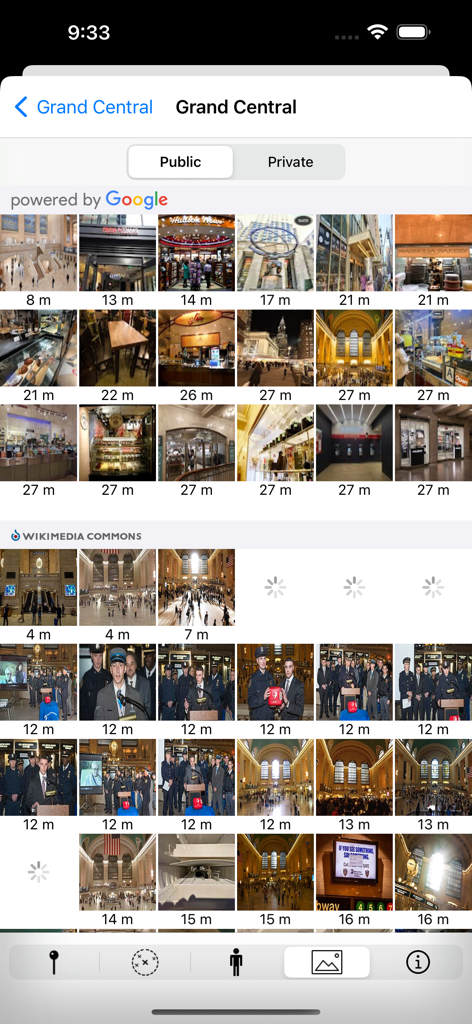
POIViewer - A photo gallery view in the POIViewer app displaying images of Grand Central Terminal from Google and Wikimedia Commons.

A photo gallery view in the POIViewer app displaying images of Grand Central Terminal from Google and Wikimedia Commons.

Description

POIViewer is a POI management tool with a lot of features. POIViewer can load, manage and display POIs (Points of Interest) on maps. Places, waypoints, placemarks can be imported and exported, show as pin or configurable icon on maps. This universal app is very fast even with thousands points, making it the perfect complement to existing apps for navigation or route planning. And if you really have a lot (>10000), you can selectively show/hide groups of POI on the map. A few reviews from App stores (thank you): ***** Very good as usual - Working since years with this jewel: keep up the wonderful job. ***** Nearby POIs - Great enhancement! ***** This is the best poi app so far //Bosse. ***** Sehr praktische App und toller Support (Very handy app and great support) ***** At last my poi back POI import from: • Supported POI Files: .csv (Garmin), .ov2 (Tomtom), .zip, .asc., .gpx (only places can be imported), KML/KMZ (only places can be imported), GPI (including icons, images, mp3) • A moveable marker on the map • Your current location • Foursquare places • Wikipedia geotagged articles • The POI search results • Your contacts POIViewer does not provide navigation, but it can launch your favorite GPS app: • Tomtom • Tomtom GO • Waze • Navigon • Apple Maps • Google Maps • Here • Garmin StreetPilot • CoPilot GPS • Sygic • IGO (the new iGO navigation is not well supported, due to a bug in IGO, write them an email) • MappyGPS • Where To? Maps provider (online only): • Apple Maps • Bing Maps • OpenCycleMap POI files can be imported via: • Email, Safari, Airdrop, etc (via iOS "Open In...") • iTunes file sharing • Cloud Providers on iOS 8 (iCloud Drive, Google Drive, Dropbox, ...) • The integrated web browser POI Edition: • POI title and comment can be edited. • POI coordinate can be displayed in various format (decimal, degrees, what3words.com) and edited in decimal. • HTML comment from KML file can be viewed. • POI are organized into lists. You can copy/move POI from one list to another. For each POI, you can view: • Nearby POIs • Google Streetview • Photos (provided by Google Places, Wikimedia Commons, flickr and your photo library) • Foursquare places and tips • Wikipedia articles Monitor: • Monitor nearby POI while you move (for geocaching or other alerts). POI Icons • Pin icon can be modified per list or per POI. • Pin icon can be imported via iTunes (zip files supported). • Pin icon can be pasted into the pin library. • Pin icon can be imported from the internet with the integrated browser. Share • Places and list can exported in KMZ or KML format. • Exported KMZ can be sent by email • Exported KMZ/KML can be sent to PC/Mac via iTunes File Sharing • Exported KMZ/KML can be opened on the iPad/iPhone with apps such as Goodreader, Dropbox app, or Google Earth (KML only). Advanced features: URL scheme • In order to launch POIViewer from an external launcher, use the URL scheme: poiviewer://. • Navigate to coordinates using poiviewer://navigate?lat=[lat]&lon=[lon]&name=[name] • Navigate to what3words address using poiviewer://navigate?3wa=[three.words.address] • Display a POI using POIViewer://show?lat=[lat]&lon=[lon]  • or poiviewer://show?3wa=[three.words.address] • Import a POI into POIViewer using poiviewer://import?lat=[lat]&lon=[lon] &name=[name] Notification sound You can now customize the notification sound by copying a file named alert.wav in the Documents directory. Visit our web site for more details. http://www.fkdev.fr/en/poiviewer Notes: Continued use of GPS running in the background can dramatically decrease battery life. The use of this monitoring feature to provide speed camera detection might be forbidden in some country.

Download

Download on App Store

This page is not an official page of the app or its developer, but an independent editorial publication created for informational and commentary purposes. Unless expressly stated otherwise, neither the app nor its developer is affiliated with, endorsed by, sponsored by, authorized by, or otherwise officially connected with MWM, Apple, Google Play, the app publisher, or the app's developer, and nothing on this page implies that the app was developed using MWM's services. Any trademarks, logos, screenshots, and other content remain the property of their respective owners.