
This page is not an official page of the app or its developer, but an independent editorial publication created for informational and commentary purposes. Unless expressly stated otherwise, neither the app nor its developer is affiliated with, endorsed by, sponsored by, authorized by, or otherwise officially connected with MWM, Apple, Google Play, the app publisher, or the app's developer, and nothing on this page implies that the app was developed using MWM's services. Any trademarks, logos, screenshots, and other content remain the property of their respective owners.

Postmon - Rest API Client
Bring your desktop API workflow to your mobile device. Build requests, manage workspaces, and debug complex REST or GraphQL endpoints with a powerful, developer-first tool designed for the iOS ecosystem.
Downloads
100+User Rating
Total Ratings
0Publisher
Category
Developer ToolsLocales
1Latest Version
1.0Size
2.4 MBFirst Released
Dec 27, 2025Desktop-Class API Power in Your Pocket
Stop waiting for your laptop to boot. Postmon brings professional-grade REST, HTTP, and GraphQL testing to your iOS device, tailored for developers who need to stay productive on the move.
Rapid Production Debugging
Respond to critical on-call alerts or sanity-check deployments instantly with a full suite of HTTP methods and real-time response prettification.
Secure Enterprise Auth
Handle complex security requirements with built-in support for OAuth, JWT, and Bearer tokens, ensuring you can access protected environments safely.
The following screenshots and description are sourced directly from the app's official store listing and are the property of the app developer.
App Store
Screenshots
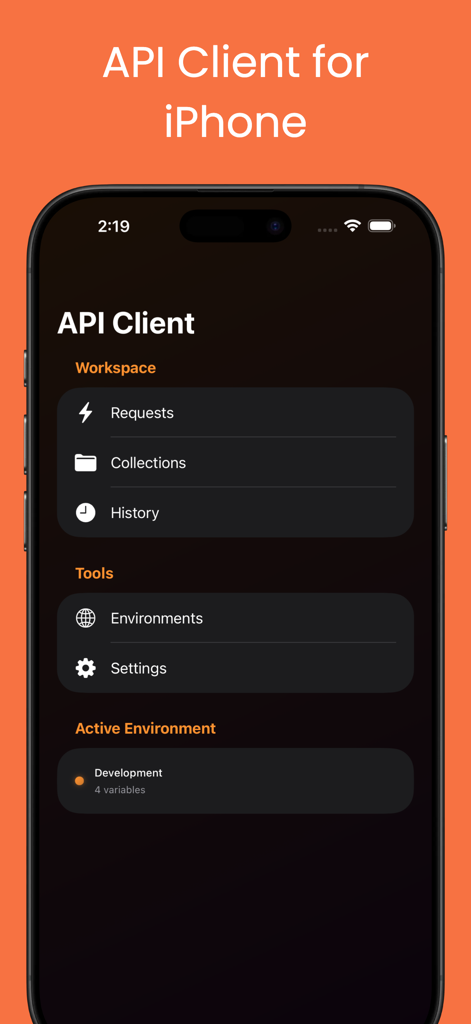
Dashboard of Postmon API client for iPhone showing workspace tools and active environment
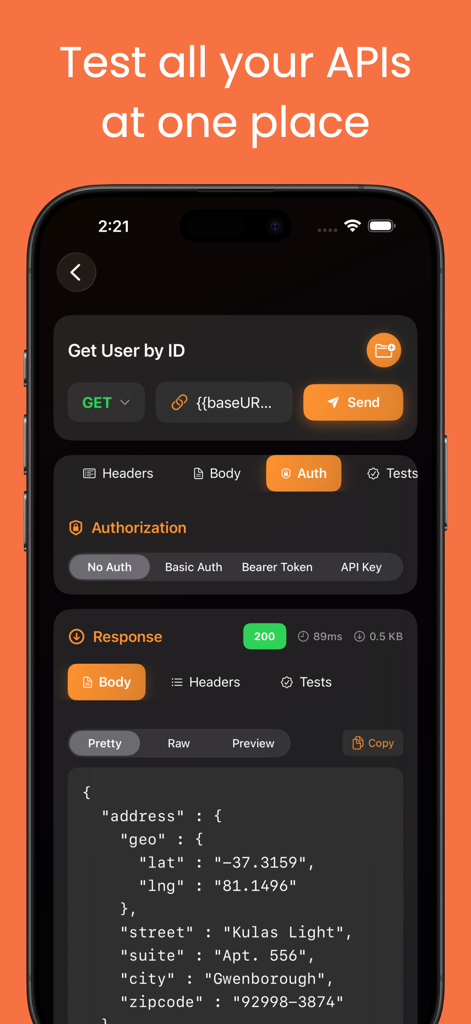
Mobile interface of Postmon REST API client showing a GET request and JSON response
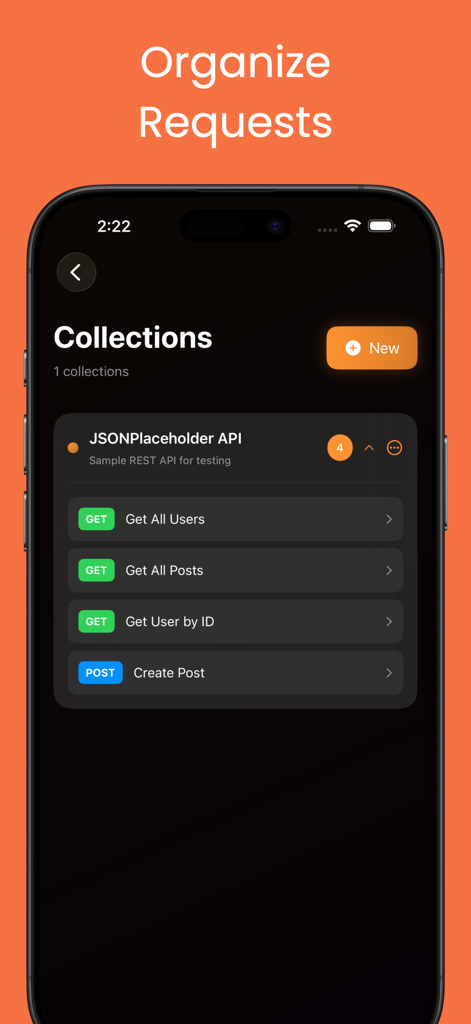
Postmon app interface showing organized API request collections on an iPhone
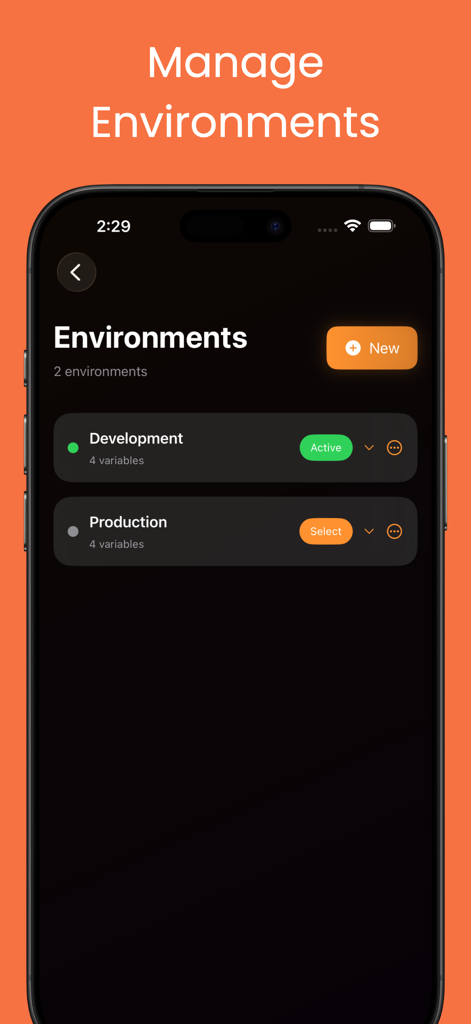
Screenshot of the Postmon app showing the environment management screen with development and production variables
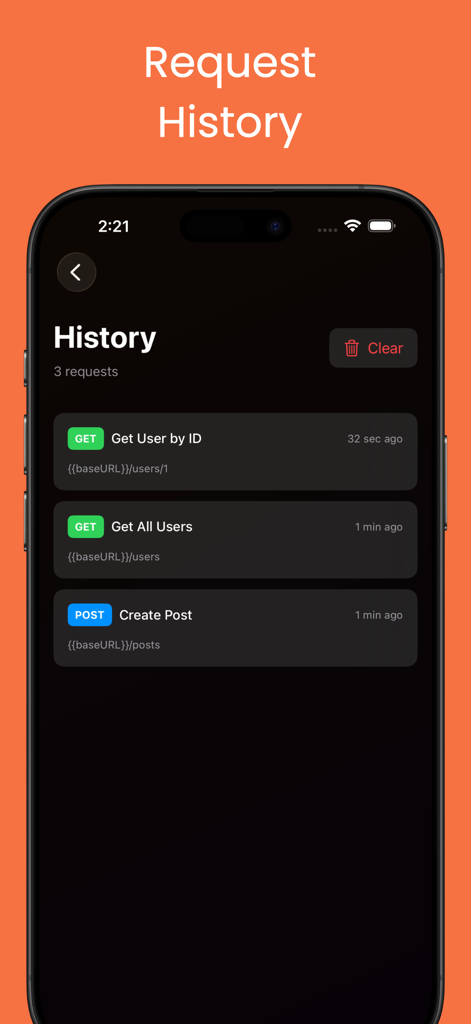
Screenshot of the Postmon app showing a list of recent REST API request history with GET and POST methods
Description
Download
More Like This
Top-ranked apps in the same category

TestFlight
Apple Inc.

Replit: Vibe Code Apps
Replit, Inc

GitHub
GitHub

O-KAM Pro
Shenzhen VeePai IoT Intelligent Technology LLC

Apple Developer
Apple Inc.

Emergent AI: Vibe Code Apps
Emergent Labs Inc

Expo Go
650 Industries, Inc.

Scriptable
Simon Stovring

ProxyPin - Open Source Capture
Minimalist Network Co., Ltd.
This page is not an official page of the app or its developer, but an independent editorial publication created for informational and commentary purposes. Unless expressly stated otherwise, neither the app nor its developer is affiliated with, endorsed by, sponsored by, authorized by, or otherwise officially connected with MWM, Apple, Google Play, the app publisher, or the app's developer, and nothing on this page implies that the app was developed using MWM's services. Any trademarks, logos, screenshots, and other content remain the property of their respective owners.