
This page is not an official page of the app or its developer, but an independent editorial publication created for informational and commentary purposes. Unless expressly stated otherwise, neither the app nor its developer is affiliated with, endorsed by, sponsored by, authorized by, or otherwise officially connected with MWM, Apple, Google Play, the app publisher, or the app's developer, and nothing on this page implies that the app was developed using MWM's services. Any trademarks, logos, screenshots, and other content remain the property of their respective owners.


PowerDirector: AI Video Editor
AI doesn't just edit your video; it reinvents your creative potential.
Downloads
10M+User Rating
Total Ratings
95.8KPublisher
Category
Photo & VideoLocales
15Latest Version
16.4.0Size
318.8 MBFirst Released
Dec 23, 2019An evaluation of core functionalities impacting mobile content creation workflows.
PowerDirector: AI Video Editor - Key Feature Analysis
AI Auto Edit
Automatically transforms raw footage into polished, engaging content with minimal effort, ideal for quick social media posts.
Royalty-Free Stock Media
The app provides unlimited access to a vast, royalty-free stock media library, enriching content creation without licensing concerns.
AI Auto Caption
It automatically generates captions, improving accessibility and boosting engagement for a wider audience.
AI Video Enhancer
This tool automatically refines video quality, ensuring professional-looking output without manual adjustments.
Background Removal
It allows users to easily remove video backgrounds, enabling creative layering and professional visual effects.
Animated Titles & Text
The app enables the addition of dynamic text and animated titles, enhancing storytelling and viewer engagement.
Multi-Timeline Editing
This tool provides granular control over video, audio, and effects by allowing users to combine multiple elements on separate tracks.
Basic Video Editing Tools
It offers essential tools for precise trimming, cutting, and cropping of video clips, foundational for any edit.
Frequently Asked Questions
Everything you need to know about PowerDirector: AI Video Editor
What is PowerDirector: AI Video Editor?
PowerDirector is an AI video editor that allows users to create high-quality videos quickly. It provides a comprehensive set of AI tools and editing features to transform videos and photos into engaging content.
Does PowerDirector offer AI Auto Captioning?
Yes, PowerDirector includes an AI Auto Caption feature. It quickly detects speech in videos to generate captions and lyrics, helping users create accessible and engaging content.
Can PowerDirector enhance video quality?
Yes, PowerDirector features an AI Video Enhancer. This tool improves video quality with options like Video Denoise, AI Color, Stabilizer, and Frame Interpolation, as shown in the app interface.
Does PowerDirector allow users to create AI Anime videos?
Yes, PowerDirector offers an AI Anime Video feature. Users can transform their videos into an anime style, applying AI Art filters like "Vivid Anime" and "Fairy Classic."
How does PowerDirector perform background removal?
PowerDirector provides a Professional Cutout feature for background removal. This tool allows users to remove or change backgrounds in their videos using precise cutout and Chroma Key functions.
What benefits do PowerDirector Premium subscribers receive?
PowerDirector Premium subscribers gain access to exclusive content, stock media for commercial use including music and footage from Getty Images, and cloud storage for projects.
Do PowerDirector subscriptions automatically renew?
Yes, PowerDirector subscriptions automatically renew at the end of each period (1 month, 3 months, or 1 year) unless canceled at least 24 hours before the current period ends.
Can PowerDirector stabilize shaky video footage?
Yes, PowerDirector features a Video Stabilizer tool. This function, part of the AI Video Enhancer, reduces shakiness in video footage to create smoother, more professional-looking results.
Does PowerDirector include a Text-To-Speech feature?
Yes, PowerDirector provides a Text-To-Speech feature. This allows users to convert written text into spoken audio in various languages and voices, as seen in the app interface.
Does PowerDirector offer a feature to blur faces or bodies in videos?
Yes, PowerDirector includes an Auto Mosaic feature. This tool automatically detects and blurs faces or bodies in videos, providing a way to protect privacy or add stylistic effects.
The following screenshots and description are sourced directly from the app's official store listing and are the property of the app developer.
App Store
Screenshots
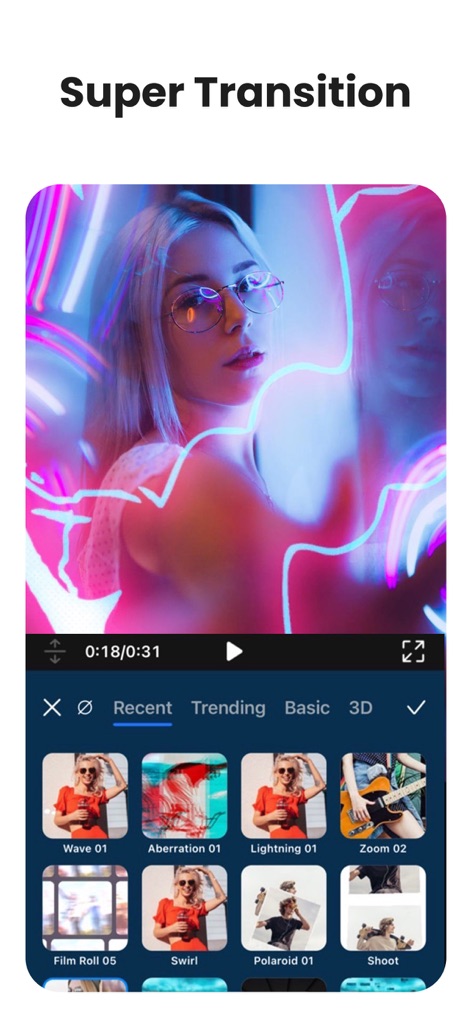
See how the app offers a variety of transition styles, from 'Wave 01' to 'Zoom 02', enhancing video flow with creative effects.
Dynamic Scene Transitions
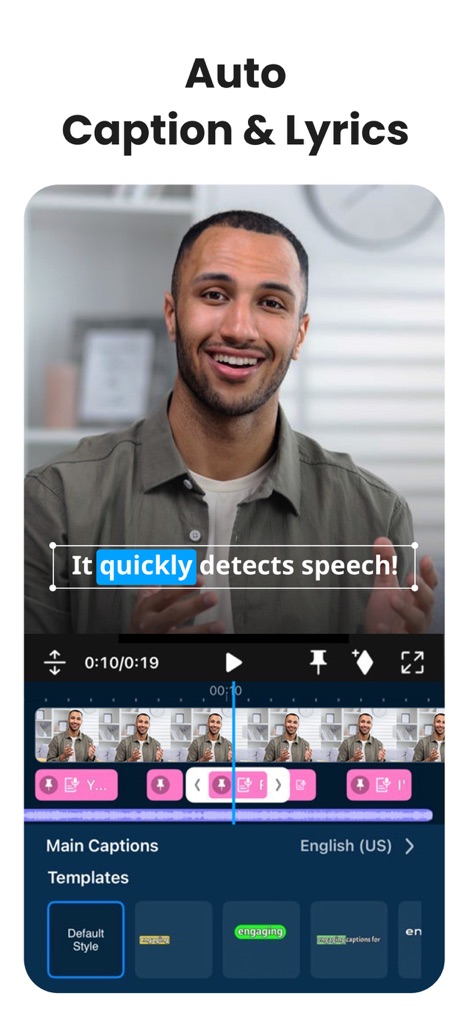
This tool provides AI Auto Caption functionality, quickly detecting speech and allowing users to customize text styles for engaging content.
Smart Caption Generation
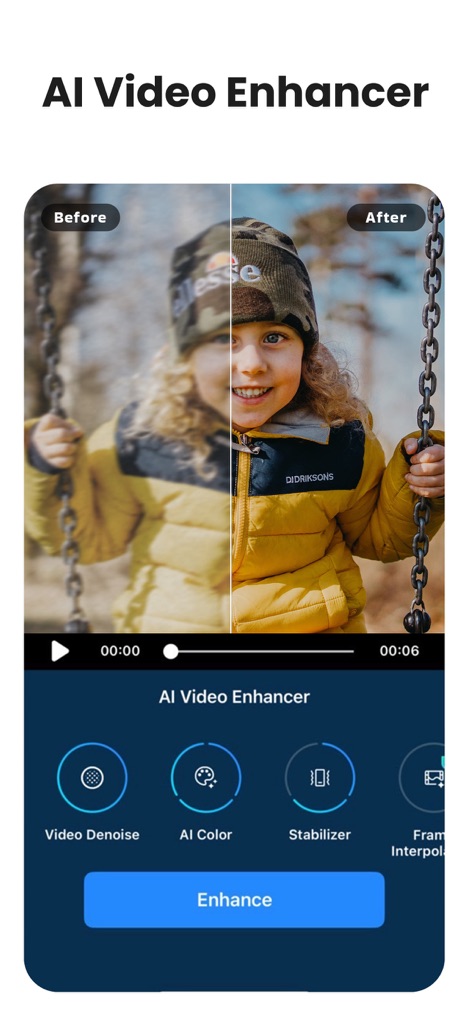
The app's AI Video Enhancer improves footage quality, offering capabilities like 'Video Denoise' and 'AI Color' for professional results.
AI-Powered Enhancements
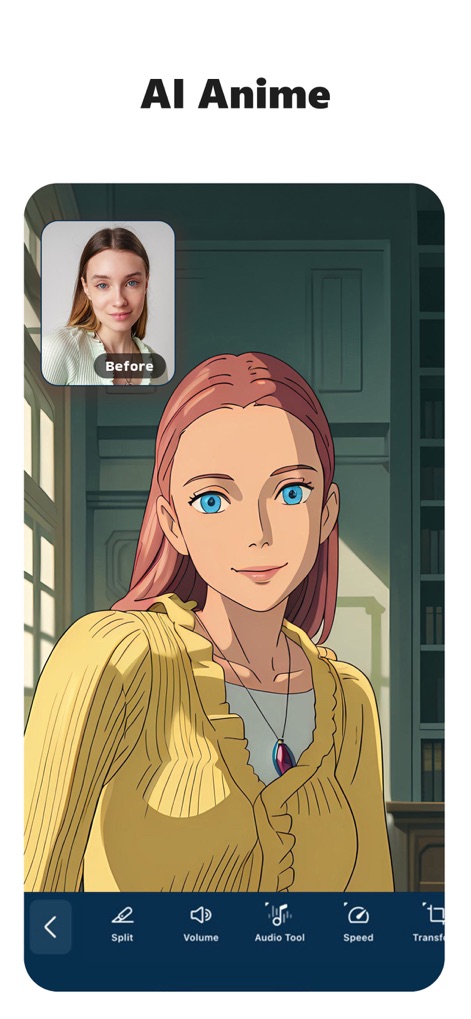
Users can convert their images into unique 'AI Anime Video' styles, integrating features like 'Split' and 'Volume' control for personalized creations.
Transformative AI Anime
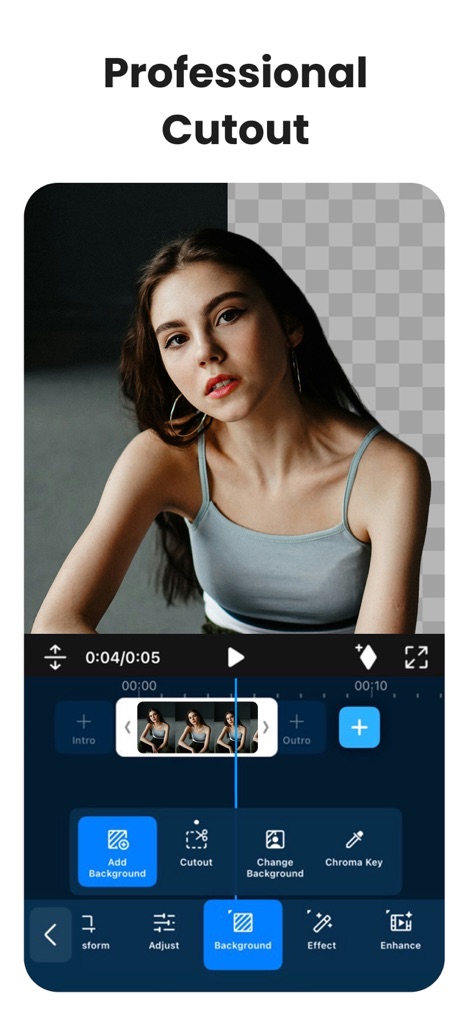
This feature allows for 'Professional Cutout', letting users easily remove backgrounds and add new ones with 'Add Background' options.
Precision Background Removal
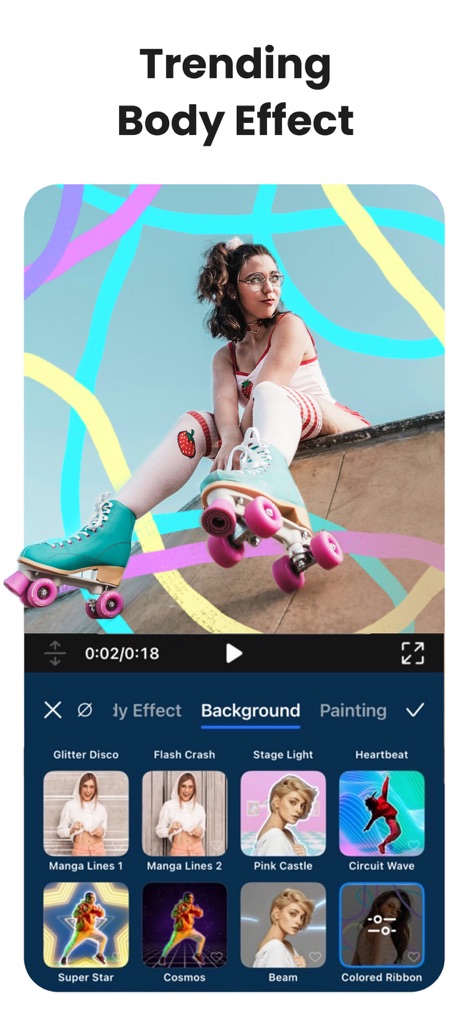
Explore trendy 'Body Effect' options such as 'Glitter Disco' and 'Manga Lines 1' to add dynamic visual flair to videos.
Creative Body Effects
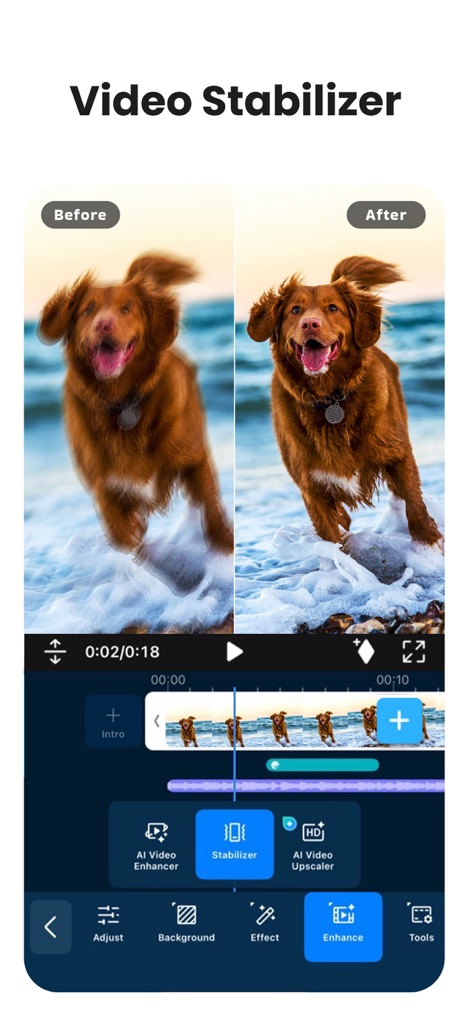
The app includes a 'Video Stabilizer' to eliminate shaky footage, alongside an 'AI Video Enhancer' for overall quality improvements.
Smooth Video Stabilization
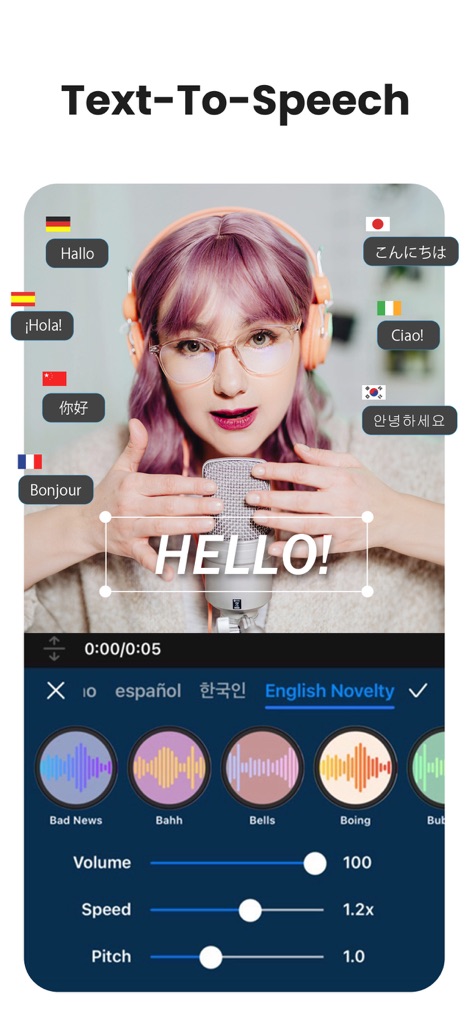
PowerDirector offers advanced 'Text-To-Speech' capabilities, supporting multiple languages and various voice effects like 'Bad News' and 'Bells'.
Dynamic Voiceovers
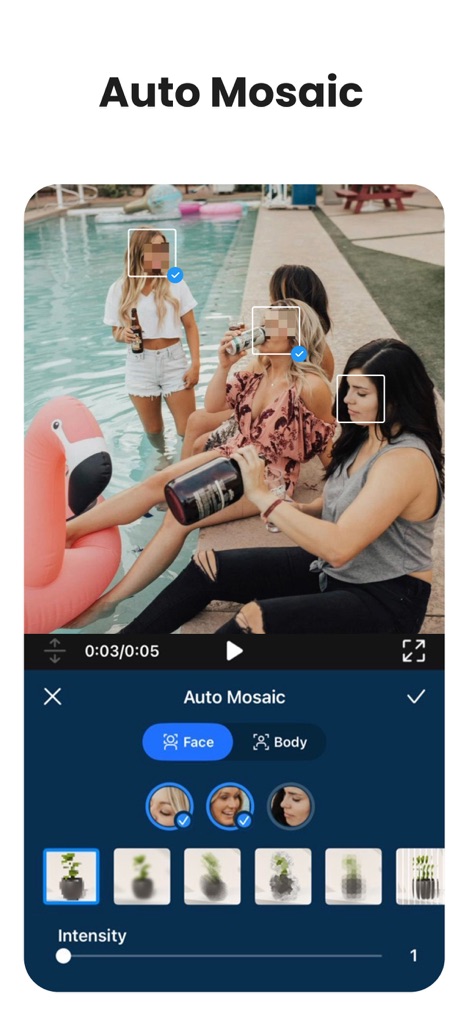
Utilize 'Auto Mosaic' for privacy, automatically blurring 'Face' and 'Body' elements within video frames with adjustable intensity.
Smart Privacy Protection
Description
Download
More Like This
Apps with similar features and user experience

Edits: Video Editor
Instagram, Inc.

VLLO- Video Editor, Vlog Edits
vimosoft

YouCut - AI Video Editor
SHANTANU PTE. LTD.

必剪-B站官方出品
Shanghai Bilibili Animation Co.,Ltd

剪影 - 视频剪辑 & 卡点影集制作
Shanghai Jian Ji Software Technology Co., Ltd

Videoshop - Video Editor
Jajijujejo Inc.

VDIT - Video Maker & Editor
ImgBase, Inc.

Video Editor with Music・VidLab
Onelight Apps CY Ltd

Video Maker-movie maker&Editor
Changsha Fugui Bamboo Network Technology Co., Ltd.
This page is not an official page of the app or its developer, but an independent editorial publication created for informational and commentary purposes. Unless expressly stated otherwise, neither the app nor its developer is affiliated with, endorsed by, sponsored by, authorized by, or otherwise officially connected with MWM, Apple, Google Play, the app publisher, or the app's developer, and nothing on this page implies that the app was developed using MWM's services. Any trademarks, logos, screenshots, and other content remain the property of their respective owners.