PrintHand Mobile Print Premium
Download on App Store

This page is not an official page of the app or its developer, but an independent editorial publication created for informational and commentary purposes. Unless expressly stated otherwise, neither the app nor its developer is affiliated with, endorsed by, sponsored by, authorized by, or otherwise officially connected with MWM, Apple, Google Play, the app publisher, or the app's developer, and nothing on this page implies that the app was developed using MWM's services. Any trademarks, logos, screenshots, and other content remain the property of their respective owners.

Logo of PrintHand Mobile Print Premium
Download on App Store

PrintHand Mobile Print Premium

The professional choice for seamless mobile printing. Connect your iPhone or iPad to almost any printer—including legacy and non-AirPrint models—to print documents, cloud files, and photos in seconds.

Key Figures

Downloads

57K+

User Rating

2.3/5

Total Ratings

0

Publisher

Dynamix Software

Category

Productivity

Locales

9

Latest Version

3.18

Size

29.6 MB

First Released

Jun 20, 2013
Features

Unlock the Full Power of Your Printer

Stop struggling with compatibility issues. PrintHand Premium bridges the gap between your mobile device and any printer, giving you a professional office workflow wherever you are.

Universal Printer Support

Bridge the gap with legacy hardware. Print to almost any Wi-Fi, Bluetooth, or USB printer, even those that don't support AirPrint natively.

Direct Cloud Integration

Streamline your workflow by printing documents directly from Google Drive, Dropbox, OneDrive, and Box without needing to download them first.

The following screenshots and description are sourced directly from the app's official store listing and are the property of the app developer.

App Store

Screenshots
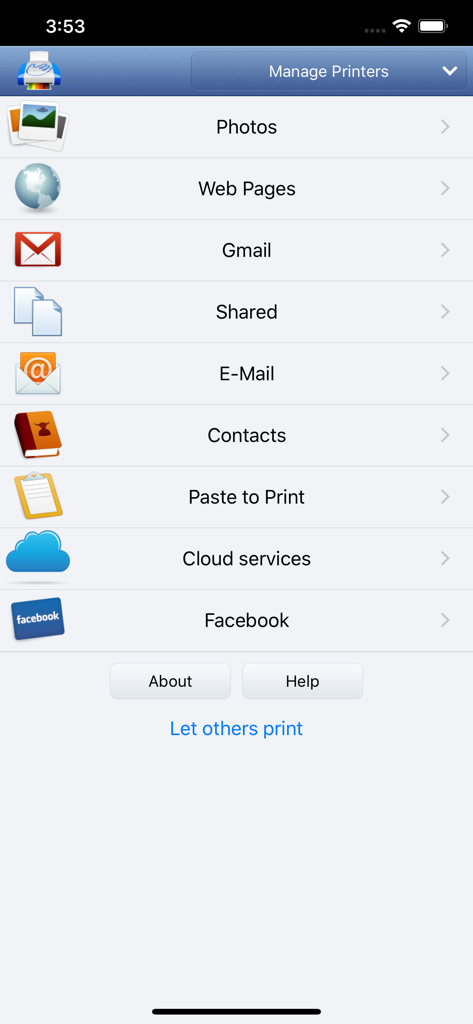
PrintHand Mobile Print Premium - Main menu of PrintHand Mobile Print Premium app showing printing options for photos web pages emails and cloud services
Main menu of PrintHand Mobile Print Premium app showing printing options for photos web pages emails and cloud services

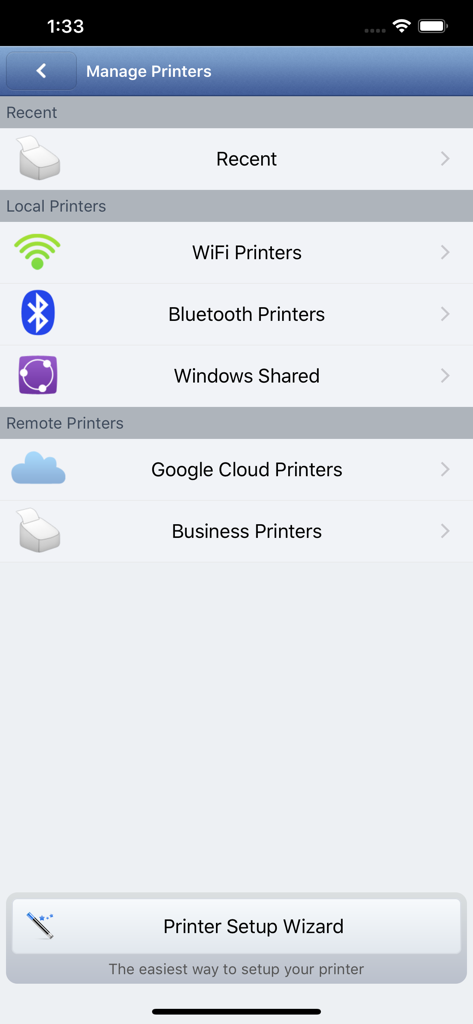
PrintHand Mobile Print Premium - Interface for managing local and remote printers including WiFi and Bluetooth options
Interface for managing local and remote printers including WiFi and Bluetooth options

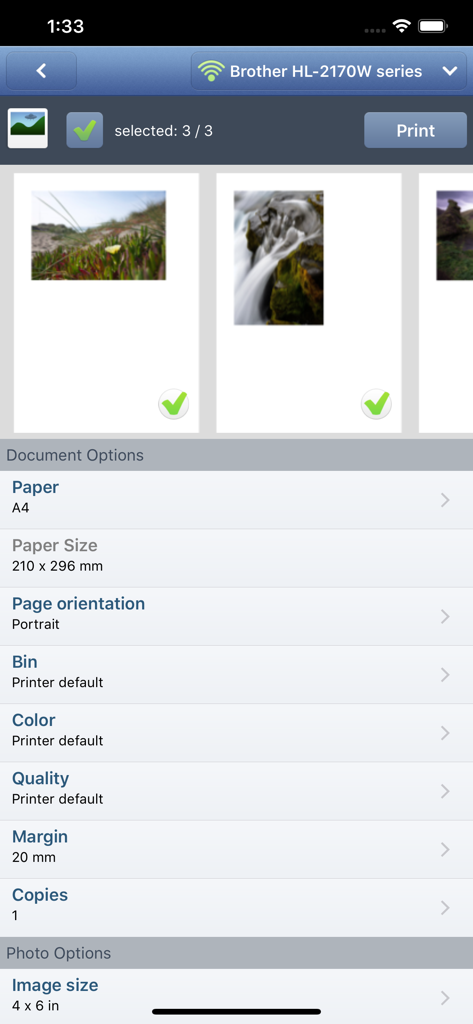
PrintHand Mobile Print Premium - Mobile app interface showing photo selection and document print settings for a Brother printer

Mobile app interface showing photo selection and document print settings for a Brother printer

Description

With PrintHand Mobile Print Premium you can print photos, web pages, emails, attachments, contacts and files saved to various cloud services. Many other apps, including Mail, Safari and Notes, allow you to copy something and paste it to PrintHand for printing or even share content to the printing app using the Action button. One can print on Wi-Fi, Bluetooth, AirPrint, Windows Shared and Google Cloud Print printers. IMPORTANT Prior to purchasing the app we do recommend referring to the list of supported printers and printing a test page from the free PrintHand Mobile Print app. Here is the list of printers supported by PrintHand app: http://printhand.com/list_of_supported_printers.php Please make sure that your printer is supported. In case your printer is not supported, direct printing from your mobile device might be impossible. However, printing from PrintHand Mobile Print Premium using PrintHand Remote desktop software installed on your computer is an option if you can print from your computer on the same printer. Please visit http://www.printhand.com/shared_printers.php to download the PrintHand Remote desktop software. FEATURES Using PrintHand you can print the following content: - Office documents, including MS Word, Excel, PowerPoint, PDF shared from web browser or stored in Cloud services; - Text files shared from web browser or stored in Cloud services; - Photos and images; - Web pages; - Emails and attachments; - Google Drive content; - Contacts; - Facebook albums; - Files from Dropbox; - Files from Box; - Files from OneDrive; - Content copied to clipboard (using Paste to Print); - Content shared from other apps using the Action button. You can print via: - Wi-Fi (using a Wi-Fi Direct printer or using a Wi-Fi router as a middleman); - Bluetooth (only on supported Apple MFi certified printers); - PC or Mac (if your printer is shared using PrintHand Remote desktop client or standard tools of your computer's OS); - Google Cloud Print; - AirPrint. USING PRINTERS Printing on Nearby wireless printers Most of the Wi-Fi printers are detected automatically. PrintHand can print on such printers directly in case they are supported by the app. As long as your printer is available from a Windows or Mac computer, you can print via the PrintHand Remote. To use it, please visit http://www.printhand.com/shared_printers.php to download the PrintHand Remote desktop software. Print Hammermill app installed on your mobile device will find printers shared via the PrintHand Remote desktop app automatically. However, please note that your printer should be connected to the same Wi-Fi network to which your mobile device is connected. Remote printing via the Internet Also, you can print on printers located anywhere in the world via the Internet. This will require the same PrintHand Remote software installed on the computer at the receiving end, and a PrintHand Remote account registered. Complimentary 100 pages for Remote Printing under the same account.

Download

Download on App Store

This page is not an official page of the app or its developer, but an independent editorial publication created for informational and commentary purposes. Unless expressly stated otherwise, neither the app nor its developer is affiliated with, endorsed by, sponsored by, authorized by, or otherwise officially connected with MWM, Apple, Google Play, the app publisher, or the app's developer, and nothing on this page implies that the app was developed using MWM's services. Any trademarks, logos, screenshots, and other content remain the property of their respective owners.








