Projector: All TV Remote App
Download on App Store

This page is not an official page of the app or its developer, but an independent editorial publication created for informational and commentary purposes. Unless expressly stated otherwise, neither the app nor its developer is affiliated with, endorsed by, sponsored by, authorized by, or otherwise officially connected with MWM, Apple, Google Play, the app publisher, or the app's developer, and nothing on this page implies that the app was developed using MWM's services. Any trademarks, logos, screenshots, and other content remain the property of their respective owners.

Logo of Projector: All TV Remote App
Download on App Store

Projector: All TV Remote App

Ditch the clutter of lost remotes. Effortlessly mirror your screen, cast family memories, and control any Smart TV in your home directly from your iPhone.

Key Figures

Downloads

60K+

User Rating

3.3/5

Total Ratings

100

Publisher

QUANTUM4U LAB PRIVATE LIMITED

Category

Photo & Video

Locales

14

Latest Version

12

Size

146.4 MB

First Released

Aug 23, 2023
Features

Your Entire Home Theater, Controlled from Your Pocket

Ditch the clutter of multiple remotes and cast your favorite 4K memories to the big screen with one seamless interface.

Universal Remote Control

Manage every TV in your home—from Samsung to Apple TV—with a single, intuitive interface on your iPhone.

Instant Media Casting

Bring your photo gallery and home videos to life by projecting them onto the big screen for friends and family.

The following screenshots and description are sourced directly from the app's official store listing and are the property of the app developer.

App Store

Screenshots
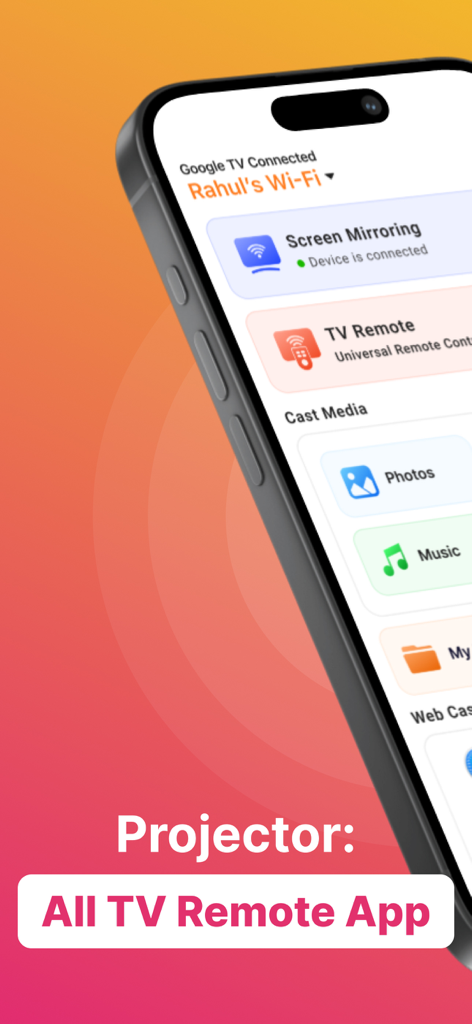
Projector: All TV Remote App - Projector app interface on an iPhone displaying options for screen mirroring, universal TV remote, and media casting.
Projector app interface on an iPhone displaying options for screen mirroring, universal TV remote, and media casting.

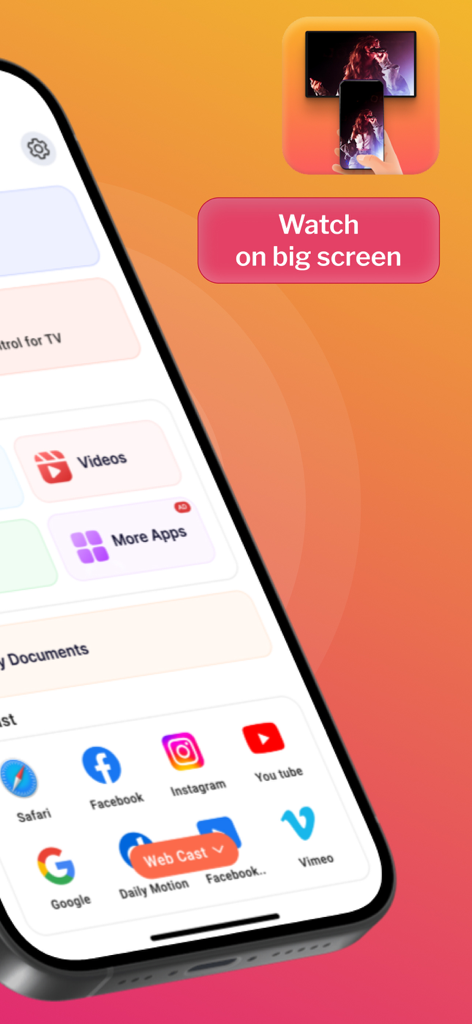
Projector: All TV Remote App - Mobile app screen showing web casting options for social media apps and a watch on big screen prompt
Mobile app screen showing web casting options for social media apps and a watch on big screen prompt

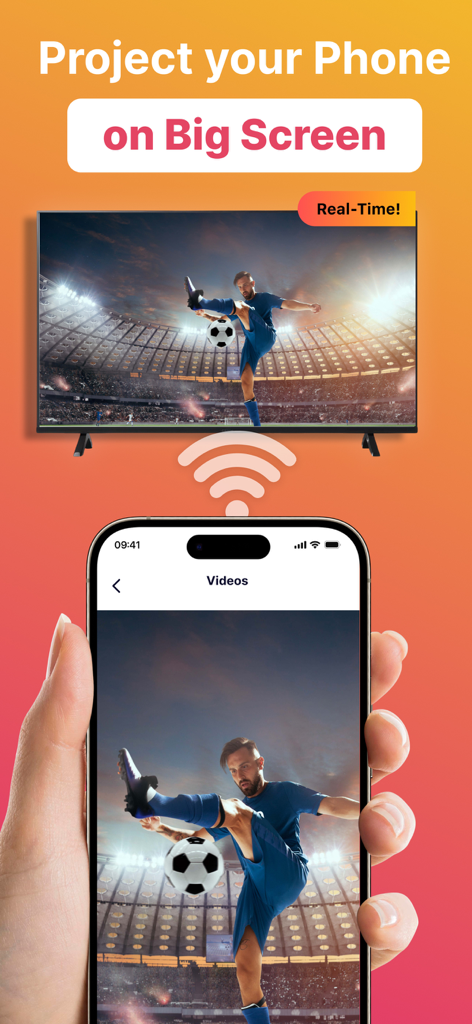
Projector: All TV Remote App - A smartphone screen casting a soccer video to a large smart TV in real time
A smartphone screen casting a soccer video to a large smart TV in real time

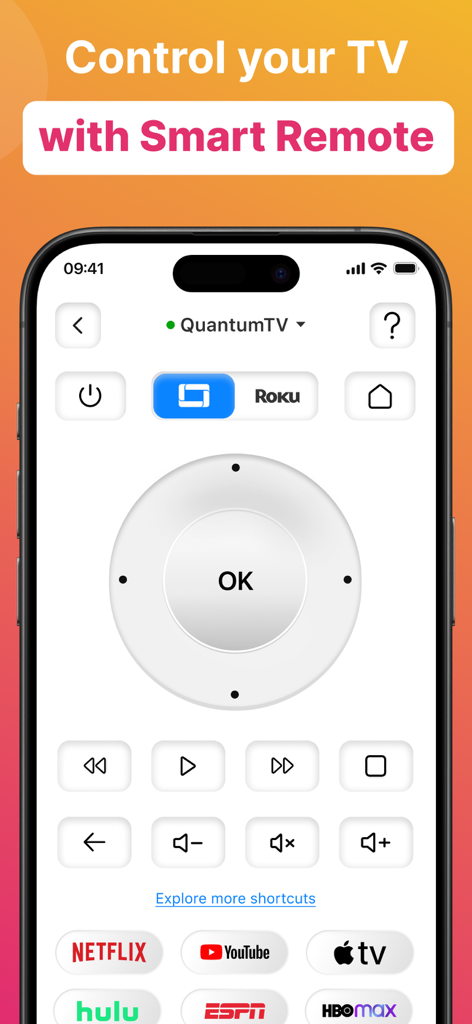
Projector: All TV Remote App - A smartphone screen showing a universal smart TV remote interface with a navigation pad, volume controls, and shortcuts to popular streaming services like Netflix and YouTube.
A smartphone screen showing a universal smart TV remote interface with a navigation pad, volume controls, and shortcuts to popular streaming services like Netflix and YouTube.

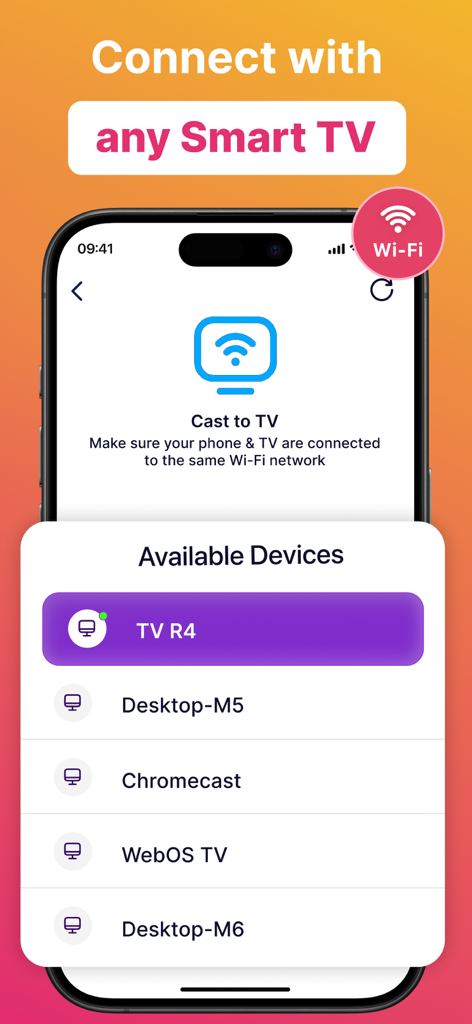
Projector: All TV Remote App - Interface of the Projector app showing a list of available smart TV devices for screen casting
Interface of the Projector app showing a list of available smart TV devices for screen casting

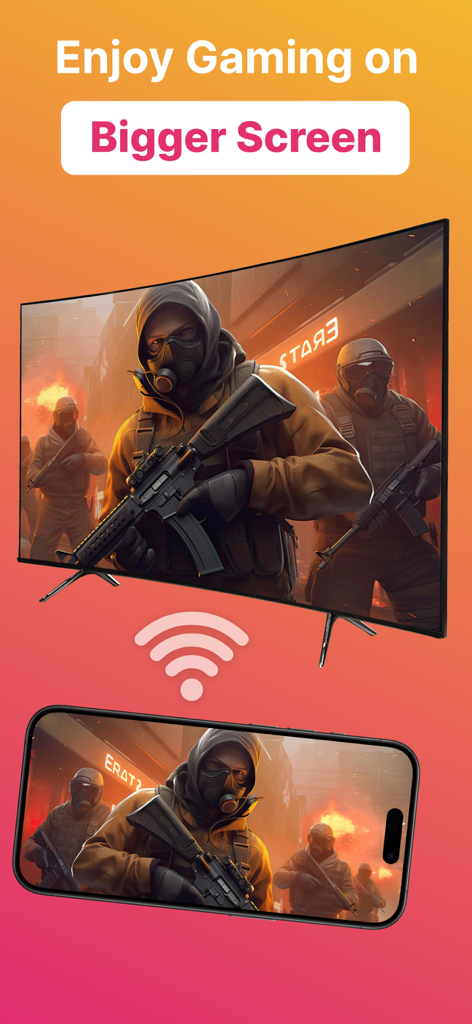
Projector: All TV Remote App - Smartphone casting a video game to a large screen television

Smartphone casting a video game to a large screen television

Description

Introducing Projector TV Cast screen - the ultimate solution for hassle-free TV casting, making your entertainment experience seamless and immersive. Cast videos, photos, and apps from your mobile directly to your smart TV effortlessly. Enjoy reliving cherished memories or indulging in movie nights with friends, all in stunning HD. Screen Cast takes the hassle out of TV casting and lets you seamlessly cast videos, photos, and even apps from your mobile directly onto your smart TV. Whether it's reliving cherished memories with family and friends or indulging in an immersive movie night, our casting feature is your gateway to a captivating entertainment realm. However both devices must be connected to the same WiFi network for casting to work. Plus, you can keep using your phone normally while screen cast goes on in the background. Main Features of Screen Cast Cast on any TV This app works as projector TV HQ Screen Casting Cast photos, videos and audio. TV Remote & Shortcuts Experience the joy of seamless screen casting and projector TV casting to take your entertainment to the next level! Seamlessly connect your devices and unleash a whole new realm of entertainment possibilities with Screen Cast, a powerful casting and projector tv app. Features of Screen Casting TV Casting Immerse yourself in the wonders of TV casting. Cast or project your favorite videos, photos, and apps directly onto your smart TV with just a tap, and watch as they come to life in stunning high-definition. Universal TV Remote The new update includes the Universal TV Remote for all TV including smart TV & Apple TV. The new TV Remote also comes with Smart Remote & helps you by managing everything from the app only. You may not need to keep multiple remotes. Multiple TVs Supported This app comes with a ground breaking feature that lets you cast or project on any TV along with the Universal TV Remote control feature. Screen Casting Experience the joy of screen casting like never before. With Screen Casting or Tv Projector you can effortlessly cast your smartphone onto your TV screen, creating a captivating larger-than-life experience for TV! Universal TV Compatibility Screen Casting works its charm across a wide array of smart TVs. Whichever smart TV you own, our projector app ensures seamless compatibility to make the connection process a breeze. Cast anything You can select any Video, Audio or Photos and cast it on your big TV. Whether it be a movie you downloaded on your phone or priceless family photos of moments you want to relive, this video cast screen casting app does it all. Premium plans Monthly - $6.99 Yearly - $24.99 Subscription Info - The yearly subscription plan comes with a 3 day trial period. The user can cancel their subscription anytime during the trial period without being billed. They will be billed automatically after the trial period ends. - The user can cancel his/her subscription at any time by going into iTunes and App Store Apple ID Settings. - All prices include applicable local sales taxes. - Payment will be charged to your iTunes Account after confirmation of purchase. - Subscription automatically renews at least 24-hours before the end of the current period. - The user's account will be charged for renewal within 24-hours before the end of the current period. Privacy Policy: https://quantum4u.in/web/projectorios/privacy-policy Terms of Use: https://quantum4u.in/web/projectorios/tandc EULA: https://quantum4u.in/web/projectorios/eula

Download

Download on App Store

This page is not an official page of the app or its developer, but an independent editorial publication created for informational and commentary purposes. Unless expressly stated otherwise, neither the app nor its developer is affiliated with, endorsed by, sponsored by, authorized by, or otherwise officially connected with MWM, Apple, Google Play, the app publisher, or the app's developer, and nothing on this page implies that the app was developed using MWM's services. Any trademarks, logos, screenshots, and other content remain the property of their respective owners.








