pScanner:PDF Document Scanner
Download on App Store

This page is not an official page of the app or its developer, but an independent editorial publication created for informational and commentary purposes. Unless expressly stated otherwise, neither the app nor its developer is affiliated with, endorsed by, sponsored by, authorized by, or otherwise officially connected with MWM, Apple, Google Play, the app publisher, or the app's developer, and nothing on this page implies that the app was developed using MWM's services. Any trademarks, logos, screenshots, and other content remain the property of their respective owners.


Logo of pScanner:PDF Document Scanner
Download on App Store

pScanner:PDF Document Scanner

Transform your iPhone into a high-performance mobile office. Scan with HD clarity, extract text with AI-powered OCR, and sign contracts instantly with bank-level security.

Key Figures

Downloads

0

User Rating

4.9/5

Total Ratings

0

Publisher

AI Scanner Network Technology Co., Ltd.

Category

Utilities

Locales

6

Latest Version

1.38

Size

332.2 MB

First Released

Mar 25, 2025
Features

Your Entire Office, Right in Your Pocket

Transform your iPhone into a high-performance productivity hub with professional-grade scanning, smart text extraction, and secure document management.

Crystal Clear HD Scans

Capture every detail with auto-edge detection and smart cropping for professional, print-ready PDFs in seconds.

AI-Powered Text Extraction

Eliminate manual typing by converting printed or handwritten notes into editable Word and TXT files with advanced OCR technology.

The following screenshots and description are sourced directly from the app's official store listing and are the property of the app developer.

App Store

Screenshots
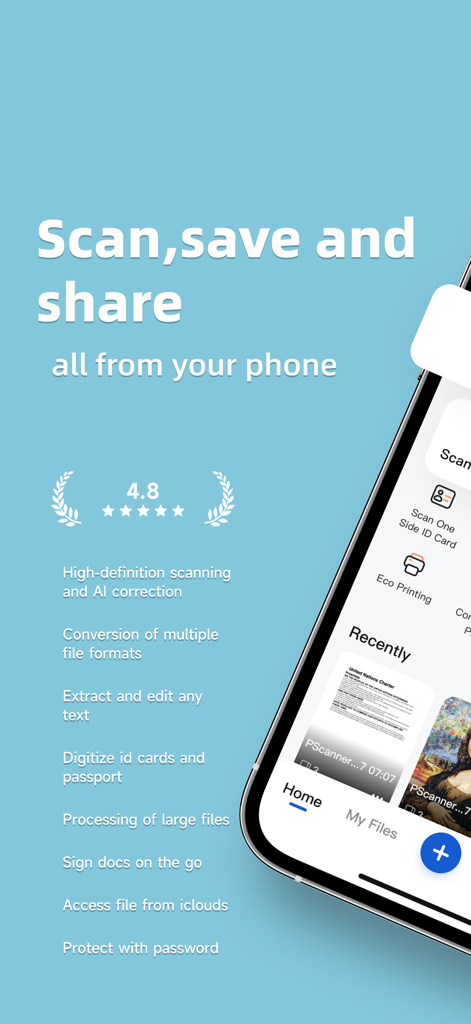
pScanner:PDF Document Scanner - Interface of pScanner app showing document scanning and management features on a smartphone
Interface of pScanner app showing document scanning and management features on a smartphone

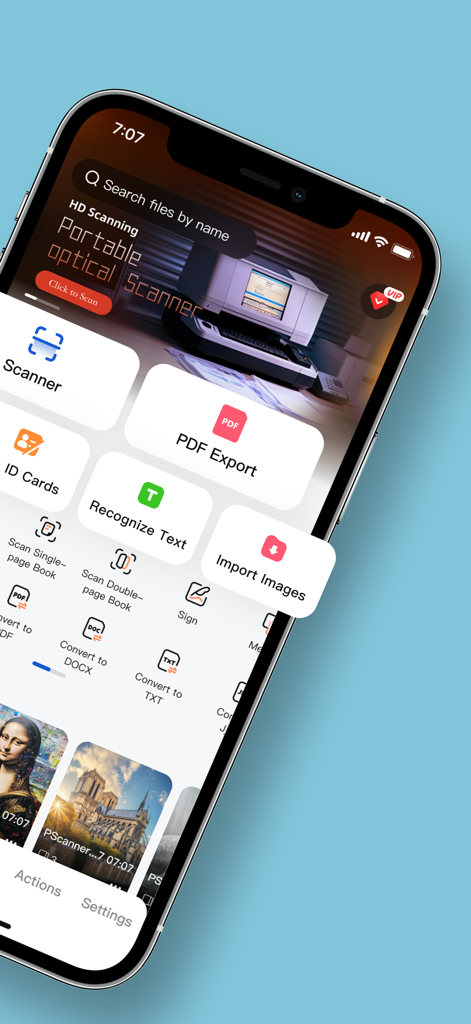
pScanner:PDF Document Scanner - Dashboard of the pScanner mobile app showing scanning, OCR, and PDF export tools.
Dashboard of the pScanner mobile app showing scanning, OCR, and PDF export tools.

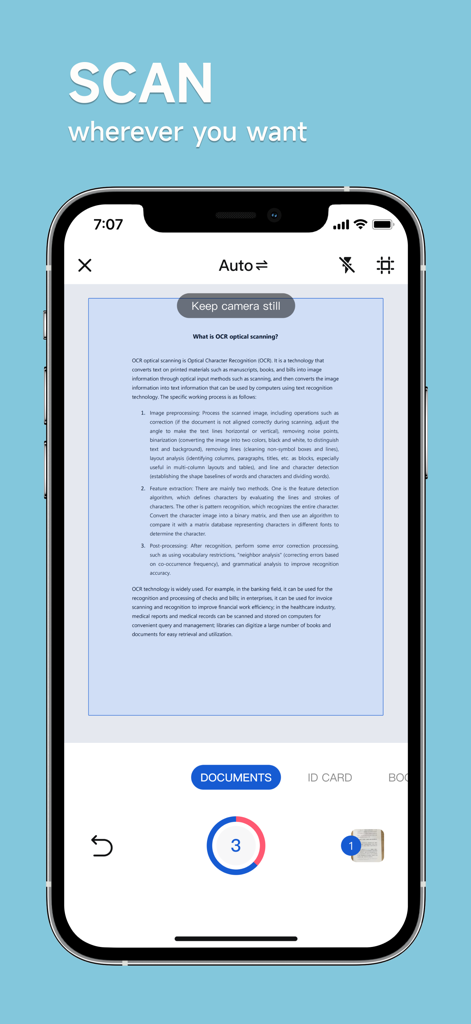
pScanner:PDF Document Scanner - iPhone screen showing pScanner app scanning a printed document with auto-edge detection and OCR text recognition
iPhone screen showing pScanner app scanning a printed document with auto-edge detection and OCR text recognition

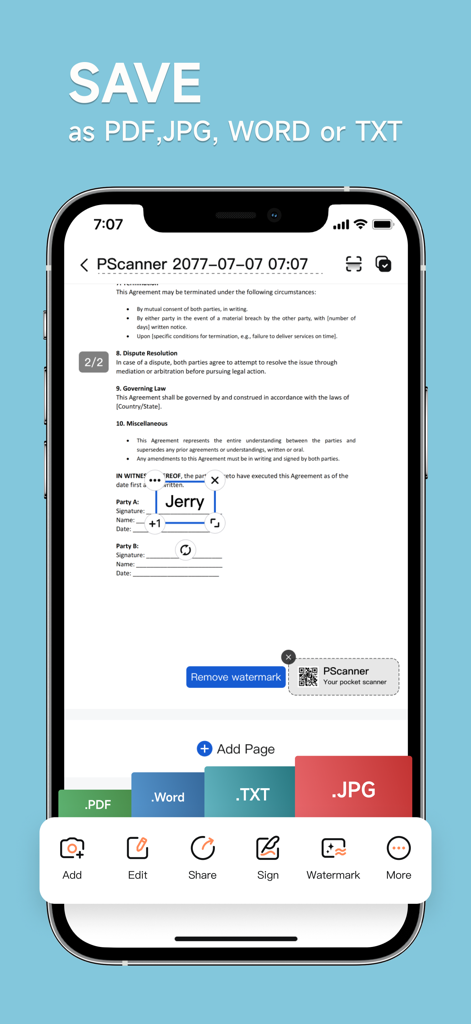
pScanner:PDF Document Scanner - pScanner app interface showing options to save scanned documents as PDF, Word, TXT or JPG.
pScanner app interface showing options to save scanned documents as PDF, Word, TXT or JPG.

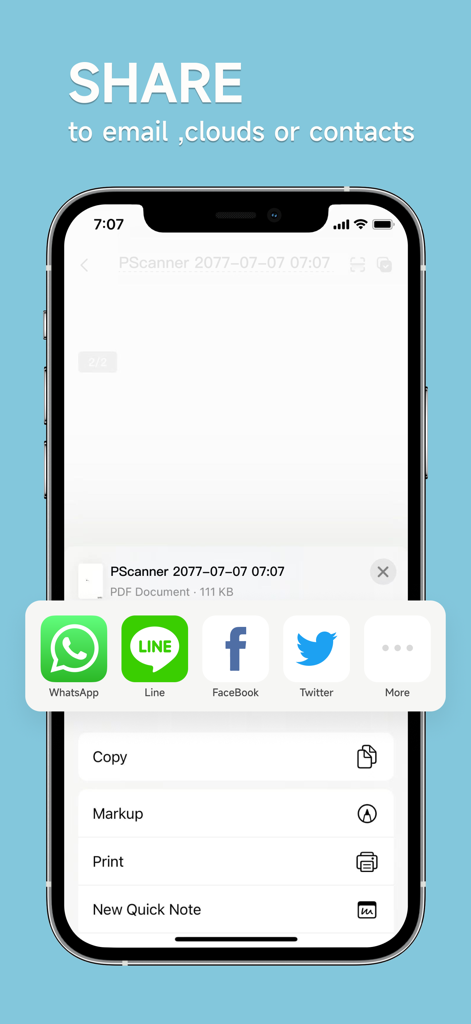
pScanner:PDF Document Scanner - Interface of pScanner app showing various options to share scanned documents via email, cloud, or social media.
Interface of pScanner app showing various options to share scanned documents via email, cloud, or social media.

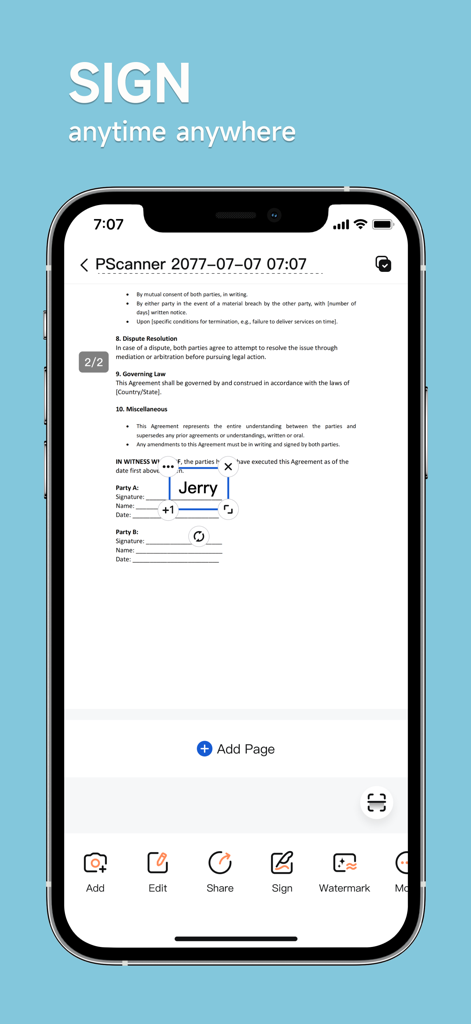
pScanner:PDF Document Scanner - Smartphone screen showing the pScanner app interface with a digital signature being added to a legal document
Smartphone screen showing the pScanner app interface with a digital signature being added to a legal document

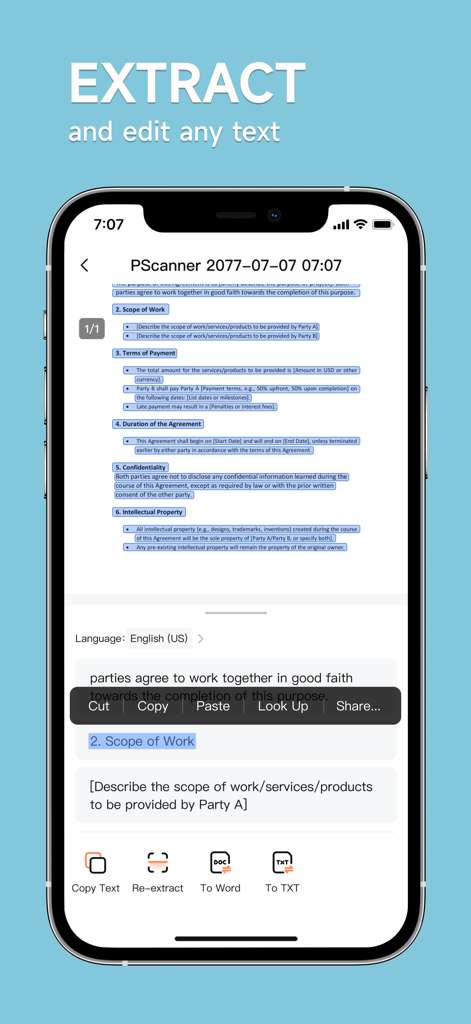
pScanner:PDF Document Scanner - iPhone screen showing the pScanner app extracting and editing text from a scanned document using OCR technology.
iPhone screen showing the pScanner app extracting and editing text from a scanned document using OCR technology.

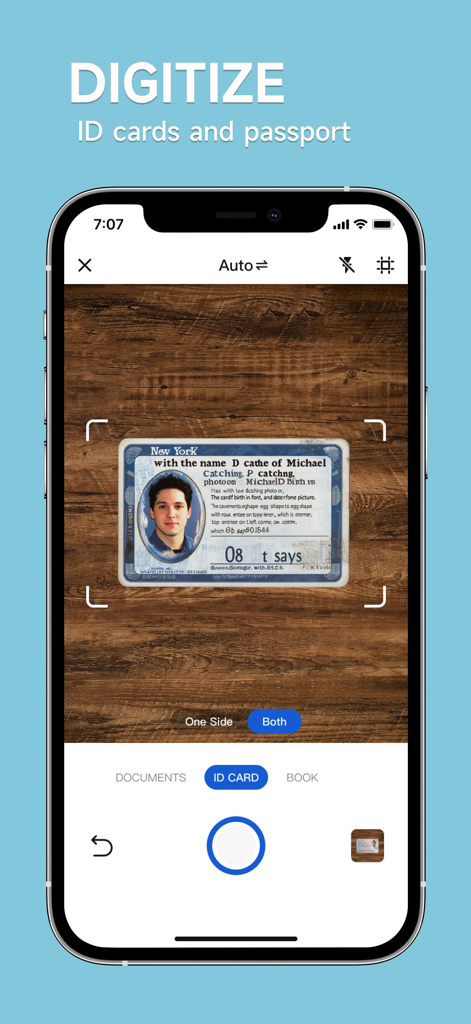
pScanner:PDF Document Scanner - pScanner mobile app interface scanning an ID card for digital conversion
pScanner mobile app interface scanning an ID card for digital conversion

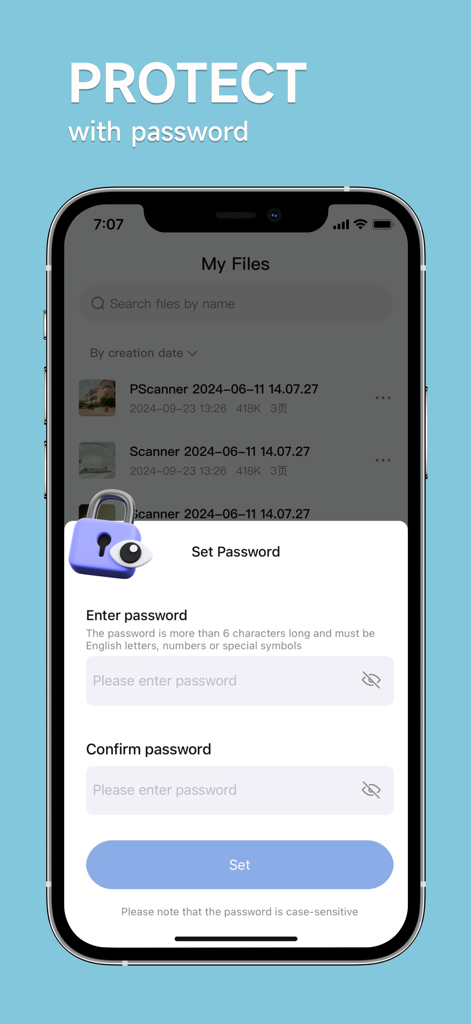
pScanner:PDF Document Scanner - Smartphone screen showing the password setup for secure file protection in the pScanner app.
Smartphone screen showing the password setup for secure file protection in the pScanner app.

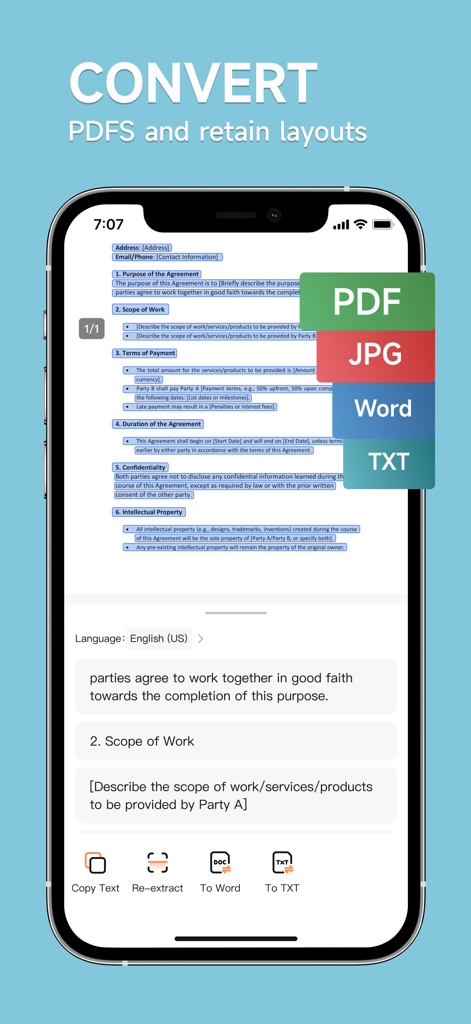
pScanner:PDF Document Scanner - A smartphone displaying the pScanner app converting a scanned document into PDF Word and TXT formats

A smartphone displaying the pScanner app converting a scanned document into PDF Word and TXT formats

Description

Turn Your Phone into a Powerful Scanner! Pocket Scanner transforms paper documents into high-quality digital files in seconds. Convert scans to PDF, JPG, Word, TXT, and more. Print directly or share via email, messaging apps, or cloud platforms with one tap. Key Features 1. Crisp Scanning & Smart Editing - HD scans with auto-edge cropping and customizable filters. 2. OCR Text Recognition - Accurate text extraction with intelligent OCR technology. 3. Smart PDF Tools - Generate PDFs instantly. Add signatures, watermarks, or password protection. 4. Multi-Format Conversion - Export to Word, PDF, TXT, JPG, etc. 5. Wireless Printing - Print documents directly from your phone to compatible printers. 6. ID & Card Scanning - Scan IDs, licenses, or cards with 1:1 precision. Auto-align to A4/Letter size. 7. High-level Security - Secure file encryption & password-protected sharing. 8. Bulk Processing - Handle large files and image batches effortlessly. 9. Smart Organization - Categorize documents with custom folders and tags. Use Cases 1. Document Scanning & Management - Scan Anything, Anytime Contracts, notes, books, receipts, posters—scan multi-page docs in seconds. - Auto-Crop & Enhance Remove clutter and optimize scans with brightness/color adjustments. - Professional PDFs Create print-ready PDFs in A4, Letter, or custom sizes. - Cloud Sync & Share Save to Photos, email PDFs, or share via AirDrop. 2. Text Extraction & Editing - Scan-to-Text Convert printed/handwritten text to editable content (supports 15+ languages). - Boost Productivity Copy text from IDs, invoices, or business cards into apps instantly. 3. ID & Document Scanning - Digitize Critical Info Scan IDs, passports, or insurance cards. Print duplicates at 1:1 scale. 4. Study & Education - Paperless Learning Scan textbooks, notes, or exams to create digital study guides. - Smart Flashcards Turn scanned quizzes into shareable digital flashcards. 5. Business & Productivity - On-the-Go Office Scan contracts, whiteboards, or receipts during meetings or travel. - Team Collaboration Share annotated PDFs via Slack, Teams, or email in one click. 6. Everyday Convenience - Preserve Memories Digitize photos, recipes, or travel souvenirs. - Travel Ready Store scanned itineraries, tickets, and maps offline. Why Professionals & Students Love It - Time-Saving – Ditch manual typing with instant OCR. - Pro-Quality Scans – Crisp results rivaling desktop scanners. - High-level Privacy – Your docs stay 100% secure. - Apple Ecosystem Ready – Works seamlessly with AirPrint, Files app, and iCloud. Download Now – Join 5M+ users who trust Pocket Scanner for work, school, and life! pScanner PRO -Subscribe to get Pro access to all features. You will be charged after the purchase confirmation. -Subscriptions to our scanner app auto-renew 24 hours before the expiration date. You can manage your subscriptions in account Settings on the App Store. Terms of Use of pScanner: Scanner App: https://www.pocketscanner.tech/agreement/terms Privacy Policy of pScanner: Scanner App: https://www.pocketscanner.tech/agreement/privacy We'd love to hear your feedback: pscanner.feedback@gmail.com

Download

Download on App Store

This page is not an official page of the app or its developer, but an independent editorial publication created for informational and commentary purposes. Unless expressly stated otherwise, neither the app nor its developer is affiliated with, endorsed by, sponsored by, authorized by, or otherwise officially connected with MWM, Apple, Google Play, the app publisher, or the app's developer, and nothing on this page implies that the app was developed using MWM's services. Any trademarks, logos, screenshots, and other content remain the property of their respective owners.