PTZControl Pro 2 by PTZOptics™
Download on App Store

This page is not an official page of the app or its developer, but an independent editorial publication created for informational and commentary purposes. Unless expressly stated otherwise, neither the app nor its developer is affiliated with, endorsed by, sponsored by, authorized by, or otherwise officially connected with MWM, Apple, Google Play, the app publisher, or the app's developer, and nothing on this page implies that the app was developed using MWM's services. Any trademarks, logos, screenshots, and other content remain the property of their respective owners.

Logo of PTZControl Pro 2 by PTZOptics™
Download on App Store

PTZControl Pro 2 by PTZOptics™

Transform your iOS device into a precision PTZ controller. From auto-discovering cameras to direct RTMP streaming and secure 'Volunteer Mode,' manage every angle of your broadcast with professional-grade mobility.

Key Figures

Downloads

0

User Rating

3.9/5

Total Ratings

0

Publisher

Haverford Systems, Inc

Category

Photo & Video

Locales

1

Latest Version

1.291

Size

125.5 MB

First Released

Oct 4, 2022
Features

Master Your Broadcast with Professional Precision

Transform your iOS device into a powerful PTZ command center. Manage, stream, and secure your production from anywhere in the venue without the need for expensive dedicated hardware.

Intuitive PTZ Command

Seamlessly pan, tilt, and zoom with a low-latency live preview. Use fluid touch gestures or a physical keyboard for the precision required in professional broadcasts.

Fail-Safe Volunteer Mode

Protect your production by locking critical settings. Empower volunteers to manage camera angles while preventing any accidental configuration changes or deletions.

The following screenshots and description are sourced directly from the app's official store listing and are the property of the app developer.

App Store

Screenshots
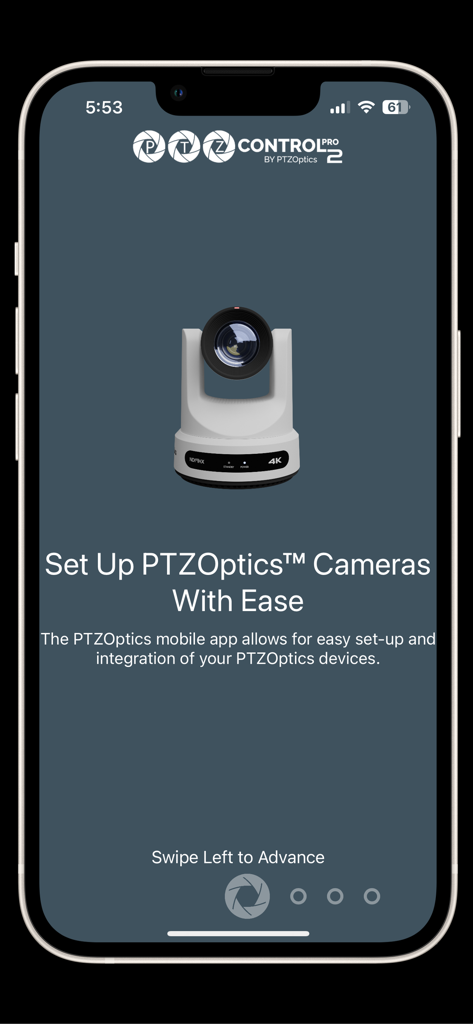
PTZControl Pro 2 by PTZOptics™ - PTZControl Pro 2 app screen for easy setup and integration of PTZOptics cameras
PTZControl Pro 2 app screen for easy setup and integration of PTZOptics cameras

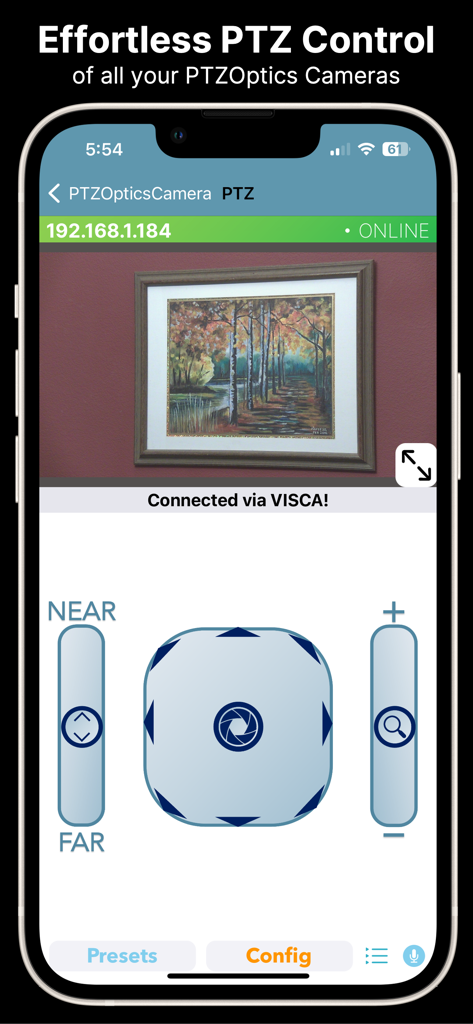
PTZControl Pro 2 by PTZOptics™ - Interface of PTZControl Pro 2 app on iPhone showing live camera feed and pan tilt zoom controls
Interface of PTZControl Pro 2 app on iPhone showing live camera feed and pan tilt zoom controls

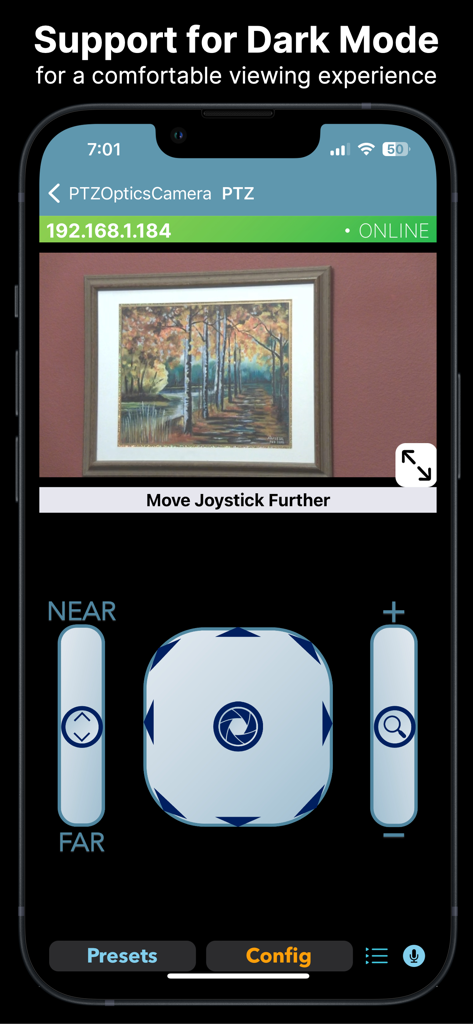
PTZControl Pro 2 by PTZOptics™ - PTZControl Pro 2 app interface in dark mode featuring live video preview and PTZ joystick controls

PTZControl Pro 2 app interface in dark mode featuring live video preview and PTZ joystick controls
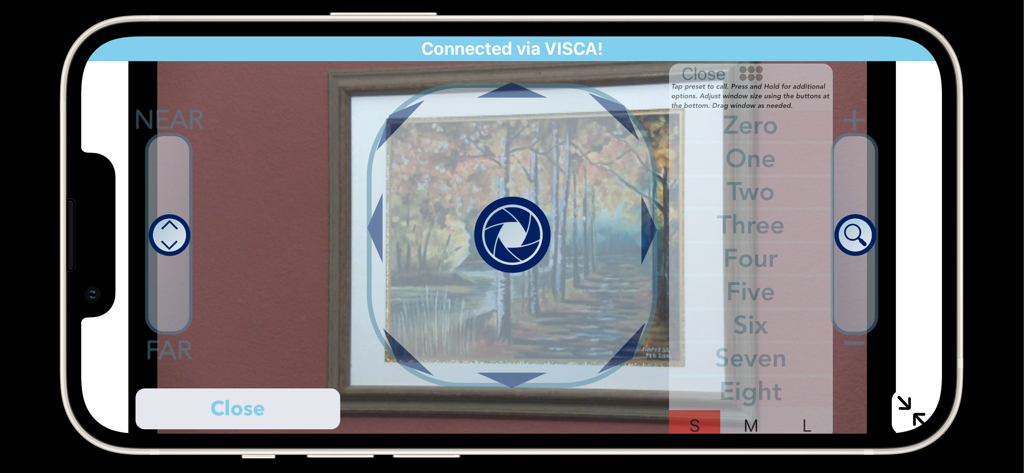
PTZControl Pro 2 by PTZOptics™ - Landscape view of the PTZControl Pro 2 app showing live video and camera controls for pan tilt and zoom.
Landscape view of the PTZControl Pro 2 app showing live video and camera controls for pan tilt and zoom.

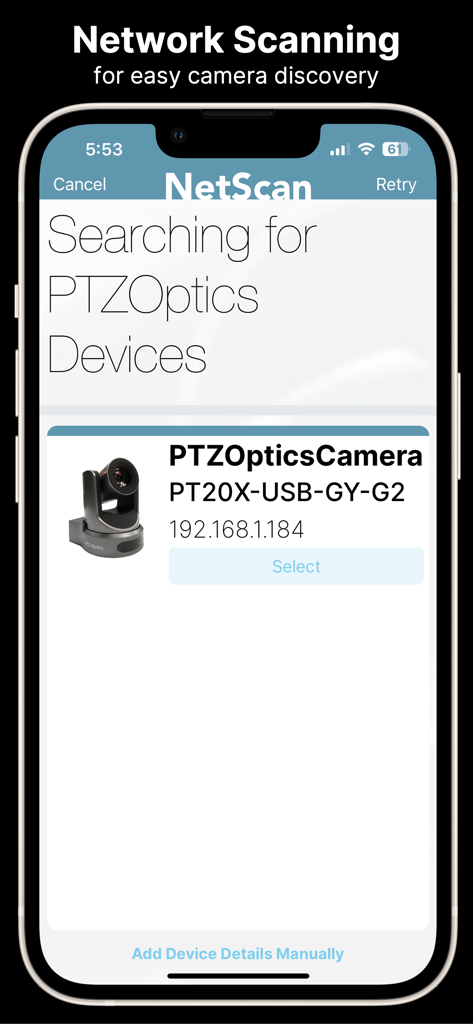
PTZControl Pro 2 by PTZOptics™ - The NetScan feature of the PTZControl Pro 2 app searching for and listing discovered PTZOptics cameras
The NetScan feature of the PTZControl Pro 2 app searching for and listing discovered PTZOptics cameras

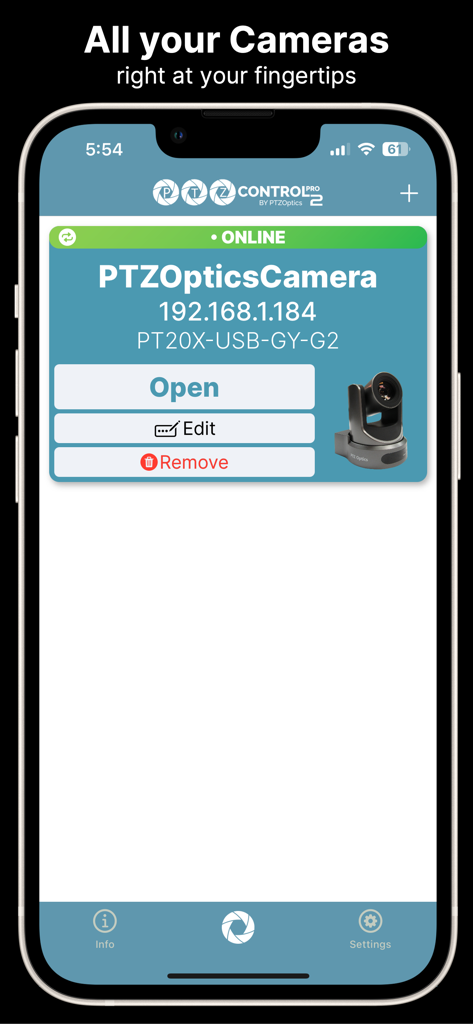
PTZControl Pro 2 by PTZOptics™ - A screenshot of the PTZControl Pro 2 app showing a list of connected PTZOptics cameras with an online status indicator and camera management options.
A screenshot of the PTZControl Pro 2 app showing a list of connected PTZOptics cameras with an online status indicator and camera management options.

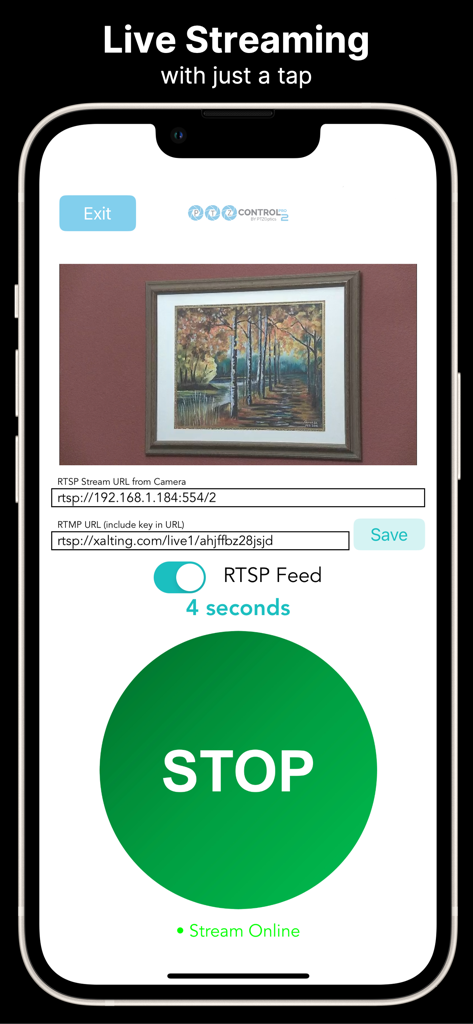
PTZControl Pro 2 by PTZOptics™ - iPhone interface of the PTZControl Pro 2 app showing live streaming settings with RTMP server configuration and a live camera feed preview
iPhone interface of the PTZControl Pro 2 app showing live streaming settings with RTMP server configuration and a live camera feed preview

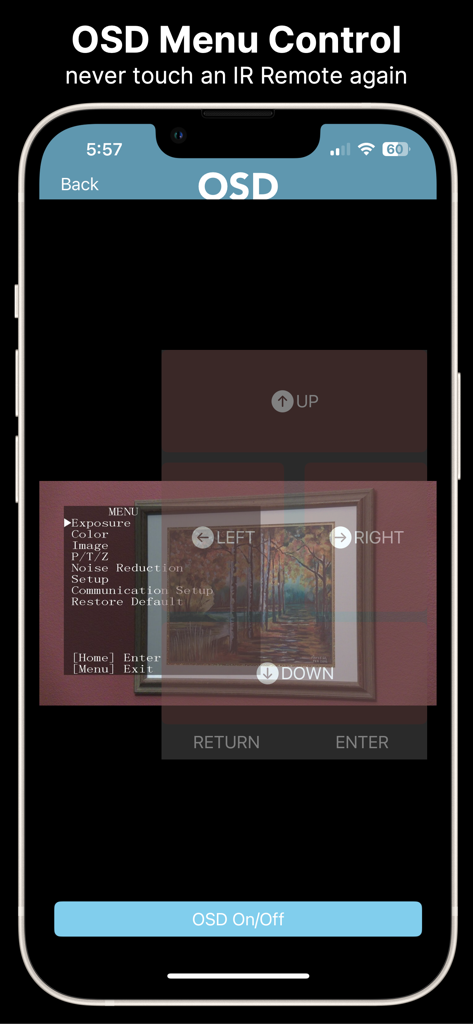
PTZControl Pro 2 by PTZOptics™ - PTZControl Pro 2 app interface showing OSD menu control for PTZ cameras on an iPhone
PTZControl Pro 2 app interface showing OSD menu control for PTZ cameras on an iPhone

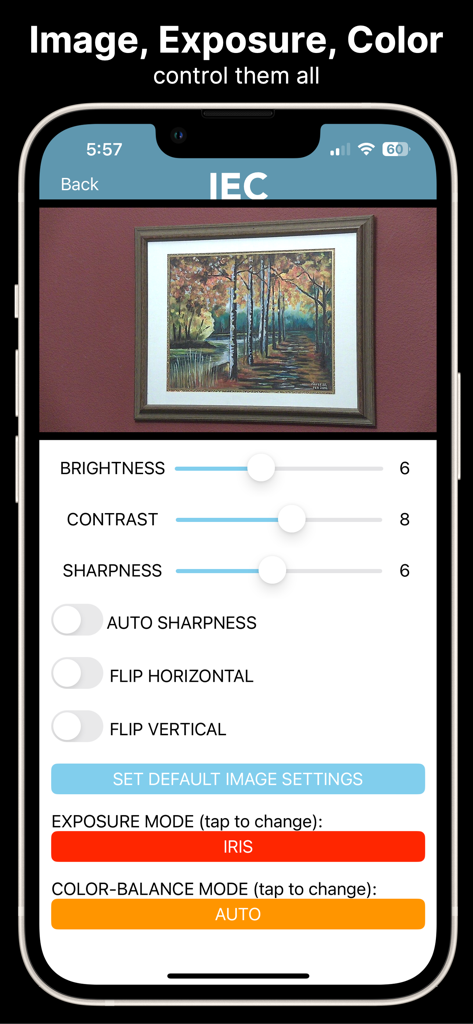
PTZControl Pro 2 by PTZOptics™ - Interface of PTZControl Pro 2 showing camera image adjustment settings like brightness contrast and sharpness
Interface of PTZControl Pro 2 showing camera image adjustment settings like brightness contrast and sharpness

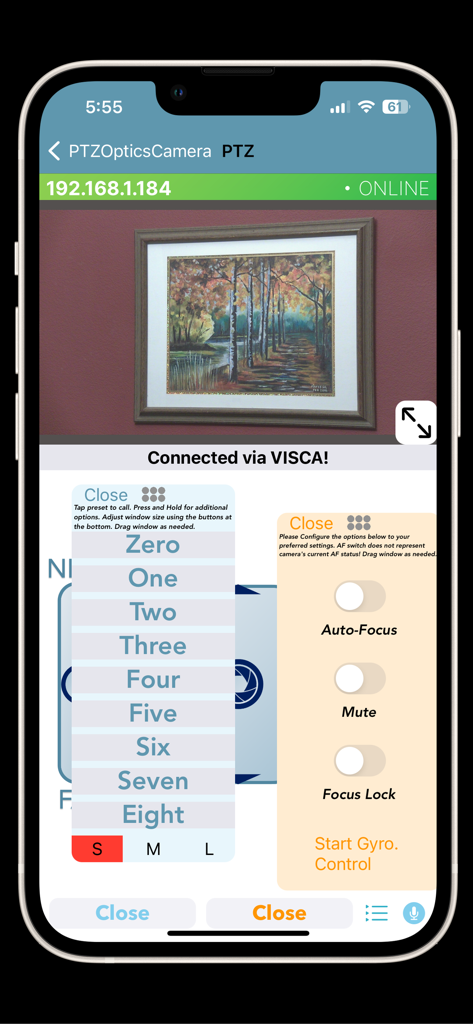
PTZControl Pro 2 by PTZOptics™ - PTZControl Pro 2 app interface showing a live camera feed with floating menus for camera presets and focus settings

PTZControl Pro 2 app interface showing a live camera feed with floating menus for camera presets and focus settings

Description

PTZControl Pro 2 is a PTZ camera control application available for iOS devices. This app features easy PTZOptics camera setup with powerful features allowing you to wirelessly control your camera with ease. Top Features: Set up PTZOptics Cameras With Ease The PTZOptics mobile app allows for easy setup and integration of your PTZOptics cameras. Stream your camera to anywhere! No need to use fancy encoding software and hardware. You can set up your PTZOptics camera to stream directly to any RTMP server. Automatically discover your cameras PTZControl Pro 2 can quickly scan your network for PTZOptics devices and discover them. Pan, Tilt, Zoom, Focus and View! Remotely control the PTZF functionality of your PTZOptics cameras, and view the RTSP/MJPEG video feed at the same time, right from this app. Color correction tools Quickly adjust brightness, contrast or sharpness of your camera right from your phone with a live video preview. Free Updates This is the latest version of PTZControl Pro. Enjoy free updates for the life of this application. Camera Manual Access Gain instant access to your camera’s manual directly through the app. Voice Control Use your voice to control PTZOptics cameras. Helper app required, see more below. Features Continued - Online/offline indicators on the application's home page for each camera - Variable PTZ speed control offers more dynamic camera control versus constant speed control - PTZ Control screen has an immersive full screen experience when using it in landscape mode - Floating Presets Window - Tilt Control Mode which when turned on allows the user to control PT functionality by tilting their device - Support for Keyboard Control - If a physical keyboard is attached to the user's device (such as an Apple Magic/Smart Keyboard Folio or any Bluetooth keyboard the user has paired to the device), the user can use the arrow keys to control PT and use the + and - key to control Zoom. - Supports Voice-activated presets (requires helper app) which allows the user to summon a preset simply by saying its name - There is an Image, Exposure, Color Section - There is an OSD Menu section that allows users to control OSD right from the app - There is a Config section that displays all of the Cameras configuration preferences and allows the user to modify IP address settings - There is a Stream to RTMP section that allows the user to encode their camera's RTSP stream to a specified RTMP URL. - There is a section that allows the user to view the Camera's manual as well as its tutorial video from the PTZOptics channel. - The app features a "Volunteer Mode" that, when activated, disables users from deleting, editing, or adding cameras until it is deactivated. This is intended for users that want to pass their device to volunteers/employees but don't want them to modify settings. - Support for Sony and Panasonic PTZ cameras (PTZ Only).

Download

Download on App Store

This page is not an official page of the app or its developer, but an independent editorial publication created for informational and commentary purposes. Unless expressly stated otherwise, neither the app nor its developer is affiliated with, endorsed by, sponsored by, authorized by, or otherwise officially connected with MWM, Apple, Google Play, the app publisher, or the app's developer, and nothing on this page implies that the app was developed using MWM's services. Any trademarks, logos, screenshots, and other content remain the property of their respective owners.