
This page is not an official page of the app or its developer, but an independent editorial publication created for informational and commentary purposes. Unless expressly stated otherwise, neither the app nor its developer is affiliated with, endorsed by, sponsored by, authorized by, or otherwise officially connected with MWM, Apple, Google Play, the app publisher, or the app's developer, and nothing on this page implies that the app was developed using MWM's services. Any trademarks, logos, screenshots, and other content remain the property of their respective owners.


PyPocket
Run Python 3 code instantly on your iPhone and iPad with a distraction-free, privacy-first IDE. No internet or account required—just pure code whenever inspiration strikes.
Downloads
1K+User Rating
Total Ratings
0Publisher
Category
Developer ToolsLocales
1Latest Version
2.6Size
20.9 MBFirst Released
Nov 13, 2024Master Python Anywhere
A professional-grade, privacy-first Python 3 environment designed specifically for the mobile developer workflow.
Zero-Latency Local Execution
Powered by Pyodide, your code runs directly on your device. Experience instant output and full offline capability without needing a server or internet connection.
Privacy-First & Frictionless
Forget account creation and data tracking. Dive straight into coding with a distraction-free environment that respects your privacy and contains zero ads.
Frequently Asked Questions
Everything you need to know about PyPocket
What is PyPocket?
PyPocket is a lightweight, offline-capable Python editor for iOS that allows users to write, test, and run Python 3 code with real-time syntax highlighting and instant output directly on their iPhone or iPad.
Does PyPocket require an internet connection to run Python code?
No, PyPocket is offline-capable. After the initial download, it does not require an internet connection to run Python code, making it suitable for coding on the go.
Can PyPocket run Python 3 code?
Yes, PyPocket provides full Python 3 support, powered by Pyodide, allowing users to write and execute Python 3 syntax and utilize its standard library.
Does PyPocket collect user data or show ads?
No, PyPocket ensures user privacy and a distraction-free experience. The app does not collect or track any user data and is entirely free from ads.
Is PyPocket available on both iPhone and iPad?
Yes, PyPocket is a universal app optimized for both iPhone and iPad, featuring an adaptive layout to suit different screen sizes and provide a clean, iOS-native design.
Does PyPocket offer syntax highlighting for Python code?
Yes, PyPocket features smart syntax highlighting to improve code readability. It also includes dark and light themes, optimized for a straightforward coding experience.
How do I manage files in the PyPocket app?
PyPocket offers comprehensive file management options including creating new files, opening, saving, saving as, renaming, and duplicating files via its File Options menu and File Browser.
Can I access code examples in PyPocket?
Yes, PyPocket includes a variety of built-in code examples covering fundamental Python concepts like functions, loops, lists, dictionaries, and classes, accessible through the app's settings or file browser.
What development tools are included in PyPocket?
PyPocket provides powerful development tools such as one-tap code copying, a clear and readable output console, error highlighting and reporting, and instant code execution results.
Can I change the theme in PyPocket?
Yes, PyPocket supports both dark and light themes. Users can toggle between these themes through the app's settings to customize their coding environment.
The following screenshots and description are sourced directly from the app's official store listing and are the property of the app developer.
App Store
Screenshots
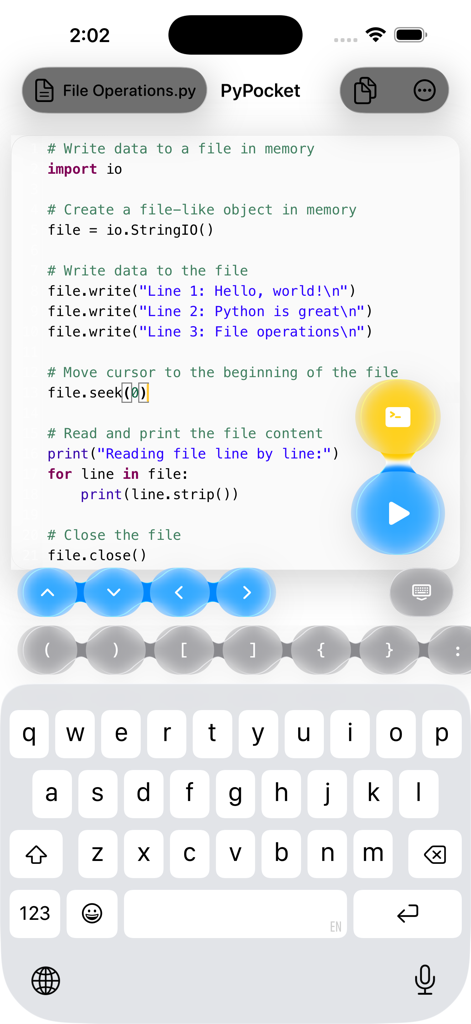
Python code editor interface on iPhone with syntax highlighting and specialized coding keyboard shortcuts
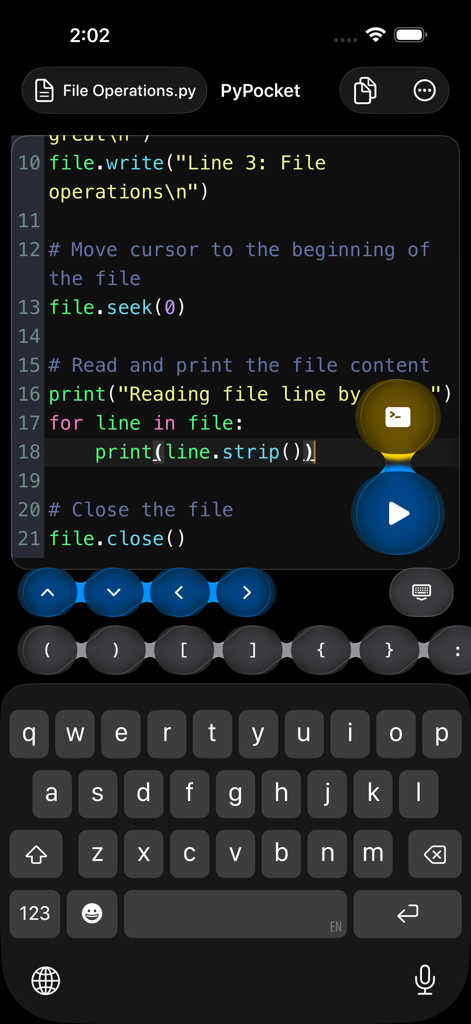
Interface of PyPocket Python editor on an iPhone showing file operations code with a specialized coding keyboard.
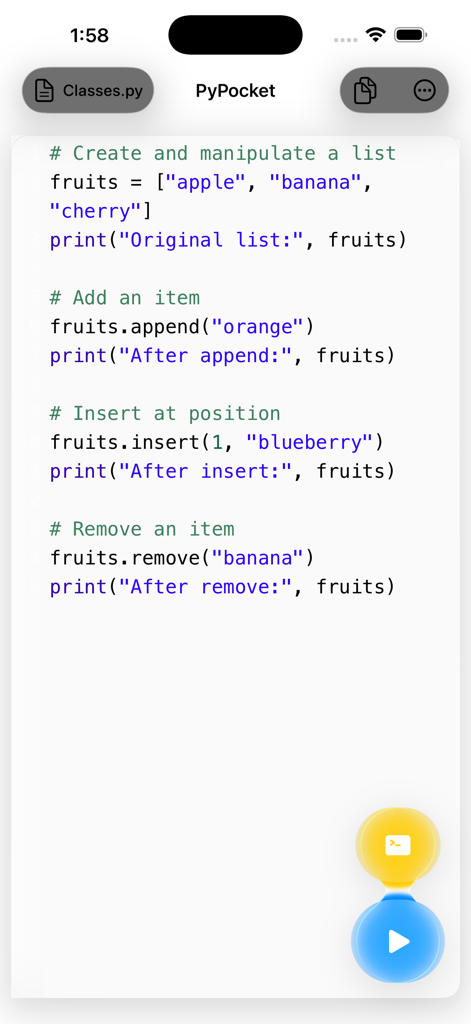
PyPocket mobile app interface displaying Python code for list manipulation with syntax highlighting.
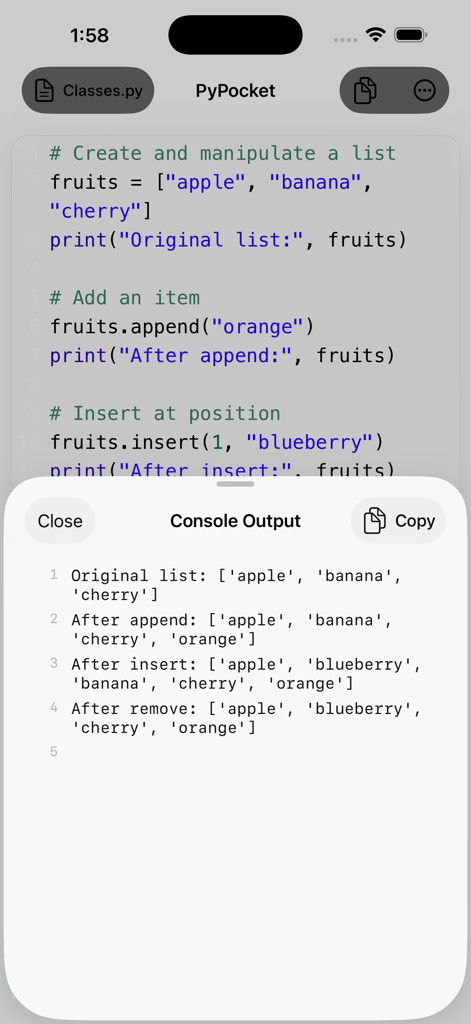
PyPocket mobile app showing Python code and console output on an iPhone
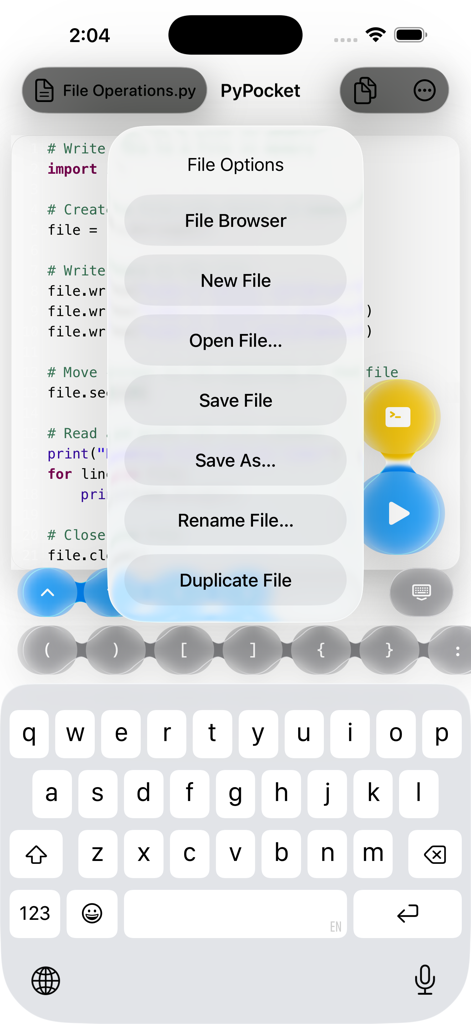
PyPocket Python code editor on iPhone showing a file options menu with features like save open and duplicate file
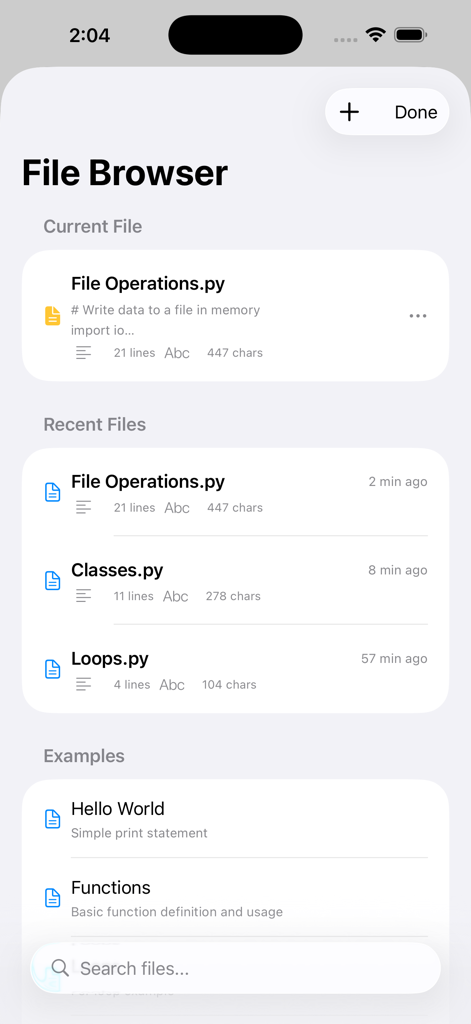
PyPocket mobile app interface showing the file browser with recent Python scripts and coding examples
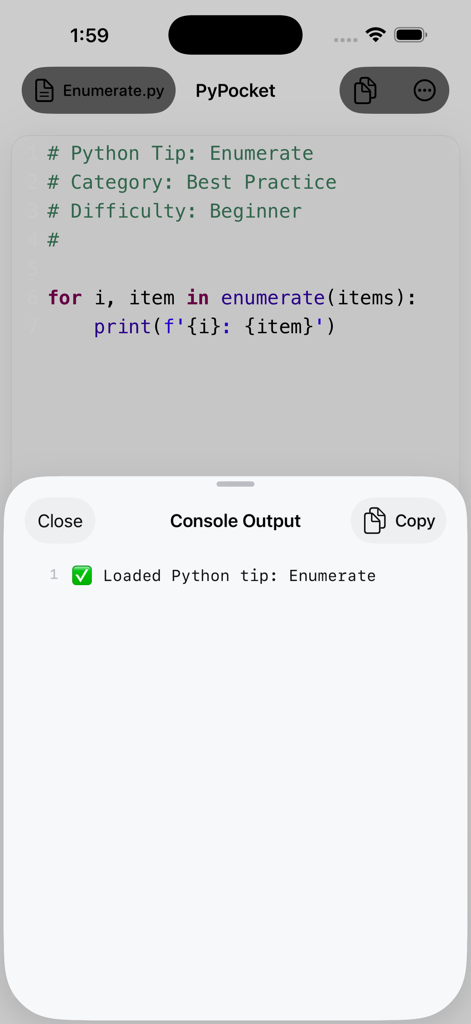
PyPocket mobile app showing a Python code editor with a console output window displaying execution results
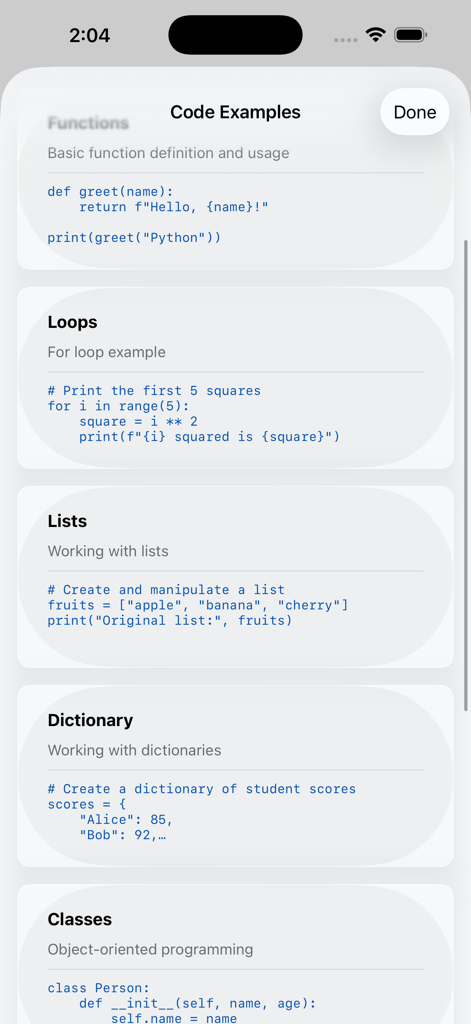
A list of Python code examples for functions loops and lists in the PyPocket app interface
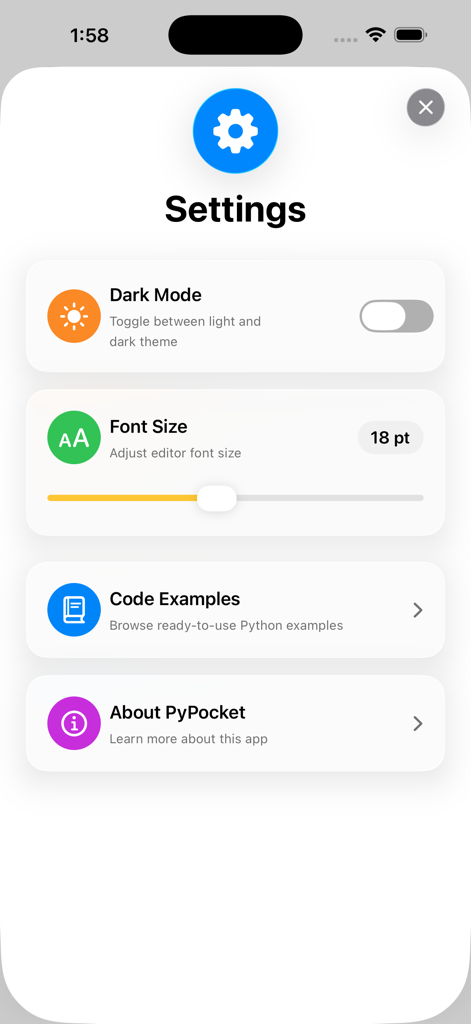
PyPocket app settings interface showing dark mode toggle and font size adjustment slider
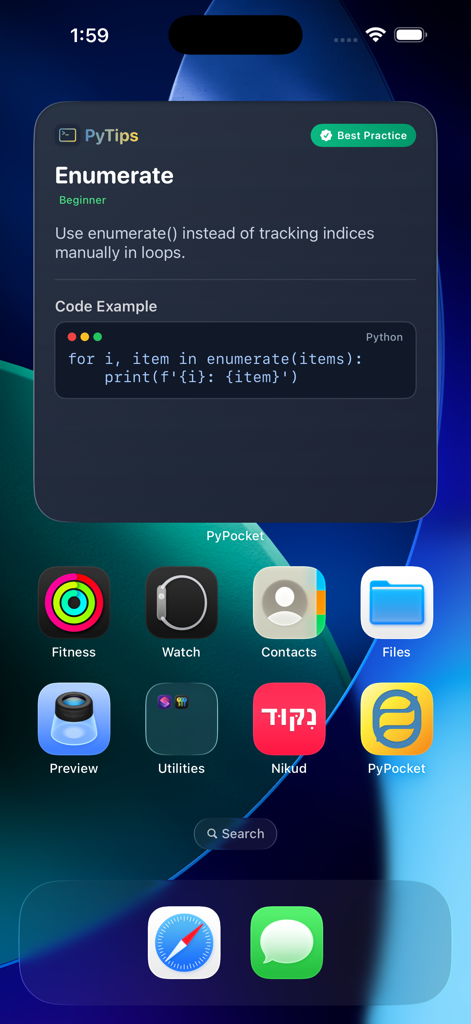
iPhone home screen featuring a PyPocket widget that displays a Python tip about using the enumerate function with a code example
Description
Download
More Like This
Top-ranked apps in the same category

TestFlight
Apple Inc.

Replit: Vibe Code Apps
Replit, Inc

GitHub
GitHub

O-KAM Pro
Shenzhen VeePai IoT Intelligent Technology LLC

Apple Developer
Apple Inc.

Expo Go
650 Industries, Inc.

Scriptable
Simon Stovring

App Store Connect
Apple Inc.

Sekai: Create · Remix · Play
Versa AI, Inc.
This page is not an official page of the app or its developer, but an independent editorial publication created for informational and commentary purposes. Unless expressly stated otherwise, neither the app nor its developer is affiliated with, endorsed by, sponsored by, authorized by, or otherwise officially connected with MWM, Apple, Google Play, the app publisher, or the app's developer, and nothing on this page implies that the app was developed using MWM's services. Any trademarks, logos, screenshots, and other content remain the property of their respective owners.